
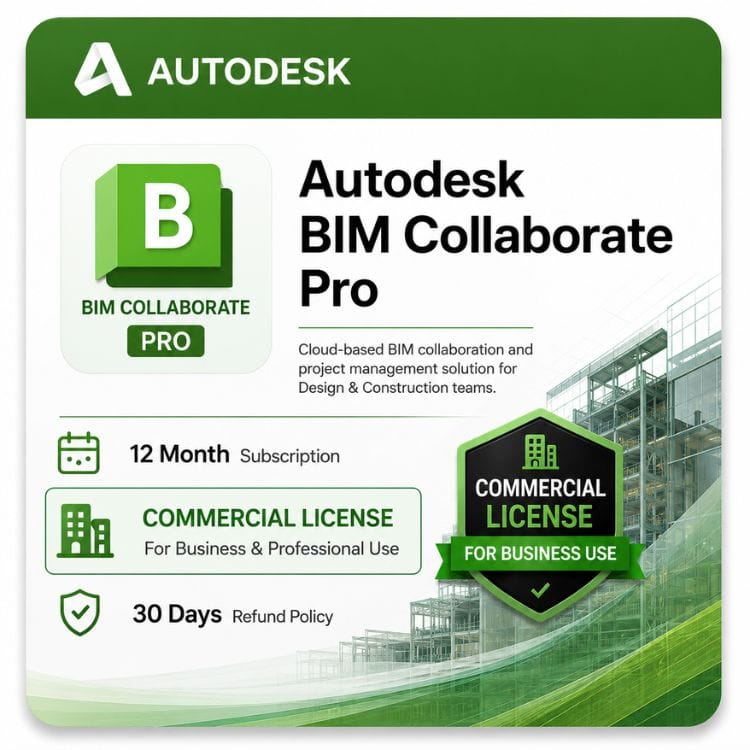




Autodesk BIM Collaborate Pro
Original price was: $940.00.$749.00Current price is: $749.00.
Genuine Autodesk BIM Collaborate Pro — 1-year or 3-year term. One seat per person needing cloud worksharing.
| Activation Region | Global |
|---|---|
| Delivery | Direct Invite from Autodesk on your Email |
| Licence Type | Commercial Subscription |
| Language | English (Multilanguage available) |
| Platform | Mac, Windows |
Description
BIM Collaborate Pro is what lets several people edit the same Revit model from different offices at the same time. It hosts the central model in Autodesk’s cloud, so a structural engineer in one city and an architect in another work on one live file instead of emailing copies back and forth.
The problem this solves
Revit’s built-in worksharing puts a central model on a network share. That works when everyone sits in one office on one network.
It stops working the moment your team is distributed. Consultants can’t reach your server, remote staff fight a VPN, and the usual fallback — emailing model copies and reconciling them later — is where coordination errors get introduced.
BIM Collaborate Pro moves the central model to Autodesk’s cloud. Everyone syncs to the same place regardless of location or which firm they work for.
How Revit cloud worksharing works
The mechanics are close to standard Revit worksharing, which matters — your team doesn’t relearn how they work.
- Initiate the model to a cloud project instead of a network location
- Each person opens a local copy on their own machine
- Work proceeds as normal, with worksets and element borrowing
- Sync with Central publishes changes and pulls in everyone else’s
- Version history keeps every sync, so you can roll back
The difference from a network share is where “central” lives and who can reach it. Anyone with a seat and access to the project can, from anywhere.
What cloud worksharing gives you beyond location
- Version history on the model, not just on your file server backups
- Change visualization between versions — see what moved and who moved it
- Package sharing between firms without exposing your whole model
- No VPN configuration for external consultants
- Automatic model backup as part of the sync
Formerly BIM 360 Design — what changed
If you’ve been searching for BIM 360 Design and landing on unfamiliar pages, this is why.
Autodesk renamed BIM 360 Design to BIM Collaborate Pro and moved it into Autodesk Construction Cloud. The capability is the same — cloud worksharing for Revit — but the product name, the platform it runs on, and the surrounding interface all changed.
| What you knew it as | What it is now |
|---|---|
| BIM 360 Design | BIM Collaborate Pro |
| BIM 360 Design Collaboration | Design Collaboration, inside BIM Collaborate Pro |
| BIM 360 platform | Autodesk Construction Cloud (ACC) |
| C4R / Collaboration for Revit | Revit cloud worksharing, inside BIM Collaborate Pro |
Older documentation, forum posts and tutorials still use the BIM 360 names. The workflows they describe largely still apply — the buttons have moved rather than the concepts.
BIM Collaborate vs BIM Collaborate Pro vs Construction Cloud
Three names that overlap, and the distinction genuinely matters when you’re buying.
| Capability | BIM Collaborate | BIM Collaborate Pro |
|---|---|---|
| Model coordination and clash detection | Yes | Yes |
| Design review and markup | Yes | Yes |
| Issue tracking | Yes | Yes |
| Viewing shared models | Yes | Yes |
| Revit cloud worksharing | No | Yes |
| Live co-authoring of one model | No | Yes |
| Civil 3D and Plant 3D collaboration | No | Yes |
The single line that matters is worksharing. BIM Collaborate lets people review and coordinate models. Pro lets them author the same model together.
If your team needs to edit one Revit file simultaneously, you need Pro. If they only need to see and comment on models others produce, the base tier covers it.
Where Autodesk Construction Cloud fits
ACC is the platform, not a competing product. BIM Collaborate Pro is one of the products that runs on it, alongside Build, Docs and Takeoff.
Comparing BIM Collaborate Pro against Autodesk Construction Cloud is a category error, though an understandable one given the naming. You’re not choosing between them — Pro is a subscription that gives you a slice of ACC.
Who needs BIM Collaborate Pro
Multi-firm project teams
The clearest case. Architect, structural engineer and MEP consultant each employed by different firms, all needing to work in a coordinated model set. Nobody’s network can host it for everyone.
Distributed offices
One firm, several locations. A shared network model over WAN is slow and fragile; cloud worksharing removes the network as the constraint.
Remote and hybrid teams
Staff working from home need the central model reachable without a VPN tunnel that struggles with Revit’s sync traffic.
Firms that share models with clients
Package sharing lets you publish a defined slice of the model to an external party without giving them access to everything.
Per-seat licensing — how many do you need?
One subscription per person who needs cloud worksharing access. It is not a project license or a firm license.
| Question | Answer |
|---|---|
| How many people per seat? | One named user |
| Does everyone on the project need one? | Only those editing the cloud model |
| Do consultants need their own? | Yes, if they author. Their firm buys it, not you. |
| Do reviewers and viewers need one? | No — viewing access is separate |
| Is Revit included? | No. Each user needs their own Revit subscription too. |
| Can I reassign a seat? | Yes, to a new named user through your Autodesk account |
That fifth row catches people out. BIM Collaborate Pro is an addition to Revit, not a replacement — every person needs both.
BIM Collaborate Pro price and terms
Autodesk sells it as a subscription only, per seat.
| Term | Per seat | Effective cost per year | Best for |
|---|---|---|---|
| 1 year | US $749 | US $749 | Project-length commitment, or first year |
| 3 years | US $2,247 | US $2,247 | Firms with continuous multi-party work |
| Autodesk direct — 1 year | US $925 | US $925 | — |
| Your saving | US $176 | — | vs Autodesk list |
Budgeting for a team
Multiply by the number of people authoring, then add their Revit subscriptions. A five-person design team needs five of each.
The 3-year term lowers the effective annual figure and fixes your rate — worth considering given Autodesk raises list prices most years, and given that a seat count only tends to grow.
Already looking at the AEC Collection?
BIM Collaborate Pro is included in the Autodesk AEC Collection, so check that first if you’re also buying Revit, Civil 3D or Navisworks.
Buy this page’s standalone subscription when you already have Revit — through a standalone seat or an existing collection — and only need to add collaboration.
Buy the collection when you’re equipping a team from scratch. It works out considerably cheaper than assembling the same products individually.
What you need alongside it
BIM Collaborate Pro is an add-on. Two things must already be in place.
- Autodesk Revit — a subscription per person, since this doesn’t include the authoring software
- An Autodesk account with project administration set up, so someone can create the cloud project and assign access
If you don’t have Revit yet, start there — cloud worksharing has nothing to share without it.
Getting started
- Choose your term and seat count, then check out with Visa, Master, Paypal, Wise, Payonner or Direct Bank Transfer
- Your details arrive by email Quickly, But some time it may take upto 24 Hours
- Redeem in your Autodesk account and assign seats to named users
- Create a project in Autodesk Construction Cloud
- Initiate your Revit model to the cloud project
- Invite team members and external consultants to the project
Step five is the one to plan. Moving an existing model to cloud worksharing is straightforward but should be done at a sensible point in the project, not mid-deadline.
When your term ends
Cloud worksharing stops. Your models remain in the cloud project 30 Days of period, but nobody can sync to them.
Before expiry, save models back to local worksharing or as standalone files so work continues uninterrupted. Renewing restores cloud access.
What we supply
Genuine Autodesk seats that redeem into an account your firm controls — assignable to your own named users, never shared or resold. Activation trouble inside 30 Days Money Back Guarantee means a replacement or refund.
Related Autodesk products
- Revit Commercial License — the BIM authoring seat that feeds your shared models
- AEC Collection — bundles BIM Collaborate Pro with Revit, AutoCAD and Civil 3D
- Civil 3D Commercial License — infrastructure design for teams coordinating site and building models
- AutoCAD Commercial License — drafting and documentation alongside your coordinated model
Features
Revit cloud worksharing
- Central model hosted in Autodesk's cloud
- Simultaneous multi-user authoring on one model
- Worksets and element borrowing as in local worksharing
- Sync with Central from any location
- Automatic model backup on sync
Design collaboration
- Package sharing between teams and firms
- Controlled model exchange without full access
- Change visualization between versions
- Timeline view of project development
- Team-by-team workspace separation
Version control
- Full version history on cloud models
- Roll back to a previous state
- Compare versions to see what changed and who changed it
- Named milestone versions
Coordination and review
- Clash detection across disciplines
- Issue creation and assignment
- Markup and commenting on models
- Model viewing in a browser, no Revit needed
Multi-application support
- Revit cloud worksharing
- Civil 3D collaboration
- Plant 3D collaboration
- Model aggregation across authoring tools
Access and administration
- Named-user seat assignment
- Project-level permission control
- External consultant invitation
- Runs on Autodesk Construction Cloud
Specifications
| Specification | Detail |
|---|---|
| Product | Autodesk BIM Collaborate Pro |
| Formerly | BIM 360 Design · Collaboration for Revit (C4R) |
| Platform | Autodesk Construction Cloud |
| Model | Subscription — no perpetual option |
| Terms | 1 year or 3 years |
| Seat type | Single user, named |
| Reassignment | Permitted through your Autodesk account |
| Requires | A Revit subscription per user — not included |
| Cloud storage | 100 GB |
| Supported authoring tools | Revit · Civil 3D · Plant 3D |
| Model viewing | Browser-based, no Revit required for viewers |
| Also included in | AEC Collection |
| Delivery | Email, within few hours |
| Activation | Autodesk account sign-in |
| Region | Global |
System Requirements
BIM Collaborate Pro is a cloud service, so requirements split into two parts: what your Revit workstation needs, and what your connection needs.
Revit workstation
Cloud worksharing adds no significant local hardware demand beyond running Revit itself. If Revit runs well, cloud worksharing will too. See the Revit system requirements for your version.
Network and connection
| Factor | Minimum | Recommended | Why it matters |
|---|---|---|---|
| Download speed | 5 Mbps (symmetrical) | 25 Mbps (symmetrical) | Opening cloud models and downloading changes |
| Upload speed | 5 Mbps (symmetrical) | 25 Mbps (symmetrical) | Sync with Central uploads your changes to the cloud |
| Typical working target | 10 Mbps (symmetrical) | 25 Mbps+ | Provides smoother day-to-day collaboration |
| Latency | No Autodesk specification | As low as possible (ideally under 50 ms) | Lower latency improves sync responsiveness |
| Connection type | Stable broadband | Wired Ethernet preferred | Reduces dropped connections and failed synchronizations |
Upload speed is the one firms underestimate. Many business internet connections are asymmetric with much slower upload than download, and Sync with Central is primarily an upload operation. A team of several users syncing large Revit models over a slow upload connection will notice delays every time they synchronize.
Browser access
| Component | Requirement |
|---|---|
| Browsers | Latest versions of Google Chrome (recommended), Microsoft Edge, Mozilla Firefox and Safari (64-bit) |
| Internet Explorer | Not supported |
| Operating system | No desktop OS requirement (browser-based application) |
| Revit required for viewing? | No |
Model viewing, markup, clash review and issue tracking all work directly in a web browser, allowing project managers, consultants and clients to participate without installing Revit.
Firewall and IT notes
Autodesk publishes a list of Autodesk Construction Cloud service endpoints that must be accessible through corporate firewalls and proxy servers. If these endpoints are blocked, users commonly experience failed logins, synchronization errors or cloud model access issues.
Provide Autodesk's endpoint whitelist to your IT team before deployment rather than troubleshooting connectivity problems after rollout.
Official Autodesk documentation:
https://help.autodesk.com/cloudhelp/ENU/Docs-About-ACC/files/System_Requirements_ACC.html
FAQs
What does BIM Collaborate Pro actually do?
It hosts your Revit central model in Autodesk's cloud so several people can author it simultaneously from different locations or different firms. Without it, Revit worksharing needs everyone on the same network.
Is this the same as BIM 360 Design?
Yes. Autodesk renamed BIM 360 Design to BIM Collaborate Pro and moved it onto Autodesk Construction Cloud. Same capability, new name and platform. Older tutorials using the BIM 360 names still describe workflows that largely apply.
What is the difference between BIM Collaborate and BIM Collaborate Pro?
Pro adds Revit cloud worksharing — live co-authoring of one model. The base tier covers coordination, clash detection, review and markup, but people can only view models others produce, not edit them together.
How much does BIM Collaborate Pro cost?
US $749 per seat for a year, or US $2,247 for three, working out at US $749 annually. Autodesk's list price for the annual term is US $925. Multiply by the number of people authoring.
Does it include Revit?
No. Every person needs their own Revit subscription as well — this is the collaboration layer, not the authoring software. Budget for both per user.
How many seats does my team need?
One per person editing the cloud model. Reviewers and viewers don't need a seat — browser access covers them. External consultants need their own, bought by their firm rather than yours.
Is it included in the AEC Collection?
Yes. If you're also buying Revit, Civil 3D or Navisworks, price the collection first — it usually works out cheaper than assembling the products separately. Buy standalone when you already have Revit and only need to add collaboration.
What is Revit cloud worksharing?
The feature this subscription unlocks. Instead of a central model on a network share, it lives in Autodesk's cloud. Worksets, element borrowing and Sync with Central all behave as your team already knows — only the location changes.
Is BIM Collaborate Pro the same as Autodesk Construction Cloud?
No — ACC is the platform, and BIM Collaborate Pro is one product running on it alongside Build, Docs and Takeoff. You're not choosing between them; the subscription gives you a slice of ACC.
Can consultants from other firms join our project?
Yes, that's the main use case. Invite them to the cloud project and they work in the same model set. Each authoring consultant needs their own subscription, purchased by their own firm.
What internet speed do we need?
Upload speed matters most, since Sync with Central pushes changes up. Many business connections are asymmetric with much slower upload, and a team syncing large models will notice. See the System Requirements tab for figures.
Can people view models without Revit?
Yes. Browser-based viewing, markup and issue tracking need no Revit seat, so project managers and clients can participate without buying software.
Does it work with Civil 3D?
[CONFIRM current support.] Autodesk has extended collaboration beyond Revit to other authoring tools, though capability varies by application. Verify for your specific workflow before buying.
Can we move an existing project to cloud worksharing?
Yes — initiate the existing model to a cloud project. It's straightforward, but plan it for a sensible point in the schedule rather than mid-deadline, since everyone needs to switch at once.
What happens when the subscription expires?
Cloud worksharing stops and nobody can sync. Models remain in the cloud project for 30 Days after your subscription is expired , but you should save them back to local worksharing before expiry so work continues.
Can I reassign a seat when someone leaves?
Yes, through your Autodesk account. The seat belongs to the firm and transfers to a replacement named user.
Is there a perpetual license?
No. It's a cloud service, so subscription is the only model — there has never been a perpetual version and there cannot be one.
How much cloud storage is included?
100GB. Large multi-discipline projects with model history can accumulate more than firms expect, so check the allowance against your typical project size.
Do we need to change how we use Revit?
Barely. Worksets, borrowing and Sync with Central work as before. The main adjustments are where the model lives and getting your IT team to allow Autodesk's endpoints through the firewall.
Related products
3ds Max Commercial License for Windows
Original price was: $1,870.00.$1,399.00Current price is: $1,399.00.
Autodesk 3ds Max Price for Windows License
Original price was: $99.00.$59.00Current price is: $59.00.
Autodesk AutoCAD LT 2027 Commercial Price and License
Original price was: $440.00.$399.00Current price is: $399.00.
Reviews
Clear filtersThere are no reviews yet.