




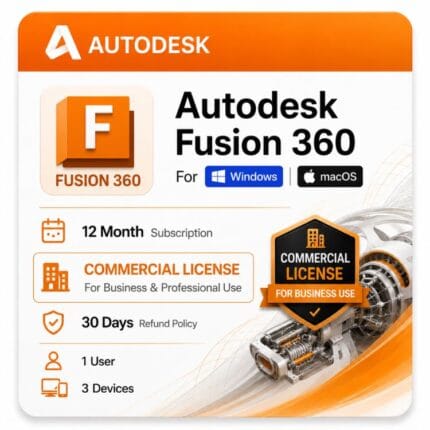
Autodesk Fusion 360 for Windows
Original price was: $99.00.$59.00Current price is: $59.00.
Genuine Autodesk Fusion 360 for Windows. CAD, CAM, CAE and PCB included.
| Activation Region | Global |
|---|---|
| Delivery | Direct Invite from Autodesk on your Email |
| Language | English (multiple available) |
| Platform | Windows |
Description
Machining, simulation and electronics usually arrive as three separate purchases. Fusion 360 puts them in one application alongside the modeler, and that bundling is the entire case for the Fusion 360 price.
Fusion 360 price and term options
Autodesk sells Fusion 360 as a subscription only. There is no perpetual option, so your decision is how long you commit for.
| Term | Effective cost per year | What you pay | Best for |
|---|---|---|---|
| 1 year | $59 | $59 | Most buyers — the standard choice |
| 3 years | ~$53 | $159 | Design shops with steady ongoing work |
| Autodesk direct — annual | ~$680 | ~$680 | |
| Your saving vs Autodesk annual | ~$621 / year | same entitlement |
Fusion 360 price per year vs the 3-year term
The Fusion 360 subscription price is always lower per month on the longer term. The 3-year term averages about $53 a year against $59 on the annual plan.
Choose the annual term if you want flexibility, or the 3-year term to lock today’s rate and save roughly 10% per year over renewing.
Where the Fusion 360 discount actually comes from
Two things move the number. The term you pick, and where you buy.
Longer terms cut the effective yearly cost and hold your rate against Autodesk’s annual increases. Buying here rather than direct removes the retail markup — same software, same Autodesk account.
Be wary of anything advertised as a heavily discounted Fusion 360 key from an unfamiliar seller. Autodesk subscriptions redeem against a named account, so a genuine entitlement is traceable and a fake one simply fails at activation.
Fusion 360 for personal use — what the free tier really is
Autodesk offers Fusion 360 free for personal, non-paid projects. It exists, it is legitimate, and you should know about it before spending money.
It is also deliberately limited, and those limits are what push people to the paid subscription.
What the free personal tier restricts
- Non-paid projects only — you cannot use it for work you are paid for
- Limited number of active editable documents at one time
- Reduced CAM — basic toolpaths only, with rapid moves at feed rate
- No simulation, generative design or advanced manufacturing
- Restricted export formats
- Must be renewed annually and eligibility re-confirmed
When the free tier stops working for you
The moment someone pays you for the output. That is the line Autodesk draws, and the CAM restrictions bite quickly — rapid moves at feed rate makes real machining impractically slow.
If you are a hobbyist making things for yourself, start free. If you sell what you make, or you need simulation, full CAM or unrestricted exports, the subscription on this page is what you need.
What you get in the paid subscription
The full application with no functional limitations — every workspace unlocked and no document cap.
- Parametric, direct and freeform modeling with no document limit
- Full CAM including multi-axis toolpaths and correct rapid moves
- Simulation — static stress, modal, thermal and buckling
- Generative design and topology optimization
- PCB design and electronics integration
- Sheet metal, rendering and animation
- Unrestricted export to STEP, IGES, DWG, STL and more
- Autodesk updates released during your term
- Email and phone support from zoftis for the life of your license
Why one subscription covers CAD, CAM, CAE and PCB
Fusion 360 is a single application spanning design, machining, simulation and electronics. Most competitors sell those as separate products or paid add-ons.
That is the core of the value argument. A modeler plus a CAM package plus a simulation tool bought separately runs well past the Fusion 360 software price, and you spend time moving files between them instead of working.
| Capability | In Fusion 360 | Typical elsewhere |
|---|---|---|
| 3D modeling | Included | Base product |
| CAM and toolpaths | Included | Separate CAM package |
| Simulation / CAE | Included | Paid add-on or separate tool |
| PCB design | Included | Separate electronics package |
| Rendering | Included | Often a separate renderer |
| Data management | Built in | Separate PDM system |
Extensions are sold separately
Autodesk sells optional extensions on top of the base subscription — machining, manufacturing, simulation, nesting and others.
The base subscription is complete software on its own. Extensions add specialist depth, mainly for production machining shops: 5-axis strategies, advanced probing, high-volume nesting. This listing covers the base subscription; extensions are added from Autodesk directly.
Who buys Fusion 360
Product designers
Concept through production in one tool. Freeform sculpting for the shape, parametric history for the engineering, rendering for the client presentation.
Machinists and job shops
Model the part and program the toolpath without leaving the application or exporting to a separate CAM seat. Post-processor library covers most common controllers.
Mechanical engineers
Assembly design with simulation to validate before cutting metal. Generative design explores structural options within your constraints.
Makers and 3D printing
Parametric modeling with direct STL export. The paid subscription lifts the document cap and export restrictions that slow down anyone producing at volume.
Fusion 360 or Inventor — which fits your work
Both are Autodesk mechanical products, and the split is about how your work is structured rather than raw capability.
Choose Fusion 360 if
You are a small team or solo designer, you want CAM in the same application as your modeling, and cloud collaboration suits how you work. Faster to learn, lower cost, integrated.
Choose Inventor if
You run assemblies in the thousands of components, need mature manufacturing drawing output, or work in an established engineering department with existing IPT and DWG data.
Still deciding? Compare it directly with Inventor Professional for Windows before you commit.
File formats and interoperability
| Format | Direction | Typical use |
|---|---|---|
| F3D | Native | Fusion 360 designs and assemblies |
| STEP | Both | Neutral 3D exchange with suppliers and customers |
| IGES | Both | Legacy surface and solid exchange |
| DWG | Both | 2D drawings shared with AutoCAD users |
| STL / 3MF | Export | 3D printing and additive manufacturing |
| G-code | Export | CNC toolpaths via post-processor |
| SAT / SMT | Both | Solid model exchange with other CAD tools |
Cloud storage and working offline
Fusion 360 stores designs in Autodesk’s cloud by default, which gives version history and sharing without a separate PDM system.
It also runs offline for a period, syncing when you reconnect. Worth knowing if your workshop has patchy connectivity — it is not a browser tool, it is a desktop application with cloud storage behind it.
Running Fusion 360 on a Mac
This listing is the Windows version. Fusion 360 has a native macOS build including Apple Silicon support — see Fusion 360 for Mac for that version and its own system requirements.
Is the PDMC Collection better value?
If Fusion 360 is the only Autodesk product you use, no — the standalone subscription is considerably cheaper.
If you also need Inventor for large assemblies or AutoCAD for detail drawings, the Product Design & Manufacturing Collection includes Fusion 360 alongside both.
How to buy and activate
- Choose your 1-year or 3-year term and add it to the cart
- Complete checkout using Visa, Mastercard or PayPal
- Receive your license details by email, usually within minutes
- Sign in to your Autodesk account and redeem the entitlement
- Download the installer from Autodesk and sign in to activate
Instructions come with the email. If activation stalls, email support@zoftis.com or call +1 934-202-5786 — we reply within an hour, almost around the clock.
When your term ends
Fusion 360 stops opening designs for editing. Your files remain in your Autodesk cloud hub — nothing is deleted.
Renewing restores full access. You can also export your designs before expiry if you want local copies in a neutral format.
How we handle activation problems
Contact us and we sort it — replacement or refund, your choice, within 30 days. Every subscription is genuine and redeems into an Autodesk account that belongs to you, not to us and not to a previous buyer.
Related Autodesk products
- Fusion 360 for Mac — the same software for macOS, including Apple Silicon
- Autodesk Inventor Professional — step up when assemblies grow past what Fusion handles comfortably
- AutoCAD for Windows — for 2D detail drawings alongside your Fusion models
- Autodesk 3ds Max — presentation-grade rendering beyond what Fusion produces in-app
- Product Design & Manufacturing Collection — bundles Fusion 360 with Inventor and AutoCAD
- Fusion 360 Commercial — the standard commercial tier for teams and larger shops
Features
Fusion 360 feature highlights
Design and modeling
- Parametric modeling with full design history
- Direct and freeform (T-spline) modeling in one workspace
- Sheet metal design with flat-pattern output
- Assembly design with joints and motion
Manufacturing (CAM)
- 2.5-, 3-, 4- and 5-axis milling toolpaths
- Turning and mill-turn strategies
- Post-processor library for common CNC controllers
- Additive workflows for 3D printing
Simulation (CAE)
- Static stress, modal, thermal and buckling studies
- Generative design and topology optimization
- Validate parts before cutting metal
Electronics (PCB)
- Schematic capture and PCB layout in the same platform
- Electronics-to-enclosure integration with the mechanical model
Collaboration and output
- Cloud data management with version history built in
- In-app rendering and animation
- Unrestricted export to STEP, IGES, DWG, STL and more
Specifications
License specification
| Detail | Specification |
|---|---|
| Product | Autodesk Fusion 360 |
| License type | Commercial subscription (single user) |
| Toolsets included | CAD, CAM, CAE (simulation), PCB |
| Platform | Windows 10 (22H2) / 11 (64-bit) |
| Term options | 1 year or 3 years |
| Data storage | Autodesk cloud, with offline working and sync |
| Extensions | Optional, added from Autodesk (not included in base) |
| Registered to | Your own Autodesk account |
| Updates | Included during the subscription term |
| Activation | Online, via Autodesk account |
| Delivery | By email, usually within minutes |
| Support | Email support@zoftis.com and phone +1 934-202-5786 |
| Refund | 30-day money-back if inaccurate or won't activate |
System Requirements
Fusion 360 system requirements (Windows)
These are Autodesk's current requirements for the Windows build.
| Component | Minimum | Recommended |
|---|---|---|
| Operating system | Windows 10, 22H2 (build 19045) | Windows 11, 22H2 or later, 64-bit |
| CPU | x86-64, 4 cores, 1.7 GHz or faster | 3 GHz+ Intel Core or AMD Ryzen, 6+ cores |
| RAM | 8 GB (6 GB free with integrated graphics) | 16 GB, or 32 GB for large assemblies and simulation |
| GPU | DirectX 11-capable, 1 GB VRAM | Dedicated GPU with 4 GB+ VRAM |
| Disk space | 3 GB free for installation | SSD with additional space for local projects |
| Display | 1920 × 1080 | 2560 × 1440 or higher |
| Internet | Required; 5 Mbps+ download for licensing and cloud | Reliable broadband |
Fusion 360 also has a native macOS build with Apple Silicon support; this listing covers the Windows version.
FAQs
How much does Fusion 360 cost?
On this listing the Fusion 360 price is $59 for a 1-year Windows subscription, or $159 for a 3-year term. Both include CAD, CAM, simulation and PCB, redeemed to your own Autodesk account.
What is the Fusion 360 price per year?
$59 per year on the annual term, or about $53 per year across the 3-year term — roughly 10% cheaper on the longer commitment.
Is Fusion 360 really free?
There is a genuine free tier for personal, non-paid projects, but it limits active documents, restricts CAM and exports, and removes simulation. The moment you're paid for the output, you need the subscription.
What's the difference between the free and paid versions?
The paid subscription removes the document cap, unlocks full multi-axis CAM, simulation, generative design and unrestricted exports, and permits commercial work. The free tier is for hobby use only.
Does one subscription really include CAD, CAM, CAE and PCB?
Yes. Fusion 360 is a single application covering modeling, machining, simulation and electronics — capabilities most competitors sell as separate products or paid add-ons.
Is there a perpetual Fusion 360 license?
No. Autodesk sells Fusion 360 only as a subscription, so the choice is between the 1-year and 3-year terms.
Are extensions included?
No. The base subscription is complete on its own. Optional extensions — for advanced machining, nesting and simulation — are added separately from Autodesk.
Should I buy Fusion 360 or Inventor?
Choose Fusion 360 for integrated CAM, cloud collaboration and small-team work; choose Inventor for very large assemblies and mature manufacturing drawings. See our Inventor Professional page to compare.
Does Fusion 360 need to be online?
It stores designs in the Autodesk cloud but runs offline for a period and syncs when you reconnect. An internet connection is required for licensing and cloud features.
Does it run on Windows 11?
Yes. Fusion 360 supports Windows 10 (22H2) and Windows 11, 64-bit.
How much RAM do I need?
8 GB is the minimum, 16 GB is recommended, and large assemblies or simulation work benefit from 32 GB. With integrated graphics, allow at least 6 GB free.
Is there a Fusion 360 version for Mac?
Yes. See Fusion 360 for Mac for the native macOS build, including Apple Silicon support.
What file formats can I export?
The paid subscription exports without restriction to STEP, IGES, DWG, STL, 3MF, SAT and G-code, among others — important for 3D printing and CNC work.
How fast is delivery and what payment do you accept?
License details are emailed within minutes of payment. We accept Visa, Mastercard and PayPal on-site, with bank transfer, Wise and Payoneer available on request.
What happens when my subscription ends?
Fusion 360 stops editing designs, but your files stay in your Autodesk cloud hub — nothing is deleted. Renewing restores full access, and you can export local copies before expiry.
What if the license doesn't activate?
Email support@zoftis.com or call +1 934-202-5786 and we'll help. If the license is inaccurate or won't activate, we replace it or refund you within 30 days.
Related products
AutoCAD Commercial License for Windows and Mac
Original price was: $2,310.00.$1,499.00Current price is: $1,499.00.
Autodesk Alias AutoStudio- Commercial License
Original price was: $19,135.00.$6,999.00Current price is: $6,999.00.
Autodesk AutoCAD LT 2027 Commercial Price and License
Original price was: $440.00.$399.00Current price is: $399.00.
Autodesk Product Design & Manufacturing Collection- Commercial License
Original price was: $2,999.00.$2,299.00Current price is: $2,299.00.
Reviews
Clear filtersThere are no reviews yet.