
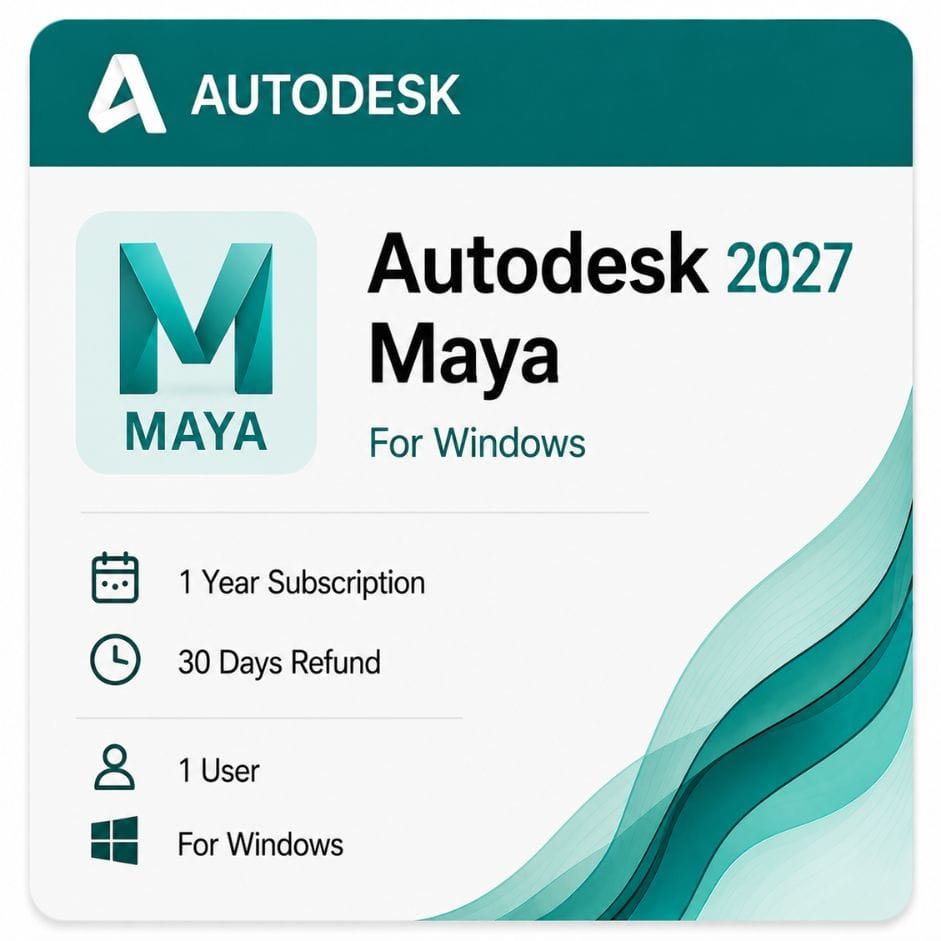



Autodesk Maya for Windows
Original price was: $99.00.$59.00Current price is: $59.00.
Genuine Autodesk Maya for Windows
| Delivery | Direct Invite from Autodesk on your Email |
|---|---|
| Language | English (multiple available) |
| Licence Type | 1-Year Subscription |
| Platform | Windows |
| Activation Region | Global |
Description
Autodesk Maya Indie is a genuine Autodesk tier, not a discount code — it costs substantially less than the standard subscription but is capped by your annual revenue. This page explains who qualifies, what the cap means in practice, and what to do if you don’t.
What Autodesk Maya Indie actually is
Autodesk created Indie for individual artists working below a set income threshold. It runs the same Maya application as the standard tier — no features removed, no watermarks on output.
What differs is eligibility. You must be a single user, your gross annual revenue must fall under Autodesk’s published cap, and you re-confirm both each time you renew.
Who qualifies
- Gross annual revenue from creative work below USD $100,000 (the exact cap varies by country)
- No single project valued over USD $100,000
- Single user only — one license per user or organization, not shared across a studio
- Available in Autodesk’s supported Indie countries (roughly 46 across North America, Europe, Asia and South America)
- Paid client work is permitted, unlike a trial or personal-learning tier
- Eligibility re-confirmed at every renewal
What the revenue cap means in practice
The cap applies to your gross revenue, not your profit and not just your Maya-related income. Freelancers who cross the threshold mid-term generally need to move to the standard tier at renewal.
Do not buy Indie hoping the cap goes unchecked. Autodesk can request verification, and a revoked entitlement means losing both the software and the money.
The Autodesk Maya Indie license vs the standard subscription
| Factor | Indie | Standard |
|---|---|---|
| Application features | Full Maya | Full Maya |
| Paid client work | Permitted | Permitted |
| Revenue ceiling | Yes — under USD $100,000 | None |
| Users | One, non-transferable | Assignable to a named user |
| Regional availability | Supported Indie countries only | Global |
| Eligibility checks | At every renewal | None |
| Price on this listing | $59 / year | See standard-tier products |
If you run a studio, employ anyone, or expect to pass the revenue threshold, the standard subscription is the correct route from the start.
Maya Autodesk price and terms
Autodesk sells Maya as a subscription only — there is no perpetual option, so the decision is term length.
| Term | Effective cost per year | What you pay | Best for |
|---|---|---|---|
| 1 year | $59 | $59 | Most independent artists |
| 3 years | ~$53 | $159 | Continuous freelance work |
| You save on 3 years | ~10% per year | vs renewing annually |
The longer term lowers the effective yearly figure and holds your rate against Autodesk’s annual increases. Choose 1 year for flexibility, 3 years if Maya is a fixed part of your workflow.
What’s included in the subscription
The full Maya application with Arnold bundled for final-frame rendering.
- Complete modeling, animation, rigging and rendering toolset
- Arnold renderer for single-user rendering
- Bifrost for procedural effects and simulation
- MASH motion graphics toolset
- nCloth, nHair and nParticle simulation
- MEL and Python scripting
- Autodesk updates released during your term
- Email and phone support from zoftis for the life of your license
Which Maya version can you install?
An active subscription includes access to previous releases through your Autodesk account. You are not locked to the newest version year.
This matters in studio work, where pipelines often sit a version or two behind and every artist on a project must match. If a facility standardized on Autodesk Maya 2023 or 2024, you can install that release under a current subscription.
Is there an Autodesk Maya free trial?
Yes — Autodesk offers a 30-day trial directly, downloaded from their site and registered to your Autodesk account.
Two things worth knowing before you rely on it. The trial is for evaluation, not paid production work. And it runs 30 days from first launch, not from download, so start it when you actually have time to test properly.
The trial is genuinely useful for deciding between Maya and alternatives. It is not a route to finishing a client project for free.
What Maya is built for
Maya’s centre of gravity is character animation and film-grade VFX. Its rigging and animation tools are the industry standard in feature animation.
Character animation and rigging
Deformation, skinning and the animation graph are what studios pay for. Complex creature rigs behave predictably in ways lighter packages struggle to match.
Visual effects and simulation
Bifrost handles procedural effects — liquids, smoke, destruction — through a node graph rather than fixed presets. nCloth and nHair cover garment and hair simulation.
Game development
Animation and rigging for game characters, exported through FBX into Unreal and Unity. Many studios model elsewhere and animate in Maya.
Motion graphics
MASH covers procedural motion design — arrays, dynamics and effector-driven animation for broadcast and commercial work.
Who this license is for
Maya Indie is aimed squarely at solo creators who do commercial work but haven’t crossed the revenue cap.
- Freelance animators and riggers taking paid client work
- Indie game developers building and animating characters
- Recent graduates moving from student software into paid projects
- VFX and simulation artists working solo
- Motion designers producing broadcast and commercial content
Maya or 3ds Max — which one you need
Both are Autodesk products at a similar price, and buyers regularly pick the wrong one.
Choose Maya if
Character animation, rigging, creature work or film VFX is your core discipline. The animation toolset has more depth and is the expected standard in feature and episodic work.
Choose 3ds Max if
Architectural visualization, environment art or hard-surface product rendering is your work. Its modifier stack and DWG import suit building geometry better.
Still deciding? Compare it directly with 3ds Max for Windows before you buy.
File formats and pipeline
| Format | Direction | Typical use |
|---|---|---|
| MA / MB | Native | Maya scene files |
| FBX | Both | Characters and animation into game engines |
| Alembic | Both | Cached geometry and simulation between departments |
| USD | Both | Scene interchange in large studio pipelines |
| OBJ | Both | General mesh exchange |
| STL | Export | 3D-print-ready geometry |
Is the M&E Collection better value?
If Maya is your only Autodesk product, no — the standalone subscription is cheaper.
If you also need 3ds Max for environments or MotionBuilder for motion capture, the Media & Entertainment Collection includes Maya and costs less than two standalone subscriptions.
Note that Indie pricing does not apply to the collection — the collection is standard-tier only.
Running Maya on a Mac
This listing is the Windows version. Maya also has a native macOS build — see Maya for Mac for that version and its own system requirements.
How to buy and activate
- Choose your 1-year or 3-year term and add it to the cart
- Complete checkout using Visa, Mastercard or PayPal
- Receive your license details by email, usually within minutes
- Sign in to your Autodesk account and redeem the entitlement
- Download the installer from Autodesk and sign in to activate
Instructions come with the email. If activation stalls, email support@zoftis.com or call +1 934-202-5786 — we reply within an hour, almost around the clock.
When your term ends
Maya stops launching. Your scene files stay on disk but need an active subscription to open.
Renewing restores access immediately. Nothing is deleted and no scene data is lost.
Why buy your Autodesk subscription from zoftis
Everything we supply is genuine and redeemed against your own Autodesk account — never a shared or recycled seat. If the license is inaccurate or won’t activate, we replace it or refund you within 30 days.
Related Autodesk products
- Maya for Mac — the same software for macOS, with its own system requirements
- Autodesk 3ds Max — choose this instead for archviz, environment art and hard-surface modeling
- Autodesk Fusion 360 for Windows — product design and CAD/CAM for creators who also model hardware
- Autodesk ReCap Pro — reality-capture and scan data to bring into your Maya scenes
- Product Design & Manufacturing Collection — for creators who also engineer what they animate
- Autodesk AEC Collection — architecture and construction toolset for archviz pipelines
Features
Maya feature highlights
Animation and rigging
- Industry-standard character animation graph and curve editor
- Deformation, skinning and complex creature rigging
- Time Editor and Graph Editor for non-linear animation
Simulation and effects
- Bifrost node-based procedural effects — liquids, smoke, destruction
- nCloth and nHair for garment and hair simulation
- nParticle systems for detailed particle work
Modeling
- Polygon, NURBS and subdivision-surface modeling
- Sculpting and retopology tools
- UV editing and unwrapping
Rendering
- Arnold physically based renderer bundled with the license
- Physical materials and real-world lighting
- Support for third-party renderers (licensed separately)
Motion graphics and scripting
- MASH procedural motion-design toolset
- MEL and Python scripting for automation and pipeline tools
- USD support for large studio interchange
Specifications
License specification
| Detail | Specification |
|---|---|
| Product | Autodesk Maya (Indie tier) |
| License type | Indie subscription — single user, commercial work permitted |
| Eligibility | Gross annual revenue under USD $100,000; no project over $100,000 |
| Platform | Windows 10 / 11 (64-bit) |
| Term options | 1 year or 3 years |
| Version years | Current plus earlier supported releases via your Autodesk account |
| Renderer included | Arnold (single-user) |
| Registered to | Your own Autodesk account |
| Updates | Included during the subscription term |
| Activation | Online, via Autodesk account |
| Delivery | By email, usually within minutes |
| Support | Email support@zoftis.com and phone +1 934-202-5786 |
| Refund | 30-day money-back if inaccurate or won't activate |
System Requirements
Maya system requirements (Windows)
These are Autodesk's requirements for the 2026 and 2027 releases. Earlier supported version years have similar needs.
| Component | Minimum | Recommended |
|---|---|---|
| Operating system | Windows 10 (version 1809+), 64-bit | Windows 11, 64-bit |
| CPU | 64-bit Intel or AMD multi-core with SSE4.2 | High-clock Intel Core i7/i9 or AMD Ryzen; high core count for rendering |
| RAM | 8 GB | 16 GB (32 GB+ for complex scenes and simulation) |
| GPU | DirectX 11-capable, 4 GB VRAM | Certified professional or high-end consumer GPU, 8 GB+ VRAM |
| Disk space | 12 GB free for installation | NVMe SSD with extra space for projects and caches |
| Display | 1920 × 1080 | 2560 × 1440 or higher |
| Internet | Required for activation and updates | Required |
Maya also has native macOS and Linux builds; this listing covers the Windows version.
FAQs
What is Autodesk Maya Indie?
It's a genuine Autodesk pricing tier that gives independent artists the full Maya application at a much lower cost than the standard subscription. Nothing is removed from the software — the difference is eligibility, not features.
Who is eligible for Maya Indie?
Single users whose gross annual revenue from creative work is under USD $100,000, with no individual project valued over $100,000, in a supported Indie country. You confirm eligibility at each renewal.
Can I use Maya Indie for paid client work?
Yes. Unlike a trial or learning tier, Indie permits commercial work — as long as you stay under the revenue and project caps.
What happens if I go over the revenue cap?
You move to the standard subscription at your next renewal. The cap is on gross revenue, not profit, and Autodesk can ask for verification.
How much does Maya Indie cost here?
$59 for a 1-year Windows subscription, or $159 for a 3-year term — roughly 10% cheaper per year on the longer term.
Is there a perpetual Maya license?
No. Autodesk sells Maya only as a subscription, so the choice is between the 1-year and 3-year terms.
Does the license include Arnold?
Yes. Arnold is bundled for single-user final-frame rendering, so you don't need a separate renderer to get started.
Is there an Autodesk Maya free trial?
Yes — Autodesk offers a 30-day trial from their site. It's for evaluation only, not paid production, and the 30 days start at first launch rather than download.
Which Maya version years can I install?
An active subscription gives you the current release plus access to earlier supported versions through your Autodesk account — useful when a studio pipeline is standardized on an older year.
Does Maya run on Windows 11?
Yes. Current releases support Windows 10 (version 1809 or higher) and Windows 11, 64-bit.
How much RAM does Maya need?
The minimum is 8 GB, but 16 GB is recommended, and complex scenes or heavy simulation benefit from 32 GB or more.
Should I buy Maya or 3ds Max?
Choose Maya for character animation, rigging and film VFX; choose 3ds Max for archviz, environments and hard-surface product rendering. See our 3ds Max for Windows page to compare.
Is there a Maya version for Mac?
Yes. See Maya for Mac for the native macOS build and its own system requirements.
Can I export to Unreal or Unity?
Yes. FBX and USD export send characters and animation into game engines, which is why many studios model elsewhere and animate in Maya.
How fast is delivery and what payment do you accept?
License details are emailed within minutes of payment. We accept Visa, Mastercard and PayPal on-site, with bank transfer, Wise and Payoneer available on request.
What if the license doesn't activate?
Email support@zoftis.com or call +1 934-202-5786 and we'll help. If the license is inaccurate or won't activate, we replace it or refund you within 30 days.
Related products
3ds Max Commercial License for Windows
Original price was: $1,870.00.$1,399.00Current price is: $1,399.00.
Autodesk AutoCAD LT 2027 Commercial Price and License
Original price was: $440.00.$399.00Current price is: $399.00.

Reviews
Clear filtersThere are no reviews yet.