
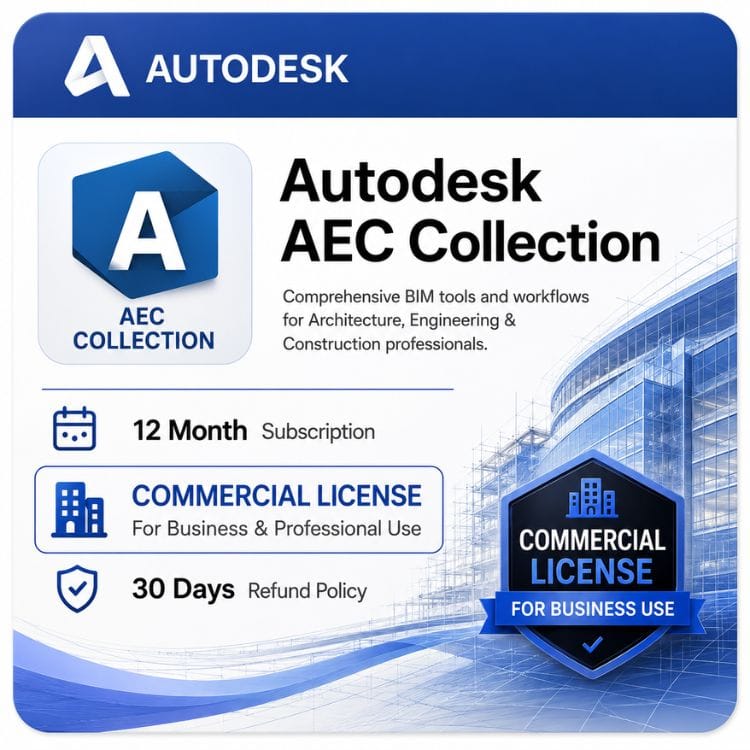



Autodesk AEC Collection
Original price was: $3,309.00.$2,399.00Current price is: $2,399.00.
Genuine Autodesk AEC Collection — 1-year or 3-year term.
| Delivery | Direct Invite from Autodesk on your Email |
|---|---|
| Licence Type | Commercial Subscription |
| Activation Region | Global |
| Language | English (multiple languages available) |
Description
The AEC Collection bundles more than a dozen Autodesk applications into one subscription — Revit, AutoCAD, Civil 3D, Navisworks and the rest of the architecture and infrastructure range. For most firms it costs less than buying two of those products separately.
What’s included in the AEC Collection
The full software list, and what each application actually does. Autodesk revises the contents periodically, so verify against their current published list before a large purchase.
Design and modeling
| Application | What it’s for |
|---|---|
| Revit | BIM authoring — architecture, structure and MEP in one model |
| AutoCAD with specialized toolsets | 2D drafting plus Architecture, MEP, Electrical, Map 3D and Plant 3D toolsets |
| Civil 3D | Site, road, drainage and infrastructure design |
| InfraWorks | Concept-stage infrastructure planning and stakeholder visualization |
| FormIt Pro | Early-stage conceptual massing that connects to Revit |
Analysis and simulation
| Application | What it’s for |
|---|---|
| Robot Structural Analysis Professional | Structural analysis and code checking, linked to Revit |
| Advance Steel | Steel detailing and fabrication documentation |
| Structural Bridge Design | Bridge analysis and design (Discontinued from Autodesk) |
| Insight | Building performance and energy analysis |
Coordination and construction
| Application | What it’s for |
|---|---|
| Navisworks Manage | Clash detection, model aggregation and 4D scheduling |
| BIM Collaborate Pro | Cloud worksharing so distributed teams co-author one model |
| Autodesk Docs | Document management and common data environment |
| ReCap Pro | Laser scan and photo processing into usable point clouds |
Visualization and automation
| Application | What it’s for |
|---|---|
| 3ds Max | Presentation-grade rendering and architectural visualization |
| Dynamo Studio | Visual programming for computational design .( Discontinued by Autodesk) |
| Vehicle Tracking | Swept path analysis for vehicle movement |
| Fabrication CADmep | MEP fabrication detailing |
The naming — why you’ll see it written four ways
This causes real confusion when matching quotes and purchase orders.
| You’ll see | Where |
|---|---|
| AEC Collection | Common shorthand, most search results |
| Architecture, Engineering & Construction Collection | Autodesk’s full product name |
| Industry Collection / IC | SKU strings and reseller quotes |
| AEC IC Commercial Single User | Full SKU on purchase orders |
All four describe the same product. If a quote says “Architecture Engineering & Construction Collection IC Commercial Single User,” that’s what this page sells.
What the AEC Collection costs against buying separately
This is the whole argument, so here’s the arithmetic rather than a claim.
| Buying route | Annual cost | What you get |
|---|---|---|
| Revit alone | US $2,910 | One application |
| Revit + AutoCAD | US $5,005 | Two applications |
| Revit + AutoCAD + Civil 3D | US $7,915 | Three applications |
| AEC Collection | US $2,399 | All of the above plus a dozen more |
The tipping point sits at two products for most firms. Once you need Revit and one other application, the Collection generally costs less than buying both — and everything else arrives at no additional cost.
The applications firms forget they’re getting
Navisworks Manage and BIM Collaborate Pro are the two most often overlooked. Both are substantial products with real standalone prices, and both are included.
ReCap Pro is a third. Firms doing any scan-to-BIM work often buy it separately without realizing it’s already in their Collection.
AEC Collection price and terms
Autodesk sells the Collection as a subscription only — no perpetual option exists.
| Term | Per seat | Effective cost per year | Best for |
|---|---|---|---|
| 1 year | US $2,399 | US $2,399 | First year, or uncertain headcount |
| 3 years | US $7,197 | US $7,197 | Established practices with stable teams |
| Autodesk direct — 1 year | US $3,560 | US $3,560 | — |
| Your saving | US $1,161 | — | vs Autodesk list |
The 3-year term is paid upfront but lowers the annual figure and fixes your rate. Autodesk raises list prices most years, so on a product at this price point the hedge is worth more than it is on cheaper software.
Single-user licensing — how seats work
One subscription per person. It’s a named-user seat, not a device license or a firm-wide license.
| Question | Answer |
|---|---|
| How many people per seat? | One named user |
| Can two people share one? | No |
| How many machines? | 3 machines installation but one active at a time |
| Can I run several applications at once? | Yes — the seat covers all included software simultaneously |
| Reassignment when staff leave? | Yes, to a new named user through your Autodesk account |
| Team of eight? | Eight seats |
| Network or floating licensing? | Discontinued by Autodesk |
The fourth row matters more than it looks. A single seat lets one person run Revit, Navisworks and Civil 3D at the same time on the same machine — the limit is people, not applications.
Who the AEC Collection suits
Architecture practices
Revit for the model, AutoCAD for details and consultant files, 3ds Max for client presentation, Insight for performance analysis. Four applications most practices need, in one subscription.
Structural engineering firms
Revit and Robot Structural Analysis link directly, and Advance Steel handles fabrication detailing. Buying those separately is substantially more expensive.
Civil and infrastructure consultancies
Civil 3D anchors it, with InfraWorks for concept stage and Vehicle Tracking for swept path work. AutoCAD comes bundled inside Civil 3D anyway, and the Collection adds Revit for structures.
MEP engineering firms
Revit MEP tools plus the AutoCAD MEP toolset and fabrication detailing, coordinated through Navisworks against the architectural model.
Multidisciplinary practices
The clearest case of all. Firms running architecture, structure and civil under one roof would otherwise be buying three separate product sets.
Autodesk Docs and BIM Collaborate Pro — what you actually get
Both are included, and both are commonly misunderstood.
Autodesk Docs
Document management and a common data environment — where drawings, models and project documents live with version control and controlled access.
BIM Collaborate Pro
Cloud worksharing, so several people author the same Revit model from different offices or different firms. If your team is distributed, this is often the single most valuable component in the bundle.
It’s also sold separately. If you already have Revit and only need collaboration, the standalone BIM Collaborate Pro subscription is cheaper than the Collection. Buy the Collection when you need the software as well.
Which applications overlap
Worth understanding before you assume you need everything.
- AutoCAD and Civil 3D — Civil 3D includes full AutoCAD, so civil users have it twice over
- Revit and FormIt Pro — FormIt handles early massing, Revit takes over for documentation
- Navisworks and BIM Collaborate Pro — Navisworks for clash detection, Collaborate Pro for live co-authoring; different jobs
- 3ds Max and Revit rendering — Revit renders adequately, 3ds Max renders for the client presentation
Nobody uses all fifteen applications. Most firms use four or five and treat the rest as available when a project demands them.
Versions and previous releases
An active subscription includes access to previous version years through your Autodesk account, per application.
That matters in AEC work more than most fields, since consultants and clients frequently specify which release deliverables must be produced in. A Collection subscription lets each person install the version a given project requires.
Getting started
- Choose your term and seat count, then check out with Visa, Master, Paypal. Direct bank transfer or wise and Payonner also available on request
- Your details arrive by email within an hour after payment. But it may take maximum upto 24 hours in some cases.
- Redeem in your Autodesk account and assign seats to named users
- Each user signs in and installs only the applications they need
- Set up Autodesk Docs and cloud projects if you’re using the collaboration tools
Step four is worth stressing to your team — nobody installs all fifteen applications. Install what you use, add more when a project calls for it.
When your term ends
Every included application stops launching. Your files stay on disk, but Revit models, Civil 3D drawings and the rest need an active subscription to open.
Cloud data in Autodesk Docs remains 30 Days. Renewing restores everything with nothing lost.
What we supply
Genuine Autodesk Collection seats that redeem into an account your firm controls — assignable to your own named users, never shared or resold. If a seat fails to activate, you have 30 Days Money back Guarantee if the license is not activated or not as described , for a replacement or refund.
Related Autodesk products
- Revit Commercial License — the BIM core of the collection, as a single seat
- AutoCAD Commercial License — full AutoCAD with industry toolsets, included here
- Civil 3D Commercial License — infrastructure design, also bundled in this collection
- BIM Collaborate Pro — cloud worksharing for teams already on the collection
- Product Design & Manufacturing Collection — the equivalent bundle for manufacturing teams
Features
What one seat gives each user
- Access to every included application, installed as needed
- Multiple applications running simultaneously on one machine
- Previous version years through the Autodesk account
- Cloud services and storage allocations 100 GB
- Updates and new releases during the term
BIM authoring
- Revit — architecture, structure and MEP modeling
- FormIt Pro — conceptual massing
- Dynamo — computational design
Drafting and infrastructure
- AutoCAD with all specialized toolsets
- Civil 3D — surfaces, corridors, pipe networks
- InfraWorks — concept infrastructure planning
- Vehicle Tracking — swept path analysis
Structural
- Robot Structural Analysis Professional
- Advance Steel — detailing and fabrication
- Structural Bridge Design- (Discontinued by Autodesk )
Coordination
- Navisworks Manage — clash detection and 4D
- BIM Collaborate Pro — cloud worksharing
- Autodesk Docs — common data environment
- ReCap Pro — point cloud processing
Visualization and analysis
- 3ds Max — rendering and animation
- Insight — building performance analysis
Specifications
| Specification | Detail |
|---|---|
| Product | Autodesk Architecture, Engineering & Construction Collection |
| Also known as | AEC Collection · AEC IC · Industry Collection |
| SKU format | AEC Collection IC Commercial Single-User Annual Subscription |
| Model | Subscription — no perpetual option |
| Terms | 1year or 3 years |
| Version years | Latest |
| Previous versions | Available per application through your Autodesk account |
| Seat type | Single user, named |
| Applications per seat | All included, run simultaneously |
| Installs permitted | 3 machines, one active at a time |
| Reassignment | Permitted through your Autodesk account |
| Network / floating | Discontinued by Autodesk |
| Platform | Windows — most applications are Windows only |
| Mac support | AutoCAD only; Revit, Civil 3D and Navisworks are Windows only |
| Cloud storage | 100 GB |
| Delivery | Quickly within an hour after payment. But it may take maximum upto 24 hours in some cases. |
| Activation | Autodesk account sign-in |
| Region | Global |
System Requirements
Each application in the Autodesk Architecture, Engineering & Construction Collection has its own requirements, and they vary considerably. Specify hardware for the most demanding software your team runs rather than the average across the Collection.
Platform reality
The AEC Collection is primarily a Windows-based professional design environment. AutoCAD and Revit have limited macOS workflows through Autodesk-supported solutions, but Civil 3D, Navisworks Manage, 3ds Max, InfraWorks, Robot Structural Analysis Professional, Advance Steel, and ReCap Pro are Windows applications.
A Mac-based practice cannot run the complete AEC Collection natively. Windows hardware is recommended for professional production workflows, especially where Revit, Civil 3D, Navisworks, or 3ds Max are required.
By application — the demanding ones
| Application | RAM minimum | RAM recommended | Notes |
|---|---|---|---|
| Revit | 8 GB | 32 GB+ | Large BIM models benefit significantly from additional memory and high single-core CPU performance |
| Civil 3D | 8 GB | 32 GB+ | Large surfaces, corridors, and alignments benefit from faster CPUs and additional RAM |
| Navisworks Manage | 8 GB | 32 GB+ | Large aggregated BIM and construction coordination models require additional memory |
| 3ds Max | 4 GB | 32 GB+ | GPU performance, VRAM, and CPU cores are important for rendering and complex scenes |
| InfraWorks | 8 GB | 32 GB+ | Large terrain models and infrastructure datasets benefit from powerful GPUs and fast storage |
| ReCap Pro | 8 GB | 32 GB+ | Large point clouds require fast SSD storage and additional memory |
| AutoCAD | 8 GB | 16 GB+ | Lightest application in the Collection; GPU helps with large drawings and 3D workflows |
Baseline workstation
| Component | Minimum | Recommended | Heavy multidiscipline work |
|---|---|---|---|
| Operating system | Windows 10 64-bit (version 1809 or later) | Windows 11 64-bit | Windows 11 Pro 64-bit |
| CPU | 2 GHz multi-core 64-bit processor | Intel Core i7/i9 or AMD Ryzen 7/9 | Intel Core i9, Xeon, or AMD Ryzen 9 / Threadripper |
| RAM | 8 GB | 32 GB | 64 GB+ |
| GPU | DirectX 11 compatible GPU with 1 GB VRAM | NVIDIA RTX professional GPU or AMD Radeon Pro with 4–8 GB VRAM | NVIDIA RTX A-series / RTX professional GPU with 12–24 GB VRAM |
| Disk — applications | 40 GB free space | 512 GB SSD | 1 TB NVMe SSD |
| Disk — project data | 250 GB | 1 TB SSD | 2 TB+ SSD or network storage |
| Display | 1920 × 1080 | 2560 × 1440 | Dual 4K calibrated monitors |
Disk space for the full install
Installing every application included in the AEC Collection can require approximately 150–200 GB of storage before project files, templates, libraries, and cached data.
Most users install only the applications required for their workflow, which significantly reduces the installation footprint.
Point cloud projects from ReCap Pro, large InfraWorks models, and detailed Revit projects are typically the fastest-growing storage requirements. Plan project storage separately from the operating system and application drive.
FAQs
What software is included in the AEC Collection?
Revit, AutoCAD with all specialized toolsets, Civil 3D, Navisworks Manage, InfraWorks, 3ds Max, Advance Steel, Robot Structural Analysis, ReCap Pro, BIM Collaborate Pro, Autodesk Docs, FormIt Pro, Insight and several others. See the full table above with what each application does — and check Autodesk's current list, since contents change most years.
How much does the AEC Collection cost?
US $2,399 per seat annually, or US $7,197 for three years, working out at US $2,399. Autodesk's list price for the same annual term is US $3,560.
Is the Collection cheaper than buying products separately?
Once you need two applications, usually yes. Revit and AutoCAD bought individually come to US $5,005 against US $2,399 for the Collection — and the Collection adds a dozen more products at no extra cost.
Do I get all the software with one subscription?
Yes. One named user gets every included application and can run several at once on the same machine. The limit is people, not products — a team of eight needs eight seats.
What does AEC stand for?
Architecture, Engineering and Construction. Autodesk's full product name is the Architecture, Engineering & Construction Collection, and SKUs often abbreviate it to AEC IC — Industry Collection.
Is BIM Collaborate Pro included?
Yes. If you already have Revit and only need cloud worksharing, the standalone BIM Collaborate Pro subscription costs less. The Collection makes sense when you need the design software too.
Is Navisworks included?
Yes — Navisworks Manage, the full version with clash detection and 4D scheduling, not the cut-down Simulate edition. It's one of the components firms most often forget they already have.
Does it include AutoCAD?
Yes, with all specialized toolsets — Architecture, MEP, Electrical, Map 3D, Plant 3D and Mechanical. Note that Civil 3D also includes full AutoCAD, so civil users have it twice over.
Can I reassign a seat when someone leaves?
Yes, to a new named user through your Autodesk account. The seat belongs to your firm, not the individual.
Does the Collection run on Mac?
Mostly no. AutoCAD has a native Mac version, but Revit, Civil 3D, Navisworks, 3ds Max, Advance Steel and Robot are Windows only. A Mac-based practice cannot use most of this Collection without Windows hardware.
Can I install older versions?
Yes, per application through your Autodesk account. That matters in AEC work, where clients and consultants often specify which release deliverables must be produced in.
Do I have to install everything?
No, and almost nobody does. Install the four or five applications you actually use and add others when a project calls for them.
Is there a perpetual AEC Collection license?
No. Autodesk stopped selling perpetual licenses in 2016. Anything advertised as a lifetime Collection license is either a legacy seat with no updates or support, or not genuine.
What's the difference between the AEC Collection and the PDMC Collection?
AEC covers architecture, engineering and construction — buildings and infrastructure. PDMC covers product design and manufacturing, built around Inventor and Fusion. Different disciplines, minimal overlap.
Is network or floating licensing available?
No. Autodesk discontinued network licensing. Every seat is single-user and named. Firms previously running a floating pool move to named seats at renewal.
How much cloud storage comes with it?
100GB. Autodesk Docs and BIM Collaborate Pro both consume it, and large multidiscipline projects accumulate more than firms expect.
What happens when the subscription expires?
Every included application stops launching. Files stay on disk but need an active subscription to open. Cloud data in Autodesk Docs remains 30 Days after the subscription is expired. Renewing restores everything.
What system requirements should I specify?
Build for the heaviest application your team runs — usually Revit or Navisworks on large models. See the System Requirements tab for per-application figures, since they vary considerably across the Collection.
Is the software list the same every year?
No. Autodesk revises Collection contents periodically, adding and removing applications. Verify the current list against Autodesk's published contents before a large purchase, particularly if a specific application is your reason for buying.
Related products
3ds Max Commercial License for Windows
Original price was: $1,870.00.$1,399.00Current price is: $1,399.00.
AutoCAD Commercial License for Windows and Mac
Original price was: $2,310.00.$1,499.00Current price is: $1,499.00.
Reviews
Clear filtersThere are no reviews yet.