
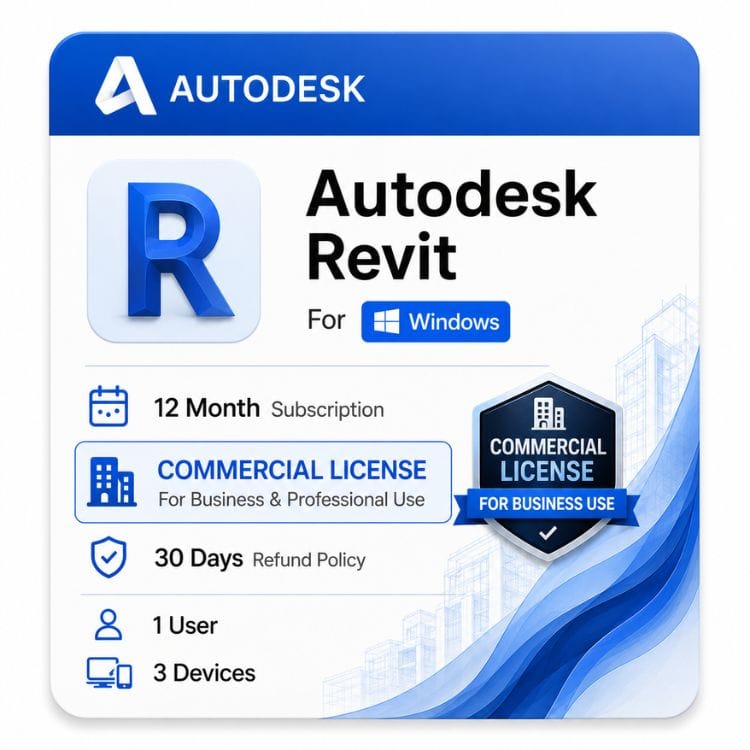




Revit Commercial License for Windows
Original price was: $2,310.00.$1,499.00Current price is: $1,499.00.
Genuine Autodesk single-user subscription with full commercial use rights. One named user, installable on multiple machines. Delivered by email invite
| Activation Region | Global |
|---|---|
| Delivery | Direct Invite from Autodesk on your Email |
| Licence Type | Commercial Subscription |
| Language | English (Multilanguage available) |
| Platform | Windows |
Description
Practices moving to Revit usually discover the licensing model changed underneath them. Autodesk retired shared seat pools, so a Revit commercial license now covers one named person — and the seat you buy is the seat that person signs into, wherever they work that day.
A Revit commercial license is the license type you need if your BIM models are part of paid work — client projects, construction documentation, coordination deliverables, or anything your practice invoices for. This is a genuine Autodesk single-user subscription for Windows, supplied with full commercial use rights.
What “commercial” means on a Revit license
Autodesk ships the same Revit software under different license types. The application is identical — what changes is what you are permitted to do with the models and drawings it produces.
Commercial permits paid, revenue-generating work with no cap on practice size, fee value, or project scale. Educational and personal-use licenses do not, and using one on a live project is a license breach even if nobody ever opens the file properties.
| License type | Paid project work | Who it’s for | Sold here? |
|---|---|---|---|
| Commercial | Permitted | Architecture, engineering and construction firms; freelance BIM consultants | Yes — this page |
| Educational | Not permitted | Enrolled students and faculty only | No |
| Personal / non-commercial | Not permitted | Self-learning and portfolio practice | No |
Revit carries a specific risk here that AutoCAD does not. RVT files record the license type they were authored under, and that flag travels with the model into shared coordination environments. A model built on an educational license can be identified by anyone it is issued to.
How the Revit single user license model works
Autodesk sells Revit as a named-user seat. The license is assigned to one person by email address, not to a computer and not to a company pool.
That person can install Revit on more than one machine — a workstation and a laptop, for example — but only one installation may be signed in and running at a time.
| Scenario | Allowed on one seat? |
|---|---|
| One person, Revit installed on desktop and laptop, used one at a time | Yes |
| One person moving between office and home machine | Yes — sign out before switching |
| Two people modeling at the same time on separate machines | No — buy two seats |
| Sharing one login across a team of drafters | No — breaches the license terms |
| Reassigning the seat to a new employee when someone leaves | Yes — reassign the named user |
Moving Revit to a different computer
Sign out of Revit on the machine you are leaving before you sign in on the new one. Autodesk does not lock the seat permanently, but leaving an old session active is the most common cause of a “maximum number of activations” message.
If you have already wiped or lost the old machine, sign out of that device remotely from your Autodesk Account under connected devices, then sign in normally.
Revit multi user, floating and network licenses — what happened to them
Autodesk retired multi-user and network licensing for Revit in August 2022. If you are searching for a Revit floating license or pricing for a multi-user seat, that option is no longer sold to new customers.
Under the old model, a practice bought a pool of licenses served over the network, and anyone could borrow one while seats remained. That is gone. The current model is named-user seats — you buy one per person who needs to open Revit.
Old multi-user model vs current single-user model
Multi-user (retired): a shared pool of floating seats, managed by a license server, checked out on demand. Suited firms with many occasional users.
Single-user (current): one seat per named person, managed through Autodesk Account, no server required. Simpler to administer, but you pay per person rather than per concurrent session.
What this means if you were running a floating pool
Existing multi-user subscriptions could be renewed for a transition period, but new multi-user purchases are not available. Practices moving across need to count actual users rather than peak concurrent sessions.
That usually raises seat count for firms where Revit was shared casually, and lowers cost for firms where a small number of people used it constantly. Count the people who genuinely need to open a model, not everyone who might.
Who buys a Revit commercial license
The typical buyer is a practice producing coordinated BIM deliverables under contract — architects, structural engineers, MEP consultants, and BIM coordinators working across disciplines.
The second group is smaller firms and sole practitioners who have outgrown drafting and now need parametric models, schedules that update themselves, and drawings generated from a single source of truth.
Revit for small business and independent practices
Autodesk does not offer a discounted small-business tier for Revit. A two-person practice pays the same per-seat rate as a hundred-person one, so the honest advice for a small firm is to buy the minimum number of seats you actually need and check whether a collection is cheaper.
If you also use AutoCAD and Civil 3D, the AEC Collection bundles all three and usually costs less than two standalone subscriptions. That is the single biggest saving available to a small Revit business, and it is worth doing the arithmetic before buying here.
Terms available and how the Revit annual subscription works
Revit is sold as a term subscription. Autodesk no longer offers perpetual Revit licenses in any form, so there is no version you can buy once and own — this is a genuine change from how the software was sold years ago, and it catches returning buyers out.
You choose the term length up front. A longer term lowers the effective cost per year and gives identical software and identical rights.
| Term | Price | Effective cost per year | Saving vs 1 year |
|---|---|---|---|
| 1 year | US $1,499 | US $1,499 | — |
| 3 years | US $4,097 | US $4,097 | SAVING 9% |
Which term suits a practice
Take 1 year if headcount fluctuates with your project pipeline, or if you are still deciding between Revit and another BIM platform.
Take 3 years if Revit is embedded in how you deliver work and you want the seat cost fixed. Practices bidding on multi-year frameworks often prefer this for the cost certainty alone.
Version years we stock
We supply 2025-2027. An active subscription entitles you to the current release plus the three previous versions.
Version control matters more in Revit than in most software. Upgrading an RVT file is one-way — once a model is opened and saved in a newer release, it cannot be opened in the older one. Everyone touching a shared model must be on the same release.
That is why previous-version rights are practically important, not a technicality. If a client’s central model sits on an older release, you install that release rather than forcing an upgrade on the whole project team.
What you receive and how activation works
- Complete checkout. Your order is confirmed to the email address you enter at payment.
- You receive your license details by email within 1 hour or maximum upto 24 hours.
- Download the Revit installer for your chosen release from the official Autodesk source linked in your email.
- Sign in with the named-user email the seat is assigned to. Revit activates on sign-in — there is no separate serial number to enter.
- If activation fails, check you are not still signed in elsewhere before reinstalling, then contact support@zoftis.com 24/7.
Why buy this license from zoftis
Every license we sell is genuine and traceable, activates through Autodesk’s own sign-in system, and comes with a 30 days money-back guarantee. If it does not activate, you do not keep the problem.
Before you order — three things worth checking
First, count seats by people, not by machines. One person with three computers needs one seat; three people sharing one computer in shifts still need three.
Second, price the AEC Collection against standalone Revit if you use more than one Autodesk product. It is frequently cheaper and buyers regularly miss it.
Third, confirm which release your project team is on before you install. Opening a shared model in the wrong version is a problem no license can undo.
Related Autodesk products
- Autodesk AEC Collection — choose this if you need Revit alongside AutoCAD and Civil 3D; usually cheaper than two standalone seats.
- AutoCAD Commercial — choose this for 2D and 3D drafting rather than parametric BIM modeling.
- Autodesk Civil 3D — choose this for site, road, drainage and survey design that feeds into a Revit model.
- Autodesk 3ds Max — choose this for high-end visualization and rendering of Revit geometry.
- All Autodesk commercial licenses — browse the full range of commercial-use Autodesk products.
Features
Core Revit capabilities
- Parametric 3D modeling where plans, sections, elevations and schedules update from one model
- Multi-discipline modeling — architectural, structural, and MEP in a single environment
- Worksharing so several people can model in one central file, seat permitting
- Automatic schedules and quantity takeoff driven by model data
- Clash detection and interference checking between disciplines
- Construction documentation with live-linked sheets and views
- Family editor for creating custom parametric components
- Dynamo visual programming for automation and computational design
- IFC import and export for open BIM exchange with non-Revit teams
- Point cloud support for scan-to-BIM workflows
What the commercial license grants
- Use on paid, revenue-generating projects with no practice-size or fee-value cap
- Models and drawings free of educational or non-commercial identification
- Single named user, installable on multiple machines, one active sign-in at a time
- Named user reassignable when staff change
- Access to the current release plus the three previous versions
Not included
- Multi-user, network or floating licensing — retired by Autodesk in August 2022
- Perpetual licensing — subscription only
- Simultaneous use by more than one person on a single seat
Specifications
License specification
| Specification | Detail |
|---|---|
| Product | Autodesk Revit |
| Platform | Windows |
| License type | Commercial — paid professional use permitted |
| License model | Single-user (named user) subscription |
| Subscription type | ELD annual subscription — electronic license delivery, no physical media |
| Terms available | 1 year · 3 years |
| Version years supplied | latest version |
| Previous version rights | Current release plus three prior versions |
| Concurrent use | Multiple installs, one active sign-in |
| Named user reassignment | Permitted via Autodesk Account |
| Multi-user / network licensing | Not available — retired by Autodesk August 2022 |
| Perpetual license | Not available — subscription only |
| Activation method | Autodesk Account sign-in — no serial number required |
| Delivery method | Email — license details and official download link |
| Delivery time | 1 hour or maximum upto 24 hours. |
| Interface languages | Multilingual |
| Guarantee | 30 days money-back guarantee if license is not activated or not as described |
| Support | support@zoftis.com 24/7 |
System Requirements
Revit 2027 system requirements (Windows)
| Component | Minimum | Balanced | Large / complex models |
|---|---|---|---|
| Operating system | 64-bit Microsoft Windows 11 | 64-bit Microsoft Windows 11 | 64-bit Microsoft Windows 11 |
| Processor | Intel or AMD processor with 2 GHz or higher base clock speed; highest single-core base clock recommended | Intel or AMD processor with 2 GHz or higher base clock speed; prioritise strong single-core performance | High-clock-speed Intel or AMD processor; Revit uses multiple cores for many tasks, but single-core speed remains important |
| Memory | 16 GB RAM | 32 GB RAM or higher | 64 GB RAM or higher |
| Display resolution | 1280 × 1024 with True Color | 1680 × 1050 with True Color | 1920 × 1200 with True Color; up to Ultra HD 4K supported |
| Graphics card | 24-bit colour display adapter; DirectX 11 graphics card with Shader Model 5; 4 GB VRAM recommended | DirectX 11 graphics card with Shader Model 5; 6 GB VRAM | DirectX 11 graphics card with Shader Model 5; 8 GB VRAM |
| Disk space | 30 GB for installation; 100 GB free space recommended for temporary files | 30 GB for installation; 100 GB free space recommended for temporary files | 30 GB for installation; 100 GB free space recommended for temporary files; additional space may be required for cloud workshared projects |
| .NET platform | .NET 10 | .NET 10 | .NET 10 |
| Pointing device | Microsoft Mouse-compliant device | Microsoft Mouse-compliant device | Microsoft Mouse-compliant device; 3Dconnexion device optional |
| Network | Internet connection for licence registration and prerequisite component downloads | Reliable internet connection for Autodesk services and collaboration workflows | For Revit Cloud Worksharing, Autodesk lists symmetrical burst-transfer connectivity of 5 Mbps minimum, 10 Mbps for Value and 25 Mbps for Performance configurations |
Revit 2026 system requirements (Windows)
| Component | Minimum | Balanced | Large / complex models |
|---|---|---|---|
| Operating system | 64-bit Microsoft Windows 10 version 1809 or later, or Windows 11 | 64-bit Microsoft Windows 10 version 1809 or later, or Windows 11 | 64-bit Microsoft Windows 10 version 1809 or later, or Windows 11 |
| Processor | Intel or AMD processor with 2 GHz or higher base clock speed; highest single-core base clock recommended | Intel or AMD processor with 2 GHz or higher base clock speed; prioritise strong single-core performance | High-clock-speed Intel or AMD processor; Revit uses multiple cores for many tasks |
| Memory | 16 GB RAM | 32 GB RAM or higher | 64 GB RAM or higher |
| Display resolution | 1280 × 1024 with True Color | 1680 × 1050 with True Color | 1920 × 1200 with True Color; up to Ultra HD 4K supported |
| Graphics card | 24-bit colour display adapter; DirectX 11 graphics card with Shader Model 5; 4 GB VRAM recommended | DirectX 11 graphics card with Shader Model 5; 6 GB VRAM | DirectX 11 graphics card with Shader Model 5; 8 GB VRAM |
| Disk space | 30 GB for installation; 100 GB free space recommended for temporary files | 30 GB for installation; 100 GB free space recommended for temporary files | 30 GB for installation; 100 GB free space recommended for temporary files; additional space may be required for cloud workshared projects |
| .NET platform | .NET 8 | .NET 8 | .NET 8 |
| Pointing device | Microsoft Mouse-compliant device | Microsoft Mouse-compliant device | Microsoft Mouse-compliant device; 3Dconnexion device optional |
| Network | Internet connection for licence registration and prerequisite component downloads | Reliable internet connection for Autodesk services and collaboration workflows | For Revit Cloud Worksharing, Autodesk lists symmetrical burst-transfer connectivity of 5 Mbps minimum, 10 Mbps for Value and 25 Mbps for Performance configurations |
Notes that matter for Revit specifically
- Revit generally benefits from strong single-core CPU performance for interactive modelling, so a high-clock-speed processor can be more valuable than simply having a large number of cores.
- Revit does use multiple cores for many tasks, so modern multi-core processors remain important for background operations and certain workloads.
- RAM is a major factor for large models. Autodesk's current tiers use 16 GB for entry-level work, 32 GB for balanced performance and 64 GB or more for large, complex models.
- For Revit 2027, Autodesk lists 4 GB of video memory as recommended at the entry level, 6 GB for the balanced configuration and 8 GB for large, complex models.
- For Revit 2026, the same 4 GB, 6 GB and 8 GB VRAM tiers apply across the entry-level, balanced and large-model configurations.
- Revit Cloud Worksharing has specific bandwidth recommendations. Autodesk lists 5 Mbps symmetrical burst-transfer connectivity for the minimum configuration, 10 Mbps for Value and 25 Mbps for Performance.
- Revit 2027 is Windows 11-only according to Autodesk's published requirements. Revit 2026 supports Windows 10 version 1809 or later and Windows 11.
- Revit is not simply “Windows-only with unsupported virtualisation.” Autodesk publishes a recommended Parallels Desktop configuration for Revit 2027 on Apple computers, so avoid making a blanket claim that all virtualisation is unsupported.
Version-specific compatibility
Check the exact Revit release before installing collaboration tools and add-ons. For Revit 2027, Autodesk specifies Desktop Connector version 16.x or later for collaboration workflows; Revit 2026 also requires Desktop Connector 16.x or later. Plugin and add-in developers may publish separate compatibility requirements for each Revit release.
Version note: Revit system requirements change between releases. Revit 2027 requires 64-bit Windows 11 and .NET 10, while Revit 2026 supports 64-bit Windows 10 version 1809 or later and Windows 11 and uses .NET 8. Do not reuse one year's requirements across other Revit versions.
FAQs
What is a Revit commercial license?
It is the Autodesk license type that permits Revit to be used for paid, revenue-generating project work. The software is identical to other license types — what differs is the right to use the models and drawings commercially, with no cap on practice size or project value.
Can I still buy a Revit multi user license?
No. Autodesk stopped selling multi-user and network subscriptions in August 2022. New purchases are single-user named seats only, so you buy one seat per person who needs to open Revit.
What was the Revit multi user license cost, and what replaced it?
Multi-user seats carried a premium over single-user because they could be shared across a pool. Since the model was retired, there is no current price for it. The replacement is per-person named-user seats — priced at US $1,499 per year here.
Is a Revit floating license still available?
No. Floating and network licensing for Revit ended with the August 2022 change. There is no license server to configure and no seats to check out — each user signs in with their own Autodesk account.
How many computers can one Revit single user license be installed on?
You can install Revit on multiple machines under one named seat, but only one may be signed in and running at a time. A desktop and a laptop for the same person is fine; two people modeling simultaneously is not.
How do I move Revit to a new computer?
Sign out of Revit on the old machine first, then install and sign in on the new one. If the old machine is gone, remove it from connected devices in your Autodesk Account before signing in elsewhere.
Can I share one Revit seat with a colleague?
No. The seat is assigned to one named person by email address, and sharing credentials breaches the license terms. If two people need to model, you need two seats.
Can I reassign a seat when someone leaves the practice?
Yes. The named user on a single-user subscription can be changed through the Autodesk Account that holds it, so a seat follows the role rather than the individual.
Is there a perpetual Revit license?
No. Autodesk withdrew perpetual licensing for Revit and now sells subscription terms only. Anyone offering a permanent Revit license is not selling something Autodesk currently issues.
What happens when my Revit annual subscription ends?
Revit stops opening in full mode and you can no longer edit models. Your RVT files stay on your machine and remain yours — they are not locked or deleted — but you will need an active seat to open them again.
Which Revit versions can I install?
An active subscription gives you the current release plus the three previous versions. We stock 2025-2027. This matters because RVT upgrades are one-way — install the release your project team is using rather than the newest one.
Can I open a newer Revit file in an older version?
No. Revit files upgrade forward only. Once a model is saved in a newer release it cannot be opened in an earlier one, so everyone working on a shared model must be on the same version.
Does Revit run on Mac?
Not natively — Autodesk does not release a Mac version. Some people run it through Boot Camp or a virtual machine, but Autodesk does not support those setups and performance on large models suffers.
Is there a discount for Revit for small business?
Autodesk does not offer a small-business tier — a two-person practice pays the same per-seat rate as a large firm. The realistic saving is the AEC Collection if you also use AutoCAD or Civil 3D, which usually costs less than two standalone subscriptions.
Can a student license be used on a paid project?
No. Educational licenses prohibit commercial use, and Revit records the license type in the file itself, so the flag travels with the model into any coordination environment it is issued to.
Does Revit need an internet connection to run?
You need internet access to install, activate and sign in. After that Revit runs offline for a limited period before it requires you to reconnect and re-verify the seat.
How fast is delivery?
License details are emailed within 1 hour or maximum upto 24 hours of confirmed payment, to the address you enter at checkout. Check your spam folder before contacting at support@zoftis.com 24/7.
Is this a genuine Autodesk license?
Yes. It activates through Autodesk's own sign-in system and is traceable to a valid subscription. If it does not activate, you are covered by our 30 days money-back guarantee if license is not activated or not as described.
Related products
3ds Max Commercial License for Windows
Original price was: $1,870.00.$1,399.00Current price is: $1,399.00.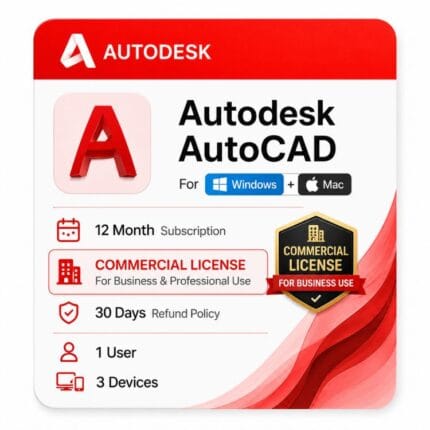
AutoCAD Commercial License for Windows and Mac
Original price was: $2,310.00.$1,499.00Current price is: $1,499.00.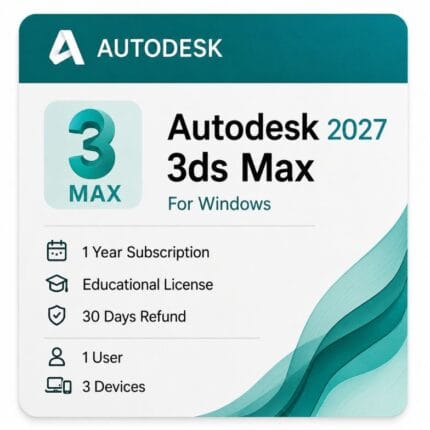
Autodesk 3ds Max Price for Windows License
Original price was: $99.00.$59.00Current price is: $59.00.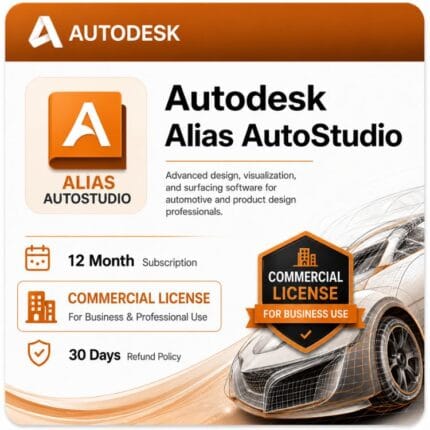
Autodesk Alias AutoStudio- Commercial License
Original price was: $19,135.00.$6,999.00Current price is: $6,999.00.
Reviews
Clear filtersThere are no reviews yet.