
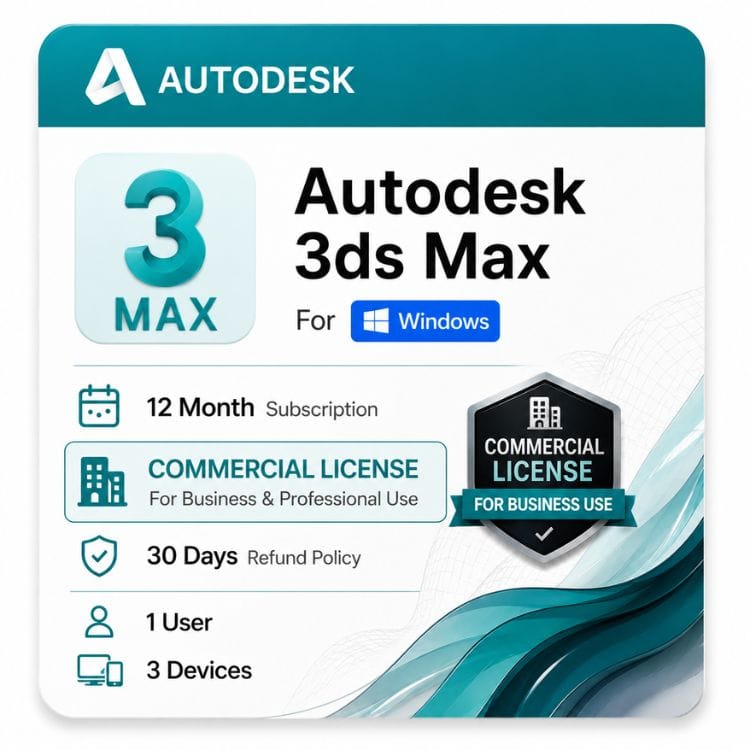






3ds Max Commercial License for Windows
Original price was: $1,870.00.$1,399.00Current price is: $1,399.00.
Genuine Autodesk single-user subscription with full commercial use rights. One named artist per seat, installable on multiple machines. Delivered by email
| Activation Region | Global |
|---|---|
| Delivery | Direct Invite from Autodesk on your Email |
| Licence Type | Commercial Subscription |
| Language | English (Multilanguage available) |
| Platform | Windows |
Description
A 3ds Max commercial license is the license type you need if your renders, animations or assets are part of paid work — client visualizations, game assets, broadcast animation, product shots, or anything a studio bills for. This is a genuine Autodesk single-user subscription for Windows with full commercial use rights.
What “commercial” means on a 3ds Max license
Autodesk ships identical 3ds Max software under different license types. The application is the same — what changes is your legal right to use the output.
Commercial permits paid, revenue-generating work with no cap on studio size, project budget, or how the work is distributed. Educational and personal-use licenses prohibit it, and that restriction covers the render, not just the scene file.
| License type | Paid client work | Who it’s for | Sold here? |
|---|---|---|---|
| Commercial | Permitted | Studios, freelance artists, in-house viz and games teams | Yes — this page |
| Educational | Not permitted | Enrolled students and faculty only | No |
| Personal / non-commercial | Not permitted | Portfolio work and self-learning | No |
The output is what’s restricted, not the software
This trips up freelancers more than any other licensing point. A render produced on an educational license cannot be sold, put in a paid client deliverable, or used in a commercial game — even if you later buy a commercial seat.
Portfolio work is the grey area people ask about. Showing student renders in a portfolio is generally fine; being paid for those same renders is not. If money changes hands for the image, you needed commercial when you made it.
How the 3ds Max seat model works
Autodesk sells 3ds Max as a named-user seat. The license is assigned to one artist by email address — not to a workstation, and not to a studio pool.
That artist can install 3ds Max on more than one machine, but only one installation may be signed in and working at a time.
| Scenario | Covered by one seat? |
|---|---|
| One artist, 3ds Max on a workstation and a laptop, used one at a time | Yes |
| One artist switching between studio and home machine | Yes — sign out before switching |
| Two artists modeling simultaneously on separate machines | No — two seats required |
| A shared studio login used by whoever needs it that day | No — breaches the license terms |
| Reassigning a seat when a freelancer’s contract ends | Yes — reassign the named user |
Moving 3ds Max to another workstation
Sign out on the machine you’re leaving before signing in on the new one. Leaving an old session active is the usual cause of an activation limit message.
If the old workstation is already gone, remove it from connected devices in your Autodesk Account, then sign in normally.
3ds Max network, floating and multi-user licenses
Autodesk has retired network and multi-user licensing for 3ds Max. If you’re looking for a 3ds Max floating license or a multi-user seat pool, that option is no longer sold to new customers.
Under the old model a studio bought a pool of licenses served by a license manager, and artists borrowed a seat while any remained free. That’s gone. The current model is one named seat per artist.
Old network model vs current named-user model
Network / floating (retired): a shared pool checked out on demand via a license server. Suited studios where many artists used 3ds Max occasionally and rarely at the same time.
Named user (current): one seat per artist, managed in Autodesk Account, no license server to run. Simpler to administer, but you pay per person rather than per concurrent session.
What this changes for a studio
Count artists, not peak concurrency. A studio that ran six floating seats for fifteen occasional users now needs fifteen seats, which is a real cost increase for that shape of team.
A studio where six artists used 3ds Max constantly pays roughly the same as before. The people this hurts are teams with many light users; the people it helps are teams with few heavy ones.
Rendering, render nodes and Arnold
This is the question studios ask most and hobbyists never do, so it’s worth answering properly.
A 3ds Max subscription includes Arnold for use inside 3ds Max on the seat holder’s machine. Rendering across a farm is licensed separately — Arnold render node licenses are a distinct product from Autodesk.
| Activity | Covered by this seat? |
|---|---|
| Interactive rendering with Arnold in the 3ds Max viewport | Yes |
| Final-frame rendering on the artist’s own workstation | Yes |
| Distributed rendering across a farm of render nodes | No — separate Arnold render node licenses |
| Third-party renderers (V-Ray, Corona, Redshift) | No — licensed by their own vendors |
Most visualization studios pair 3ds Max with V-Ray or Corona rather than Arnold. Those are Chaos products with their own licensing — buying a 3ds Max seat here does not cover them.
Who buys a 3ds Max commercial license
Architectural visualization studios are the largest group — firms producing marketing renders and animations for developers and architects.
Game studios use it for asset creation and pipeline work, and product design teams use it for photoreal marketing imagery. The fourth group is freelance 3D artists working on contract, who need commercial rights for a single seat rather than a team.
Buying seats for a small studio or team
Buy one seat per artist who opens 3ds Max, and don’t try to share. The named-user model is enforced at sign-in, so a shared account causes daily disruption rather than a saving.
If your team also uses Maya, Revit or AutoCAD, price the Media & Entertainment Collection against standalone seats before ordering. For teams using two or more Autodesk products, a collection is usually cheaper per artist.
The 3ds Max 1 year subscription and longer terms
3ds Max is sold as a term subscription. Autodesk no longer offers perpetual 3ds Max licenses, so there’s no version you buy once and keep running indefinitely.
You pick the term at purchase. A longer term reduces the effective cost per year and delivers identical software and identical rights.
| Term | Price | Effective cost per year | Saving vs 1 year |
|---|---|---|---|
| 1 year | US $1,399 | US $1,399 | — |
| 3 years | US $3,797 | US $3,797 | SAVING 10% |
Which term suits a studio
Take 1 year if your artist headcount rises and falls with project work, or if you bring freelancers on for specific jobs. Most viz studios buy annually for this reason.
Take 3 years for permanent staff whose seats you’d renew regardless. A mixed approach is common and perfectly sensible — long terms for the core team, annual seats for contractors.
Version years we stock
We supply 2025-2027 VERSIONS. An active subscription entitles you to the current release plus the three previous versions.
Previous-version rights matter in 3ds Max because plugins lag behind releases. V-Ray, Corona, Forest Pack and similar tools often take months to support a new version, and a pipeline built on them can’t upgrade until they do.
Scene files also upgrade forward only. A file saved in a newer release won’t open in an older one, so everyone on a shared project should be on the same version.
What you receive and how activation works
- Complete checkout. Your order is confirmed to the email address you enter at payment.
- You receive your license details by email within hour , maximum upto 24 Hours.
- Download the 3ds Max installer for your chosen release from the official Autodesk source linked in your email.
- Sign in with the named-user email the seat is assigned to. 3ds Max activates on sign-in — there’s no serial number to type.
- If activation fails, check you aren’t still signed in on another machine before reinstalling, then contact at support@zoftis.com
Why buy this license from zoftis
Every license we sell is genuine and traceable, activates through Autodesk’s own sign-in system, and comes with a 30 days money-back guarantee. If it does not activate, you do not keep the problem.
Before you order — three checks
First, count seats by artists, not by workstations. One artist with three machines needs one seat.
Second, confirm your renderer and plugin licensing separately. A 3ds Max seat doesn’t cover V-Ray, Corona, or render farm nodes, and studios regularly discover this after ordering.
Third, check which release your plugins support before installing the newest version. In 3ds Max, the newest release is often the wrong one to install.
Related Autodesk products
- Autodesk Maya — choose this for character animation, rigging and VFX rather than visualization and modeling.
- Autodesk Revit — choose this for BIM models that feed geometry into 3ds Max for rendering.
- AutoCAD Commercial — choose this for 2D and 3D drafting rather than rendering and animation.
- All Autodesk commercial licenses — browse the full range of commercial-use Autodesk products.
Features
Core 3ds Max capabilities
- Polygon, spline and NURBS modeling with a full modifier stack
- Arnold renderer included for production-quality rendering
- Physical Material system with real-world shading properties
- Character animation with CAT and Biped rigging systems
- Particle Flow for effects, scattering and simulation
- MassFX rigid and soft body dynamics
- Chamfer, Smart Extrude and retopology tools for clean geometry
- Populate for adding animated crowds to architectural scenes
- Substance and OSL map support for procedural texturing
- Python 3 and MAXScript for pipeline automation
- Scene Converter for migrating legacy scenes and materials
- Broad plugin ecosystem — V-Ray, Corona, Forest Pack, RailClone and others
What the commercial license grants
- Use on paid, revenue-generating work with no studio-size or budget cap
- Renders, animations and assets free of any non-commercial restriction
- Single named artist per seat, installable on multiple machines, one active sign-in
- Named user reassignable when contractors or staff change
- Access to the current release plus the three previous versions
Not included with this seat
- Network, floating or multi-user licensing — retired by Autodesk
- Perpetual licensing — subscription only
- Arnold render node licenses for farm rendering — sold separately
- Third-party renderers such as V-Ray, Corona or Redshift — licensed by their vendors
- Simultaneous use by more than one artist on a single seat
Specifications
License specification
| Specification | Detail |
|---|---|
| Product | Autodesk 3ds Max |
| Platform | Windows only — no macOS version |
| License type | Commercial — paid professional use permitted |
| License model | Single-user (named user) subscription |
| Subscription type | ELD annual subscription — electronic license delivery, no physical media |
| Terms available | 1 year · 3 years |
| Version years supplied | Latest version |
| Previous version rights | Current release plus three prior versions |
| Concurrent use | Multiple installs, one active sign-in |
| Named user reassignment | Permitted via Autodesk Account |
| Network / multi-user licensing | Not available — retired by Autodesk |
| Perpetual license | Not available — subscription only |
| Included renderer | Arnold, for use on the seat holder's machine |
| Render node licenses | Not included — Arnold render nodes sold separately |
| Activation method | Autodesk Account sign-in — no serial number required |
| Delivery method | Email — license details and official download link |
| Delivery time | 1 hour or maximum upto 24 hours |
| Interface languages | Multilingual |
| Guarantee | 30 days money-back guarantee if license is not activated or not as described |
| Support | support@zoftis.com 24/7 |
Version years stocked
| Version year | License descriptor | Stocked |
|---|---|---|
| 2025 | 3ds Max 2025 Commercial New Single-User ELD Annual Subscription | yes |
| 2026 | 3ds Max 2026 Commercial New Single-User ELD Annual Subscription | yes |
| 2027 | 3ds Max 2027 Commercial New Single-User ELD Annual Subscription | yes |
System Requirements
3ds Max 2027 system requirements (Windows)
| Component | Minimum | Recommended | Heavy scenes / rendering |
|---|---|---|---|
| Operating system | 64-bit Microsoft Windows 11 | 64-bit Microsoft Windows 11 with current updates | 64-bit Microsoft Windows 11 with current updates |
| Processor | 64-bit Intel or AMD multi-core processor with SSE4.2 | Modern high-clock-speed Intel or AMD multi-core CPU | High-core-count CPU for CPU rendering; high single-core performance remains important for interactive modelling |
| Memory | 4 GB RAM | 8 GB or more | 32–64 GB or more for large scenes, high-resolution textures and complex production work |
| Graphics card | Compatible graphics hardware; see Autodesk 3ds Max Certified Hardware | Modern dedicated GPU with current certified or supported drivers | High-end GPU with sufficient VRAM for the scene, textures and renderer being used |
| Display resolution | 1920 × 1080 or higher recommended for practical use | 2560 × 1440 or 4K display | 4K display where detailed modelling, texturing and large production scenes require additional workspace |
| Disk space | 9 GB free space for installation | SSD with additional space for projects, textures and caches | NVMe SSD for applications, active projects and cache/scratch data, with separate project storage where required |
| .NET / application framework | .NET 10 / .NET Core 10 technology used by 3ds Max 2027 | Same as minimum | Same as minimum; verify renderer and plugin compatibility with the 2027 framework changes |
| Pointing device | Three-button mouse | Three-button mouse | 3D mouse optional |
| Network | Internet access may be required for installation, activation, sign-in and Autodesk services | Reliable internet connection for account and cloud services | Fast LAN recommended for shared assets, network storage and render-farm workflows |
3ds Max 2026 system requirements (Windows)
| Component | Minimum | Recommended | Heavy scenes / rendering |
|---|---|---|---|
| Operating system | 64-bit Microsoft Windows 10 version 1809 or higher, or Windows 11 | 64-bit Microsoft Windows 11 with current updates | 64-bit Microsoft Windows 11 with current updates |
| Processor | 64-bit Intel or AMD multi-core processor with SSE4.2 | Modern high-clock-speed Intel or AMD multi-core CPU | High-core-count CPU for CPU rendering; high single-core performance remains important for interactive modelling |
| Memory | 4 GB RAM | 8 GB or more | 32–64 GB or more for large scenes, high-resolution textures and complex production work |
| Graphics card | Compatible graphics hardware; see Autodesk 3ds Max Certified Hardware | Modern dedicated GPU with current certified or supported drivers | High-end GPU with sufficient VRAM for the scene, textures and renderer being used |
| Display resolution | 1920 × 1080 or higher recommended for practical use | 2560 × 1440 or 4K display | 4K display where detailed modelling, texturing and large production scenes require additional workspace |
| Disk space | 9 GB free space for installation | SSD with additional space for projects, textures and caches | NVMe SSD for applications, active projects and cache/scratch data, with separate project storage where required |
| .NET / application framework | .NET 8 / .NET Core 8 technology used by 3ds Max 2026 | Same as minimum | Same as minimum; verify renderer and plugin compatibility with the 2026 framework |
| Pointing device | Three-button mouse | Three-button mouse | 3D mouse optional |
What actually matters for 3ds Max performance
- Interactive modelling and viewport responsiveness benefit strongly from good single-thread CPU performance and a capable GPU.
- CPU rendering benefits from more CPU cores and sustained multi-core performance, while interactive modelling still benefits from strong per-core performance.
- GPU rendering depends heavily on the renderer and graphics hardware. VRAM capacity is important because the scene, textures and render data must fit within the renderer's supported memory limits.
- RAM is often the practical limitation for large architectural scenes, high-resolution textures, dense vegetation, simulations and displacement-heavy assets. 32 GB is a sensible working target for demanding scenes, while 64 GB or more is appropriate for heavier production workloads.
- Fast SSD or NVMe storage improves application loading, project access and cache performance, although storage speed does not replace adequate RAM or GPU memory.
- 3ds Max 2027 requires Windows 11 according to Autodesk's published system requirements, while 3ds Max 2026 supports Windows 10 version 1809 or later and Windows 11.
Plugin compatibility
Check your renderer and plugin versions against the specific 3ds Max release before installing. V-Ray, Corona, Arnold, Forest Pack, RailClone and other third-party tools publish their own compatibility information. A plugin built for an older 3ds Max release may not load correctly in a newer version.
Version note: Requirements change between 3ds Max releases. 3ds Max 2027 moves to Windows 11 as the supported operating system and uses .NET Core 10 technology, while 3ds Max 2026 supports Windows 10 version 1809 or later and Windows 11 and uses .NET Core 8 technology. Do not reuse the system requirements for one version across other 3ds Max releases.
FAQs
What is a 3ds Max commercial license?
It's the Autodesk license type that permits 3ds Max to be used for paid, revenue-generating work. The software matches other license types exactly — what differs is your right to sell or commercially distribute the renders, animations and assets you produce.
Can I still buy a 3ds Max network license?
No. Autodesk retired network and multi-user licensing, so new purchases are single-user named seats only. You buy one seat per artist rather than a pool served by a license manager.
Is a 3ds Max floating license available anywhere?
Not for new customers. Floating licensing used a license server to check seats in and out on demand, and that model has been withdrawn. Named-user seats replaced it.
What replaced the 3ds Max multi user license?
Per-artist named seats. Instead of counting peak concurrent users, you count the people who need to open 3ds Max. Studios with many occasional users pay more under this model; studios with a few constant users pay about the same.
How many computers can one seat be installed on?
You can install 3ds Max on multiple machines under one named seat, but only one may be signed in and running at a time. A workstation and a laptop for the same artist is fine.
Can two artists share one 3ds Max seat?
No. The seat is assigned to one person by email address, and sharing credentials breaches the license terms as well as causing sign-in conflicts. Two artists working simultaneously need two seats.
How do I move 3ds Max to a new workstation?
Sign out on the old machine before signing in on the new one. If the old workstation is already gone, remove it from connected devices in your Autodesk Account first.
Can I reassign a seat when a freelancer's contract ends?
Yes. The named user can be changed through the Autodesk Account holding the subscription, so a seat follows the role rather than the person.
Does this include Arnold for render farm rendering?
Arnold is included for rendering on the seat holder's own machine. Distributed rendering across a farm needs separate Arnold render node licenses, which are a different Autodesk product.
Does a 3ds Max seat cover V-Ray or Corona?
No. V-Ray, Corona and Redshift are third-party renderers licensed by their own vendors, and you buy them separately. This is the most common thing studios miss when budgeting a new seat.
What's the difference between a 3ds Max 1 year license and a 3-year term?
Nothing except duration and effective cost — the software and rights are identical. A 3-year term lowers the cost per year and removes two renewal cycles; a 1-year term suits studios whose headcount moves with the project pipeline.
Is there a perpetual 3ds Max license?
No. Autodesk withdrew perpetual licensing and sells subscription terms only. Anyone advertising a permanent 3ds Max license isn't offering something Autodesk currently issues.
What happens when my subscription ends?
3ds Max stops opening in full mode and you can't edit or render. Your scene files stay on your machine and remain yours — they aren't locked or deleted — but you need an active seat to open them again.
Which 3ds Max versions can I install?
An active subscription gives you the current release plus the three previous versions. We stock 2025-2027. This matters more in 3ds Max than most software because plugins often lag new releases by months.
Can I open a newer scene file in an older 3ds Max version?
No. Scene files upgrade forward only, so a file saved in a newer release won't open in an earlier one. Everyone on a shared project should be on the same version.
Can I use a student license for freelance work?
No. Educational licenses prohibit commercial use, and the restriction applies to the output — the render itself can't be sold or included in a paid deliverable, even if you buy a commercial seat afterward.
Does 3ds Max run on Mac?
Not natively. Autodesk doesn't release a Mac version, and running it through Boot Camp or virtualization isn't supported. Windows is the only supported platform.
Does 3ds Max need an internet connection?
You need internet access to install, activate and sign in. After that it runs offline for a limited period before requiring you to reconnect and re-verify the seat.
How fast is delivery?
License details are emailed within 1 hour of confirmed payment, to the address you enter at checkout. Check your spam folder before contacting support at support@zoftis.com
Is this a genuine Autodesk license?
Yes. It activates through Autodesk's own sign-in system and is traceable to a valid subscription. If it doesn't activate, you're covered by our 30 days money-back guarantee.
Related products
Autodesk AutoCAD LT 2027 Commercial Price and License
Original price was: $440.00.$399.00Current price is: $399.00.
Autodesk Inventor Professional for Windows
Original price was: $99.00.$59.00Current price is: $59.00.

Reviews
Clear filtersThere are no reviews yet.