
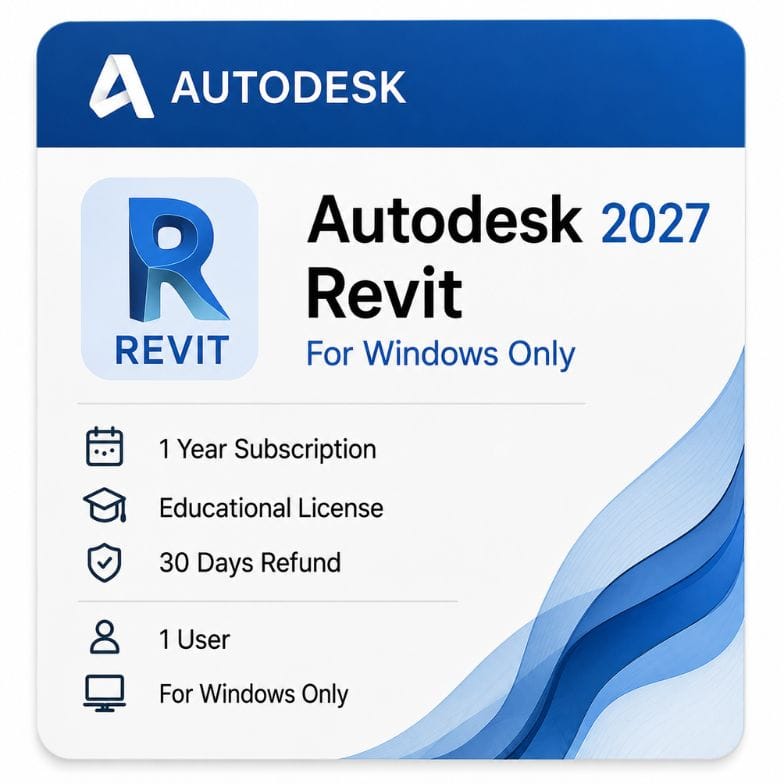



Autodesk Revit for Windows
Original price was: $160.00.$79.00Current price is: $79.00.
Genuine Autodesk Revit for Windows — 1-year or 3-year term, version years 2024–2027 . Activation Emailed Quickly from Autodesk.
Description
Two things explain the Revit cost: it builds a coordinated model rather than drawings, and one change updates every plan, section and schedule referencing it. Terms run 1 year or 3 years, redeemed against your own Autodesk account.
Revit cost for 1-year and 3-year terms
Autodesk sells Revit as a subscription only. There is no perpetual option, so the real decision is how long you commit for.
| Term | Effective cost per year | What you pay | Best for |
|---|---|---|---|
| 1 year | $79 | $79 | Trying Revit, or project-length certainty only |
| 3 years | ~$71 | $213 | Established practices with steady BIM workload |
| Autodesk direct — annual | ~$160 | ~$160 | |
| Your saving vs Autodesk annual | ~$81 / year | same entitlement |
Revit price per year on a 3-year term
The 3-year term is paid upfront but works out at about $71 a year against $79 annually. Over three years that is a saving of roughly 10% versus renewing each year.
The Revit subscription price also protects you from Autodesk’s annual list increases for the length of the term.
Why the Revit price sits above standard CAD software
Revit is a BIM platform, not a drafting tool. You are paying for a database that happens to draw, rather than a program that draws lines.
Change a wall type once and every plan, section, elevation and schedule referencing it updates. That single behavior is what separates the Revit cost from CAD pricing, and it is why practices absorb it.
What your Revit license covers
You get the full Revit application for Windows — architectural, structural and MEP tools in one product. Autodesk merged the old separate editions years ago.
- Complete BIM modeling and documentation toolset
- Architectural, structural and MEP disciplines in one install
- Parametric families and family editor
- Schedules, sheets and construction documentation
- Rendering and visualization tools
- Autodesk updates released during your term
- Email and phone support from zoftis for the life of your license
Buy Revit 2026 or an earlier version
An active subscription lets you install any supported release, so you are not locked to one version year. Most practices run one version behind their newest to stay aligned with consultants.
If you buy Revit 2026 today you can still install 2025 or 2024 from your Autodesk account when a client’s model demands it.
What Revit does that AutoCAD does not
This is the most common question we get, and the honest answer is that they solve different problems.
Revit builds a model
Every wall, door and duct is an object carrying data — dimensions, materials, cost codes, fire ratings. Drawings are views generated from that model, so they cannot fall out of sync.
AutoCAD draws lines
Geometry is geometry. It is faster for detail drawings, site plans and anything that never needs to become a coordinated 3D model.
Most practices run both. If you need the pair, the AEC Collection bundles them for less than two standalone subscriptions.
Who Revit is for
Architects
Design development through construction documentation in one model. Sheets, schedules and details all reference the same source, so a late design change propagates instead of triggering a redraw.
Structural engineers
Analytical and physical models coexist. Structural framing, foundations and reinforcement live alongside the architectural model for coordination.
MEP engineers
Ducts, pipes and conduit route through the same building model, with system-level calculations and clash visibility against structure and architecture.
BIM managers and contractors
Model-based quantity extraction, phasing and clash detection feed cost and program planning before anything reaches site.
Worksharing and team collaboration
Revit’s worksharing lets several people work in one model at once through a central file, with each user holding a local copy that syncs.
Cloud worksharing across offices needs BIM Collaborate Pro, which Autodesk licenses separately. On-premise worksharing over a network share is included here.
File formats and coordination
| Format | Direction | Typical use |
|---|---|---|
| RVT | Native | Revit project and model files |
| RFA | Native | Loadable families and components |
| DWG | Both | Linking AutoCAD site plans and details |
| IFC | Both | Open BIM exchange with ArchiCAD and others |
| NWC | Export | Navisworks clash detection and coordination |
| PDF / DWF | Export | Issued drawing sets |
| gbXML | Export | Energy analysis and building performance |
Who should choose the full Revit
Revit is one product now — architecture, structure and MEP in a single install. The question isn’t which edition, it’s whether you need the full BIM platform or just architectural drafting.
- Multi-discipline teams coordinating architecture, structure and MEP
- Practices that need worksharing on a shared central model
- Firms producing full construction documentation from the model
- BIM managers running clash detection and quantity extraction
If you are a sole architect doing architecture-only work with no team collaboration, a lighter tool may cover you — but the moment you need worksharing or a second discipline, full Revit is the right call.
Is the AEC Collection cheaper?
If Revit is the only Autodesk product you use, no — the standalone subscription is cheaper.
If you also need AutoCAD, Civil 3D or Navisworks, the AEC Collection includes Revit and typically costs less than two standalone licenses. Most practices running Revit and AutoCAD together are better off on the collection.
How to buy and activate
- Choose your 1-year or 3-year term and add it to the cart
- Complete checkout using Visa, Mastercard or PayPal
- Receive your license details by email, usually within minutes
- Sign in to your Autodesk account
Features
Revit feature highlights
Architecture
- Parametric walls, floors, roofs, stairs and railings
- Conceptual massing and design-development tools
- Automatic plans, sections and elevations from the model
Structure
- Physical and analytical structural models in one file
- Framing, foundations and reinforcement modeling
- Coordination with architectural and MEP disciplines
MEP
- Ductwork, piping and electrical routing through the building model
- System-level calculations and sizing
- Clash visibility against structure and architecture
Documentation and families
- Schedules, sheets and construction documentation from the model
- Parametric families and the family editor
- Phasing and design options
Collaboration and output
- On-premise worksharing on a shared central model
- IFC and Navisworks export for open BIM coordination
- In-product rendering and visualization
Specifications
License specification
| Detail | Specification |
|---|---|
| Product | Autodesk Revit |
| License type | Commercial subscription (single user) |
| Disciplines included | Architecture, structure, MEP in one install |
| Platform | Windows 10 / 11 (64-bit) |
| Term options | 1 year or 3 years |
| Version years | 2024–2027 (current plus earlier supported releases) |
| Worksharing | On-premise included; cloud via BIM Collaborate Pro (separate) |
| Registered to | Your own Autodesk account |
| Updates | Included during the subscription term |
| Activation | Online, via Autodesk account |
| Delivery | By email, usually within minutes |
| Support | Email support@zoftis.com and phone +1 934-202-5786 |
| Refund | 30-day money-back if inaccurate or won't activate |
System Requirements
Revit system requirements (Windows)
These are Autodesk's requirements for the 2026 release. Revit is CPU-heavy for editing and benefits from a high single-core clock and plenty of RAM.
| Component | Minimum | Recommended (production) |
|---|---|---|
| Operating system | Windows 10 (version 1809+), 64-bit | Windows 11, 64-bit |
| CPU | Intel or AMD, 2 GHz+ base clock | High single-core clock Intel Core / AMD Ryzen, recent generation |
| RAM | 16 GB | 32 GB, or 64 GB for large models and linked files |
| GPU | DirectX 11-capable, 4 GB VRAM | Dedicated GPU with 8 GB+ VRAM |
| Disk space | 30 GB free for installation | NVMe SSD; ~100 GB free for temporary files |
| Display | 1920 × 1080 | 2560 × 1440 or higher |
| Internet | Required for activation and updates | Required |
Revit does not run natively on macOS; a Windows workstation or cloud setup is needed for Mac users.
FAQs
How much does Revit cost?
On this listing the Revit cost is $79 for a 1-year Windows subscription, or $213 for a 3-year term. Both include architecture, structure and MEP, redeemed to your own Autodesk account.
What is the Revit price per year?
$79 per year on the annual term, or about $71 per year across the 3-year term — roughly 10% cheaper on the longer commitment.
Is there a perpetual Revit license?
No. Autodesk sells Revit only as a subscription, so the choice is between the 1-year and 3-year terms.
Does one Revit license include architecture, structure and MEP?
Yes. Autodesk merged the separate editions years ago, so the full Revit application covers all three disciplines in a single install.
What's the difference between Revit and AutoCAD?
Revit builds a coordinated BIM model where drawings are views that stay in sync; AutoCAD draws geometry. Most practices use both — see the AEC Collection if you need the pair.
Can I install Revit 2026 or an older version?
Yes. An active subscription lets you install any supported release — 2024 through 2027 — so you can match a client's or consultant's version.
Does Revit run on Windows 11?
Yes. Revit supports Windows 10 (version 1809 or higher) and Windows 11, 64-bit.
Does Revit run on Mac?
Not natively. Revit is Windows-only; Mac users typically run a Windows workstation, a virtual machine, or a cloud setup.
How much RAM does Revit need?
The minimum is 16 GB, but 32 GB is the practical standard for production, and large models with linked files benefit from 64 GB.
Is worksharing included?
On-premise worksharing over a network share is included. Cloud worksharing across offices needs BIM Collaborate Pro, licensed separately.
Can I export to IFC and Navisworks?
Yes. Revit exports IFC for open BIM exchange and NWC for Navisworks clash detection and coordination.
Is the AEC Collection better value than standalone Revit?
Only if you need more than Revit. If you also use AutoCAD, Civil 3D or Navisworks, the AEC Collection usually costs less than two standalone licenses.
How fast is delivery and what payment do you accept?
License details are emailed within minutes of payment. We accept Visa, Mastercard and PayPal on-site, with bank transfer, Wise and Payoneer available on request.
What happens when my subscription ends?
Revit stops launching and .rvt files need an active subscription to open, but nothing is deleted. Renewing restores full access immediately.
What if the license doesn't activate?
Email support@zoftis.com or call +1 934-202-5786 and we'll help. If the license is inaccurate or won't activate, we replace it or refund you within 30 days.
Related products
3ds Max Commercial License for Windows
Original price was: $1,870.00.$1,399.00Current price is: $1,399.00.
Autodesk AutoCAD LT 2027 Commercial Price and License
Original price was: $440.00.$399.00Current price is: $399.00.
Autodesk Inventor Professional for Windows
Original price was: $99.00.$59.00Current price is: $59.00.

Reviews
Clear filtersThere are no reviews yet.