
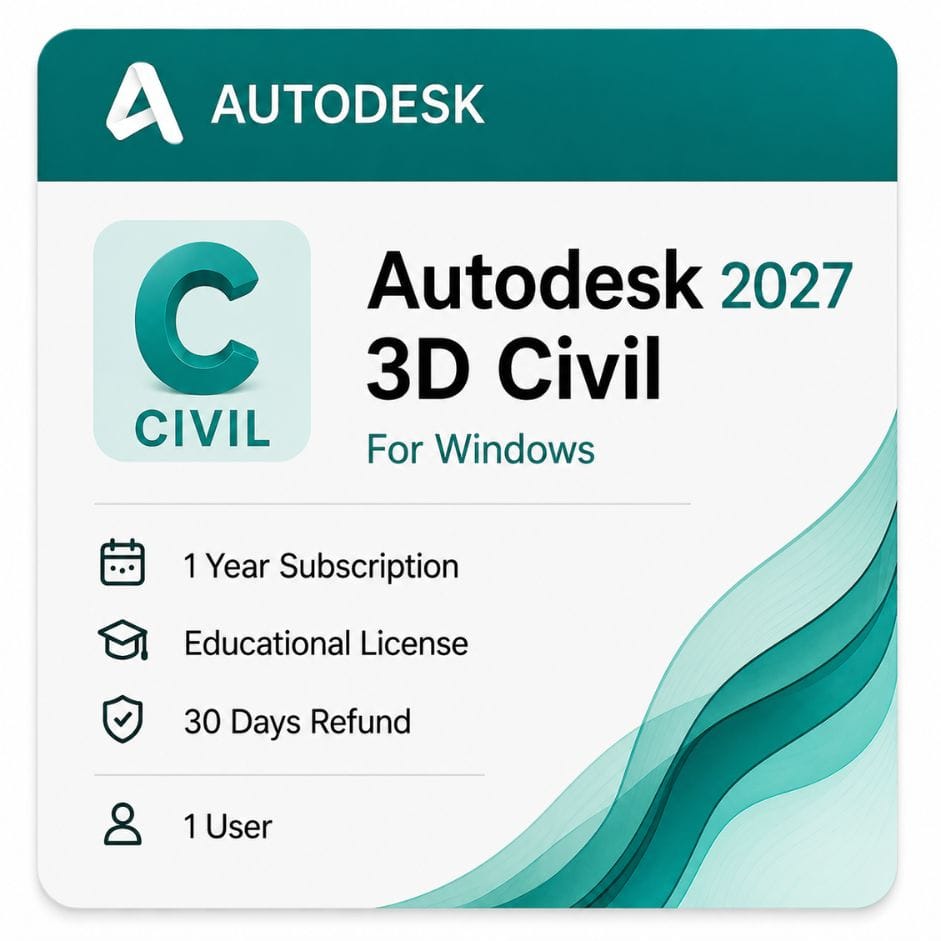





Autodesk Civil 3D for Windows
Original price was: $199.00.$99.00Current price is: $99.00.
Genuine Autodesk Civil 3D for Windows — full AutoCAD included, for infrastructure and land development. From $99 / year, redeemed to your own account, delivered by email.
| Delivery | Direct Invite from Autodesk on your Email |
|---|---|
| Platform | Windows |
| Language | Multi-language |
| Licence Type | 1-Year Subscription (Educational) |
Description
The Civil 3D cost covers more than most buyers expect — full AutoCAD is included inside it, not sold alongside it. This is genuine Autodesk Civil 3D for Windows on a 1-year or 3-year term, redeemed against your own Autodesk account.
Civil 3D cost for 1-year and 3-year terms
Autodesk sells Civil 3D as a subscription only. There is no perpetual option, so your decision is term length rather than buy-versus-rent.
| Term | Effective cost per year | What you pay | Best for |
|---|---|---|---|
| 1 year | $99 | $99 | Single project, or first year on the software |
| 3 years | ~$89 | $267 | Consultancies with continuous infrastructure work |
| Autodesk direct — annual | ~$199 | ~$199 | |
| Your saving vs Autodesk annual | ~$100 / year | same entitlement |
Civil 3D pricing on the 3-year term
The 3-year term is paid upfront and works out at about $89 a year against $99 renewed annually. Across three years that is a saving of roughly 10% versus paying year by year.
It also fixes your rate for the full term, which matters given Autodesk raises list prices most years.
Full AutoCAD is included in the Civil 3D subscription
This is the single most misunderstood thing about the product. Civil 3D is built on top of AutoCAD — you get the complete AutoCAD application inside the same install, not a stripped-down drafting mode.
Launch it in the Civil 3D workspace for corridors and surfaces, or switch to the plain AutoCAD workspace for standard drafting. Same license, same software, no second subscription.
- Complete AutoCAD drafting and annotation toolset
- Native DWG — no conversion when files move between your team and consultants
- AutoCAD commands, LISP routines and custom scripts all work
- Civil 3D objects sit inside standard DWG files
Why the AutoCAD Civil 3D price looks high until you compare properly
Compared against AutoCAD alone, Civil 3D looks expensive. Compared against what it replaces, the arithmetic changes.
A civil team without Civil 3D typically runs AutoCAD plus separate tools for surfaces, alignments and earthwork quantities, then rebuilds cross sections by hand every time the alignment shifts.
| Approach | What you pay for | Where time goes |
|---|---|---|
| AutoCAD alone | AutoCAD subscription | Manual sections, manual earthwork, manual redraws on every design change |
| Civil 3D | One subscription, AutoCAD included | Sections and quantities regenerate from the model automatically |
| AEC Collection | Civil 3D, AutoCAD, Revit, InfraWorks, Navisworks | Multi-discipline projects with structures and coordination |
If you only draft, buy AutoCAD. If you design roads, drainage or subdivisions, the model-based workflow is what you are actually paying for.
What Civil 3D does
Civil 3D is a design and documentation package for land development, infrastructure and transportation. Everything is object-based, so a change upstream flows downstream.
Surfaces and terrain
Build TIN surfaces from survey points, breaklines, contours or point clouds. Compare existing against proposed to get earthwork volumes without manual calculation.
Alignments, profiles and corridors
Draw a horizontal alignment, apply a vertical profile, attach an assembly, and the corridor model builds itself. Move the alignment and profiles, sections and quantities all update.
Grading and earthwork
Feature lines and grading objects handle building pads, parking lots and pond design. Volume reports come straight from the surface comparison.
Pipe and pressure networks
Gravity drainage and pressure mains model as connected networks with structures, rules and interference checking. Profiles show pipe runs against the surface and against crossing utilities.
Parcels and subdivisions
Parcel layout tools split land by area, frontage or depth, with labels and legal descriptions generated from the geometry.
Survey and points
Import field data, manage point groups, and run figure and traverse adjustments inside the same drawing your design lives in.
Who buys Civil 3D
Civil engineers and consultancies
Road, drainage and site design from concept through issued drawings, with quantities pulled from the model rather than estimated separately.
Surveyors
Field-to-finish workflows, surface generation from raw observations, and deliverables in the DWG format clients expect.
Land developers
Subdivision layout, parcel planning and earthwork balancing to test whether a site works financially before design money is spent.
Transportation engineers
Highway and intersection design where corridor modeling and superelevation are the daily tools, not occasional ones.
File formats and data exchange
| Format | Direction | Typical use |
|---|---|---|
| DWG | Native | Drawings and Civil 3D objects — same format as AutoCAD |
| LandXML | Both | Surfaces, alignments and parcels to other civil packages |
| Survey data | Import | Field observations, point files and traverse data |
| Point clouds | Import | Scan and LiDAR data for existing ground surfaces |
| IFC | Both | Open BIM exchange on coordinated projects |
| PDF / DWF | Export | Issued drawing sets |
Buy Civil 3D and install an earlier version if you need to
An active subscription includes access to previous releases through your Autodesk account. You are not forced onto the newest version year.
That matters on civil projects, where a client or a state DOT often specifies the exact release the deliverables must be produced in.
Is the AEC Collection better value?
If Civil 3D is the only Autodesk product you use, no — the standalone subscription is cheaper.
If you also need Revit for structures, InfraWorks for concept planning or Navisworks for coordination, the AEC Collection includes Civil 3D and typically costs less than two standalone subscriptions.
Most single-discipline civil consultancies stay standalone. Multidisciplinary firms move to the collection quickly.
Civil 3D or plain AutoCAD — how to decide
AutoCAD is enough if
Your work is 2D drafting, detail sheets and marking up other people’s designs. You are not building surfaces or generating cross sections.
You need Civil 3D if
You design alignments, model corridors, calculate earthwork, or lay out drainage networks. Doing that work in plain AutoCAD means redrawing everything by hand on every revision.
If you only need drafting, the standalone AutoCAD for Windows is the cheaper route.
How to buy and activate
- Choose your 1-year or 3-year term and add it to the cart
- Complete checkout using Visa, Mastercard or PayPal
- Receive your license details by email, usually within minutes
- Sign in to your Autodesk account and redeem the entitlement
- Download the installer from Autodesk and sign in to activate
Instructions come with the email. If activation stalls, email support@zoftis.com or call +1 934-202-5786 — we reply within an hour, almost around the clock.
When your term ends
Civil 3D stops launching. Your DWG files remain on disk, and standard AutoCAD geometry stays readable in any DWG viewer.
Civil 3D objects — surfaces, alignments, corridors — need the software to open properly. Renewing restores full access with nothing lost.
Buying your Civil 3D subscription here
Everything we supply is genuine and redeemed against your own Autodesk account — never a shared or recycled seat. If the license is inaccurate or won’t activate, we replace it or refund you within 30 days.
Related Autodesk products
- AutoCAD for Windows — choose this instead if you only draft and never model surfaces or corridors
- Autodesk AEC Collection — bundles Civil 3D with Revit, InfraWorks and Navisworks for multidiscipline work
- Autodesk Revit — for the building and structural side of infrastructure projects
Features
Civil 3D feature highlights
Surfaces and grading
- TIN surfaces from points, breaklines, contours and point clouds
- Existing-vs-proposed volume calculation for earthwork
- Feature-line and grading tools for pads, lots and ponds
Roads and corridors
- Horizontal alignments and vertical profiles
- Corridor modeling with assemblies and subassemblies
- Automatic cross-sections and quantities that update with the design
- Superelevation for highway design
Water and utilities
- Gravity and pressure pipe networks with interference checking
- Structure and rule-based network design
- Profile views against surface and crossing utilities
Survey and parcels
- Field-to-finish survey import and point-group management
- Figure and traverse adjustment
- Parcel layout by area, frontage or depth with legal descriptions
Built on AutoCAD
- Complete AutoCAD drafting toolset included
- Native DWG with LISP and script support
- LandXML and IFC exchange with other packages
Specifications
License specification
| Detail | Specification |
|---|---|
| Product | Autodesk Civil 3D |
| License type | Commercial subscription (single user) |
| Includes | Full AutoCAD inside the same install |
| Platform | Windows 10 / 11 (64-bit) |
| Term options | 1 year or 3 years |
| Version years | 2024–2027 (current plus earlier supported releases) |
| Native format | DWG |
| Registered to | Your own Autodesk account |
| Updates | Included during the subscription term |
| Activation | Online, via Autodesk account |
| Delivery | By email, usually within minutes |
| Support | Email support@zoftis.com and phone +1 934-202-5786 |
| Refund | 30-day money-back if inaccurate or won't activate |
System Requirements
Civil 3D system requirements (Windows)
These are Autodesk's requirements for Civil 3D 2026. ARM processors are not supported. Point-cloud and large-corridor work benefits from more RAM and VRAM.
| Component | Minimum | Recommended |
|---|---|---|
| Operating system | Windows 10 (version 1809+), 64-bit | Windows 11, 64-bit |
| CPU | 2.5–2.9 GHz base (no ARM) | 3 GHz+ base, 4 GHz+ turbo, high single-core clock |
| RAM | 16 GB | 32 GB, or 64 GB+ for point clouds and large corridors |
| GPU | 2 GB VRAM, DirectX 11-compliant | 8 GB VRAM, DirectX 12 (needed for Shaded Fast visual styles) |
| Disk space | 16 GB free for installation | NVMe SSD with extra project space |
| Display | 1920 × 1080, True Color | Up to 3840 × 2160 (4K) with a recommended display card |
| Internet | Required for activation and updates | Required |
Because full AutoCAD is included, the same machine that runs Civil 3D comfortably runs plain AutoCAD with headroom to spare.
FAQs
How much does Civil 3D cost?
On this listing the Civil 3D cost is $99 for a 1-year Windows subscription, or $267 for a 3-year term. Full AutoCAD is included, redeemed to your own Autodesk account.
What is Civil 3D pricing on the 3-year term?
The 3-year term is $267, averaging about $89 per year — roughly 10% cheaper than renewing at $99 annually, and it locks your rate for the full term.
Is AutoCAD included with Civil 3D?
Yes. Civil 3D is built on AutoCAD, so the complete AutoCAD application is inside the same install — no separate subscription needed.
Is there a perpetual Civil 3D license?
No. Autodesk sells Civil 3D only as a subscription, so the choice is between the 1-year and 3-year terms.
Should I buy Civil 3D or just AutoCAD?
Buy AutoCAD if you only draft. Buy Civil 3D if you design surfaces, corridors, drainage or subdivisions — doing that in plain AutoCAD means redrawing by hand on every revision. See AutoCAD for Windows to compare.
Can I install an older Civil 3D version?
Yes. An active subscription includes earlier supported releases (2024–2027) through your Autodesk account — useful when a client or DOT specifies a version.
Does Civil 3D run on Windows 11?
Yes. Civil 3D 2026 supports Windows 10 (version 1809 or higher) and Windows 11, 64-bit. ARM processors are not supported.
How much RAM does Civil 3D need?
16 GB is the minimum, 32 GB is recommended, and heavy point-cloud or large-corridor projects benefit from 64 GB or more.
Can Civil 3D import point clouds and survey data?
Yes. It imports LiDAR point clouds, field survey observations and point files to build surfaces, and pairs well with ReCap Pro for scan processing.
Does Civil 3D use DWG?
Yes. DWG is native, so Civil 3D objects live inside standard DWG files and exchange cleanly with AutoCAD users and consultants.
Can I exchange data with other civil packages?
Yes. LandXML moves surfaces, alignments and parcels to other tools, and IFC covers open BIM exchange on coordinated projects.
Is the AEC Collection better value?
Only if you need more than Civil 3D. If you also use Revit, InfraWorks or Navisworks, the AEC Collection usually costs less than two standalone subscriptions.
How fast is delivery and what payment do you accept?
License details are emailed within minutes of payment. We accept Visa, Mastercard and PayPal on-site, with bank transfer, Wise and Payoneer available on request.
What happens when my subscription ends?
Civil 3D stops launching. Standard AutoCAD geometry stays readable in any DWG viewer, but Civil 3D objects need the software to open. Renewing restores full access with nothing lost.
What if the license doesn't activate?
Email support@zoftis.com or call +1 934-202-5786 and we'll help. If the license is inaccurate or won't activate, we replace it or refund you within 30 days.
Related products
3ds Max Commercial License for Windows
Original price was: $1,870.00.$1,399.00Current price is: $1,399.00.

Autodesk Alias AutoStudio- Commercial License
Original price was: $19,135.00.$6,999.00Current price is: $6,999.00.
Autodesk AutoCAD LT 2027 Commercial Price and License
Original price was: $440.00.$399.00Current price is: $399.00.
Reviews
Clear filtersThere are no reviews yet.