
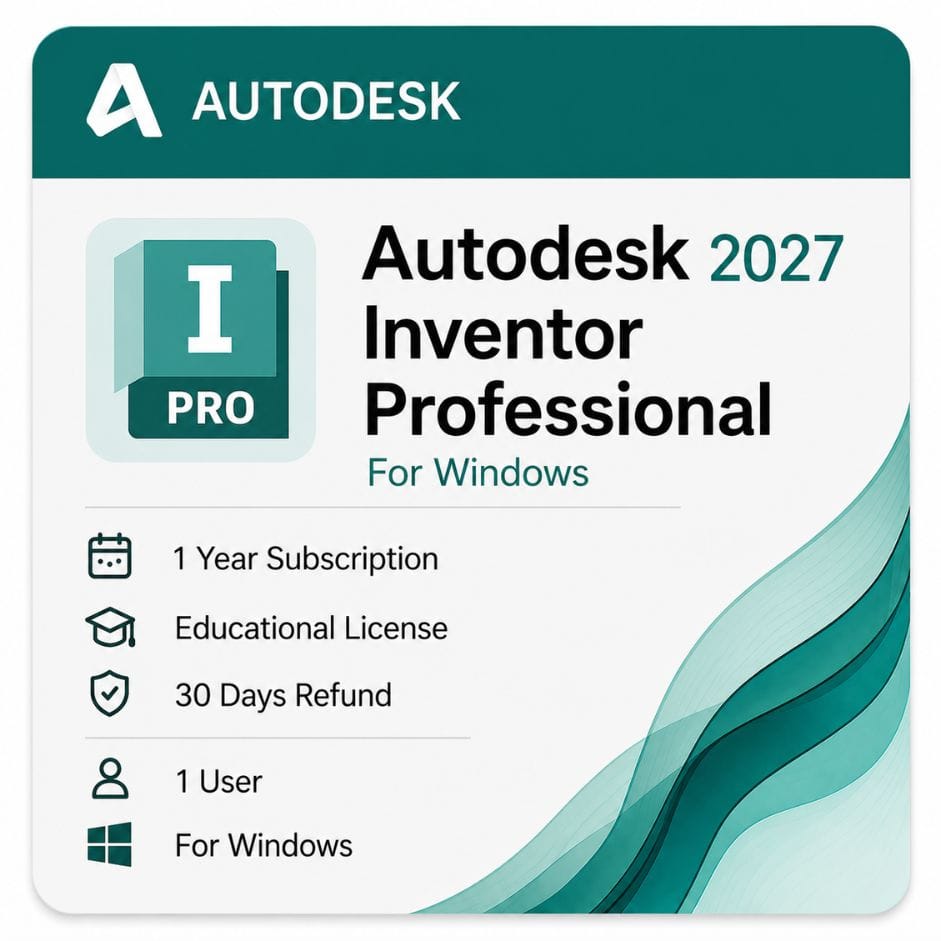





Autodesk Inventor Professional for Windows
Original price was: $99.00.$59.00Current price is: $59.00.
Genuine Autodesk Inventor Professional for Windows — 1-year or 3-year term, version years 2024–2027 .
| Language | Multi-language |
|---|---|
| Delivery | Direct Invite from Autodesk on your Email |
| Activation Region | Global |
| Platform | Windows |
Description
Autodesk consolidated the Inventor range years ago. Professional is now the only edition sold, which means the Autodesk Inventor price you see here buys simulation, routed systems and sheet metal that used to cost extra as add-ons.
Autodesk Inventor price for 1-year and 3-year terms
Autodesk sells Inventor as a subscription only. There is no perpetual option, so your decision is term length rather than buy-versus-rent.
| Term | Effective cost per year | What you pay | Best for |
|---|---|---|---|
| 1 year | $59 | $59 | First year on the software, or single-contract work |
| 3 years | ~$53 | $159 | Design offices with continuous product work |
| Autodesk direct — annual | ~$99 | ~$99 | |
| Your saving vs Autodesk annual | ~$40 / year | same entitlement |
Inventor price per year on the 3-year term
The 3-year term is paid upfront and works out at about $53 a year against $59 renewed annually. Across three years that is a saving of roughly 10% versus paying year by year.
It also holds your rate for the full term, which matters given Autodesk raises list prices most years.
Professional is the only Inventor edition Autodesk still sells
There used to be a tiered lineup — Inventor, Inventor Professional and Inventor LT. Autodesk consolidated it. Professional is now the single product, so the Autodesk Inventor Professional price you see here is the whole range.
That means simulation and tube-and-pipe tools that were once paid add-ons are included rather than sold separately.
- Part and assembly modeling
- Sheet metal, weldments and frame generator
- Stress analysis and dynamic simulation
- Tube and pipe, cable and harness routing
- Engineering drawings with GD&T and BOM
- iLogic design automation
- Autodesk updates released during your term
- Email and phone support from zoftis for the life of your license
Why the Autodesk Inventor software price sits where it does
Inventor is priced as a full mechanical engineering package, not a modeler. The cost reflects what would otherwise be several separate purchases.
Stress analysis, motion simulation, routed systems and automated drawing production are all inside the subscription. Buying those capabilities as bolt-ons to a cheaper CAD tool usually costs more, not less.
What Inventor is built for
Part and assembly modeling
Parametric solid modeling where dimensions drive geometry. Change a driving dimension and the part rebuilds, along with every assembly and drawing referencing it.
Large assembly handling is a genuine differentiator — Inventor manages thousands of components without the file-management pain smaller packages hit.
Sheet metal and weldments
Model in the folded state, then generate flat patterns with correct bend allowances for the shop. Weldment tools handle frames, beads and preparation with drawings that reflect the fabrication sequence.
Simulation and analysis
Stress analysis runs inside Inventor, so you test a design without exporting to a separate FEA package. Dynamic simulation covers moving assemblies — linkages, cams and mechanisms under load.
Routed systems
Tube and pipe routing handles rigid and flexible runs with fitting libraries and clearance checking. Cable and harness produces wiring layouts and nailboard drawings from the 3D route.
Drawings and documentation
Drawings stay linked to the model. Views, dimensions, GD&T and the bill of materials all update when the design changes, so released drawings cannot silently drift from the parts they describe.
Design automation
iLogic lets you drive models with rules and parameters. Configurable products that would otherwise mean dozens of near-identical files become one intelligent model.
Inventor or Fusion — which fits your work
Both are Autodesk mechanical products and buyers regularly pick the wrong one. The difference is not capability alone, it is how the work is structured.
Choose Inventor if
You run large assemblies, need mature drawing output for manufacturing release, or work in an established engineering department with existing DWG and IPT data. File-based, desktop-first, built for depth.
Choose Fusion if
You are a small team or solo designer wanting cloud collaboration and integrated CAM in one lower-priced product. Faster to start, less depth on very large assemblies.
Still deciding? Compare it directly with Fusion 360 for Windows before you commit.
File formats and CAD interoperability
Interoperability is a real buying factor when suppliers and customers send you files in whatever their own system uses.
| Format | Direction | Typical use |
|---|---|---|
| IPT / IAM / IDW | Native | Inventor parts, assemblies and drawings |
| DWG | Both | 2D drawings shared with AutoCAD users |
| STEP | Both | Neutral 3D exchange with suppliers and customers |
| IGES | Both | Legacy surface and solid exchange |
| SAT | Both | ACIS solid exchange |
| STL / 3MF | Export | 3D printing and rapid prototyping |
| SOLIDWORKS / CATIA / NX | Import | Reading third-party CAD files from suppliers |
DWG support matters more than most buyers expect. Detail drawings still move through workshops as DWG, and Inventor reads and writes it natively.
Buy Inventor 2026 or install an earlier release
An active subscription includes access to previous versions through your Autodesk account, so you are not forced onto the newest release the day it ships.
That matters in manufacturing, where a customer or a supplier may specify the exact version their models must be delivered in.
Is the PDMC Collection better value?
If Inventor is the only Autodesk product you use, no — the standalone subscription is cheaper.
If you also need AutoCAD for detail drawings, Fusion for CAM, or Nastran for deeper analysis, the Product Design & Manufacturing Collection includes Inventor and typically costs less than two standalone subscriptions.
Single-tool design offices stay standalone. Anyone running Inventor plus AutoCAD should price the collection before renewing separately.
Who buys Inventor
Mechanical engineers
Machine design, jigs and fixtures, and production equipment where assemblies run into thousands of parts and drawings must be manufacturing-ready.
Product designers
Consumer and industrial products taken from concept through tooling-ready models with full documentation.
Manufacturing engineers
Fixture and tooling design, sheet metal fabrication, and welded structures where flat patterns and weld symbols go straight to the shop floor.
Machine builders
Configurable machinery where iLogic turns a family of variants into one rules-driven model instead of a folder of near-duplicates.
How to buy and activate
- Choose your 1-year or 3-year term and add it to the cart
- Complete checkout using Visa, Mastercard or PayPal
- Receive your license details by email, usually within minutes
- Sign in to your Autodesk account and redeem the entitlement
- Download the installer from Autodesk and sign in to activate
Instructions come with the email. If activation stalls, email support@zoftis.com or call +1 934-202-5786 — we reply within an hour, almost around the clock.
When your term ends
Inventor stops launching. Your IPT and IAM files stay on disk but need the software to open, since no free viewer permits editing.
Renewing restores access immediately. Nothing is deleted and no model history is lost.
Before you spend this much
Know what you’re getting: a real Autodesk entitlement redeemed into your own account, never a seat shared with anyone else. If the license is inaccurate or won’t activate, we replace it or refund you within 30 days.
Related Autodesk products
- Autodesk Fusion 360 — lower-priced alternative for small teams wanting cloud collaboration and built-in CAM
- Product Design & Manufacturing Collection — bundles Inventor with AutoCAD, Fusion and Nastran for less than buying separately
- AutoCAD for Windows — for 2D detail drawings alongside your Inventor models
- Autodesk 3ds Max — presentation-grade rendering of Inventor geometry for marketing
- Autodesk ReCap Pro — bring scan and reality-capture data into your mechanical designs
Features
Inventor Professional feature highlights
Modeling and assemblies
- Parametric part modeling with dimension-driven geometry
- Large assembly handling into the thousands of components
- Top-down and bottom-up assembly design
Sheet metal and weldments
- Folded-state modeling with accurate flat-pattern output
- Bend allowances and manufacturing-ready DXF
- Weldment beads, preparation and frame generator
Simulation
- Built-in stress analysis (FEA) — no separate package needed
- Dynamic simulation of linkages, cams and mechanisms
- Frame analysis for welded structures
Routed systems
- Tube and pipe routing with fitting libraries and clearance checks
- Cable and harness with nailboard drawings from the 3D route
Documentation and automation
- Model-linked drawings with GD&T and bill of materials
- iLogic rules-based design automation
- Native DWG plus STEP, IGES and SAT exchange
Specifications
License specification
| Detail | Specification |
|---|---|
| Product | Autodesk Inventor Professional |
| License type | Commercial subscription (single user) |
| Included capabilities | Modeling, sheet metal, weldments, simulation, routed systems, iLogic |
| Platform | Windows 10 / 11 (64-bit); 2027 release is Windows 11 only |
| Term options | 1 year or 3 years |
| Version years | 2024–2027 (current plus earlier supported releases) |
| Native formats | IPT, IAM, IDW; native DWG read/write |
| Registered to | Your own Autodesk account |
| Updates | Included during the subscription term |
| Activation | Online, via Autodesk account |
| Delivery | By email, usually within minutes |
| Support | Email support@zoftis.com and phone +1 934-202-5786 |
| Refund | 30-day money-back if inaccurate or won't activate |
System Requirements
Inventor system requirements (Windows)
These are Autodesk's requirements for Inventor 2026. Inventor is single-thread heavy for modeling, so CPU clock speed matters more than core count for everyday work. The 2027 release requires Windows 11.
| Component | Minimum | Recommended |
|---|---|---|
| Operating system | Windows 10, 64-bit | Windows 11, 64-bit |
| CPU | 2.5 GHz or greater | 3.0 GHz+ with 4 or more cores; 3.3 GHz+ for 1,000+ part assemblies |
| RAM | 16 GB (assemblies under 500 parts) | 32 GB or more; 64 GB for very large assemblies |
| GPU | 2 GB VRAM, DirectX 11-compliant | 8 GB VRAM, 106 GB/s bandwidth, DirectX 11 |
| Disk space | 40 GB for installer plus full installation | NVMe SSD with extra space for active projects |
| Display | 1280 × 1024 | 3840 × 2160 (4K) |
| Spreadsheet | Local Microsoft Excel 2016+ or LibreOffice 7.2+ for spreadsheet-linked workflows | Local Excel install |
| .NET | .NET 8.0 or later | .NET 8.0 or later |
Browser-based Office 365, OpenOffice and Excel Starter are not supported for spreadsheet-linked workflows.
FAQs
How much does Autodesk Inventor cost?
On this listing the Autodesk Inventor price is $59 for a 1-year Windows subscription, or $159 for a 3-year term. It's the full Professional edition, redeemed to your own Autodesk account.
What is the Inventor price per year?
$59 per year on the annual term, or about $53 per year across the 3-year term — roughly 10% cheaper on the longer commitment.
Is this the Professional edition or a cut-down Inventor?
It's full Inventor Professional. Autodesk consolidated the old lineup, so Professional is now the only edition — simulation, routed systems and sheet metal are all included.
Is there a perpetual Inventor license?
No. Autodesk sells Inventor only as a subscription, so the choice is between the 1-year and 3-year terms.
Does Inventor include simulation?
Yes. Stress analysis (FEA) and dynamic simulation run inside Inventor, so you can test designs without exporting to a separate analysis package.
Should I buy Inventor or Fusion 360?
Choose Inventor for large assemblies and mature manufacturing drawings; choose Fusion for cloud collaboration and integrated CAM at a lower price. See our Fusion 360 for Windows page to compare.
Can Inventor read SOLIDWORKS or STEP files?
Yes. Inventor imports STEP, IGES, SAT and third-party CAD formats including SOLIDWORKS, CATIA and NX, and reads and writes DWG natively.
Can I install an older Inventor version?
Yes. An active subscription includes earlier supported releases (2024–2027) through your Autodesk account — useful when a customer specifies a delivery version.
Does Inventor run on Windows 11?
Yes. Inventor 2026 supports Windows 10 and 11; the 2027 release requires Windows 11.
How much RAM does Inventor need?
16 GB handles assemblies under 500 parts; 32 GB is recommended, and assemblies over 1,000 parts benefit from 64 GB. CPU clock speed matters more than core count for modeling.
Does Inventor need Excel?
Only for workflows that create or edit linked spreadsheets — those need a local Microsoft Excel 2016+ or LibreOffice 7.2+. Reading or exporting spreadsheet data does not require it.
Is the PDMC Collection better value?
Only if you need more than Inventor. If you also use AutoCAD, Fusion or Nastran, the Product Design & Manufacturing Collection usually costs less than two standalone subscriptions.
How fast is delivery and what payment do you accept?
License details are emailed within minutes of payment. We accept Visa, Mastercard and PayPal on-site, with bank transfer, Wise and Payoneer available on request.
What happens when my subscription ends?
Inventor stops launching and IPT/IAM files need the software to open, but nothing is deleted. Renewing restores full access with all model history intact.
What if the license doesn't activate?
Email support@zoftis.com or call +1 934-202-5786 and we'll help. If the license is inaccurate or won't activate, we replace it or refund you within 30 days.
Related products
3ds Max Commercial License for Windows
Original price was: $1,870.00.$1,399.00Current price is: $1,399.00.
Reviews
Clear filtersThere are no reviews yet.