
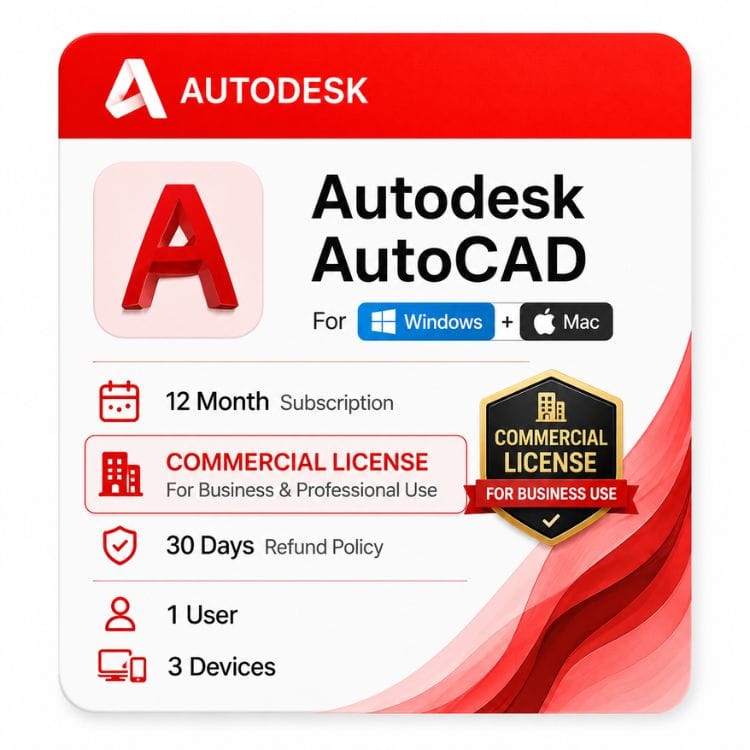






AutoCAD Commercial License for Windows and Mac
Original price was: $2,310.00.$1,499.00Current price is: $1,499.00.
Genuine Autodesk single-user subscription with full commercial use rights. Installs on Windows or Mac
| Activation Region | Global |
|---|---|
| Delivery | Direct Invite from Autodesk on your Email |
| Licence Type | Commercial Subscription |
| Language | English (Multilanguage available) |
| Platform | Windows / Mac |
Description
An AutoCAD commercial license is the version you need when the drawings you produce are part of paid work — client projects, tender documents, fabrication drawings, or anything you invoice for. This is a genuine Autodesk single-user subscription with full commercial use rights, and it installs on both Windows and Mac.
Most buyers get stuck on the same two questions: whether the licence permits paid client work, and whether it will run on the machine they actually use. An AutoCAD commercial license answers both — full rights on revenue-generating work, and one seat that installs on Windows or Mac without buying twice.
What “commercial” actually means on this licence
Autodesk sells the same AutoCAD software under different licence types. The software is identical — the difference is what you are legally permitted to do with the output.
An autocad commercial subscription permits paid, revenue-generating work with no restriction on company size or project value. Educational and personal-use licences do not, and using one for client work is a licence breach regardless of how the file is delivered.
| Licence type | Paid client work | Who it’s for | Sold here? |
|---|---|---|---|
| Commercial | Permitted | Firms, freelancers, contractors, in-house design teams | Yes — this page |
| Educational | Not permitted | Enrolled students and faculty only | No |
| Non-commercial / personal | Not permitted | Hobby and self-learning use | No |
If you are a sole trader, a two-person practice, or a subcontractor drafting for a main contractor, you still need commercial. There is no lower threshold below which non-commercial becomes acceptable.
Who this AutoCAD commercial license is for
This is the right page if you produce drawings that leave your office attached to an invoice. The licence is built for professional, billable use across every discipline that lives in DWG.
| Buyer | Why they need commercial |
|---|---|
| Architectural practices | Issued drawing sets and tender documents are paid deliverables |
| Structural & MEP consultants | Coordination drawings billed to the project |
| Fabrication & steel shops | Shop drawings that go to the floor and to the client |
| Surveyors | Site and boundary drawings delivered under contract |
| Freelance drafters | Any contract drafting — the moment it’s paid, it’s commercial |
| In-house design teams | Company use is commercial by definition, whatever the team size |
Who should not buy this page
It’s the wrong page if you are a currently enrolled student, or if you only need 2D drafting and never touch 3D. For 2D-only work, AutoCAD LT is a smaller, cheaper licence that covers drafting fully. For learning and personal projects, a personal licence costs far less than this one.
One licence, both platforms
This subscription is not locked to an operating system. The same licence activates the Windows build or the Mac build, and you choose which installer to download after purchase.
That matters if you switch machines, run a mixed-platform studio, or work on a MacBook at home and a Windows workstation in the office. You are not buying twice.
| Scenario | Covered by one licence? |
|---|---|
| Install on a Windows PC and a Mac, using one at a time | Yes |
| Switch from Windows to Mac mid-term | Yes — reinstall, same sign-in |
| Two people drafting simultaneously on separate machines | No — you need two licences |
| Run Windows AutoCAD and Mac AutoCAD at the same moment | No — one active session only |
Be aware: the Mac build is not identical
The two versions share the DWG file format completely, so drawings move between them without conversion. The feature sets are not a perfect match, however.
The specialized toolsets described below are Windows only. Sheet Set Manager, the Action Recorder, and some data-extraction tools are also absent or reduced on Mac. If a toolset is central to how you work, plan to run AutoCAD on Windows.
If Mac is your only platform and you want the detail on what the Mac release does and doesn’t include, see AutoCAD for Mac.
AutoCAD including specialized toolsets — what’s bundled
An AutoCAD commercial subscription is not just the base drafting application. The value of AutoCAD including specialized toolsets is that Autodesk bundles seven discipline-specific toolsets at no extra cost, each adding pre-built objects and automation for its trade. These run on Windows.
| Toolset | What it adds | Typical user |
|---|---|---|
| Architecture | Walls, doors, windows, roofs as intelligent objects; auto sections and elevations | Architects, interior designers |
| Mechanical | Standards-based parts library, automatic BOM, shaft and spring generators | Mechanical drafters |
| Electrical | Schematic symbol libraries, automated wire numbering, panel-schedule reports | Electrical engineers |
| MEP | Ductwork, piping, plumbing and electrical routing sized to spec | Building-services engineers |
| Plant 3D | P&ID creation and 3D plant modeling with spec-driven piping | Process and plant engineers |
| Map 3D | GIS and mapping data integration for infrastructure and utilities | Infrastructure teams |
| Raster Design | Converts scanned drawings into editable vector geometry | Anyone digitizing legacy drawings |
This matters when you compare products. AutoCAD LT includes none of these — that is the single biggest functional gap between the two, alongside 3D. The toolsets are the practical reason most professionals choose full AutoCAD over LT.
Terms and how the AutoCAD commercial license price works
Autodesk sells this as a term subscription, not a perpetual licence. You choose the term length up front, and the licence is active for that whole period. Longer terms carry a lower effective cost per year — that’s the only difference between them.
| Term | Price | Effective cost per year | Saving vs 1 year |
|---|---|---|---|
| 1 year | US $1,499 | US $1,499 | — |
| 3 years | US $4,097 | ~US $1,366 | Save ~9% |
The autocad commercial license price is the same whether you install on Windows or Mac. A 3-year term gives identical software and identical rights to a 1-year term — you’re paying for a lower yearly rate and locking today’s price, not for a different product.
Read moreRead less
How our price compares to buying direct
Context matters on a licence at this level. Here is how the autocad commercial license price on this page sits against Autodesk’s own store.
| Route | Term | Price |
|---|---|---|
| zoftis — this listing | 1 year | US $1,499 |
| zoftis — 3-year | 3 years | US $4,097 |
| Autodesk direct | 1 year | ~US $2,095 |
Same genuine entitlement, activated on your own Autodesk account — the difference is the retail markup, not the software.
Which term should you pick?
Take 1 year if your workload is project-based, if you are trialing AutoCAD against another package, or if headcount might change. Take 3 years if AutoCAD is core to how you earn and you want the cost locked at today’s rate.
A 3-year autocad annual subscription also removes two renewal admin cycles, which is worth something if you’re the person who handles them. The annual subscription is the standard commercial term either way — you’re choosing how many years of it to commit to up front.
AutoCAD vs AutoCAD LT — which commercial licence fits
Both are commercial licences; the question is scope. Full AutoCAD adds 3D, the seven toolsets and API access; LT is 2D-only.
| Capability | AutoCAD (this page) | AutoCAD LT |
|---|---|---|
| 2D drafting | Yes | Yes |
| 3D modeling & rendering | Yes | No |
| Seven specialized toolsets | Yes | No |
| AutoLISP / .NET API | Yes | No |
| DWG / DXF format | Same | Same |
| Commercial use rights | Yes | Yes |
| Relative price | Higher | Lower |
The short version
Pick LT if your work is flat drawings and you never automate. Pick full AutoCAD if you model in 3D, run scripts, or work in a discipline where a toolset saves you hours a week. Compare on the AutoCAD LT page.
Is a collection cheaper than a standalone commercial licence?
If AutoCAD is the only Autodesk tool you use, no — the standalone commercial licence is cheaper. If you also run Revit or Civil 3D, the maths changes.
| Route | Includes | Choose when |
|---|---|---|
| AutoCAD commercial (this page) | AutoCAD + 7 toolsets | AutoCAD is your main tool |
| AEC Collection | AutoCAD, Revit, Civil 3D and more | You work across BIM and infrastructure |
Most practices running AutoCAD alongside Revit or Civil 3D are better off pricing the collection before renewing separately.
Version years we stock
We supply the 2024–2027 range. A current subscription entitles you to the latest release plus the three prior versions, so you can stay on an older release if a client or a plugin requires it.
Version compatibility runs backward, not forward: a drawing saved in a newer release may not open cleanly in an older one unless you save down to an earlier DWG format. This applies equally across Windows and Mac releases of the same year.
What you receive and how activation works
- Complete checkout — your order is confirmed to the email address you enter at payment
- Receive your licence details by email, usually within an hour (up to 24 hours in rare cases)
- Choose your platform and download the matching installer — Windows or macOS — from the official Autodesk source in your email
- Sign in and activate; the licence is tied to a single named user and installs on more than one machine, though only one session runs at a time
- If activation doesn’t complete, email support@zoftis.com before attempting a reinstall
Why buy this licence from zoftis
Every licence we sell is genuine and traceable, activates through Autodesk’s own systems, and comes with a 30-day money-back guarantee. If the licence is inaccurate or won’t activate, we replace it or refund you — you don’t keep the problem.
Common reasons an order gets returned — read before you buy
Three things account for most refund requests on Autodesk products, and all three are avoidable.
The first is buying full AutoCAD when LT would have done the job, then noticing the price difference afterward. The second is a licence-type mismatch — buying commercial when the work is genuinely non-commercial, or trying to use a cheaper non-commercial licence for paid work (which we don’t sell for exactly this reason).
The third is Mac users expecting the specialized toolsets. They are Windows only, and no licence type changes that. Check the platform section above before you order.
Related Autodesk products
- AutoCAD LT — choose this if you work in 2D only and don’t need toolsets or 3D
- AutoCAD for Mac — Mac-specific feature detail, Apple Silicon support and macOS requirements
- Autodesk Revit — parametric BIM models and coordinated documentation rather than drawings
- Autodesk Civil 3D — road, drainage, grading and survey work built on an AutoCAD base
- Autodesk AEC Collection — AutoCAD, Revit and Civil 3D together, usually cheaper than buying separately
- All Autodesk commercial licenses — browse the full range of commercial-use Autodesk products
Features
Core AutoCAD features
- Full 2D drafting, annotation, dimensioning and layout tools
- 3D modeling with solid, surface and mesh geometry
- Native DWG and DXF file support, plus PDF and DGN import/export
- Xrefs, blocks and dynamic blocks for reusable content
- Trace and markup import for reviewing feedback without altering the drawing
- Cloud storage connection for opening drawings from OneDrive, Dropbox and Box
- AutoCAD web and mobile app access included with the subscription
Platform feature differences
| Feature | Windows | Mac |
|---|---|---|
| 2D drafting and annotation | Yes | Yes |
| 3D modeling and rendering | Yes | Yes |
| DWG / DXF compatibility | Yes | Yes |
| Seven specialized toolsets | Yes | No |
| .NET / VBA API | Yes | No |
| Action Recorder | Yes | No |
| Native Apple Silicon support | Yes | |
Included specialized toolsets (Windows)
- Architecture toolset — 8,000+ intelligent architectural objects and styles
- Mechanical toolset — 700,000+ standards-based parts and features
- Electrical toolset — 65,000+ intelligent electrical symbols
- MEP toolset — 10,500+ mechanical, electrical and plumbing objects
- Plant 3D toolset — P&ID and spec-driven 3D plant design
- Map 3D toolset — GIS and CAD data integration
- Raster Design toolset — raster-to-vector conversion tools
Specifications
| Specification | Detail |
|---|---|
| Product | Autodesk AutoCAD including specialized toolsets |
| Platforms | Windows and macOS — one license covers both |
| Toolset availability | Windows only |
| License type | Commercial — paid professional use permitted |
| License model | Single-user (named user) subscription |
| Subscription type | ELD annual subscription — electronic license delivery, no physical media |
| Terms available | 1 year · 3 years |
| Version years supplied | latest version |
| Previous version rights | Current release plus three prior versions |
| Autodesk SKU | _ |
| Concurrent use | Multiple installs across platforms, one active session |
| Included apps | AutoCAD web app · AutoCAD mobile app |
| Delivery method | Email — license details and official download link |
| Delivery time | 1 hour or maximum upto 24 hours |
| Interface languages | Multilingual — note if the Mac build offers fewer |
| Guarantee | 30 days money-back guarantee if license is not activated or not as described |
| Support | support@zoftis.com 24/7 |
System Requirements
Windows — AutoCAD 2027
| Component | Minimum | Recommended |
|---|---|---|
| Operating system | 64-bit Microsoft Windows 11 | 64-bit Microsoft Windows 11 with current updates |
| Processor | 2.5–2.9 GHz processor with 8 logical cores (base) | 3+ GHz processor (base); 4+ GHz (turbo) |
| Memory | 16 GB RAM | 32 GB RAM |
| Display resolution | 1920 × 1080 with True Color | Up to 3840 × 2160 with the recommended display card |
| Graphics card | 2 GB GPU with 29 GB/s bandwidth and DirectX 11 compliance | 8 GB GPU with 106 GB/s bandwidth and DirectX 12 compliance |
| Disk space | 10 GB; SSD suggested | SSD recommended |
| .NET Framework | .NET 10 | .NET 10 |
| Network | See Autodesk Network License Manager for Windows | Reliable internet/network connection for Autodesk services and collaboration |
macOS — AutoCAD 2027
| Component | Minimum | Recommended |
|---|---|---|
| Operating system | macOS Sonoma 14, macOS Sequoia 15 or macOS Tahoe 26 | macOS Tahoe 26 or the latest supported macOS release |
| Processor | 64-bit Intel CPU or Apple M-series CPU | Apple Silicon M-series Mac with sufficient memory for the workload |
| Memory | 8 GB RAM | 16 GB RAM or higher |
| Display resolution | 1280 × 800 display | 2880 × 1800 Retina display or equivalent high-resolution display |
| Graphics card | Mac-compatible graphics hardware supporting the Metal graphics engine | Mac-native installed graphics hardware with Metal support |
| Disk space | 8 GB free disk space for download and installation | SSD recommended with additional space for drawings, references and temporary files |
| Pointing device | Apple-compliant mouse, Apple-compliant trackpad or Microsoft-compliant mouse | Mouse or trackpad suited to extended CAD work |
| Network | Internet connection may be required for installation, activation, sign-in and Autodesk services | Reliable internet connection for Autodesk services and collaboration |
Windows — AutoCAD 2026
| Component | Minimum | Recommended |
|---|---|---|
| Operating system | 64-bit Microsoft Windows 10 or Windows 11 | 64-bit Microsoft Windows 11 with current updates |
| Processor | 2.5–2.9 GHz processor with 8 logical cores (base) | 3+ GHz processor (base); 4+ GHz (turbo) |
| Memory | 8 GB RAM | 32 GB RAM |
| Display resolution | 1920 × 1080 with True Color | Up to 3840 × 2160 with the recommended display card |
| Graphics card | 2 GB GPU with 29 GB/s bandwidth and DirectX 11 compliance | 8 GB GPU with 106 GB/s bandwidth and DirectX 12 compliance |
| Disk space | 10 GB; SSD suggested | SSD recommended |
| .NET Framework | .NET 8 | .NET 8 |
| Network | See Autodesk Network License Manager for Windows | Reliable internet/network connection for Autodesk services and collaboration |
macOS — AutoCAD 2026
| Component | Minimum | Recommended |
|---|---|---|
| Operating system | macOS Ventura 13, macOS Sonoma 14, macOS Sequoia 15 or macOS Tahoe 26 with Update 2026.1 where required | macOS Sequoia 15 or macOS Tahoe 26 with current updates |
| Processor | 64-bit Intel CPU or Apple M-series CPU | Apple Silicon M-series Mac with sufficient memory for the workload |
| Memory | 8 GB RAM | 16 GB RAM or higher |
| Display resolution | 1280 × 800 display | 2880 × 1800 Retina display or equivalent high-resolution display |
| Graphics card | Mac-compatible graphics hardware supporting the Metal graphics engine | Mac-native installed graphics hardware with Metal support |
| Disk space | 8 GB free disk space for download and installation | SSD recommended with additional space for drawings, references and temporary files |
| Pointing device | Apple-compliant mouse, Apple-compliant trackpad or Microsoft-compliant mouse | Mouse or trackpad suited to extended CAD work |
| Network | Internet connection may be required for installation, activation, sign-in and Autodesk services | Reliable internet connection for Autodesk services and collaboration |
Additional requirements for large or 3D-heavy drawings
- 32 GB RAM or more is the Autodesk-listed configuration for large datasets, point clouds and 3D modelling.
- For demanding Windows 3D work, Autodesk specifies a 4K or higher True Color display and a DirectX-capable workstation-class graphics card with 12 GB VRAM or greater for large datasets, point clouds and 3D modelling.
- On macOS, choose an Apple Silicon Mac with 16 GB or more of unified memory for demanding drawing and 3D workloads; Autodesk's published Mac requirements do not specify a separate VRAM figure for Apple graphics.
- Keep at least 6 GB of additional free disk space available for large datasets, point clouds and 3D modelling, in addition to the installation requirement.
- For AutoCAD 2027 on Mac, Metal is the sole graphics engine; OpenGL is no longer supported.
Version-specific compatibility
AutoCAD requirements change between releases. AutoCAD 2027 requires 64-bit Windows 11 and .NET 10 on Windows, while AutoCAD 2026 supports 64-bit Windows 10 and Windows 11 and uses .NET 8. On Mac, AutoCAD 2027 supports macOS 14, 15 and 26, while AutoCAD 2026 also supports macOS 13 Ventura. Do not reuse one year's system requirements across other AutoCAD releases.
FAQs
What is an AutoCAD commercial license?
It is the Autodesk license type that permits you to use AutoCAD for paid, revenue-generating work. The software is the same as other license types — the difference is the legal right to use the output commercially, with no cap on company size or project value.
Does one license cover both Windows and Mac?
Yes. The subscription is not tied to an operating system. You download whichever installer you need, and you can move between platforms during the term. Only one session may be active at a time.
How much does an AutoCAD commercial license cost?
Our price is US $1,499 for a 1-year term and US $4,097 for 3 years, which works out at US $1,499 annually. Autodesk's own list price is US $2,310, so the saving is 35%. The price is identical for Windows and Mac.
Is the AutoCAD 1 year subscription price cheaper than paying monthly?
Yes. Autodesk prices monthly subscriptions at a premium — twelve monthly payments cost more than one annual term. A 3-year term is cheaper again per year.
Do the specialized toolsets work on Mac?
No. All seven toolsets are Windows only, and this is a limitation of the Mac release rather than the license. If a toolset is central to your discipline, run AutoCAD on Windows.
Can I open a Mac-created drawing on Windows?
Yes. Both builds use the same native DWG format, so files move between platforms with no conversion or export step. Fonts and plot styles are the usual things to check if a drawing looks different.
Can I use a student or educational license for freelance work?
No. Educational licenses prohibit any commercial or revenue-generating use, including one-off paid freelance jobs. Drawings produced under an educational license also carry an identifying stamp. If you invoice for the work, you need commercial.
What does "single user ELD annual subscription" mean on the invoice?
ELD stands for electronic license delivery — the license is issued digitally by email rather than on physical media. "Single user" means it is assigned to one named person, and "annual" is the term length. It is Autodesk's own naming for this SKU type.
Does AutoCAD run natively on Apple Silicon?
Yes, current releases run natively on M-series chips without Rosetta translation. Check the macOS system requirements table for the exact minimum chip and macOS version per release year.
Can I install AutoCAD on more than one computer?
Yes. A single-user subscription can be installed on multiple devices — including a mix of Windows PCs and Macs — but only one session may be active at a time. Sign out on one machine before working on another.
Which version years do I get access to?
An active subscription entitles you to the current release plus the three previous versions. We stock 2024-2027, so you can install an older release if a client file or third-party plugin requires it.
Should I buy AutoCAD or AutoCAD LT?
Buy LT if your work is 2D drafting only and you never need 3D, toolsets or scripting. Buy full AutoCAD if you model in 3D, automate with AutoLISP, or would use a discipline toolset. See the AutoCAD LT Commercial page to compare.
What happens when the subscription term ends?
AutoCAD stops running in full mode and you lose the ability to edit. Your DWG files remain yours and stay on your machine — they are not locked or deleted. Renew before the end date to avoid a gap.
Is this a genuine Autodesk license?
Yes. It activates through Autodesk's own sign-in system and is traceable to a valid subscription. If it does not activate, you are covered by our 30 days money-back guarantee.
Does an AutoCAD commercial subscription work offline?
You need internet access to install, activate and sign in. After that, AutoCAD can run offline for a limited period before it requires you to reconnect and re-verify. Continuous offline use is not supported on either platform.
How fast is delivery?
License details are emailed within 1 hour or maximum upto 24 hours of a confirmed payment, to the address you enter at checkout. Check your spam folder before contacting at support@zoftis.com 24/7.
Can I transfer this license to another person?
No, this license is non-transferable.
Related products
Autodesk 3ds Max Price for Windows License
Original price was: $99.00.$59.00Current price is: $59.00.
Civil 3D Commercial License for Windows
Original price was: $2,613.00.$1,599.00Current price is: $1,599.00.
Reviews
Clear filtersThere are no reviews yet.