
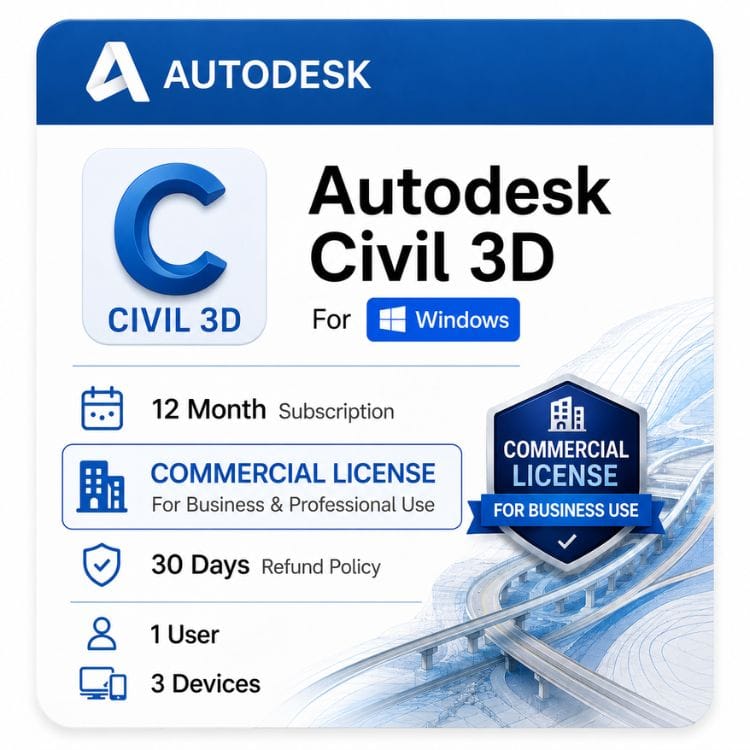






Civil 3D Commercial License for Windows
Original price was: $2,613.00.$1,599.00Current price is: $1,599.00.
Genuine Autodesk single-user subscription with full commercial use rights. One named engineer per seat. Delivered by email
| Activation Region | Global |
|---|---|
| Delivery | Direct Invite from Autodesk on your Email |
| Licence Type | Commercial Subscription |
| Language | English (Multilanguage available) |
| Platform | Windows |
Description
Procurement is where this one bites. Framework and public-sector appointments routinely require a declaration that every piece of design software is commercially licensed, and a Civil 3D commercial license is what makes that declaration true for your corridor models, drainage design and survey deliverables.
A Civil 3D commercial license is what you need if your alignments, corridors and drainage designs form part of paid work — highway schemes, drainage design, site grading, or any deliverable issued under a consultancy appointment. This is a genuine Autodesk AutoCAD Civil 3D commercial license for Windows, sold as a single-user subscription.
What “commercial” means on a Civil 3D license
Autodesk ships identical software under different license types. The difference is legal, not technical — commercial permits paid, revenue-generating engineering work with no cap on practice size or contract value.
Educational and personal licenses prohibit it. That matters more in civil engineering than most disciplines, because deliverables are issued formally and often audited.
| License type | Paid engineering work | Who it’s for | Sold here? |
|---|---|---|---|
| Commercial | Permitted | Civil engineering consultancies, surveyors, contractors’ design teams | Yes — this page |
| Educational | Not permitted | Enrolled students and faculty | No |
| Personal / non-commercial | Not permitted | Self-learning only | No |
Tender and appointment compliance
Public-sector and framework appointments frequently require a declaration that all design software is properly licensed for commercial use. Some clients ask for evidence during procurement or at audit.
An educational or personal seat cannot satisfy that declaration, and a drawing issued from one carries identifying marks. If you tender for public work, commercial is not optional.
Civil 3D for business — buying seats for an engineering team
Autodesk assigns each Civil 3D seat to one named person by email address. There is no company pool and no discounted small-firm tier, so a three-person consultancy pays the same per-seat rate as a large one.
Count the engineers and technicians who open Civil 3D, not the workstations they use. One person with a desktop and a laptop needs one seat; two people designing simultaneously need two.
| Scenario | Seats needed |
|---|---|
| One engineer using a workstation and a laptop | 1 |
| Two technicians modeling corridors at the same time | 2 |
| A shared login used by whoever needs it | Not permitted — one seat per person |
| A contractor’s seat reassigned after their appointment ends | 1, reassigned via Autodesk Account |
If your team also runs AutoCAD and Revit, price the AEC Collection before buying standalone seats. Civil 3D is included in it, and for anyone using two or more of those products the collection is normally cheaper per person.
Civil 3D network and multi-user licenses
Autodesk has retired network and multi-user licensing for Civil 3D. If you are looking for a floating seat pool served by a license manager, that option is no longer sold to new customers.
The replacement is named-user seats administered through Autodesk Account, with no license server to maintain. For firms that ran a small pool across many occasional users, this raises seat count; for firms with a few constant users, cost is broadly unchanged.
Terms and version years
Civil 3D is sold as a term subscription — Autodesk no longer issues perpetual licenses for it. You choose the term at purchase, and a longer term lowers the effective cost per year for identical software and identical rights.
| Term | Price | Effective cost per year | Saving vs 1 year |
|---|---|---|---|
| 1 year | US $1,599 | US $1,599 | — |
| 3 years | US $4,099 | US $4,099 | SAVING 15% |
A 1-year subscription suits consultancies whose headcount moves with the project pipeline. A 3-year term suits permanent design staff and gives cost certainty on multi-year framework bids.
Why previous-version rights matter here
We supply 2024-2027, and an active subscription includes the current release plus the three previous versions. This is more useful in Civil 3D than in most Autodesk software.
Highway and drainage schemes run for years, and a client’s project standard is usually fixed at the release in use when the scheme started. Being able to install an older version is often a contractual necessity, not a preference.
Drawings upgrade forward only — a file saved in a newer release will not open in an older one, so everyone on a shared scheme must match versions.
What you receive and how activation works
- Complete checkout. Your order is confirmed to the email address you enter at payment.
- License details arrive by email within 1 hours or maximum 24 hours in some cases.
- Download your chosen release from the official Autodesk source linked in that email.
- Sign in with the named-user email the seat is assigned to — Civil 3D activates on sign-in, with no serial number to enter.
- Sign out on one machine before signing in on another. If activation fails, contact support@zoftis.com 24/7
Why buy this license from zoftis
Every license we sell is genuine and traceable, activates through Autodesk’s own sign-in system, and comes with a 30 Days money-back guarantee. If it does not activate, you do not keep the problem.
Related Autodesk products
- Autodesk AEC Collection — includes Civil 3D alongside AutoCAD and Revit; usually cheaper if you use two or more.
- AutoCAD Commercial — choose this if you need drafting only, without corridor or surface modeling.
- Autodesk Revit — choose this for building BIM models that coordinate with your site design.
- Autodesk 3ds Max — choose this for visualizing schemes for planning submissions and stakeholder consultation.
- All Autodesk commercial licenses — browse the full range.
Features
Core Civil 3D capabilities
- Dynamic surface models built from survey data, point clouds and contours
- Horizontal alignments and vertical profiles with design criteria checking
- Corridor modeling for roads, rail and linear infrastructure
- Gravity and pressure pipe networks with automated part sizing
- Grading design with feature lines and dynamic surface targets
- Survey data import, figure creation and traverse adjustment
- Automated quantity takeoff and earthwork volume calculation
- Plan and profile sheet production driven directly by the model
- Full AutoCAD drafting built in — Civil 3D runs on the AutoCAD engine
- LandXML, IFC and native file format exchange for CAD data interoperability
- Subassembly Composer for building custom corridor components
What the commercial license grants
- Use on paid engineering work with no practice-size or contract-value cap
- Deliverables free of educational or non-commercial identification
- Single named user, installable on multiple machines, one active sign-in
- Seat reassignable when staff or contractors change
- Current release plus the three previous versions
Not included
- Network, floating or multi-user licensing — retired by Autodesk
- Perpetual or standalone permanent licensing — subscription only
- Simultaneous use by more than one person on one seat
Specifications
| Specification | Detail |
|---|---|
| Product | Autodesk AutoCAD Civil 3D |
| Platform | Windows only — no macOS version |
| License type | Commercial — paid professional use permitted |
| License model | Single-user (named user) subscription |
| Subscription type | Commercial new single user ELD annual subscription — electronic delivery, no physical media |
| Terms available | 1 year · 3 years |
| Version years supplied | latest version |
| Previous version rights | Current release plus three prior versions |
| Concurrent use | Multiple installs, one active sign-in |
| Named user reassignment | Permitted via Autodesk Account |
| Network / multi-user / floating licensing | Not available — retired by Autodesk |
| Perpetual / standalone license | Not available — subscription only |
| Included AutoCAD functionality | Yes — Civil 3D includes the AutoCAD drafting engine |
| Activation method | Autodesk Account sign-in — no serial number required |
| Delivery method | Email — license details and official download link |
| Delivery time | 1 hour or maximum upto 24 hours |
| Interface languages | multilingual |
| Guarantee | 30 days money-back guarantee if license is not activated or not as described |
| Support | support@zoftis.com 24/7 |
System Requirements
Civil 3D 2027 system requirements (Windows)
| Component | Minimum | Recommended | Large corridors / point clouds |
|---|---|---|---|
| Operating system | 64-bit Microsoft Windows 11 | 64-bit Microsoft Windows 11 | 64-bit Microsoft Windows 11 |
| Processor | 2.5–2.9 GHz base processor; ARM processors are not supported | 3+ GHz base processor; 4+ GHz turbo | High-clock-speed 3+ GHz base / 4+ GHz turbo processor |
| Memory | 16 GB RAM | 32 GB RAM | 16 GB RAM or more; 32 GB or more is recommended for demanding projects |
| Graphics card | 2 GB GPU, 29 GB/s bandwidth, DirectX 11 compliant | 8 GB GPU, 106 GB/s bandwidth, DirectX 12 compliant | 12 GB VRAM or greater; DirectX-capable workstation-class graphics card |
| Display resolution | 1920 × 1080 with True Color | Up to 3840 × 2160 with the recommended display card | 3840 × 2160 (4K) or greater True Color display |
| Disk space | 20 GB; SSD suggested | SSD recommended | 6 GB free space for additional large-dataset requirements, plus installation and project storage |
| .NET Framework | .NET Framework 4.8 and .NET 10 | .NET Framework 4.8 and .NET 10 | .NET Framework 4.8 and .NET 10 |
| Network | See Autodesk Network License Manager for Windows | Internet required for installation, activation and account sign-in | Gigabit LAN recommended for large shared project files and data shortcuts |
Civil 3D 2026 system requirements (Windows)
| Component | Minimum | Recommended |
|---|---|---|
| Operating system | 64-bit Microsoft Windows 11 or Windows 10 version 17763 or later | 64-bit Microsoft Windows 11 |
| Processor | 2.5–2.9 GHz base processor; ARM processors are not supported | 3+ GHz base processor; 4+ GHz turbo |
| Memory | 8 GB RAM | 32 GB RAM |
| Graphics card | 2 GB GPU, 29 GB/s bandwidth, DirectX 11 compliant | 8 GB GPU, 106 GB/s bandwidth, DirectX 12 compliant |
| Display resolution | 1920 × 1080 with True Color | Up to 3840 × 2160 with the recommended display card |
| Disk space | 20 GB; SSD suggested | SSD recommended |
| .NET Framework | .NET Framework 4.8 and .NET 8 | .NET Framework 4.8 and .NET 8 |
Civil 3D-specific notes
- Higher single-core clock speeds are valuable for many Civil 3D workflows, so CPU clock speed matters alongside core count.
- For Civil 3D 2027, Autodesk lists 16 GB RAM or more for large datasets, point clouds and 3D modelling. For practical highway and corridor work, 32 GB or more is a sensible workstation target.
- Autodesk specifies a 4K display and at least 12 GB of VRAM for large datasets, point clouds and 3D modelling.
- Fast SSD storage is recommended for installation and project files. For large projects, use additional high-speed project storage rather than relying only on the installation drive.
- Data shortcuts and shared project files can be affected by network performance, so a reliable, high-speed LAN is preferable for larger team projects.
- Civil 3D is a Windows desktop application. Autodesk's published system requirements list Windows operating systems; Windows Server is not supported for installing or running Civil 3D.
Version note: System requirements can change between Civil 3D releases. Do not reuse the requirements for one version as the requirements for another. Civil 3D 2027, for example, raises the minimum memory requirement to 16 GB and requires .NET 10 alongside .NET Framework 4.8, while Civil 3D 2026 lists 8 GB minimum memory and .NET 8 alongside .NET Framework 4.8.
FAQs
What is a Civil 3D commercial license?
It is the Autodesk license type permitting Civil 3D to be used on paid engineering work. The software is identical to other license types — what differs is the legal right to issue the resulting designs and drawings commercially, with no cap on practice size or contract value.
Can I still buy a Civil 3D network license?
No. Autodesk retired network, floating and multi-user licensing for Civil 3D, so new purchases are named-user seats only. There is no license server to configure — each engineer signs in with their own Autodesk account.
How many seats does an engineering team need?
One per person who opens Civil 3D. Seats are assigned to individuals rather than machines, so an engineer with a desktop and a laptop needs one seat, while two technicians working simultaneously need two.
Can a Civil 3D single user license be installed on more than one computer?
Yes, but only one installation may be signed in at a time. Sign out on the machine you are leaving before signing in elsewhere, or you will hit an activation limit message.
Can I reassign a seat when a contractor's appointment ends?
Yes. The named user can be changed through the Autodesk Account holding the subscription, so a seat follows the role rather than the individual.
Is there a discount for a small consultancy?
Autodesk does not offer a small-business tier — the per-seat rate is the same regardless of firm size. The realistic saving is the AEC Collection if you also use AutoCAD or Revit.
Does Civil 3D include AutoCAD?
Yes. Civil 3D is built on the AutoCAD engine and includes its drafting functionality, so you do not need a separate AutoCAD seat for standard drawing work.
Is there a perpetual or standalone Civil 3D license?
No. Autodesk withdrew perpetual licensing and sells subscription terms only. Anyone advertising a permanent Civil 3D license is not offering something Autodesk currently issues.
What is the difference between a 1 year and 3 year subscription?
Only duration and the license cost per year — the software and rights are identical. A 3-year term reduces the annual cost and removes two renewal cycles; a 1-year term suits firms whose headcount tracks the project pipeline.
Which Civil 3D versions can I install?
The current release plus the three previous versions. We stock latest version 2024-2027. This matters on long infrastructure schemes where a client's standard is fixed at the release in use when the project started.
Can I open a newer drawing in an older Civil 3D version?
No. Files upgrade forward only, so a drawing saved in a newer release will not open in an earlier one. Everyone on a shared scheme should be on the same version.
Can a student license be used on a tendered project?
No. Educational licenses prohibit commercial use, drawings carry identifying marks, and most public-sector appointments require a declaration that design software is commercially licensed.
What happens when the subscription ends?
Civil 3D stops opening in full mode and you can no longer edit designs. Your drawings and models stay on your machine and remain yours, but you need an active seat to open them again.
Does Civil 3D run on Mac?
No. Autodesk does not release a Mac version, and running it under virtualization is unsupported. Windows is the only supported platform.
How fast is delivery?
License details are emailed within 1 hour mostly of confirmed payment, to the address entered at checkout. Check your spam folder before contacting support at support@zoftis.com 24/7.
Is this a genuine Autodesk license?
Yes. It activates through Autodesk's own sign-in system and is traceable to a valid subscription. If it does not activate, you are covered by our 30 days money-back guarantee.
Related products
AutoCAD Commercial License for Windows and Mac
Original price was: $2,310.00.$1,499.00Current price is: $1,499.00.
Autodesk Product Design & Manufacturing Collection- Commercial License
Original price was: $2,999.00.$2,299.00Current price is: $2,299.00.

Reviews
Clear filtersThere are no reviews yet.