
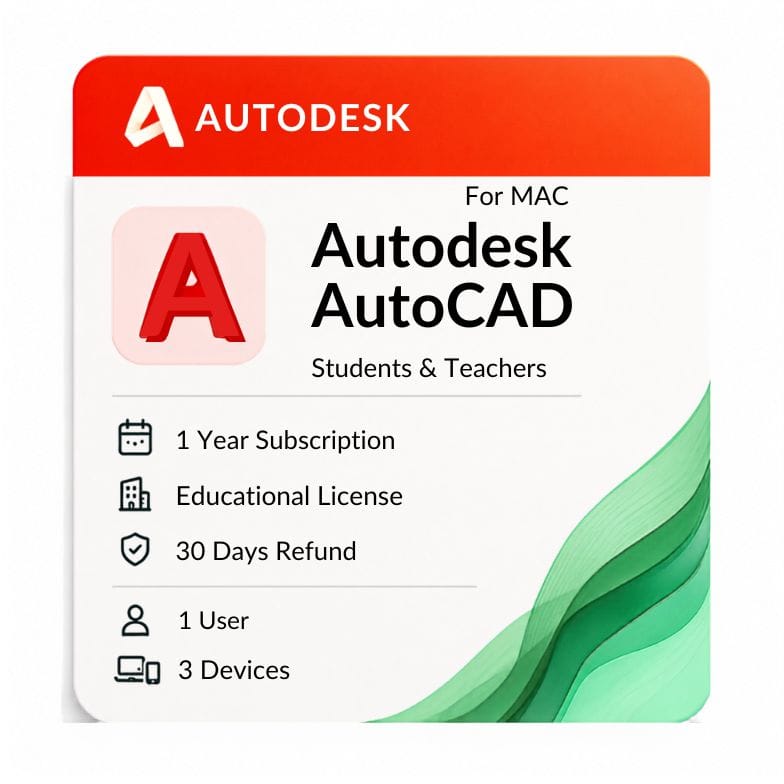

Autodesk AutoCAD for Mac
Original price was: $99.00.$59.00Current price is: $59.00.
Genuine Autodesk AutoCAD for Mac — the native macOS build with Apple Silicon support, not a Windows workaround. Delivered by email, activated on your own Autodesk account
| Activation Region | Global |
|---|---|
| Delivery | Direct Invite from Autodesk on your Email |
| Devices | 1 Mac |
| Licence Type | 1-Year Subscription |
| Platform | macOS |
Description
Looking for AutoCAD for Mac? zoftis supplies a genuine Autodesk license built for macOS — the native Mac build, not a Windows workaround — with fast email delivery and hands-on install support for every supported macOS version.
This is the real Autodesk AutoCAD for Mac, activated against your own Autodesk ID. You get the native Mac interface, Mac-style menus and gestures, and the drafting engine professionals rely on — sold as a clean, verifiable license.
Who this AutoCAD for Mac license is for
It’s for Mac users who want to draft, edit and share DWG files without switching to Windows. Architects, engineers and interior designers on macOS all buy this build.
If your whole workflow lives on a MacBook or iMac, this is the version that runs natively — no Boot Camp, no virtual machine, no emulation layer.
Mac build vs Windows build — what’s actually different
AutoCAD for Mac and AutoCAD for Windows share the same core DWG engine and file format, so drawings move between them cleanly. But the two builds are not identical, and it’s worth knowing before you buy.
| Capability | AutoCAD for Mac | AutoCAD for Windows |
|---|---|---|
| Native 2D drafting | Yes | Yes |
| 3D modeling | Yes (rendering more limited) | Yes (full rendering) |
| DWG / DXF file format | Same format | Same format |
| Specialized toolsets (Architecture, Mechanical, MEP, Electrical) | No | Yes |
| Native macOS interface and gestures | Yes | No |
| Runs natively on Apple Silicon | Yes | Not applicable |
AutoCAD for Mac vs AutoCAD for Windows
Choose the Mac build if your device runs macOS and you want native performance. If you work on Windows — or need the specialized toolsets — the AutoCAD for Windows license is the page you want. That page also covers full AutoCAD pricing and subscription options.
Apple Silicon: M1, M2 and M3 support
Modern AutoCAD for Mac runs natively on Apple Silicon. If you’re on an M1, M2 or M3 machine, the current release runs directly on that chip — no Rosetta translation layer — for faster, cooler, quieter performance up to around twice the speed of the old Intel path.
Buyers searching for an AutoCAD for Mac M1 download, or asking about AutoCAD for Mac M2, are covered by the same license — chip support is handled by the installer you receive. The AutoCAD for Mac M1 experience is native, not emulated.
Intel Macs
Older Intel-based Macs are also supported on the current macOS releases. Check the AutoCAD for Mac requirements in the System Requirements tab below to match your exact macOS version before you buy.
What you get with your AutoCAD for Mac license
- A genuine Autodesk AutoCAD for Mac license (activation) delivered to your inbox
- Access to download the latest AutoCAD for Mac installer from Autodesk
- Native 2D drafting and 3D modeling on macOS
- Install and activation support from our team if anything stalls
Every AutoCAD for Mac license activates against your own Autodesk account, so you can verify it directly with Autodesk.
How to get AutoCAD for Mac — delivery and activation
You can get AutoCAD for Mac and be drafting within the hour. Here’s the process.
- Complete checkout and receive your license by email, usually within minutes
- Sign in with your Autodesk ID and download the AutoCAD for Mac installer
- Install on your Mac, activate with the details provided, and start drafting
If AutoCAD for Mac is not opening or activation stalls, email support@zoftis.com or call +1 934-202-5786 — we reply within an hour, almost around the clock. Common fixes are in the FAQ.
Genuine license, verifiable activation
Every license we sell activates against your own Autodesk account, so you can confirm it’s genuine directly with Autodesk. If the license is inaccurate or won’t activate, we replace it or refund you within 30 days.
Read moreRead less
Is AutoCAD for Mac worth it?
For Mac professionals, the honest answer is usually yes — with one caveat. The DWG compatibility is complete, the native Mac interface feels clean, and the trade-off is a handful of Windows-only tools you may never miss.
For 2D drafting and standard 3D work on macOS, it’s the version most Mac professionals settle on. If you rely on a specific specialized toolset, weigh that against running the Windows build in a virtual machine.
3D modeling on the Mac build
The Mac build handles 3D modeling, not just 2D drafting. You can build solids, surfaces and meshes, then work with them on macOS.
One honest limitation: 3D rendering is more limited on the Mac build than on Windows. For heavy visualization work, pair it with a dedicated renderer or use the Windows build.
Getting the latest AutoCAD for Mac
Your license always entitles you to the latest AutoCAD for Mac release you’re licensed for, downloaded straight from Autodesk. That means current security updates and the newest Mac and Apple Silicon optimizations.
Understanding the AutoCAD for Mac requirements
Before you buy, it’s worth matching your machine against the AutoCAD for Mac requirements. The main things to check are your macOS version and your available RAM — both are covered in full in the System Requirements tab.
Related Autodesk products
- AutoCAD for Windows — choose this if you work on Windows or need full AutoCAD pricing and subscription options
- Autodesk Fusion 360 for Mac — choose this for product design and CAM; it also runs natively on Mac
- Autodesk Maya for Mac — choose this for 3D animation and modeling on macOS
- Autodesk Revit — choose this if you need BIM modeling rather than general CAD (note: Revit is Windows-only)
- Autodesk AEC Collection — choose this if you need AutoCAD plus Revit, Civil 3D and more in one bundle
Features
AutoCAD for Mac feature highlights
Native macOS experience
- Mac menu bar, trackpad gestures and Mac-style ribbon
- Native Apple Silicon performance on M1, M2 and M3
- Retina and high-resolution display support
Drafting and design
- Precise 2D drafting and annotation
- 3D solid, surface and mesh modeling
- Layers, blocks, external references and layouts
DWG compatibility
- Native DWG and DXF — the same format as the Windows build
- Open and save drawings shared by Windows colleagues without conversion
- PDF import and export
What the Mac build does not include
- Specialized toolsets (Architecture, Mechanical, MEP, Electrical) — Windows only
- Network (multi-seat) licensing
- Some advanced 3D rendering available on Windows
Specifications
License specification
| Detail | Specification |
|---|---|
| Product | Autodesk AutoCAD for Mac |
| License type | Single-user subscription |
| Platform | macOS — native Apple Silicon and Intel |
| Core use | 2D drafting and 3D modeling on macOS |
| File format | Native DWG / DXF |
| Registered to | Your own Autodesk account |
| Updates | Latest licensed release from Autodesk |
| Activation | Online, via Autodesk ID |
| Delivery | By email, usually within minutes |
| Support | Email support@zoftis.com and phone +1 934-202-5786 |
| Refund | 30-day money-back if inaccurate or won't activate |
System Requirements
AutoCAD for Mac requirements
These are the AutoCAD for Mac requirements for the current (2026) release. AutoCAD for Mac runs natively on Apple Silicon and also supports recent Intel Macs.
| Component | Minimum | Recommended |
|---|---|---|
| Operating system | macOS Ventura 13 | macOS Sonoma 14 or Sequoia 15 (and newer) |
| Processor | Apple Silicon (M1) or 64-bit Intel | Apple Silicon M2 or M3 for best performance |
| Memory | 8 GB | 16 GB, or 32 GB for large datasets and 3D |
| Graphics | Metal-capable GPU | Apple Silicon integrated GPU or better |
| Disk space | ~10 GB free for installation | SSD with extra project space |
| Display | 1920 × 1080 | Retina / 2560 × 1440 or higher |
| Internet | Required for activation and updates | Required |
macOS Catalina 10.15 and earlier are not supported by the current AutoCAD for Mac release. On Apple Silicon, the software runs natively — Rosetta is not required.
FAQs
Is this a genuine AutoCAD for Mac license?
Yes. It's a genuine Autodesk AutoCAD for Mac license that activates against your own Autodesk ID, so you can verify it directly with Autodesk. It's the native macOS build, not a Windows workaround.
Does AutoCAD for Mac run on M1, M2 and M3 chips?
Yes. The current release runs natively on Apple Silicon, so an AutoCAD for Mac M1, M2 or M3 install runs directly on the chip without Rosetta — up to around twice as fast as the old Intel path.
What are the AutoCAD for Mac requirements?
macOS Ventura 13 or newer (Sonoma, Sequoia), an Apple Silicon or 64-bit Intel processor, 8 GB RAM minimum (16 GB recommended), a Metal-capable GPU and about 10 GB free disk space. Full detail is in the System Requirements tab.
Does it support Intel Macs too?
Yes. Recent Intel-based Macs are supported alongside Apple Silicon, provided your macOS version meets the AutoCAD for Mac requirements. Catalina 10.15 and earlier are not supported.
Can I open Windows AutoCAD drawings on a Mac?
Yes. Both builds use the same native DWG and DXF format, so drawings move between Mac and Windows colleagues cleanly with no conversion.
What's missing compared to the Windows version?
The Mac build doesn't include the specialized toolsets (Architecture, Mechanical, MEP, Electrical), network licensing, or some advanced 3D rendering. For 2D drafting and standard 3D, it's fully capable.
Can I do 3D modeling in AutoCAD for Mac?
Yes — solids, surfaces and meshes are all supported. The one caveat is that 3D rendering is more limited than on Windows, so heavy visualization may need a dedicated renderer.
How do I get AutoCAD for Mac after buying?
You get AutoCAD for Mac by email, usually within minutes of payment. Sign in with your Autodesk ID, download the Mac installer, and activate with the details provided.
How much RAM do I need?
8 GB is the minimum, 16 GB is recommended for comfortable work, and large datasets, point clouds or 3D modeling benefit from 32 GB.
Where can I find AutoCAD pricing?
Full AutoCAD subscription and multi-year pricing lives on the AutoCAD for Windows page, which owns the complete price breakdown.
How fast is delivery and what payment do you accept?
License details are emailed within minutes of payment. We accept Visa, Mastercard and PayPal on-site, with bank transfer, Wise and Payoneer available on request.
What if AutoCAD for Mac won't activate?
Email support@zoftis.com or call +1 934-202-5786 and we'll walk you through it. If the license is inaccurate or won't activate, we replace it or refund you within 30 days.
Related products

3ds Max Commercial License for Windows
Original price was: $1,870.00.$1,399.00Current price is: $1,399.00.
AutoCAD Commercial License for Windows and Mac
Original price was: $2,310.00.$1,499.00Current price is: $1,499.00.
Autodesk 3ds Max Price for Windows License
Original price was: $99.00.$59.00Current price is: $59.00.

Reviews
Clear filtersThere are no reviews yet.