
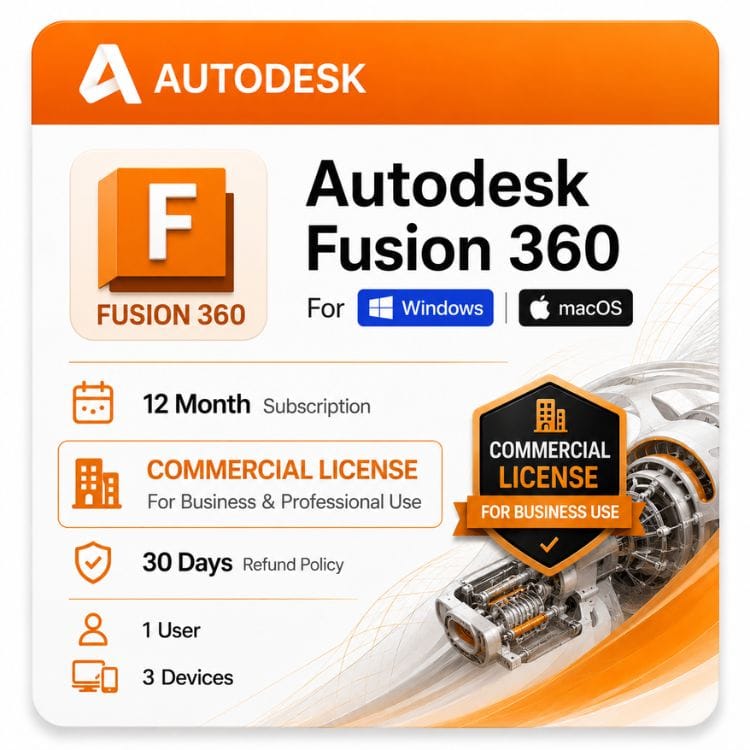





Autodesk Fusion 360 Commercial
Original price was: $680.00.$499.00Current price is: $499.00.
Genuine Autodesk Fusion 360 commercial subscription — 1-year or 3-year term. Installs on macOS and Windows from one seat.
| Activation Region | Global |
|---|---|
| Delivery | Direct Invite from Autodesk on your Email |
| Licence Type | Commercial Subscription |
| Language | English (Multilanguage available) |
| Platform | Mac, Windows |
Description
The moment someone pays you for what you design, you need a Fusion 360 commercial license. Autodesk’s free tier prohibits paid work outright — this page covers what the commercial subscription costs, what it permits, and the startup program most people ask about but few qualify for.
Commercial or non-commercial — which one your work needs
Autodesk draws one line, and it is about money rather than complexity. If you are paid for the output, you need the commercial subscription. If you are not, the free personal tier covers you.
That sounds simple until you look at the edge cases, which is where most people get it wrong.
| What you’re doing | Which tier | Why |
|---|---|---|
| Designing parts you sell | Commercial | Revenue from the output |
| Client work, paid | Commercial | Revenue from the output |
| Designing for your employer | Commercial | The company is generating revenue |
| Prototyping a product you plan to sell | Commercial | Commercial intent, even pre-revenue |
| Personal projects, nothing sold | Personal tier | No revenue involved |
| Learning the software | Personal tier | No revenue involved |
The prototyping row catches people out. Building a product you intend to sell is commercial activity even before the first sale — the free tier is not a way to develop a product cheaply and switch over at launch.
What the free tier restricts beyond the paid-work rule
Even for legitimate personal use, the limits bite quickly.
- A cap on how many documents you can actively edit
- Basic CAM only — rapid moves run at feed rate, which makes real machining impractically slow
- No simulation, generative design or advanced manufacturing
- Restricted export formats
- Annual renewal with eligibility re-confirmed
The CAM restriction is the one machinists hit within a day. For a deeper comparison of the two tiers, see our personal vs commercial use guide.
One seat, both platforms
This is unusual among Autodesk products and worth knowing before you buy. The commercial subscription is not tied to an operating system.
Install on a Mac and a Windows machine under the same seat. Sign in on one at a time. Autodesk ships a native Apple Silicon build, so M-series Macs run it directly rather than through translation.
- Native Apple Silicon build for M-series Macs
- Separate Intel build for older Macs
- Native Windows build
- Designs live in your Autodesk cloud hub and open identically on either
- No conversion step, no separate Mac file format
Practical effect: design on a MacBook, run CAM on a Windows workstation, same subscription. Compare that against most CAD vendors, who license per platform.
Autodesk Fusion 360 subscription cost
Autodesk sells Fusion as a subscription only — there has never been a perpetual version. Your decision is term length.
| Term | What you pay | Effective cost per month | Available here |
|---|---|---|---|
| 1 year | US $499 | US $499 | Yes |
| 3 years | US $1,497 | US $1,497 | Yes |
| Monthly (Autodesk direct) | US$85/Month | US$85/Month | Not Stocked |
| Autodesk list — 1 year | US$680/Year | US$680/Year | — |
| Your saving | US$181/Year | — | vs Autodesk list |
Why we stock annual and 3-year but not monthly
Autodesk’s monthly rate is US$85/Month. Across twelve months that comes to US$1,020/Year against US $680 for the annual term.
Monthly costs substantially more for anyone using the software beyond a few weeks, so we stock the terms that make financial sense. If you genuinely need month-to-month for a short contract, Autodesk sells it directly.
What the 3-year term changes
Paid upfront, it lowers the effective yearly figure to US $1,497 and holds your rate for the full period. Autodesk raises list prices most years, so a longer term is partly a hedge against that.
It suits established shops with continuous work. If your workload is uncertain, the annual term costs more per year but commits less.
The Fusion 360 startup license — and who actually gets one
Autodesk runs a startup program offering Fusion at reduced or no cost to qualifying early-stage companies. It is real, and we do not sell or broker it.
Applications go directly to Autodesk. No reseller can grant eligibility, and anyone claiming to sell you a discounted startup seat is not describing something Autodesk permits.
Typical eligibility criteria
According to Autodesk, applicants should meet the following requirements:
- Registered business (for example, an LLC or Ltd.)
- Professional email address using the company’s domain
- Valid company website
- Venture-backed, angel-backed, or bootstrapped startup
- No previous commercial Autodesk Fusion subscription
- Focus on designing or manufacturing physical products
- Not a consultant, design agency, reseller, contract manufacturer, makerspace, or non-profit organization.
If you don’t qualify, or you’ve outgrown it
Most companies asking about the startup program fall into one of two groups: they never met the criteria, or they met them two years ago and have since passed a threshold.
Either way the answer is the standard commercial subscription. It carries no revenue ceiling, no company-age limit and no annual re-qualification.
Startup seats also expire when you stop qualifying, which means an unplanned cost at exactly the point a growing company can least absorb surprises. Buying the paid seat outright removes that.
Who buys the commercial subscription
Product designers and consultancies
Concept through production for paying clients. Freeform sculpting for the shape, parametric history for the engineering, rendering for the pitch — all inside one application.
Machine shops and CNC operators
Full CAM without a separate seat. Multi-axis toolpaths, correct rapid moves, and a post-processor library covering most common controllers. This is the group for whom the free tier is unusable.
Hardware startups and small manufacturers
The segment that most often arrives looking for a startup license and ends up here. Fusion suits small teams because CAD, CAM and simulation come bundled rather than as three purchases.
Freelance engineers
Contract work where the client owns the output. Any paid engagement puts you in commercial territory regardless of how small the invoice.
3D printing and fabrication businesses
Parametric modeling with unrestricted STL export. The free tier’s document cap and export limits both bite hard at production volume.
How seats work — one person, one subscription
A commercial subscription is a single-user seat assigned to a named individual. It is not a shared login and it is not a device license.
| Question | Answer |
|---|---|
| How many people per seat? | One named user |
| How many machines? | 3 Devices, one running at a time |
| Mac and Windows together? | Yes, same seat |
| Can I reassign it? | Yes — reassign to a new named user in your Autodesk account when someone leaves |
| Team of five? | Five seats |
| Network or floating license? | Discontinued by Autodesk for Fusion |
Reassignment matters for growing teams. When an engineer leaves, the seat transfers to their replacement through your Autodesk account rather than being lost.
What the commercial subscription includes
The full application with no functional limits — every workspace unlocked, no document cap.
- Parametric, direct and freeform modeling
- Full CAM — multi-axis toolpaths and correct rapid moves
- Simulation: static stress, modal, thermal, buckling
- Generative design
- PCB design and electronics
- Sheet metal, rendering and animation
- Unrestricted export — STEP, IGES, DWG, STL, 3MF
- Continuous updates during your term
Extensions are separate
Autodesk sells optional extensions on top of the base seat — machining, manufacturing, simulation, nesting. The base subscription is complete software; extensions add specialist depth for production shops running 5-axis strategies or high-volume nesting.
Where this sits against Inventor
Both are Autodesk mechanical products. The split is about how your work is structured, not raw capability.
Fusion suits you if
Small team or solo, CAM in the same application as modeling, cloud collaboration fits how you work. Lower cost, faster to learn, integrated.
Inventor suits you if
Assemblies run to thousands of components, you need mature manufacturing drawing output, or you have existing IPT and DWG data in an established department.
Full breakdown in our Fusion 360 vs Inventor guide, or see Inventor Professional directly.
Is the PDMC Collection better value?
If Fusion is your only Autodesk product, no — this subscription is considerably cheaper.
If you also need Inventor for large assemblies or AutoCAD for detail drawings, the Product Design & Manufacturing Collection includes Fusion alongside both.
Buying and activating
- Choose your 1-year or 3-year term and add it to the cart
- Complete checkout using VISA, MASTER, PAYPAL
- Your details arrive by email within hour , maximum upto 24 Hours
- Sign in to your Autodesk account and redeem the entitlement
- Download the Mac or Windows installer and sign in to activate
Instructions come with the email. If activation stalls, contact support@zoftis.com
At the end of your term
Fusion stops opening designs for editing. Files stay in your Autodesk cloud hub — nothing is deleted.
Renewing restores access. You can also export to neutral formats before expiry if you want local copies.
What you’re actually buying
A commercial seat that redeems into an Autodesk account under your company’s control — not a shared login, not a resold entitlement. If it fails to activate, you have30 Days money back guarantee if the license is not activated or not the accurate license type for a replacement or refund.
Related products
- Inventor Professional Subscription — heavier mechanical design when Fusion’s assemblies get large
- Product Design & Manufacturing Collection — bundles Fusion with Inventor and AutoCAD for full manufacturing workflows
- AutoCAD Commercial License — 2D drafting and documentation alongside your Fusion models
- 3ds Max Commercial License — presentation rendering of your product designs
Features
Modeling
- Parametric modeling with full design history
- Direct modeling for imported and history-free geometry
- Freeform T-spline sculpting
- Surface modeling and patching
- Sheet metal with flat pattern generation
- Assembly design with joints and motion
CAM and manufacturing
- 2.5-axis, 3-axis and multi-axis milling
- Turning and mill-turn strategies
- Toolpath simulation and collision checking
- Full post-processor library
- Correct rapid moves — not restricted to feed rate
- Additive manufacturing preparation
Simulation
- Static stress analysis
- Modal frequency analysis
- Thermal and thermal stress
- Buckling and shape optimization
- Event simulation
Generative design
- Constraint-driven design exploration
- Manufacturing-method-aware outcomes
- Direct comparison of generated options
- [Confirm credit allocation in your SKU]
Electronics
- Schematic capture
- PCB layout and routing
- 3D board visualization inside the mechanical model
- Manufacturing output files
Collaboration and data
- Cloud storage with version history
- Design branching and merging
- Sharing and commenting
- Automatic bill of materials
- 2D drawings generated from the model
Specifications
| Specification | Detail |
|---|---|
| Product | Autodesk Fusion 360 Commercial |
| Official SKU name | Fusion 360 Cloud, Commercial, New Single-User Annual Subscription |
| Platform | Windows and macOS — one seat covers both |
| Apple Silicon | Native build for M-series Macs |
| Model | Subscription — no perpetual option |
| Terms stocked | 1 year · 3 years |
| Monthly | Not stocked — available from Autodesk directly |
| Versions | Continuously updated — no annual version years |
| Seat type | Single user, named |
| Reassignment | Permitted through your Autodesk account |
| Network / floating | Discontinued by Autodesk |
| Installs permitted | 3, one active at a time |
| Document limit | None |
| Extensions | Available |
| Native format | F3D |
| Exchange formats | STEP, IGES, DWG, STL, 3MF, SAT |
| Storage | Autodesk cloud hub with version history |
| Offline use | Limited period, syncs on reconnect |
| Delivery | Email, within 1 hour or 24 hours maximum in some cases |
| Activation | Autodesk account sign-in |
| Languages | Multiligual |
| Region | Global |
System Requirements
One subscription covers both Windows and macOS. Requirements differ slightly between platforms, so both are listed below.
Fusion updates continuously rather than shipping annual version releases, so Autodesk maintains a single set of current system requirements.
Windows and macOS compared
| Component | Windows minimum | Windows recommended | macOS minimum | macOS recommended |
|---|---|---|---|---|
| Operating system | Windows 10 (64-bit, version 1809 or later) | Windows 11 (64-bit) | macOS Monterey (12) | Latest supported macOS (Sonoma or newer) |
| Processor | 64-bit x86 CPU, 4 cores, 1.7 GHz or faster | 6–12 core Intel Core i7/i9 or AMD Ryzen 7/9, 3 GHz+ | Apple Silicon (M1) or Intel Mac supported by Autodesk | Apple M2 Pro, M3 Pro or newer |
| Memory | 4 GB RAM | 16 GB or more | 8 GB unified memory | 16–32 GB unified memory |
| Graphics | DirectX 11 capable GPU with 1 GB VRAM | Dedicated GPU with 4 GB+ VRAM supporting DirectX 11/12 | Apple integrated GPU | Apple integrated GPU (M2 Pro/M3 Pro or better) |
| Disk space | 3 GB available SSD space | 10 GB+ free SSD space | 3 GB available SSD space | 10 GB+ free SSD space |
| Display | 1366 × 768 | 1920 × 1080 or higher | 1280 × 800 | Retina / 1920 × 1080 or higher |
| Pointing device | Microsoft-compatible mouse, trackpad or 3Dconnexion device | Three-button mouse | Apple trackpad, Magic Mouse or compatible mouse | Three-button mouse |
| Internet | Required for sign-in, licensing, cloud storage, collaboration and cloud-based services. | |||
Large assemblies and heavy CAM
| Component | Windows | macOS |
|---|---|---|
| Processor | Intel Core i9, Intel Core Ultra 9, AMD Ryzen 9 or Threadripper (8–16 cores) | Apple M3 Pro, M3 Max, M4 Pro or M4 Max |
| Memory | 32–64 GB RAM | 32–64 GB unified memory |
| Graphics | NVIDIA RTX 4060/4070 or AMD Radeon RX 7800 XT (8 GB+ VRAM) | Apple integrated GPU |
| Disk | 20 GB+ free NVMe SSD space | 20 GB+ free SSD space |
Platform-specific notes
macOS: Apple Silicon provides excellent Fusion performance, but unified memory cannot be upgraded after purchase. Choose sufficient memory (16 GB minimum, 32 GB recommended for professional work). Fanless MacBook Air models may throttle during long CAM toolpath generation or local rendering.
Windows: Fusion does not require a workstation-class GPU, but a modern dedicated graphics card improves viewport performance when working with large assemblies and complex models.
Both: Simulation, generative design and many rendering workloads use Autodesk cloud services. These features rely more on a stable internet connection than on local CPU or GPU performance, although local modeling remains hardware-dependent.
FAQs
When exactly do I need a commercial license?
The moment you are paid for the output. That includes client work, designing for an employer, and prototyping a product you intend to sell — commercial intent counts even before the first sale. Unpaid personal projects and learning are covered by the free tier.
What does a Fusion 360 commercial license cost?
US $499 for a 1-year term or US $1,497 for 3 years, which works out at US $499 annually. Autodesk's list price for the same annual term is US $680.
Do you sell monthly subscriptions?
No. Autodesk's monthly rate is US $85, which comes to US $1,020 across a year against US $680 annually. Monthly costs substantially more for anyone using the software beyond a few weeks, so we stock annual and 3-year. Autodesk sells monthly directly if you need it.
Can I use one subscription on both Mac and Windows?
Yes. The seat is not tied to an operating system. Install on both, sign in on one at a time. Autodesk ships a native Apple Silicon build, so M-series Macs run it directly.
What is the Fusion 360 startup license?
An Autodesk program offering Fusion at reduced or no cost to qualifying early-stage companies — typically subject to company age, revenue, funding and headcount limits. We do not sell or broker it. Applications go directly to Autodesk, and no reseller can grant eligibility.
Do I qualify for the startup program?
Check Autodesk's current criteria directly, since they change. Most companies asking either never met them or have since passed a threshold. If either applies, the standard commercial subscription carries no revenue ceiling, no company-age limit and no annual re-qualification.
Is there a small business tier?
Not as a separate product. Small manufacturers and hardware startups buy the standard commercial subscription — one seat per person. There is no headcount-based pricing tier between the free personal license and the commercial seat.
Can I run a business on the free personal tier?
No. It prohibits paid work outright, and the practical limits make it unworkable anyway — capped editable documents, basic CAM with rapid moves at feed rate, no simulation, restricted exports.
How many people can use one seat?
One named user. A team of five needs five seats. Installation is permitted on 3 Devices but only the assigned person may operate it, and only one instance at a time.
Can I transfer a seat when someone leaves?
Yes. Reassign it to a new named user through your Autodesk account. The seat stays with the company rather than the individual, which matters for team planning.
Does Fusion offer network or floating licenses?
No. Autodesk discontinued network and floating licensing for Fusion. Every seat is single-user and named. If you previously ran a floating pool, it moves to named seats at renewal.
Is there a perpetual license?
No. Fusion has always been subscription-only — there has never been a perpetual version. Anything advertised as a lifetime Fusion license is not a genuine Autodesk entitlement.
What is the 3-year term worth?
US $1,497 effective annual cost against US $499 renewing yearly, plus a fixed rate for the full period. Autodesk raises list prices most years, so it is partly a hedge. It suits shops with continuous work more than uncertain workloads.
Does the commercial subscription include CAM?
Yes, in full — multi-axis toolpaths, turning, simulation and the post-processor library. Rapid moves run correctly rather than at feed rate, which is the difference that makes machining practical.
Are extensions included?
No. Machining, manufacturing, simulation and nesting extensions are sold separately by Autodesk on top of the base seat. The base subscription is complete software — extensions add specialist depth for production shops.
What is the official SKU name?
Fusion 360 Cloud, Commercial, New Single-User Annual Subscription. If you are matching a quote or a purchase order against what we supply, that is the string to look for.
Does it need an internet connection?
To sign in and sync, yes. It runs offline for a limited period afterwards, then needs to reconnect. Simulation and generative design always require a connection since they run in the cloud.
What happens to designs when the term ends?
Fusion stops opening them for editing, but files stay in your Autodesk cloud hub — nothing is deleted. Renewing restores access. Export to neutral formats before expiry if you want local copies.
Should I buy Fusion or Inventor?
Fusion for small teams, integrated CAM and cloud collaboration at lower cost. Inventor for very large assemblies and mature manufacturing drawings. Fusion is quicker to adopt; Inventor has more depth on complex assemblies.
Is Fusion in the PDMC Collection?
Yes, alongside Inventor, AutoCAD and Nastran. If Fusion is your only Autodesk product this subscription is much cheaper. The collection makes sense once you need Inventor or AutoCAD as well.
Related products
AutoCAD Commercial License for Windows and Mac
Original price was: $2,310.00.$1,499.00Current price is: $1,499.00.
Autodesk Inventor Professional for Windows
Original price was: $99.00.$59.00Current price is: $59.00.
Civil 3D Commercial License for Windows
Original price was: $2,613.00.$1,599.00Current price is: $1,599.00.
Reviews
Clear filtersThere are no reviews yet.