
Blog
Inventor vs SolidWorks: The Mechanical CAD Showdown

Inventor vs SolidWorks: Why the Ecosystem Decides the Winner
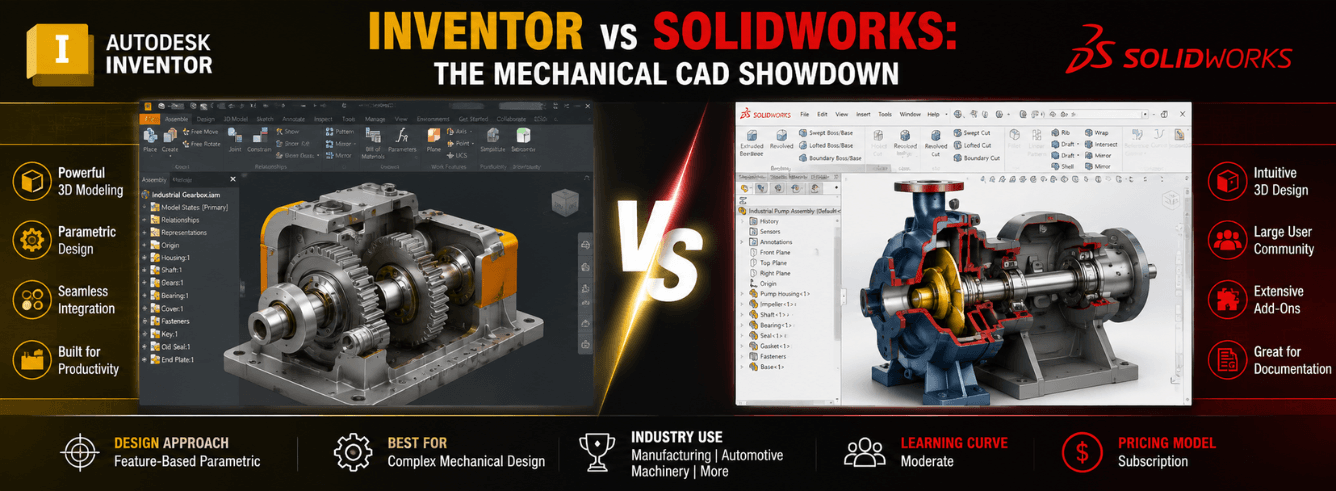
The inventor vs solidworks decision is something every mechanical design team wrestles with eventually — and the right answer has less to do with feature checklists than you’d think.
- The inventor vs solidworks debate isn’t a simple tier list — it’s a question of which ecosystem your business already lives in.
- Inventor’s tight integration with AutoCAD, Vault, and Fusion 360 gives Autodesk shops a real workflow advantage.
- Assembly handling and BOM management diverge sharply between the two platforms; your specific manufacturing workflow matters.
- Cost structures are fundamentally different — direct-only Autodesk pricing vs reseller-quoted SolidWorks with annual maintenance.
- You can get genuine Autodesk Inventor Professional from Zoftis at a significant discount to retail, delivered in 1–12 hours with a 30-day money-back guarantee.
The real question behind every inventor vs solidworks debate
Walk onto any engineering forum and ask about inventor vs solidworks, and you’ll get passion on both sides. Veterans of each platform will defend their tool with the intensity of a sports rivalry. But most of those arguments miss the point entirely.
The actual question isn’t “which CAD is better?” It’s “which CAD aligns with how your company already works — and where you’re headed over the next five years?”
It’s rarely a clean-slate decision
Most teams evaluating solidworks vs inventor already have a footprint somewhere. You might have legacy AutoCAD drawings, a Vault PDM setup, or a supplier who sends SolidWorks files. The cost of switching ecosystems often outweighs the marginal feature advantages either platform claims.
We see this every day at Zoftis — customers come looking for an autodesk inventor vs solidworks comparison, but what they really need is someone to help them map their existing workflows to the right tool. So let’s do that properly.
Two platforms, two philosophies
The deepest split between these two mechanical CAD platforms isn’t a toolbar layout or a modeling kernel. It’s the philosophy of how they think your design data should live.
Autodesk: the connected ecosystem
Inventor was built from the start to be part of a larger Autodesk world. DWG compatibility isn’t an afterthought — it’s the foundation. Your team can open and edit native AutoCAD files inside Inventor without translation. Vault PDM is tightly integrated for revision control. And when you need cloud collaboration, Fusion 360 picks up where Inventor leaves off.
The inventor vs solidworks comparison starts tilting toward Autodesk when your shop runs on a mix of 2D and 3D, or when you’re already managing projects through Autodesk Vault. That interoperability isn’t a marketing bullet point — it’s hours saved every week on file translation.
Dassault Systèmes: the unified platform
SolidWorks, under Dassault Systèmes, is increasingly pushed toward the 3DEXPERIENCE platform — a cloud-connected product lifecycle management ecosystem. The idea is that everything from design to simulation to data management lives on one platform. In theory, that’s powerful. In practice, many smaller and mid-sized teams find the platform migration disruptive and the interface shift jarring.
The solidworks versus inventor question often surfaces when a team that’s been comfortable with desktop SolidWorks suddenly faces pressure to move to the 3DEXPERIENCE cloud model. That’s a meaningful change in how you work, and it’s worth understanding before committing.
Where assemblies and BOMs show the real difference
If your business designs machines, fixtures, or any product with more than a handful of components, assemblies are where you’ll feel the difference between these tools most acutely.
Assembly constraints and performance
Both Inventor and SolidWorks handle assembly constraints with maturity — mates in SolidWorks, constraints in Inventor — and the core logic is similar. Where they diverge is how they handle large assemblies. SolidWorks has long held a reputation for smoother large-assembly navigation, but Inventor’s Level of Detail (LOD) representations and Express mode have closed that gap significantly in recent releases.
For teams doing parametric modeling inside large assemblies, the experience is comparable in daily use. The edge goes to whichever platform your team knows better — training and muscle memory matter more than any 5% performance difference on a benchmark test.
BOM management that matches your workflow
This is where the solidworks vs inventor decision gets real. Inventor’s BOM tools are structured for manufacturing — the BOM lives natively inside the part and assembly environment, and it flows directly into drawings. If you’re generating cut lists for frame generator structures or parts lists for sheet metal assemblies, Inventor’s BOM structure mirrors how a production floor thinks.
SolidWorks handles BOMs well too, but the structure tends to be more drawing-centric. For teams that do heavy part modeling with configured assemblies and need BOM data to feed downstream ERP systems, Inventor’s model-based approach often requires fewer workarounds.
If your BOM has to flow seamlessly into an Autodesk Vault environment or sync with an ERP that already speaks Autodesk data formats, Inventor saves you integration headaches that SolidWorks shops often solve with expensive third-party middleware.
Simulation and FEA: included depth vs breadth of add-ons
Simulation is no longer optional in mechanical CAD — it’s table stakes. Both platforms include FEA tools, but the packaging and depth differ in ways that affect your budget.
What Inventor Professional includes
Autodesk bundles a surprisingly deep simulation toolkit into Inventor Professional at no extra cost. You get static stress analysis, modal analysis, thermal analysis, and dynamic simulation. The dynamic simulation environment is particularly useful for mechanism design — it’s not just a stress calculator, it lets you test motion under realistic loads.
For many mid-market manufacturers, the included FEA in Inventor eliminates the need for a separate simulation package entirely. That’s a direct cost saving that the autodesk inventor vs solidworks comparison must account for.
SolidWorks Simulation tiers
SolidWorks Standard includes only basic stress analysis. For anything beyond linear static, you upgrade to Simulation Professional or Premium — each with a price tag that escalates quickly. The simulation quality is excellent, but the licensing model means you pay separately for capabilities that Inventor Professional bundles in.
If simulation is part of your daily workflow, Inventor Professional’s all-included approach can save thousands per seat compared to an equivalently capable SolidWorks setup.
Sheet metal, frame generator, and tube & pipe
Specialized design modules are where mechanical CAD platforms prove whether they understand real manufacturing workflows or just offer checkbox features.
Sheet metal design
Both Inventor and SolidWorks are strong in sheet metal. Inventor’s sheet metal environment supports multi-body sheet metal parts, custom unfold rules, and punch tool libraries that map directly to common shop tooling. SolidWorks offers similar capabilities with slightly more mature lofted-bend handling for complex transitions.
For routine sheet metal work — enclosures, brackets, panels — you’ll be productive in either. The decision rarely turns on sheet metal alone.
Frame generator and tube & pipe
Inventor’s frame generator is a genuine productivity differentiator. You sketch a wireframe, assign structural profiles from the content center, and Inventor builds the frame — miters, end treatments, and all — automatically. The resulting tube and pipe runs integrate into the assembly BOM with cut lengths and part numbers populated.
SolidWorks Weldments can do similar work, and some fabricators prefer its sketching approach. But Inventor’s frame generator tends to require fewer manual steps to produce fabrication-ready documentation — a meaningful difference when frames and structural assemblies are your bread and butter.
Both platforms rely on standard content libraries (ANSI, DIN, ISO). The practical difference is how smoothly frame-cut lists land in your BOM and drawings without manual cleanup.
Design automation: iLogic is the hidden weapon
This is the feature that, once you’ve used it, makes the inventor vs solidworks conversation shift decisively for many engineers.
iLogic: rules-based design inside the CAD environment
Inventor’s iLogic lets you embed design rules directly into your models — no external programming, no separate API scripting required. You write simple rules (or use the visual rule builder) that control parameters, suppress features, swap components, and generate configurations based on input conditions.
Imagine a pressure vessel model where changing one dimension automatically recalculates wall thickness based on your company’s engineering standards, adjusts nozzle sizes, and updates the BOM — all before you hit save. That’s design automation that actually gets used, not just talked about.
How SolidWorks compares
SolidWorks has DriveWorksXpress (included at some tiers) for rule-based configuration, and the full DriveWorks suite for more advanced automation. But the tools feel more external to the modeling environment. iLogic is baked into Inventor’s DNA — it’s accessible enough that non-programmers use it daily.
For companies that build product families, variants, or engineer-to-order equipment, iLogic alone can justify the Inventor investment.
Head-to-head comparison table
| Capability | Autodesk Inventor Professional | SolidWorks (Premier/Professional) |
|---|---|---|
| Parametric part modeling | Full multi-body, surface, and freeform | Full multi-body, surface, and freeform |
| Assembly handling | LOD, Express mode for large assemblies | Mature large assembly tools, SpeedPak |
| BOM structure | Model-based, manufacturing-structured | Drawing-centric, configurable |
| FEA simulation (included) | Static, modal, thermal, dynamic — all included | Linear static only in Standard; upgrades cost extra |
| Sheet metal | Multi-body, punch library, custom rules | Lofted bends, forming tools |
| Frame generator / Weldments | Automatic end treatments, cut-list BOM | Sketch-driven, manual cleanup often needed |
| Tube & pipe | Rigid + flexible routing, BOM integration | Routing add-in, solid functionality |
| Design automation | iLogic — native, accessible, powerful | DriveWorksXpress; advanced in separate licenses |
| DWG/DXF interoperability | Native read/write, no translation needed | Import/export only; DWG editor included |
| PDM integration | Vault — included, tightly integrated | PDM Standard/Professional — separate cost |
| Cloud/collaboration | Fusion 360 ecosystem, Autodesk Docs | 3DEXPERIENCE platform — interface shift for desktop users |
| CAM (included) | Fusion 360 CAM (separate or in collection) | CAM Standard included in Premium |
| Licensing model | Subscription — straightforward, direct pricing | Subscription + maintenance; reseller-dependent pricing |
Cost and licensing: what you’ll actually pay
The solidworks versus inventor cost comparison is one area where transparency differs sharply. Let’s look at real numbers.
Autodesk Inventor pricing
Autodesk publishes direct pricing: Inventor Professional retails around $2,500/year per seat. Through Zoftis, you can get a genuine Autodesk Inventor Professional subscription for $59 (discounted from $99) — a substantial saving from retail. For commercial teams needing full production rights, the Inventor Professional Subscription is available at $1,499/year.
SolidWorks pricing
Dassault Systèmes does not publish direct pricing. You go through a reseller, and quotes vary. Typical first-year costs for SolidWorks Standard with basic maintenance run $4,000–$5,000, with annual maintenance around $1,300–$1,500. Simulation upgrades add significant cost per tier. This opacity frustrates many buyers, especially smaller shops comparing solidworks vs inventor on budget alone.
Watch for annual maintenance escalation with SolidWorks. If you let maintenance lapse, you cannot upgrade to newer versions without repurchasing. Autodesk’s subscription model is more predictable year-over-year.
So which one should you actually choose?
After walking through the mechanics, the philosophy, and the costs, the inventor vs solidworks answer usually comes down to three factors.
Choose Inventor if…
- Your company already uses AutoCAD, Vault, or Fusion 360 — the interoperability is real and valuable.
- You need design automation baked into the tool — iLogic changes how fast your engineering team can configure products.
- Frame generator, tube & pipe, and manufacturing-structured BOMs are daily requirements.
- Predictable subscription pricing matters to your budgeting cycle.
- You want FEA simulation depth included rather than as a perpetual upsell.
Choose SolidWorks if…
- Your supply chain and partners are SolidWorks-native and file exchange is a daily friction point.
- You need the deepest CAM integration from a single seat (SolidWorks Premium with CAM).
- Your team has deep SolidWorks muscle memory and retraining would cost more than licensing differences.
- You value a massive third-party add-in marketplace for niche manufacturing needs.
Get genuine Autodesk Inventor Professional at a fraction of retail
Full Inventor Professional subscription — includes parametric modeling, assemblies, sheet metal, frame generator, FEA, and iLogic. From $59/year, delivered in 1–12 hours with a 30-day money-back guarantee.
Get Inventor Professional →Need commercial/team licensing? See Inventor Professional Subscription for manufacturing teams.
Frequently asked questions
Is Inventor better than SolidWorks for mechanical engineering?
Neither is universally “better” — the right answer depends on your ecosystem and workflow. Inventor excels when you’re in an Autodesk environment (AutoCAD, Vault, Fusion 360), need deep design automation with iLogic, or want comprehensive FEA included in the base price. SolidWorks has strengths in its massive user community, third-party add-in marketplace, and certain large-assembly tools. For most Autodesk-connected mechanical engineering teams, Inventor is the more natural and cost-effective fit.
Can Inventor open SolidWorks files?
Inventor can import SolidWorks files (up to recent versions) with feature recognition that attempts to rebuild parametric features. The translation isn’t always perfect — complex geometry may come in as a dumb solid — but for most standard parts, it works reasonably well. Inventor also has an “AnyCAD” workflow that links to SolidWorks files associatively without full translation.
Is Inventor cheaper than SolidWorks?
Generally, yes. Autodesk Inventor Professional retails around $2,500/year, and through resellers like Zoftis you can get it for significantly less (starting at $59/year for the standard subscription). SolidWorks requires a reseller quote, but Standard typically runs $4,000–$5,000 first year with annual maintenance, and simulation upgrades add substantial cost. Over a multi-year period, Inventor usually comes out significantly less expensive for equivalently capable configurations.
Do I need a subscription for both Inventor and SolidWorks?
Yes. Both Autodesk and Dassault Systèmes have moved to subscription-only licensing models. There are no perpetual (lifetime) licenses for current versions of either Inventor or SolidWorks. Autodesk’s subscription is straightforward annual billing. SolidWorks operates on a subscription-plus-maintenance model through resellers, and letting maintenance lapse can result in repurchase requirements to upgrade later.
What is iLogic and why does it matter in the inventor vs solidworks debate?
iLogic is Inventor’s native design automation engine. It lets you embed rules directly into your part and assembly models to automate dimensions, feature suppression, component swapping, and configuration. For companies building product families or engineer-to-order equipment, iLogic dramatically accelerates design cycles. SolidWorks has DriveWorks, but the more powerful versions require separate licensing. iLogic’s deep integration with Inventor’s modeling environment is a genuine differentiator.