
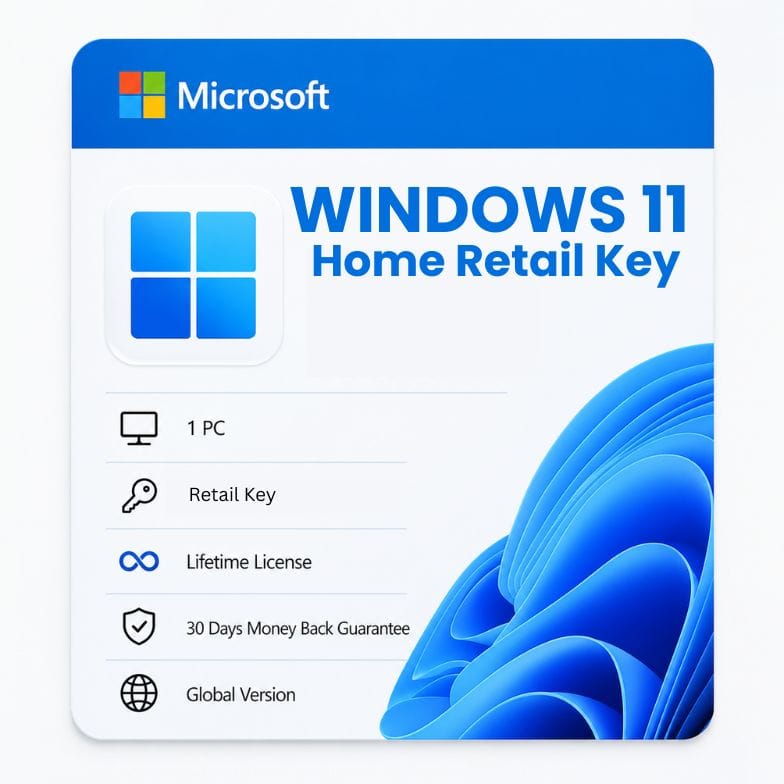



Windows 11 Home Retail Key — Transferable License for 1 PC
Original price was: $141.99.$36.45Current price is: $36.45.
One purchase. Move to any PC you own. Genuine retail, lifetime activation. $36.45 once.
| Delivery | Digital — Email within 1–12 Hours |
|---|---|
| Licence Type | OEM |
| Platform | Windows |
| Version / Edition | Windows 11 Home |
| Language | English (Multilanguage available) |
Description
A Windows 11 Home retail key is the only Microsoft license that follows you — not your motherboard. Activate it on one PC today, then transfer it to a new machine tomorrow if you upgrade your hardware. No re-purchase, no reactivation tricks, no calling Microsoft to beg for an exception. This is the same license Microsoft sells for $139. You pay $36.45 once, activate Windows 10 or 11 Home, and keep the right to move that license as many times as you change computers. Everything included: full Microsoft support, all Home features, and a digital invoice that proves genuine ownership.
What makes a retail key different — and why it’s worth the tiny premium over OEM
Buyers often ask us the same question: “Why buy a retail key when an OEM key costs less?” The answer lives in one word: transferability. An OEM key binds to the first motherboard it activates on and dies with that board. A Windows 11 Home retail key gives you the right to deactivate it on one computer and reactivate it on another — forever. This matters if you:
- Upgrade your motherboard every 2-3 years
- Sell your old PC and build a new one
- Move from a laptop to a desktop (or vice versa)
- Want the peace of mind that your license won’t turn into e‑waste with your hardware
Beyond transfer rights, a retail license also includes direct Microsoft technical support. If Windows breaks, you can contact Microsoft — not just us. OEM licenses don’t come with that phone number.
| Retail license advantage | What it means in practice |
|---|---|
| Transfer to new hardware | Deactivate on old PC, activate on new PC. No questions asked. |
| Microsoft direct support | Call Microsoft for Windows issues — official technical support channel included |
| Dual-version entitlement | Activate Windows 10 Home or Windows 11 Home with the same key |
| Reinstall unlimited times | Even on replacement hardware (unlike OEM, which is hardware-locked) |
| Digital license + proof of ownership | Invoice matches the license; no grey‑market ambiguity |
Windows 11 Home vs Windows 10 Home — you get both with this key
Your Windows 11 Home retail key isn’t tied to a single Windows version. It activates either Windows 10 Home or Windows 11 Home — whichever you install today. If you’re running Windows 10 now, you can upgrade to 11 later for free. If your hardware can’t handle 11 yet, stay on 10 securely through October 2025, then move to 11 when you replace the machine. The key follows you across versions and across hardware. No dual‑purchase required.
| Scenario | What your retail key lets you do |
|---|---|
| Install Windows 11 Home on new PC | Activate directly — full features, Microsoft support |
| Install Windows 10 Home on older PC | Activate directly — same key, full Home edition |
| Upgrade from Win 10 to Win 11 on same hardware | Free upgrade; key already covers both |
| Move license from old laptop to new desktop | Deactivate on laptop, reactivate on desktop — same retail key |
What you can do with Windows 11 Home (retail)
| Feature | What it does | Why it matters to you |
|---|---|---|
| Snap Layouts | Pre‑built window arrangements on hover | Multitask faster — no manual resizing |
| Widgets | Glanceable news, weather, calendar | Stay informed without opening a browser |
| Microsoft Teams (built‑in) | Chat & video from taskbar | One‑click family or work calls |
| DirectStorage | NVMe SSD‑to‑GPU asset streaming | Faster game load times |
| Windows Hello | Face/fingerprint login | No more passwords |
| Virtual Desktops | Separate workspaces for life, work, gaming | Context switching without clutter |
| Focus Sessions | Timed work blocks + Spotify | Deep work without distraction |
| Auto HDR | Upgrades SDR games to HDR | Better visuals on HDR monitors |
Read more
Who a retail Windows 11 Home license is for
- PC enthusiasts who upgrade often — You swap motherboards and graphics cards like other people swap phone cases. Your license shouldn’t be the thing that holds you back.
- Freelancers and consultants — You might move from a laptop to a desktop next year. The retail key moves with you, no repurchase needed.
- Students — One license that lasts through multiple dorm‑room rigs. A single $36.45 purchase covers your entire study period, no matter how many times you rebuild.
- Home users who want official support — When Windows acts up, you can ring Microsoft directly. That’s included in the retail license price.
- Anyone who’s been burned by an OEM lock before — You once replaced a dead motherboard and learned the hard way that your Windows license died with it. This key fixes that forever.
Who should choose something else: If you know you’ll keep the exact same PC for 5+ years and never change the motherboard, an OEM key saves a few dollars. If you need BitLocker, Remote Desktop, or Hyper‑V, you need a Pro edition (retail or OEM). Home doesn’t include those.
Retail vs OEM — the only comparison that matters for your wallet
We sell both. Here’s the honest breakdown so you pick the right one.
| Retail (this product) | OEM (sold separately) | |
|---|---|---|
| Price | $36.45 | $39 (approx) |
| Activates Windows 11 Home | Yes | Yes |
| Activates Windows 10 Home | Yes (dual version) | Usually version‑locked |
| Transfer to new PC | Yes — unlimited moves | No — locked to first motherboard |
| Microsoft direct support | Yes — phone & chat | No — community only |
| Reinstall after motherboard swap | Yes — full reactivation | No — requires new key |
| Proof of ownership | Invoice + digital license | Invoice only |
At $36.45, the retail key costs less than our own OEM key. That means you get transfer rights and Microsoft support for a few dollars less. It’s not a premium — it’s a strategic choice for anyone who plans to own more than one computer in the next five years.
How to transfer your retail license to a new PC
The moment you love this license: it moves when you tell it to. No phone calls. No activation hotline. Just a quick digital handshake.
- Ensure the old PC is deactivated. You don’t have to wipe it, but Windows will flag the key as in‑use if both machines stay online. Uninstall the key via Settings > Activation > Change product key (enter a generic key to remove license), or simply stop using Windows on the old device.
- Install Windows 10 or 11 Home on the new PC. Use Microsoft’s Media Creation Tool. During setup, skip the product‑key prompt.
- Sign in with your Microsoft account. The digital license often links to your account, making transfer instant.
- Go to Settings > Activation. If Windows doesn’t activate automatically, click “Change product key” and enter your Windows 11 Home retail key again. Activation completes in seconds.
Repeat this process whenever you build a new PC. The license is yours for life — not for the lifetime of a single motherboard.
What’s included in your $36.45 purchase
- One genuine Windows 11 Home retail license key (email delivery)
- Activation rights for both Windows 10 Home and Windows 11 Home
- Unlimited transfers to new hardware (one active PC at a time)
- Microsoft direct technical support entitlement
- Digital invoice — valid for business expense and warranty claims
- Lifetime activation — no subscription, no expiration
- All future Windows 11 feature updates (24H2, etc.)
- 30‑day money‑back guarantee
Your key comes with a 30‑day no‑risk guarantee
If the Windows 11 Home activation key doesn’t work as described, email Support@zoftis.com within 30 days. We refund your $36.45 immediately — no questions, no forms. You’ll reach a human within 1 hour, 24/7. Pay securely with VISA, Mastercard, PayPal, Wise, or Payoneer. All prices in USD; invoice provided.
Why $36.45 is the real price of a genuine retail key — not $139
Microsoft charges $139 for the exact same Windows 11 Home retail license through its own store. That price includes a box, a USB stick, and retail shelf space. Our keys come from authorized distributor programs — stripped of packaging, shipped digitally. You get the identical activation, the identical Microsoft support, the identical transfer rights. The only missing piece is the cardboard. At $36.45, you’re paying for the license, not the logistics.
Other Windows & Microsoft licenses you might need
- Windows 11 Home OEM Key – cheaper lifetime license tied to one PC, if you don’t need to transfer it.
- Windows 11 Home to Pro Upgrade Key – add Pro features later in minutes, no reinstall or data loss.
- Windows 11 Education Key – step up to all Pro features plus enterprise security tools.
- Windows 10 Home OEM Key – lifetime activation for older hardware that Windows 11 rejects.
- Office 2021 Professional Plus – one-time perpetual key for Word, Excel, PowerPoint and more on 1 PC.
- Office 365 Professional Plus Lifetime – full Office suite with login on 5 devices, one-time payment.
- Microsoft 365 Family – annual subscription with 6TB storage (1TB per user) for up to 6 people.
Features
- Genuine Microsoft retail license — transferable between PCs indefinitely
- Activates both Windows 10 Home and Windows 11 Home (dual-version key)
- Microsoft direct phone & chat support included
- Unlimited reinstallations — even on completely new hardware
- Lifetime activation — one-time payment, no subscription
- Move license from old PC to new PC without Microsoft account hassle
- Digital license stored in your Microsoft account for easy transfer
- All Home features: Snap Layouts, Widgets, Teams, DirectStorage, Hello
- Global activation — works in all countries, any language install
- Invoice provided — proof of genuine retail ownership
- Email delivery within 1 hour — no physical shipping
- 30-day money-back guarantee — full refund if activation fails
- 24/7 support from Zoftis team — reply within 1 hour
Specifications
| Specification | Details |
|---|---|
| Product name | Windows 11 Home Retail Key (transferable) |
| License type | Retail (Full Packaged Product digital equivalent) |
| Activates | 1 PC at a time — unlimited transfers over life |
| Edition | Windows 11 Home / Windows 10 Home (both supported) |
| Architecture | 64‑bit only for Windows 11; 32/64‑bit for Windows 10 |
| License duration | Lifetime (perpetual) — never expires |
| Transferable | Yes — move to new hardware anytime; reactivate online |
| Microsoft support | Direct phone, chat, and community support included |
| Region | Global — no region lock |
| Delivery | Digital key via email; no USB or box |
| Delivery time | Within 1 hour (max 12 hours) |
| Payment methods | VISA, Mastercard, PayPal, Wise, Payoneer (USD) |
| Invoice | Included |
| Support | Support@zoftis.com, 24/7 |
| Refund | 30-day money-back guarantee |
System Requirements
Windows 11 Home requirements (for new installations):
| Component | Requirement |
|---|---|
| Processor | 1 GHz, 2+ cores, 64‑bit (Intel 8th gen / AMD Ryzen 2000 or newer) |
| RAM | 4 GB |
| Storage | 64 GB |
| Firmware | UEFI, Secure Boot |
| TPM | Version 2.0 |
| Graphics | DirectX 12 / WDDM 2.x |
| Display | 9", 720p |
| Internet | Required for setup (Home edition) |
Windows 10 Home minimums: 1 GHz CPU, 2 GB RAM (64‑bit), 20 GB storage, DirectX 9, no TPM/Secure Boot required. If your PC doesn't meet Windows 11 specs, simply install Windows 10 Home and use the same retail key.
FAQs
What is a Windows 11 Home retail key?
A Windows 11 Home retail key is a genuine Microsoft license that activates Windows 10/11 Home and can be moved between PCs. Unlike OEM, it's not locked to one motherboard. You pay once, get lifetime activation, and can transfer the license whenever you upgrade your hardware. It also includes direct Microsoft support.
Can I use this key on both Windows 10 and 11?
Yes. The Windows 11 Home retail key activates both Windows 10 Home and Windows 11 Home. Install whichever version your hardware supports now, and upgrade later for free. The key is dual‑version — you're covered for both.
How do I transfer the license to a new PC?
Deactivate or stop using Windows on the old machine, install Windows 10/11 Home on the new PC, skip the key prompt, and sign in with your Microsoft account. If it doesn't activate automatically, enter the same Windows 11 Home retail license key in Settings > Activation. That's it. No call to Microsoft needed.
Does this include Microsoft technical support?
Yes. A retail license includes direct Microsoft support via phone and chat. If you have Windows problems, you're entitled to official help. This is a key distinction from OEM licenses, which offer community support only.
Will I lose my files or apps when transferring?
No. The license transfer is a separate action from your data. You'll move the license to the new PC while your old PC's files remain intact (or you can wipe it). The new PC gets a fresh Windows installation — you'll need to reinstall your apps and move files manually, but the license transfer itself doesn't erase anything.
Can I sell my old PC and keep this license?
Yes. That's the power of retail. Remove the key from the old PC (or reinstall without a key), and the new owner doesn't get your license. You can then use this win 10 retail license to activate Windows on your next computer. The license stays yours.
What's the difference between this and an OEM Windows 11 key?
An OEM key is permanently bound to the first motherboard it activates on. A Windows 11 Home retail key can be moved to another PC later. Retail also includes Microsoft support and works on both Windows 10 and 11 Home. Our retail key actually costs less than most OEM keys, making it the better long‑term value.
How fast will I get the key after purchase?
Your Windows 11 Home retail product key arrives by email within 1 hour. Maximum delivery time is 12 hours. If delayed, check spam then contact Support@zoftis.com — we reply within 1 hour, 24/7.
What if the key doesn't activate?
Covered by our 30‑day money‑back guarantee. Email Support@zoftis.com, and we'll either help you activate it or refund your $36.45 immediately. No fine print.
Is this a subscription? Will it expire?
No. It's a one‑time purchase. There's no annual fee, no subscription, no expiration. Once you activate it, your Windows license is permanently yours for that PC — and transferable to future PCs you own.
Related products
Windows 10 Home OEM Key — Genuine Lifetime License for 1 PC
Original price was: $49.00.$29.34Current price is: $29.34.
Windows 11 Education Key — Full Feature License for 1 PC
Original price was: $111.99.$38.27Current price is: $38.27.
Windows 11 Home OEM Key — Genuine Lifetime License for 1 PC
Original price was: $59.00.$39.34Current price is: $39.34.
Reviews
Clear filtersThere are no reviews yet.