
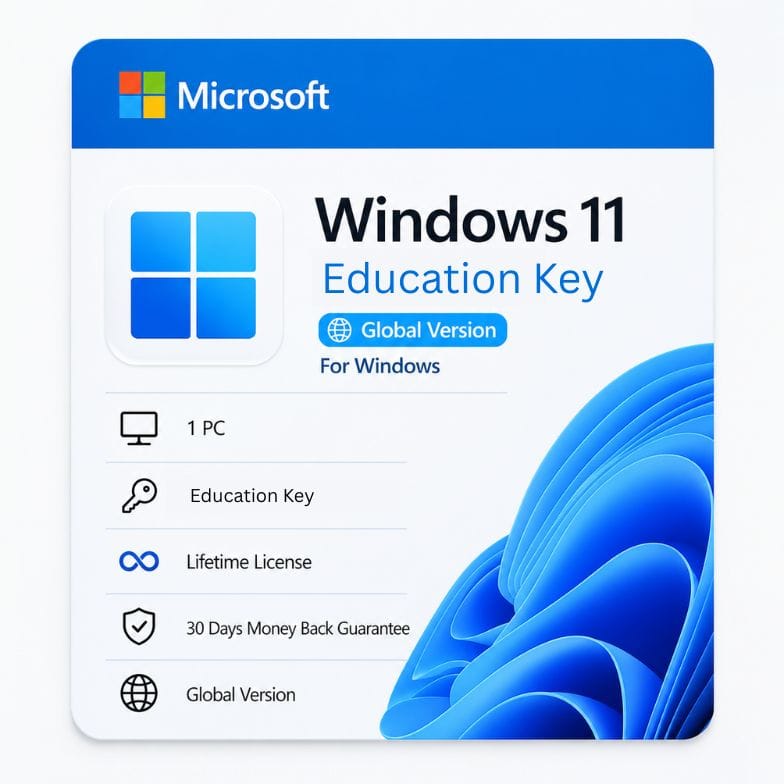



Windows 11 Education Key — Full Feature License for 1 PC
Original price was: $111.99.$38.27Current price is: $38.27.
More than Pro. All enterprise features. One‑time $38.27 purchase. Lifetime activation.
| Delivery | Digital — Email within 1–12 Hours |
|---|---|
| Licence Type | Retail Key |
| Platform | Windows |
| Version / Edition | Windows 11 Educaion key |
| Language | English (Multilanguage available) |
Description
A windows 11 education key unlocks the most complete edition of Windows Microsoft makes — built on the Enterprise codebase, but licensed for students, teachers, and academic staff. You get every Pro feature (BitLocker, Remote Desktop, Hyper‑V, Group Policy) plus advanced tools like AppLocker, Credential Guard, and DirectAccess that Pro doesn’t include. Pay $38.27 once, activate Windows 11 Education on one PC, and keep it for life. No subscription, no watered‑down academic version — this is the real thing.
Windows 11 Education vs Pro — what’s actually different?
Buyers often stumble onto windows 11 education vs pro comparisons because the two look nearly identical on the surface. Both have the same interface, the same Pro features, and the same application compatibility. The difference hides in the advanced security and management layer that Education inherits from Enterprise. Here’s the line‑by‑line truth.
| Feature | Windows 11 Pro | Windows 11 Education (this key) |
|---|---|---|
| BitLocker Drive Encryption | ✅ | ✅ |
| Remote Desktop | ✅ | ✅ |
| Hyper‑V Virtualization | ✅ | ✅ |
| Windows Sandbox | ✅ | ✅ |
| Group Policy Management | ✅ | ✅ |
| Azure AD / Domain Join | ✅ | ✅ |
| AppLocker | ❌ | ✅ — whitelist/blacklist specific apps |
| Credential Guard | ❌ | ✅ — virtualisation‑based security for passwords |
| DirectAccess | ❌ | ✅ — always‑on VPN‑like remote connectivity |
| BranchCache | ❌ | ✅ — optimised network file sharing |
| Microsoft Defender Application Guard | ❌ | ✅ — isolated Edge sessions for untrusted sites |
| Long‑Term Servicing Channel (LTSC) option | No | Yes (via volume licensing) |
| Price (this store) | $27.23 (upgrade key) | $38.27 |
Education is not a “student‑lite” version. It’s Windows 11 Enterprise — with a different name and a price tag that makes sense for individuals. If you’ve ever thought “I wish Pro had that one extra security feature,” this is the edition you were looking for.
What you can do with Windows 11 Education
| Feature | What it does | Why it matters in a school or work setting |
|---|---|---|
| BitLocker + BitLocker To Go | Encrypts internal drives and USB sticks | Protects student records, research data, and personal files from theft |
| Remote Desktop | Full control of your PC from anywhere | Access lab computers or dorm PC from a thin client or tablet |
| Hyper‑V | Run virtual machines natively | Spin up Linux, test code, or isolate coursework environments without extra software |
| Windows Sandbox | Throw‑away isolated desktop | Open suspicious attachments or test unknown apps safely |
| AppLocker | Whitelist or blacklist specific .exe, scripts, installers | IT admins can lock down campus computers; power users block unwanted software |
| Credential Guard | Hardware‑backed credential isolation | Prevents pass‑the‑hash attacks — critical for handling sensitive academic data |
| Microsoft Teams (integrated) | Chat, video calls, class collaboration | Join online lectures or study groups straight from the taskbar |
| Focus Sessions & Clock | Timed study blocks + Spotify | Structured deep‑work mode for exam prep |
| Snap Layouts & Virtual Desktops | Organise multiple apps and desktops | Separate research, assignments, and personal browsing effortlessly |
Read more
Who a Windows 11 Education key is for
- University and college students — You need BitLocker for your laptop, Remote Desktop to reach lab machines, and Hyper‑V for computer science assignments. Education gives you all that plus enterprise security your institution’s network may expect.
- Teachers and academic staff — Grade files, lesson plans, and student data deserve enterprise‑grade encryption. Credential Guard and AppLocker add layers your school’s IT policy might require.
- Researchers and PhD candidates — You handle sensitive datasets. Hardware‑backed security isn’t optional — it’s compliance. Education includes the Enterprise security stack without volume licensing.
- STEM and IT students — You live in virtual machines. Hyper‑V and Sandbox are native; no need for VMware or VirtualBox. AppLocker lets you test software restriction policies for class projects.
- Home power users who want Enterprise features — You don’t have to be in education to benefit from the best Windows edition. Anyone can buy and activate an Education key — Microsoft doesn’t enforce institutional checks at activation.
Who should choose something else: If you only browse the web, stream video, and type documents, Windows 11 Home is sufficient and costs less. If you run a business and need volume licensing with Software Assurance, contact Microsoft directly for an Enterprise agreement. Education is for individuals — it comes as a single‑PC retail license here.
Education vs Home vs Pro — the full feature map
To put the value in perspective, here’s how all three editions stack up.
| Feature | Home | Pro | Education |
|---|---|---|---|
| Price (retail typical) | $139 | $199 | $99 (academic store) |
| BitLocker | ❌ | ✅ | ✅ |
| Remote Desktop | ❌ | ✅ | ✅ |
| Hyper‑V | ❌ | ✅ | ✅ |
| Group Policy | ❌ | ✅ | ✅ |
| AppLocker | ❌ | ❌ | ✅ |
| Credential Guard | ❌ | ❌ | ✅ |
| DirectAccess | ❌ | ❌ | ✅ |
| Microsoft Store for Business | ❌ | ❌ | ✅ |
Installation and activation — simple, no campus login needed
- Download Windows 11 Education from Microsoft. Use the Media Creation Tool or download an ISO. During setup, select Windows 11 Education as the edition.
- Install clean or upgrade. If you’re already on Windows 11 Home or Pro, you can change the product key to Education and let Windows upgrade in place — no data loss.
- Enter your windows 11 education product key. We email it within an hour. Activation completes in seconds against Microsoft servers.
- Your digital license attaches to your hardware. Reinstalls on the same PC skip the key; Windows activates automatically.
No academic email verification is required at activation. The key itself is a genuine, standalone windows 11 education license.
30‑day guarantee — buy with confidence
Every windows 11 education key is covered by our 30‑day money‑back guarantee. If it doesn’t activate on your compatible PC, email Support@zoftis.com. We reply within 1 hour, 24/7, and process your refund immediately. Pay with VISA, Mastercard, PayPal, Wise, or Payoneer — all in USD, invoice included.
Why a $38.27 Education key is the smartest Windows investment you can make
A buy windows 11 education decision normally costs $99 through Microsoft’s academic store — and that’s with student verification. You’re getting the same Enterprise‑grade license for less than half, with no verification headache. At $38.27, you’re paying for a license that includes features even Pro users never get. If you ever outgrow Home or find Pro missing a tool you need, Education closes that gap permanently — and still costs less than a retail Pro key.
Other Windows & Microsoft licenses you might need
- Windows 11 Home to Pro Upgrade Key – unlock Pro features in minutes without reinstalling or losing files.
- Windows 11 Home OEM Key – genuine lifetime license for one PC if you don’t need Education-tier security.
- Windows 11 Home Retail Key – transferable license you can move to any PC you own.
- Windows 10 Home OEM Key – lifetime activation for older hardware that Windows 11 rejects.
- Office 2021 Professional Plus – one-time perpetual key for Word, Excel, PowerPoint and more on 1 PC.
- Office 365 Professional Plus Lifetime – full Office suite with login on 5 devices, one-time payment.
- Microsoft 365 Family – annual subscription with 6TB storage (1TB per user) for up to 6 people.
Features
- Genuine Windows 11 Education — full Enterprise‑grade feature set
- All Pro features: BitLocker, Remote Desktop, Hyper‑V, Group Policy, Sandbox
- Enterprise additions: AppLocker, Credential Guard, DirectAccess, BranchCache
- Microsoft Defender Application Guard for isolated browsing
- Supports Azure AD, domain join, and school/work network integration
- One‑time purchase — no subscription, no annual fees
- Lifetime activation — permanent digital license for 1 PC
- Can upgrade an existing Windows 11 Home/Pro installation in‑place
- Global edition — activates worldwide, any language
- Digital delivery — key emailed within 1 hour; no physical media
- Invoice provided — suitable for student expense claims and tax records
- 30‑day money‑back guarantee — full refund if activation fails
- 24/7 support via Support@zoftis.com — 1‑hour typical response
Specifications
| Specification | Details |
|---|---|
| Product name | Windows 11 Education Key (Retail License) |
| License type | Retail — standalone license for 1 PC |
| Edition | Windows 11 Education (Enterprise equivalent) |
| Activates | 1 PC permanently |
| Transferable | Yes, via Microsoft account link (same as retail Pro) |
| Architecture | 64‑bit only |
| Included features | All Pro + Enterprise security/management tools |
| License duration | Perpetual — never expires |
| Academic verification | Not required for activation |
| Region | Global — no region lock |
| Delivery method | Email (digital key) |
| Delivery time | Within 1 hour (up to 12 hours max) |
| Payment methods | VISA, Mastercard, PayPal, Wise, Payoneer (USD) |
| Invoice | Included — business/student expense ready |
| Support | Support@zoftis.com, 24/7 |
| Refund | 30-day money-back guarantee |
System Requirements
| Component | Requirement |
|---|---|
| Processor | 1 GHz, 2+ cores, 64‑bit (Intel 8th gen / AMD Ryzen 2000 or newer) |
| RAM | 4 GB |
| Storage | 64 GB |
| Firmware | UEFI, Secure Boot |
| TPM | 2.0 |
| Graphics | DirectX 12 / WDDM 2.x |
| Display | 9”, 720p |
| Internet | Required for setup and activation |
FAQs
What is a Windows 11 Education key?
A windows 11 education key is a genuine Microsoft license for the Education edition of Windows 11. It’s built on the Enterprise codebase and includes every Pro feature (BitLocker, Remote Desktop, Hyper‑V) plus advanced security and management tools like AppLocker, Credential Guard, and DirectAccess. It’s designed for students, educators, and academic institutions, but anyone can activate it.
How is Windows 11 Education different from Pro?
Windows 11 Education is essentially Windows 11 Enterprise repackaged for educational use. It has all Pro features plus enterprise‑only additions: AppLocker, Credential Guard, DirectAccess, BranchCache, and Defender Application Guard. If you compare windows 11 education vs pro, you gain a full security and management stack that Pro lacks — at a lower price.
Do I need to be a student or teacher to use this key?
No. Microsoft does not enforce academic verification when you activate a windows 11 education license. The key works for anyone. It’s simply a different edition of Windows. You get all the features without needing a .edu email address.
Can I upgrade from Windows 11 Home to Education with this key?
Yes. Go to Settings > System > Activation > Change product key. Enter the windows 11 education product key, and Windows will upgrade in place. All your files, apps, and settings remain untouched. The process takes less than 10 minutes plus one restart.
Is the Education edition missing anything compared to Pro?
No. Education is a superset of Pro — not a subset. It contains everything Pro has, plus extra features. There are no missing multimedia, gaming, or networking capabilities. Some enterprise features like DirectAccess may require additional infrastructure, but they are present and ready if needed.
Can I use this for online classes and exams?
Absolutely. Windows 11 Education integrates seamlessly with Microsoft Teams, Zoom, and all major online proctoring and learning management systems. Snap Layouts and Virtual Desktops help keep lecture notes, assignments, and research separated. It’s built for modern academic life.
Will this key work if I reinstall Windows later?
Yes. After the first activation, your hardware gets a digital license on Microsoft servers. Reinstall Windows 11 Education on the same machine, skip the key prompt, and it activates automatically. You can also use the same key again to trigger activation if needed.
How fast will I receive the key?
Your windows 11 education key is emailed within 1 hour of payment. Maximum delivery window is 12 hours. Check spam if delayed, then contact Support@zoftis.com — we reply within 1 hour, 24/7.
What if the key doesn’t activate?
We offer a 30‑day money‑back guarantee. If your hardware meets Windows 11 requirements and the key fails to activate, email Support@zoftis.com for a full refund. We’ll also help troubleshoot — most failures are due to installing the wrong edition (e.g., Pro instead of Education) by mistake.
Is Windows 11 Education the same as Windows 11 SE?
No. Windows 11 SE is a cloud‑first, simplified edition for low‑cost K‑12 devices. Windows 11 Education is the full Enterprise edition. You get all features, no restrictions, and full local admin control. SE is not sold as a standalone key; Education is the complete OS.
Related products
Windows 10 Home OEM Key — Genuine Lifetime License for 1 PC
Original price was: $49.00.$29.34Current price is: $29.34.
Windows 11 Home OEM Key — Genuine Lifetime License for 1 PC
Original price was: $59.00.$39.34Current price is: $39.34.
Windows 11 Home Retail Key — Transferable License for 1 PC
Original price was: $141.99.$36.45Current price is: $36.45.
Reviews
Clear filtersThere are no reviews yet.