
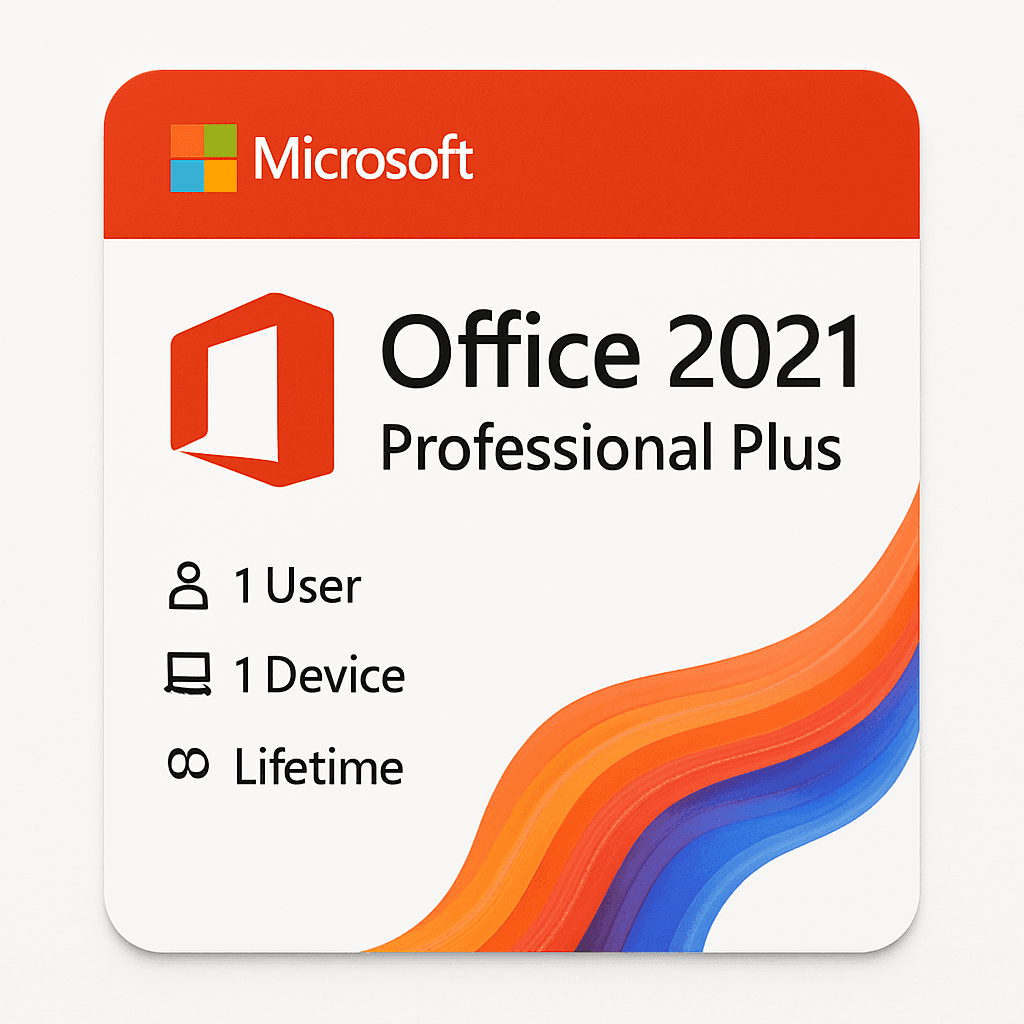


Microsoft Office 2021 Professional Plus 1 PC lifetime License
Original price was: $79.00.$49.99Current price is: $49.99.
Microsoft Office 2021 Professional Plus gives you Word, Excel, PowerPoint, Outlook, Teams, Publisher, and Access on 1 Windows PC with a one-time, lifetime licence. Your key arrives by email within 1–12 hours, backed by a 30-day money-back guarantee.
| Licence Type | Perpetual (Lifetime) |
|---|---|
| Devices | 1 PC |
| Platform | Windows 10, Windows 11 |
| Delivery | Digital — Email within 24 hours |
| Brand | Microsoft |
998 in stock
Description
Pay once for office 2021 professional plus and you’re done — no subscription clock ticking in the background, no annual renewal reminder, no price hike next year. That’s the deal here. You get Word, Excel, PowerPoint, Outlook, Teams, Access, Publisher, and more, permanently yours on one Windows PC, for a single payment that never repeats.
A lot of people assume perpetual licences are a compromise. They’re not. This is the exact same feature-complete build that ships to enterprise customers — the difference is you pay once and walk away. Let’s break down exactly what you’re getting.
What a Perpetual Office 2021 Professional Plus Licence Actually Gives You
You receive a 25-character office 2021 professional plus key that activates a full, locally installed copy of Office 2021 Professional Plus on one Windows PC. Activation is handled by Microsoft’s own servers — your licence is registered against that machine’s hardware signature. It doesn’t expire, doesn’t require a logged-in Microsoft account for daily use, and isn’t shared across devices.
The key binds to one PC. Reinstallation on the same machine after a reformat or hardware refresh is supported. That’s the core of what you own.
Every App Does Something the Previous Version Couldn’t
Word — Co-authoring and Improved Dark Mode
Word 2021 adds real-time co-authoring when files are stored on OneDrive or SharePoint, so two people can edit the same document simultaneously. Dark mode now applies proper document canvas rendering rather than just the chrome. The Editor pane replaces the old Spelling & Grammar dialog with context-aware rewording suggestions.
Find & Replace gained regex-style wildcards accessible from the advanced options panel — genuinely useful for anyone cleaning up large documents.
Excel — XLOOKUP and Dynamic Array Functions Change Formulas for Good
XLOOKUP ships natively in Excel office 2021 professional plus — no workaround, no add-in. It replaces VLOOKUP and HLOOKUP with a cleaner syntax that handles left-side lookups without an INDEX/MATCH combo. Dynamic arrays like FILTER, SORT, UNIQUE, and SEQUENCE spill results automatically into adjacent cells.
The LET function lets you name intermediate calculations inside a formula, cutting repetition in complex sheets. That alone saves serious time in financial modelling work.
PowerPoint — Recording Studio and Ink Replay
PowerPoint 2021 includes a proper Recording Studio view with webcam overlay, slide thumbnails, and per-slide audio/video tracks — useful for creating narrated decks. Ink Replay lets you animate pen strokes in playback order during a presentation, which works well for educational content.
Export to MP4 now supports up to 4K resolution at 60 fps. Stock media (images, icons, videos) is accessible from Insert > Stock Media without leaving the app.
Outlook — Focused Inbox and Improved Search
Outlook 2021 carries the Focused Inbox feature that separates actionable emails from newsletters and notifications automatically. Search was rebuilt on Windows Search indexing, making results faster and more accurate than in 2019. The calendar view gained a dark mode that actually renders correctly.
Support for OAuth 2.0 authentication means better compatibility with modern mail servers and tighter security without storing plain credentials.
Access and Publisher — Still Here, Still Exclusive
Access 2021 is the only desktop relational database tool in the Office family — it’s absent from Home & Business and Standard editions. You get the full table/query/form/report toolset with VBA macro support. Publisher 2021 handles print-ready layouts for flyers, newsletters, and catalogues with CMYK-aware colour options.
Both apps are Windows-only by design. If your workflow needs either, Pro Plus is the only edition that covers both.
OneNote and Teams — Included in the Install Package
OneNote 2021 (the desktop UWP version) is bundled. Teams is included as a separate install component — it’s the full desktop client, not a web wrapper. Neither requires a separate licence for basic use on the activated machine.
Teams in this context gives you chat, calls, and meetings. The collaboration features work with any Microsoft account or Azure AD tenant you sign into.
Security Updates — Supported Through October 2026
Office 2021 Professional Plus reached general availability on 5 October 2021. Mainstream support (feature updates, security patches) runs through 13 October 2026 — a five-year window Microsoft has confirmed. After that, extended security updates apply depending on your volume licensing tier, but for retail perpetual keys the 2026 date is the one to know.
Security patches deploy through Windows Update automatically once the product is activated. You don’t need to do anything manually to stay patched during that window.
Office 2021 Pro Plus vs 2019 Pro Plus — What Actually Changed
| Feature | Office 2019 Pro Plus | Office 2021 Pro Plus |
|---|---|---|
| XLOOKUP in Excel | Not available | Native, no workaround needed |
| Dynamic array functions | Not available | FILTER, SORT, UNIQUE, SEQUENCE, LET |
| PowerPoint recording studio | Basic slide recording | Full webcam + per-slide audio/video tracks |
| Word real-time co-authoring | Limited | Supported with OneDrive/SharePoint |
| Outlook search engine | Legacy indexing | Rebuilt on Windows Search |
| Dark mode document canvas | Chrome only | Full canvas rendering in Word/Outlook |
| Mainstream support end | October 2023 (ended) | October 2026 |
Pro Plus vs Home & Business vs Standard — Pick the Right One First Time
| Feature | Home & Business | Standard | Professional Plus |
|---|---|---|---|
| Word, Excel, PowerPoint | ✓ | ✓ | ✓ |
| Outlook | ✓ | ✓ | ✓ |
| Access | ✗ | ✗ | ✓ |
| Publisher | ✗ | ✓ | ✓ |
| Commercial use rights | ✓ (personal & commercial) | ✓ | ✓ |
| Target user | Home / small office | Small-medium business | Power users, IT, enterprise |
One Payment Beats Renting — Here’s Why the Maths Favours Perpetual
With a perpetual licence you make a one-time purchase. That’s it. The software keeps working whether or not you stay connected to the internet, whether or not you maintain a subscription, and whether or not Microsoft changes its pricing structure next quarter. You own what you installed.
A subscription model means annual renewal — miss a payment and the apps drop to read-only. Here’s a quick concept comparison:
| Factor | Perpetual Licence (This Product) | Subscription Licence |
|---|---|---|
| Ownership | You own the version purchased | Access while paying |
| Renewal | None required | Annual renewal mandatory |
| Feature updates | Security patches only | Continuous new features |
| Cloud storage included | Not bundled | Typically included |
| Works offline | Fully, after activation | Mostly yes, with periodic check-in |
You’re Covered Through October 2026 — Then You Decide
office 2021 professional plus confirmed mainstream support for Office 2021 runs to 13 October 2026. That means monthly security patches, bug fixes, and compatibility updates arrive automatically via Windows Update for that entire period. You don’t need to do anything to receive them once activated.
After October 2026, the software doesn’t stop working — it just stops receiving patches. Many businesses run Office installations well past end-of-support on air-gapped machines or in controlled environments. That’s your call to make when the time comes, not now.
Four People Who Get Real Value from This Licence
The Home User Who’s Done Paying Monthly
You use Word for letters, Excel for household budgets, Outlook for personal email. You don’t need a subscription tethered to a credit card — you need software that works when you open it. This licence installs once, activates once, and that’s the last you’ll think about it administratively.
No Microsoft account required for daily use. Open a document, edit, save, close. Done.
The Freelancer Who Bills Clients Professionally
You send .docx proposals, .xlsx project quotes, and .pptx pitch decks. Clients expect full Office formatting — not something that renders slightly wrong because you used a different suite. With Office 2021 Pro Plus you know every file you send displays exactly as intended on the recipient’s end.
Access and Publisher cover database-light client tracking and print materials without pulling in third-party tools that cost extra per month.
The Small Business Owner Equipping a Single Workstation
You’ve got one main office PC — the one your admin uses for quotes, invoices, and supplier communication. One license, one machine, permanent. Need to cover more PCs? Buy multiple individual keys; each activates independently on its own machine, which keeps your software accounting clean.
The commercial use rights in Pro Plus mean using it for business work is explicitly covered — unlike some home-tier licenses.
The Office Administrator Who Needs Access and Publisher Both
You maintain an Access database of client records and produce Publisher-formatted internal newsletters. Those two apps exist only in Pro Plus — Standard drops Access, Home & Business drops both. If your role touches either app even occasionally, this is the only edition that makes sense.
VBA macro support in Access 2021 means your existing automation scripts carry forward without rewriting.
What the office 2021 professional plus Licence Lets You Do — in Plain English
One key, one PC. You can uninstall and reinstall on the same machine as many times as you need — reformats, Windows upgrades, SSD replacements don’t void anything. What does matter is the hardware signature: if you replace the motherboard, that’s treated as a new machine and may require a phone activation or key reset.
This is a perpetual retail-type key. It doesn’t transfer to a different PC after activation — it’s bound. If you’re buying for a second machine, that machine needs its own key. There’s no account-based portability here; portability is hardware-tied, not account-tied.
Three Real Scenarios Where This Licence Earned Its Keep
The Accountant Who Rebuilt Her Workstation Mid-Tax Season
Her SSD failed in early April — worst possible timing. She reinstalled Windows on a new drive, re-entered her Office 2021 Pro Plus key, and was back in her Excel models within the hour. The key reactivated on the same machine signature without issue. No support call, no subscription lapse, no lost billable time beyond the Windows reinstall itself.
The Marketing Consultant Building a Client Pitch Deck at 11pm
No internet at the hotel. Didn’t matter — Office 2021 runs fully offline after the initial activation. He built a 34-slide PowerPoint deck with embedded Excel charts, recorded a narrated walkthrough using the Recording Studio feature, and exported it to MP4 at 1080p before midnight. The client received it at 7am without ever knowing there’d been a connectivity issue.
The Charity Administrator Tracking 600 Volunteers in Access
She manages a volunteer database built years ago in Access. Her previous machine died and the replacement came without Office. She activated Office 2021 Pro Plus, opened the .accdb file, and her queries, forms, and VBA routines all worked without modification. Access 2021 maintained backward compatibility with the 2016-era database structure she’d been using for four years.
How to Install and Activate in Five Steps
- Go to office.com/setup in your browser and sign in with any Microsoft account (free account works fine).
- Enter your 25-character product key when prompted. Microsoft’s system will associate the key with your account for record-keeping.
- Click Install Office and run the downloaded setup file. The installer is the official Click-to-Run package — around 4–6 GB depending on selected apps.
- Once installed, open any Office app (Word is easiest). The activation wizard runs automatically and contacts Microsoft’s activation servers.
- When you see “Product Activated” in File > Account, you’re done. The licence of office 2021 professional plus is now bound to this machine and no further action is needed.
Activation happens on Microsoft’s official servers over an encrypted connection. You don’t need to stay signed into a Microsoft account after activation is confirmed.
When Activation Doesn’t Go Smoothly — Fix It Fast
“This key has already been used” — What Does That Mean?
If you see a “key already used” or “previously activated” message and you haven’t entered it before, the most likely cause is a copy-paste error picking up an extra space character. Clear the field, retype manually, and try again. If the error persists after a clean re-entry, contact our support team with your order number and we’ll resolve it directly — we verify every key before dispatch.
Activation Completes But Office Keeps Asking You to Activate Again
This usually means the Office licensing service cache is stale. Run the Microsoft Support and Recovery Assistant (SaRA) tool, select “Office” and then “I need help activating Office” — it clears the token cache and revalidates automatically. If that doesn’t resolve it within one run, reach out to us with a screenshot of the error; we’ll take it from there.
Installer Downloaded but Shows the Wrong Edition
The Click-to-Run installer at office.com/setup configures itself based on the key you entered during redemption. If you downloaded the installer before entering the key, the edition shown may default to a generic package. Re-enter the key at office.com/setup first, then use the Install button that appears — it will pull the correct Pro Plus configuration. Still showing wrong? Contact support before installing further.
What Lands in Your Inbox After You Order
- Your 25-character office 2021 professional plus key
- The official Microsoft download link (office.com/setup)
- Step-by-step activation instructions matched to this exact product
- A VAT invoice suitable for business expenses or accounting records
- Our support contact details for any activation query
Office 2021 professional plus Delivery takes 1–12 hours — usually much faster, but that’s the window we guarantee. Everything arrives by email; nothing ships physically.
If you’re building out a full software setup, you might also want to look at what else we carry for productivity and Windows tools at Zoftis.com — we’ll have related titles listed as the catalogue grows.
- Latest Office Suite: Get the 2024 version with new security updates and improved features.
- Included Applications: Word, Excel, PowerPoint, Outlook, OneNote, Publisher, and Access.
- Commercial Use: Licensed for commercial and business environments.
- Perpetual Licence: Pay once and use the software for the lifetime of your device.
- Offline Installer: Download and install without an ongoing internet connection after activation.
- Multilingual Support: Choose from dozens of languages including English, Spanish, French, and German.
- Global Activation: Activate your key from anywhere in the world.
- 1 PC Licence: Install and activate on one computer at a time.
| Specification | Detail |
|---|---|
| Brand | Microsoft |
| Edition / Version | 2024 Professional Plus |
| Licence Type | Perpetual (Lifetime) |
| Devices / Seats | 1 PC |
| Platform | Windows |
| Activation Region | Global |
| Language | Multilingual |
| Installation Type | Offline Installer |
| Delivery Method | Digital — Email within 1–12 hours |
How Delivery Works
- Complete your purchase securely using Visa, Mastercard, PayPal or Stripe.
- Delivery method: Instant Email (5–15 min).
- Your licence key and activation instructions are sent to the email address used at checkout.
- Download the software directly from the official manufacturer's website and activate it with the key provided.
Licence Terms
This is a Lifetime lifetime / perpetual for 1 device, valid in: Global.
One-time payment — does not auto-renew. You will not be charged again automatically.
Support: Free lifetime support.
What if I have trouble activating my Office 2024 Professional Plus key?
If you encounter any activation failure, contact Support@zoftis.com. Our team will guide you step by step or provide a replacement key if needed. We are here to help you get activated.
Can I buy multiple Office 2024 Professional Plus keys for my business?
Yes, you can purchase multiple keys from Zoftis. Each key is for 1 PC. For bulk orders, simply add the desired quantity to your cart. You'll receive individual keys via email.
What will I receive in the email after purchase?
You will receive a genuine product key and a download link for the Office 2024 Professional Plus installer. Instructions for activation are also included. Everything you need to install and activate is in that email.
How many devices can I install Office 2024 Professional Plus on?
This licence allows installation on 1 PC only. You can transfer it to another computer if you deactivate it on the first one. It is not for multiple devices simultaneously.
Is Office 2024 Professional Plus available for Mac?
No, Office 2024 Professional Plus is designed for Windows only. Microsoft does not offer a Mac version of this edition. For Mac, you would need Office for Mac or a Microsoft 365 subscription.
Can I use Office 2024 Professional Plus offline?
Yes, after initial download and activation, you can use the applications offline. However, you need an internet connection to install and activate the software. Periodic online checks may occur for licence validation.
What does "lifetime licence" mean for Office 2024 Professional Plus?
It means you pay once and can use the software for the lifetime of that specific version on your device. You are not charged annually. However, Microsoft may stop support or updates for older versions eventually.
Is this Office 2024 Professional Plus key genuine and legal?
Yes, all keys sold on Zoftis are genuine and sourced from authorized partners. You activate directly on Microsoft's official servers. You also receive an invoice with your order. Your purchase is 100% legal.
| Component | Requirement |
|---|---|
| OS | Windows 11 or Windows 10 |
| Processor | 1.6 GHz or faster, 2 cores |
| RAM | 4 GB (64-bit); 2 GB (32-bit) |
| Storage | 6 GB available |
| Display | 1280 x 768 resolution |
| Internet | Required for activation and updates |
55 reviews for Microsoft Office 2021 Professional Plus 1 PC lifetime License
Clear filtersRelated products
2024 Office Home and Business Product Key
Original price was: $249.99.$82.76Current price is: $82.76.
Microsoft Office 2016 Professional Plus
Original price was: $108.99.$43.99Current price is: $43.99.
Microsoft Office Home & Student 2019
Original price was: $124.99.$72.67Current price is: $72.67.
Microsoft Office LTSC Professional Plus 2021 Product Key
Original price was: $183.99.$49.49Current price is: $49.49.
Office 2024 Home and Student — Lifetime Key for PC & Mac
Original price was: $149.99.$99.09Current price is: $99.09.
Office 2024 Lifetime Key for Mac Home & Business
Original price was: $299.99.$208.79Current price is: $208.79.
Product Key Excel 2021 | Standalone Lifetime, PC & Mac
Original price was: $124.99.$53.09Current price is: $53.09.
Bilal I. (verified owner) –
I was a little unsure about buying a digital license online, but the whole process turned out to be straightforward. The key arrived quickly and Office activated without any issues. Word, Excel and Outlook are all working perfectly. Overall a very positive experience.
David C. (verified owner) –
Office activated on the first attempt. Very happy with the purchase. Great value for money.
Lucas B. –
Customer reviewReceived the key within minutes. Activation was quick and hassle-free. Very fast delivery.
Laura Y. (verified owner) –
Office activated on the first attempt. Very happy with the purchase. Very fast delivery.
Bilal I. –
Customer reviewGreat price and genuine activation. I would definitely buy again. Very fast delivery.
Olivia K. (verified owner) –
Office activated on the first attempt. Very happy with the purchase. Quick and easy.
Grace M. (verified owner) –
The instructions were easy to follow and the whole process took only a few minutes.
Ahmed J. (verified owner) –
Office activated on the first attempt. Very happy with the purchase. Happy with it.
Liam T. –
Customer reviewThe instructions were easy to follow and the whole process took only a few minutes.
Fatima W. –
Customer reviewThe instructions were easy to follow and the whole process took only a few minutes.
Chris S. –
Customer reviewThe instructions were easy to follow and the whole process took only a few minutes.
David C. –
Customer reviewGreat price and genuine activation. I would definitely buy again. Everything works.
David T. (verified owner) –
The instructions were easy to follow and the whole process took only a few minutes.
Zain T. (verified owner) –
Received the key within minutes. Activation was quick and hassle-free. No issues.
Michael T. (verified owner) –
Purchased for my home PC and had no problems during installation. No issues.
Emma Y. –
Customer reviewInstalled on Windows 11 and everything worked perfectly. Smooth activation.
Usman W. (verified owner) –
Received the key within minutes. Activation was quick and hassle-free.
Ahsan W. –
Customer reviewReceived the key within minutes. Activation was quick and hassle-free.
Usman S. (verified owner) –
Received the key within minutes. Activation was quick and hassle-free.
Sophia W. (verified owner) –
Received the key within minutes. Activation was quick and hassle-free.
Emma H. –
Customer reviewReceived the key within minutes. Activation was quick and hassle-free.
Olivia M. (verified owner) –
Office activated on the first attempt. Very happy with the purchase.
Chris K. (verified owner) –
Office activated on the first attempt. Very happy with the purchase.
Sophia W. (verified owner) –
Purchased for my home PC and had no problems during installation.
Ahmed B. (verified owner) –
Purchased for my home PC and had no problems during installation.
Noah H. (verified owner) –
Great price and genuine activation. I would definitely buy again.
Zain J. (verified owner) –
Great price and genuine activation. I would definitely buy again.
Sarah W. (verified owner) –
Great price and genuine activation. I would definitely buy again.
Bilal S. (verified owner) –
Great price and genuine activation. I would definitely buy again.
Sarah K. (verified owner) –
Great price and genuine activation. I would definitely buy again.
Usman T. (verified owner) –
Installed on Windows 11 and everything worked perfectly.
Lucas T. (verified owner) –
Installed on Windows 11 and everything worked perfectly.
Emma S. (verified owner) –
Installed on Windows 11 and everything worked perfectly.
Andrei Sinyavsky (verified owner) –
The product is firmly packed.
Matthew (verified owner) –
The product is firmly packed.
Robert (verified owner) –
Very well worth the money.
Daniel K. (verified owner) –
Worked on first attempt.
Ahsan A. –
Customer reviewGreat value for money.
Hina L. –
Customer reviewGreat value for money.
Sarah I. –
Customer reviewExactly as described.
Emily A. –
Customer reviewActivated instantly.
Sophia T. (verified owner) –
Very fast delivery.
David W. (verified owner) –
Smooth activation.
Ahmed W. –
Customer reviewHappy with it.
Mary Elizabeth Lee (verified owner) –
Good service.
Robert (verified owner) –
Good quality.
Sarah M. (verified owner) –
Recommended.
Adeel S. (verified owner) –
Five stars.
David M. –
Customer reviewFantastic.
James I. (verified owner) –
No issues.