
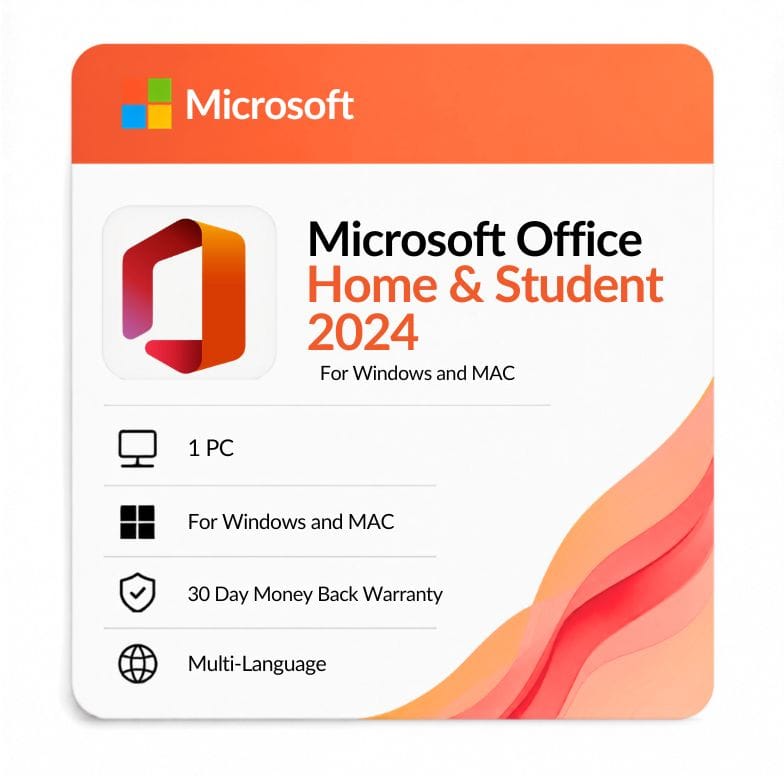



Office 2024 Home and Student — Lifetime Key for PC & Mac
Original price was: $149.99.$99.09Current price is: $99.09.
$99 (was $149, save 34%) · One-time payment, no subscription · Word, Excel, PowerPoint & OneNote · 1 PC or Mac · Emailed within 1 hour · 30-day money-back guarantee
| Activation Region | Global |
|---|---|
| Brand | Microsoft |
| Delivery | Digital — Email within 1–12 Hours |
| Language | All Languages |
| Installation Type | Digital Download (Product Key) |
| License Type | Retail |
| Platform | Windows and MAC |
| Devices | 1 PC or MAC |
| Version/Edition | 2024 Home & Student |
Description
Office 2024 Home and Student is the newest one-time-purchase Office edition built for the essentials — Word, Excel, PowerPoint and OneNote — on a single computer, with no email client and no subscription. It’s the most affordable way to own Office 2024 outright, and this license activates on either a Windows PC or a Mac. You pay $99 once (list $149, save 34%).
What Office 2024 Home and Student is
It’s the core-apps edition: Word, Excel, PowerPoint and OneNote, and nothing you’d pay extra for. The defining trait of office 2024 home and student is what it leaves out — no Outlook, no Access, no Publisher. That’s deliberate: it’s aimed at people who write, calculate and present, but don’t need business email or databases.
That focus is exactly why it’s the cheapest Office 2024 edition. If your work lives in documents, spreadsheets and slides — at home, at school, or on a Mac — this is the edition that matches, without paying for apps you’ll never open.
Which apps are included
- Word — documents, essays, letters, templates, track changes.
- Excel — spreadsheets, formulas, dynamic arrays, XLOOKUP and charts.
- PowerPoint — presentations, transitions and slideshows.
- OneNote — notebooks for research, class notes and to-do lists.
Not included: Outlook, Access and Publisher. If you need Outlook for email, that’s Home & Business; for Access and Publisher, that’s Professional Plus.
Works on both Windows and Mac
This is a cross-platform license — it activates on one Windows PC or one Mac. The same office home and student 2024 edition exists for both systems, so PC and Mac buyers land on the same product here.
| Platform | What you get | Notes |
|---|---|---|
| Windows PC | Word, Excel, PowerPoint, OneNote for Windows | Installs on Windows 11 and supported Windows 10 builds |
| Mac | Word, Excel, PowerPoint, OneNote for Mac | Universal apps — native on Apple Silicon (M1–M4) and Intel |
On a Mac, this office 2024 home and student for mac install runs natively on Apple Silicon — no Rosetta, full native speed. Pick your platform at download; the key activates the matching build.
Who Office 2024 Home and Student is for
This edition fits students, families and home users who need the classic Office apps without the business extras. Buying microsoft office 2024 home and student is the simplest, cheapest way onto the newest Office.
- Students writing essays in Word and building data projects in Excel.
- Families wanting one reliable Office install for homework, budgets and letters.
- Home users who present with PowerPoint but don’t run a business inbox.
- Mac owners who want genuine Office apps as a one-time buy rather than a subscription.
Choose something else if: you need Outlook for email — step up to Office 2024 Home & Business. If you need Access or Publisher, see Office 2024 Professional Plus.
What’s new in Office 2024
| New feature | What it does | Why it matters to you |
|---|---|---|
| Refreshed 2024 interface | Updated ribbon, cleaner icons and a modern theme | A tidier workspace across all apps |
| Excel functions & performance | Newer functions with faster large-sheet handling | More capable spreadsheets without a subscription |
| Native Apple Silicon (Mac) | Universal app runs natively on M-series Macs | Full speed and battery life on modern Macs |
| PowerPoint recording & ink | Better slide recording and pen tools | Easier narrated decks and class projects offline |
| Improved search | Faster in-app search across documents | Find content with less waiting |
Office 2024 vs Office 2021 Home & Student
Against its predecessor, the 2024 edition is the newer build with the longest support runway.
| Home & Student 2024 | Home & Student 2021 | |
|---|---|---|
| Release year | 2024 | 2021 |
| License type | One-time (perpetual) | One-time (perpetual) |
| Apps included | Word, Excel, PowerPoint, OneNote | Word, Excel, PowerPoint, OneNote |
| Platforms | Windows & Mac | Windows & Mac |
| Interface | Refreshed 2024 design | 2021 design |
| Excel features | Newest 2024 functions | Dynamic arrays, XLOOKUP |
| Support runway | Longest of the two | Older window |
Verdict: Choose 2024 for the newest features and the longest support runway. Office 2021 Home & Student is worth it only if you want to save and don’t need the 2024 updates.
Home & Student vs Home & Business vs Professional Plus
The quick way to place this edition: no Outlook, no Access, no Publisher — and the lowest price of the three.
| Edition | Apps | Outlook? | Access/Publisher? | Price |
|---|---|---|---|---|
| Home & Student 2024 | Word, Excel, PPT, OneNote | No | No | $99 |
| Home & Business 2024 | + Outlook | Yes | No | $82.76 |
| Professional Plus 2024 | All 7 apps | Yes | Yes | $156.39 |
Verdict: Home & Student is the simplest core-apps edition. Interestingly, our Home & Business is priced close by and adds Outlook — so if email matters, compare the two before choosing. Step up to Professional Plus only if you need Access or Publisher.
How this compares to Microsoft 365
This is a one-time purchase; Microsoft 365 is a yearly subscription. The perpetual key never expires, whereas 365 stays continuously current and adds cloud storage and multi-device rights across your computers, phones and tablets.
For a cheap, owned copy of the newest fixed version on one computer, this edition is ideal. If you want continuous updates across several devices, a 365 subscription fits better.
More: download, activation, and buying details
How to download and activate
After payment, your key and an official office 2024 home and student download link arrive by email — usually within the hour, and no later than 12 hours. The office 2024 home and student download is the full retail installer straight from Microsoft, so there’s no disc and no third-party software.
- Order and pay by VISA, Mastercard, PayPal, Wise or Payoneer.
- Open the email with your office 2024 home and student product key and download link.
- Choose your platform — the Windows installer or the Mac installer.
- Install, enter your key, and sign in with your Microsoft account to activate.
An invoice is included with every order, and your office 2024 home and student product key stays valid for the lifetime of the computer it’s activated on.
One-time license, plainly
You buy once and the license is yours — no renewal, no recurring charge. It covers one computer, either a Windows PC or a Mac. For a second machine, you’d need a separate key. It works on Windows 11, supported Windows 10 builds, and current macOS versions.
What you’re getting from Zoftis
Every key is a genuine retail license backed by a 30-day money-back guarantee and 24/7 support at Support@zoftis.com, usually answered within the hour. If a key ever fails to activate, we replace it or refund you.
Other versions & editions
- Office 2024 Home & Business — adds Outlook to the same core apps.
- Office 2024 Professional Plus — all seven apps including Access and Publisher.
- Office 2021 Home & Student — the previous version, for less.
- Office 2024 for Mac (Home & Business) — the Mac edition with Outlook included.
- Microsoft 365 — multi-device, always-updated apps on subscription.
Features
Office 2024 Home and Student features
The apps you get
- Word — documents, essays, templates, track changes
- Excel — dynamic arrays, XLOOKUP, pivot tables, charts
- PowerPoint — presentations, recording, transitions
- OneNote — notebooks for notes, research and lists
Cross-platform
- Activates on one Windows PC or one Mac
- Mac: universal app, native on Apple Silicon (M1–M4) and Intel
- Windows: runs on Windows 11 and supported Windows 10 builds
- Works fully offline once installed and activated
Licensing
- One-time perpetual license — no subscription, no renewal
- Genuine retail key, digital delivery with invoice
- Newest 2024 release with the longest support runway
- Tied to one computer for its lifetime
Specifications
| Attribute | Detail |
|---|---|
| Edition | Office 2024 Home & Student |
| Platform | Windows & Mac |
| Devices | 1 PC or 1 Mac |
| License type | Retail — one-time / perpetual (lifetime) |
| Included apps | Word, Excel, PowerPoint, OneNote |
| Not included | Outlook, Access, Publisher |
| Mac chip support | Apple Silicon (M1–M4) & Intel — universal app |
| Region | Global |
| Language | Multi-language (select at install) |
| Delivery | Email — key + download link, within 1 hour (max 12 hours) |
| Price | $99 (was $149, save 34%) |
System Requirements
Windows
| Requirement | Minimum |
|---|---|
| Operating system | Windows 11 or Windows 10 (supported builds) |
| Processor | 1.6 GHz or faster, 2-core |
| Memory (RAM) | 4 GB (64-bit) / 2 GB (32-bit) |
| Disk space | 4 GB available |
| Display | 1280 × 768 resolution |
Mac
| Requirement | Minimum |
|---|---|
| Operating system | One of the three most recent macOS versions |
| Processor | Apple Silicon (M1 or later) or Intel Mac |
| Memory (RAM) | 4 GB |
| Disk space | 10 GB available, APFS formatted |
| Display | 1280 × 800 resolution |
Note: Both need internet for download and one-time activation, plus a Microsoft account. As the newest release, Office 2024 has the longest support runway of the perpetual editions.
FAQs
What is included in Office 2024 Home and Student?
office 2024 home and student includes Word, Excel, PowerPoint and OneNote. It does not include Outlook, Access or Publisher — those belong to Home & Business or Professional Plus. It's the core-apps edition.
Does it work on both PC and Mac?
Yes. This license activates on one Windows PC or one Mac — you choose the platform at download. On a Mac it runs as a universal app, native on Apple Silicon. An office 2024 home and student for mac install uses one activation, just like Windows.
Is it a one-time purchase or a subscription?
It's a one-time perpetual license — pay $99 once and it's yours for the life of the computer, with no renewal. As the newest perpetual release, it also has the longest support runway.
Where do I download it?
After purchase we email your key and an official office 2024 home and student download link — the full retail installer from Microsoft, for Windows or Mac. Pick your platform, install, and activate with your key.
Does it include Outlook?
No. Home & Student stops at Word, Excel, PowerPoint and OneNote. If you need Outlook email, the Home & Business edition adds it.
How many devices can I install it on?
One. Your office 2024 home and student product key activates a single PC or a single Mac. For another computer, you'd need a separate key. A perpetual license isn't shared across devices.
How is it different from Office 2021 Home & Student?
Office 2024 is the newer release, with a refreshed interface, updated Excel functions and a longer support runway. Both share the same four apps and cross-platform support. Choose 2024 for the latest, or Office 2021 Home & Student to save.
Is it genuine, and how fast is delivery?
Yes — every key is a genuine retail license with an invoice included. Delivery is by email within the hour (up to 12 hours max), payment is via VISA, Mastercard, PayPal, Wise or Payoneer, and you're covered by a 30-day money-back guarantee.
Related products
Excel 2016 License Key — Lifetime Product Key
Original price was: $83.99.$39.09Current price is: $39.09.
Office 2016 for Mac — Home & Business Lifetime Key
Original price was: $109.99.$76.99Current price is: $76.99.
Office 2021 for Mac Download — Home & Business Lifetime Key
Original price was: $249.99.$104.71Current price is: $104.71.
PowerPoint 2019 Product Key — Standalone License for 1 Windows PC
Original price was: $91.99.$36.72Current price is: $36.72.
Reviews
Clear filtersThere are no reviews yet.