
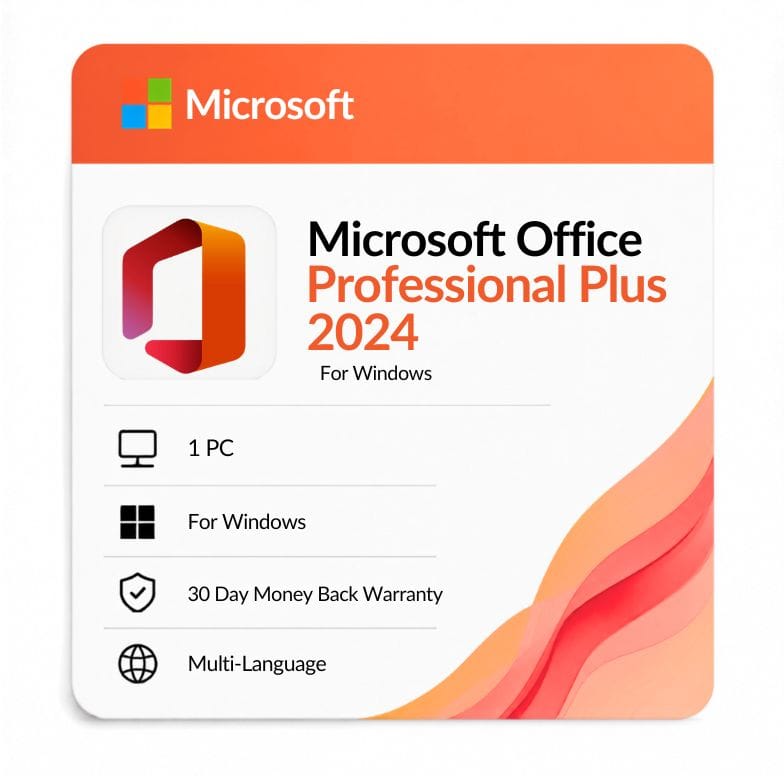




Office 2024 Professional Plus Lifetime License Key
Original price was: $483.99.$156.39Current price is: $156.39.
$156.39 (was $483.99 · save 68%) · One Windows PC · Retail lifetime license · Delivered by email within 1 hour
| Activation Region | Global |
|---|---|
| Delivery | Digital — Quick Delivey ( in some cases 12 hours maximum) |
| Language | All Languages |
| Installation Type | Digital Download (Product Key) |
| License Type | Retail |
| Platform | Windows |
| Devices | 1 PC |
| Version/Edition | 2024 Professional Plus |
Description
An office 2024 professional plus lifetime license key is a one-time purchase that unlocks the most complete perpetual edition of Office 2024 on a single Windows PC — Word, Excel, PowerPoint, Outlook, Access, and Publisher in one install. You pay $156.39 once and the version is yours to keep, with no monthly fee and no renewal date hanging over you.
What is Office 2024 Professional Plus?
Office 2024 Professional Plus is a one-time-purchase suite that includes Word, Excel, PowerPoint, Outlook, Access, and Publisher, licensed for one Windows PC. It’s the only perpetual 2024 edition that carries all six desktop apps, which is why buyers who want the full toolkit — not just the everyday four — land here.
Unlike Microsoft 365, it isn’t a subscription. It installs as a fixed 2024 release you own outright, receiving security patches rather than new-feature drops.
What’s new in Office 2024 Professional Plus
The 2024 release refreshes the interface, tightens performance, and updates the core apps over the 2021 generation. These are the real, shipped changes — no borrowed 365 features, no cloud-only extras.
| New feature | What it does | Why it matters to you |
|---|---|---|
| Refreshed interface | Updated visuals, cleaner ribbon, and a stronger dark mode across all apps | Easier on the eyes during long sessions and quicker to navigate |
| Performance tuning | Optimized for modern multi-core CPUs and large files | Faster open, save, and recalculation on big documents and workbooks |
| Updated Excel functions | Newer dynamic-array functions and improved data tools | Cleaner formulas and faster analysis without manual workarounds |
| Improved co-authoring | Smoother simultaneous editing and assignable comments on shared files | Fewer version conflicts when several people touch one document |
| Better accessibility | Expanded accessibility checks and navigation aids | More usable for every team member, and cleaner documents to share |
| Modern format support | Broader support for current file types and OpenDocument formats | Fewer compatibility snags when exchanging files with others |
| Longer support runway | A newer base release than 2021, further from end-of-support | More years of security patches before you need to upgrade again |
Which apps come with Office 2024 Professional Plus?
You get the full desktop line-up in one install — all locally installed and fully working offline once activated.
- Word 2024 — documents, templates, styles, and mail merge in .docx
- Excel 2024 — formulas, pivot tables, dynamic arrays, and charts in .xlsx
- PowerPoint 2024 — slides, transitions, and presenter tools
- Outlook 2024 — email, calendar, contacts, and .pst management
- Access 2024 — relational databases in .accdb
- Publisher 2024 — print-ready flyers, brochures, and layouts
A quick accuracy note: the 2024 perpetual suite does not bundle Microsoft Teams, and OneNote is a separate free app — some listings claim otherwise, but neither ships as part of this license. Publisher is included here, though Microsoft is retiring Publisher in October 2026, after which it stops receiving updates.
Who Office 2024 Professional Plus is for
This edition fits buyers who want the complete Office toolkit on one Windows PC without a recurring bill.
- Small businesses and professional firms that need Access databases and Publisher layouts alongside the everyday apps.
- Freelancers and consultants who want to own their software outright rather than rent it yearly.
- Offices upgrading from Office 2016 or 2019 that want a longer support runway and the newer interface.
- Database and reporting users who specifically need Access, which the cheaper editions leave out.
Who should choose something else: if you don’t need Access, Office 2024 Standard gives you almost the same suite for less. If you only need the core four apps, Home & Business is enough. If you want cloud storage and multiple devices, look at Microsoft 365 instead.
Office 2024 Professional Plus vs Standard vs Home & Business
The office 2024 professional plus vs standard choice comes down to one app — Access. The office 2024 professional plus vs home and business gap is wider: Home & Business drops both Access and Publisher.
| Edition | Price | Apps included | Best for |
|---|---|---|---|
| Professional Plus | $156.39 | Word, Excel, PowerPoint, Outlook, Access, Publisher | Full suite with databases & publishing |
| Standard | $80.74 | Word, Excel, PowerPoint, Outlook, Publisher | Most apps, lowest suite price |
| Home & Business | $82.76 | Word, Excel, PowerPoint, Outlook | Core four apps for work |
Verdict: choose Professional Plus if you need Access; choose Standard to save $75.65 if you don’t; choose Home & Business if you’ll never touch Access or Publisher.
Office 2024 vs Office 2021 Professional Plus: should you upgrade?
Both are perpetual, one-time-purchase suites with the same six apps — the difference is the release generation, the interface, and how many years of security patches remain.
| Feature | Office 2024 Pro Plus | Office 2021 Pro Plus |
|---|---|---|
| Release year | 2024 | 2021 |
| License type | Perpetual (one-time purchase) | Perpetual (one-time purchase) |
| Apps included | Word, Excel, PowerPoint, Outlook, Access, Publisher | Word, Excel, PowerPoint, Outlook, Access, Publisher |
| Interface | Refreshed visuals, stronger dark mode | Updated classic interface |
| Performance | Tuned for modern multi-core CPUs | Solid, less optimized for newer hardware |
| Cloud & collaboration | Improved co-authoring and file sharing | Basic co-authoring |
| Security-update runway | Longer — newer base release | Shorter — closer to end of support |
| Price | $156.39 | $104.49 |
Verdict: choose 2024 for the newer interface and a longer patch runway; stay on 2021 Pro Plus to save $51.90 if your current apps already do everything you need.
Office 2024 Professional Plus vs Microsoft 365
This is the own-it-or-rent-it decision. In the office 365 vs office 2024 professional plus comparison, 2024 is a single payment for one PC with fixed features, while 365 is a yearly plan with cloud storage and continuous updates.
| Feature | Office 2024 Pro Plus | Microsoft 365 |
|---|---|---|
| License type | One-time purchase | Yearly subscription |
| Updates | Security patches | Full feature updates |
| Cloud storage | Optional (sign in to OneDrive) | 1 TB included |
| Devices | 1 Windows PC | Multiple devices |
| Long-term cost | Pay once | Recurring |
Verdict: choose 2024 Pro Plus to own it outright on one machine; choose Microsoft 365 if cloud storage and multi-device use matter more than one-time ownership.
Is a one-time license right for you?
This is a perpetual license, not a subscription. An office 2024 professional plus lifetime license key gives you office 2024 professional plus lifetime use for windows pc — full ownership on one machine, kept for the life of that PC, with no renewal date.
Because it’s a retail license, it isn’t locked to the first computer forever — if that PC is retired, the license can be reinstalled on a replacement machine. There’s no formal “deactivate first” step to worry about; you simply install and activate on the new PC.
How your license reaches you
After checkout your ms office 2024 professional plus product key is emailed to you, usually within the hour and no later than 12 hours. You’ll receive the key, the official download link, and step-by-step activation notes.
Activation is straightforward: install Office 2024, choose to enter a key, paste it in, and you’re done. An invoice is included with every order.
Genuine license, backed up
This is a genuine retail key tied to your own Microsoft account and activated directly against Microsoft’s servers. Every purchase is covered by a 30-day money-back guarantee, and support is available 24/7 at Support@zoftis.com — usually replying within an hour. Pay securely with VISA, Mastercard, PayPal, Wise, or Payoneer.
Seeing “Preview has expired”? Here’s the fix
The “Microsoft Office LTSC Professional Plus 2024 preview has expired” message comes from an unlicensed preview build, not from a genuine retail key. A licensed copy activated with a valid key never hits that expiry wall.
The fix is simple: uninstall the preview, install the licensed retail release from the download link we send, and activate it with your purchased microsoft office professional plus 2024 product key.
Own Office 2024, no subscription attached
For buyers who want the complete Office 2024 app set on one Windows PC without a recurring bill, Professional Plus is the edition to pick — the only 2024 release that pairs Access and Publisher with the everyday apps, yours for a single payment and kept for the life of the machine.
Compare with these
- Office 2024 Standard — choose this if you want most apps at the lowest suite price and don’t need Access.
- Office 2024 Professional — choose this for a Professional-tier suite at a lower price point.
- Office 2024 Home & Business — choose this if the core four apps (no Access, no Publisher) are enough.
- Office 2021 Professional Plus — choose this to save $51.90 if you don’t need the 2024 refresh.
- Office 2024 for Mac — choose this if you’re activating on a Mac instead of Windows.
- Microsoft 365 Personal — choose this if you’d rather have cloud storage and yearly updates.
Features
Complete desktop app set
- Word 2024 — documents, templates, styles, mail merge, and .docx editing
- Excel 2024 — formulas, pivot tables, charts, and data analysis in .xlsx
- PowerPoint 2024 — slides, transitions, and presenter tools
- Outlook 2024 — email, calendar, contacts, and .pst management
- Access 2024 — relational databases and .accdb management
- Publisher 2024 — print-ready layouts, flyers, and brochures
Licensing & ownership
- One-time purchase — no subscription, no monthly fee
- Perpetual retail license bound to your Microsoft account
- Activates for one Windows PC
- Locally installed apps that run offline after activation
Everyday productivity
- Modern ribbon interface consistent across all six apps
- Dark mode and improved accessibility tools
- Local file storage, with optional OneDrive sign-in
- Product key activation direct against Microsoft servers
Specifications
| Specification | Detail |
|---|---|
| Edition | Office 2024 Professional Plus |
| Platform | Windows |
| Devices | 1 PC |
| License type | Retail — perpetual (one-time purchase) |
| Region | Worldwide |
| Language | All languages supported |
| Delivery | Product key by email, within 1 hour (up to 12 hours max) |
System Requirements
| Requirement | Minimum |
|---|---|
| Operating system | Windows 11 or Windows 10 (latest supported build) |
| Processor | 1.6 GHz or faster, 2-core |
| Memory (RAM) | 4 GB (64-bit), 2 GB (32-bit) |
| Disk space | 4 GB available |
| Display | 1280 × 768 resolution |
| Graphics | DirectX 9 or later, WDDM 2.0+ driver |
| Account | Microsoft account required for activation |
Note: Windows 10 reached end of support in October 2025 and no longer receives free security updates. For long-term safety, install Office 2024 on Windows 11.
FAQs
Is Office 2024 Professional Plus a one-time purchase or a subscription?
It's a one-time purchase. Your office 2024 professional plus lifetime license key activates a perpetual retail copy on one Windows PC with no monthly fee and no renewal — you own that version for the life of the machine.
What's the difference between Professional Plus and Standard?
Professional Plus includes Access; Standard doesn't. Both include Word, Excel, PowerPoint, Outlook, and Publisher, but only Professional Plus adds database tools. In the office 2024 standard vs professional plus decision, pick Professional Plus if you need Access.
How is Professional Plus different from Home & Business?
In the microsoft office 2024 professional plus vs home and business comparison, Professional Plus adds Access and Publisher. Home & Business stops at the core four — Word, Excel, PowerPoint, and Outlook — so choose Professional Plus for the full six-app set.
Which apps are included?
Six desktop apps: Word, Excel, PowerPoint, Outlook, Access, and Publisher. All are the locally installed 2024 releases and run offline once your microsoft office professional plus 2024 product key is activated.
How many devices can I install it on?
One Windows PC. This license covers a single machine. If you need coverage for more computers, you'd buy an additional license per device rather than one key for three devices.
How should I compare it to Microsoft 365?
In the office 365 vs office 2024 professional plus choice, 2024 is a one-time buy for one PC with fixed features, while 365 is a yearly subscription with cloud storage, multiple devices, and ongoing updates. Choose 2024 to own it outright; choose 365 for cloud and continuous updates.
Why do I see "Microsoft Office LTSC Professional Plus 2024 preview has expired"?
That message comes from an unlicensed preview build, not a genuine key. The fix is to install the licensed retail release and activate it with your purchased microsoft office ltsc professional plus 2024 activation key — a properly licensed copy won't show the expiry.
How quickly will I get my key?
Your key is emailed within one hour of purchase, and no later than 12 hours. You'll receive the product key, the official download link, activation steps, and an invoice.
Is the license genuine and safe to use?
Yes. It's a genuine retail key activated against Microsoft's own servers and tied to your Microsoft account. Every order is covered by a 30-day money-back guarantee.
What payment methods can I use?
You can pay with VISA, Mastercard, PayPal, Wise, or Payoneer. Support is available 24/7 at Support@zoftis.com and usually replies within an hour.
Related products
2024 Office Home and Business Product Key
Original price was: $249.99.$82.76Current price is: $82.76.
Microsoft Office 2016 Professional Plus
Original price was: $108.99.$43.99Current price is: $43.99.
Microsoft Office 2021 Home and Business
Original price was: $249.99.$103.54Current price is: $103.54.
Microsoft Office Home and Student 2021 — Lifetime Key for PC & Mac
Original price was: $124.99.$75.64Current price is: $75.64.
Microsoft Office Professional Plus 2019 product key lifetime
Original price was: $149.99.$69.51Current price is: $69.51.
Office 2021 for Mac Download — Home & Business Lifetime Key
Original price was: $249.99.$104.71Current price is: $104.71.
Outlook 2016: Office 365 Manual Setup, Fixes & Genuine Key
Original price was: $58.99.$43.99Current price is: $43.99.
Reviews
Clear filtersThere are no reviews yet.