
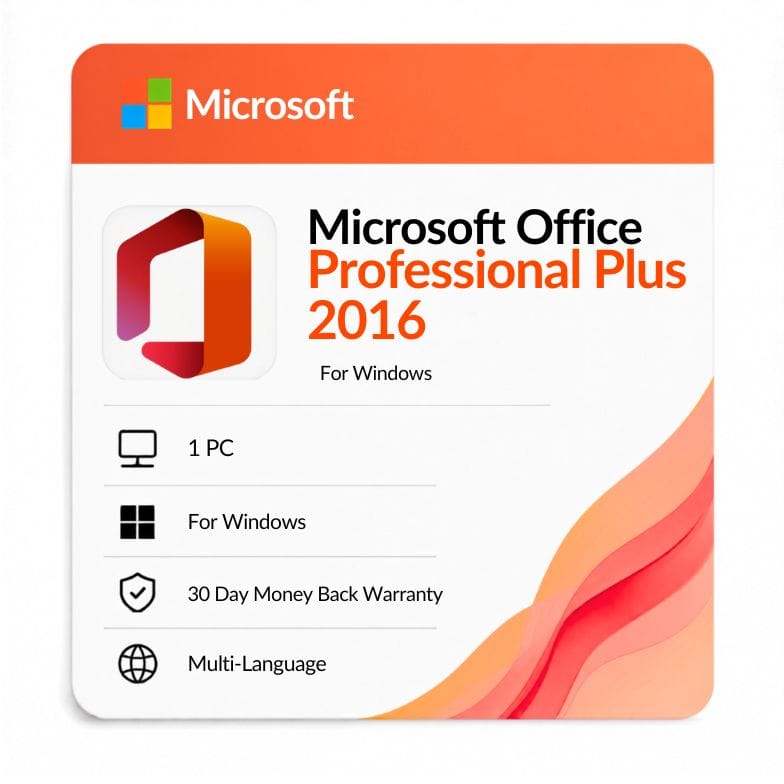



Microsoft Office 2016 Professional Plus
Original price was: $108.99.$43.99Current price is: $43.99.
One-time license for 1 Windows PC — Word, Excel, PowerPoint, Outlook, Access, Publisher & OneNote. $43.99 (was $108.99, save 60%). Genuine key by email, 30-day money-back guarantee.
| Activation Region | Global |
|---|---|
| Brand | Microsoft |
| Delivery | Digital — Email within 1–12 Hours |
| Language | All Languages |
| Installation Type | Digital Download (Product Key) |
| License Type | Retail |
| Platform | Windows |
| Devices | 1 PC |
| Version/Edition | 2016 Professional Plus |
Description
Office 2016 Professional Plus is the cheapest way to own the complete perpetual Office toolkit — all seven desktop apps, including Access and Publisher, for a one-time $43.99 (list $108.99, save 60%). It’s the budget pick among the Professional Plus editions, tied to one Windows PC with no subscription and no renewal.
Why Office 2016 Professional Plus is the value pick
For under fifty dollars you get every core Office app on a license you own outright. That’s what makes office 2016 professional plus stand out — it’s the lowest-priced way to get Access and Publisher alongside Word, Excel, PowerPoint and Outlook, without ever paying a subscription fee.
The catch is age, not capability: this is a 2016 release, so it’s best suited to buyers who specifically need the 2016 version or want the absolute lowest entry price. If that’s you, few things beat it on cost per app.
Every app in the Professional Plus 2016 suite
Professional Plus is the full-toolkit edition: Word, Excel, PowerPoint, Outlook, Access, Publisher and OneNote. Access (databases) and Publisher (desktop publishing) are the two apps that separate office 2016 professional plus from every Home edition.
- Word — documents, templates, mail merge, track changes.
- Excel — formulas, pivot tables, and the new 2016 chart types.
- PowerPoint — presentations, transitions, presenter view.
- Outlook — email, calendar and contacts.
- Access — desktop databases, forms, queries and reports.
- Publisher — flyers, brochures and print-ready layouts.
- OneNote — notebooks for notes and research.
Who Office 2016 Professional Plus is for
This edition suits budget-conscious buyers who need the full toolkit, or the 2016 version specifically. If cost is your first concern and you want Access and Publisher included, it’s the cheapest Professional Plus on offer.
- Small businesses and offices that need Access or Publisher at the lowest price.
- Database users who rely on Access for records, inventory or reporting.
- Users tied to Office 2016 for file or add-in compatibility with a workplace.
- Offices running older PCs that suit a lighter, well-established release.
Choose something else if: you don’t need Access or Publisher — Office 2016 Home & Business covers the core apps with Outlook for less complexity. For a newer, still-supported suite, see Office 2021 Professional Plus.
What Office 2016 added over Office 2013
| Feature | What it does | Why it matters to you |
|---|---|---|
| Tell Me search box | Type what you want and jump straight to the command | Find features fast without hunting through menus |
| Real-time co-authoring in Word | Multiple people edit the same document together | Simpler collaboration on shared files |
| New Excel chart types | Adds treemap, sunburst, waterfall and histogram charts | Clearer data visualization than Office 2013 |
| Smart Lookup | Right-click research pane powered by Bing | Look things up without leaving the document |
| Ink equations | Handwrite math and convert it to text | Faster equation entry on touch devices |
Office 2016 vs Office 2013 Professional Plus
Against its predecessor, the 2016 suite is the same license type with a more modern feature set.
| Professional Plus 2016 | Professional Plus 2013 | |
|---|---|---|
| Release year | 2015 | 2013 |
| License type | One-time (perpetual) | One-time (perpetual) |
| Apps included | All 7 apps | All 7 apps |
| Collaboration | Real-time co-authoring in Word | Without real-time co-authoring |
| Excel charts | Treemap, sunburst, waterfall, histogram | Without these chart types |
| Tell Me & Smart Lookup | Included | Not included |
| Price | $43.99 | $35.19 |
Verdict: Choose 2016 for co-authoring, the new Excel charts and Tell Me. Drop to Office 2013 Professional Plus only to save around $9 — both are legacy releases now past mainstream support.
Professional Plus vs the Home editions
The quick way to place this edition: it’s the only 2016 suite with Access and Publisher.
| Edition | Apps | Outlook? | Access/Publisher? | Price |
|---|---|---|---|---|
| Professional Plus 2016 | All 7 apps | Yes | Yes | $43.99 |
| Home & Business 2016 | Word, Excel, PPT, Outlook | Yes | No | $79.76 |
| Home & Student 2016 | Word, Excel, PPT, OneNote | No | No | $37.99 |
Verdict: Professional Plus is actually cheaper here than Home & Business while including far more, so unless you truly only want the core apps, it’s the better value. Home & Student is the pick only if you want the lowest price and don’t need Outlook, Access or Publisher.
An honest note on support status
Office 2016 reached the end of its extended support in October 2025, so it no longer receives security updates from Microsoft. The apps keep working indefinitely, but they won’t get new patches. If ongoing security matters, a newer release like Office 2021 Professional Plus or Office 2024 Professional Plus is the safer long-term choice. We’d rather flag that clearly than let it catch you out later.
How this compares to Microsoft 365
Office 2016 Professional Plus is a one-time purchase; Microsoft 365 is a yearly subscription. This license never expires, but as a 2016 release it no longer receives updates, whereas 365 stays continuously current with new features and cloud storage.
For a cheap, owned copy of a fixed version on one PC, a perpetual key makes sense. If you want ongoing updates and the latest apps across several devices, a 365 subscription or a newer perpetual edition is the better fit.
More: download, activation, keys and buying details
How to download Office 2016 Professional Plus
After payment, your key and an official link to download office 2016 professional plus arrive by email — usually within the hour, and no later than 12 hours. The ms office 2016 professional plus download is the full retail installer straight from Microsoft, so there’s no disc and no third-party software involved.
Whether you searched for an office professional plus download 2016 or an office professional plus 2016 download, the process is the same: you get the genuine installer plus a working key, and you’re set up in minutes.
Activating your key
Your product key is the code that unlocks the suite permanently. Whether it’s described as an office professional plus 2016 product key, a microsoft office 2016 professional plus serial key, or an office professional plus 2016 license key, it’s the same thing — a genuine retail activation code.
- Order and pay by VISA, Mastercard, PayPal, Wise or Payoneer.
- Open the email with your key and download link.
- Install Office 2016, choose 32-bit or 64-bit, and enter your key.
- Sign in with your Microsoft account to finish activation.
An invoice is included with every order, and the key stays valid for the lifetime of the PC it’s activated on.
32-bit or 64-bit?
During install you can pick either build. The 64-bit version suits modern PCs and large Excel files with heavy calculations; the 32-bit version maximizes compatibility with older add-ins and legacy macros. If you’re unsure and running a recent Windows PC, 64-bit is the usual choice.
What “one-time license” means here
You buy once and the license stays yours for the lifetime of the PC it’s activated on — no renewal, no recurring charge. It covers one Windows PC and is a genuine retail key, delivered digitally. For a second computer, you’d need a separate key.
Thinking of upgrading later?
Because this is a perpetual license, there’s no automatic upgrade path — moving to a newer suite means buying that edition. If you expect to want the latest features or ongoing security within a year or two, it can be worth starting with Office 2021 Professional Plus or Office 2024 Professional Plus instead, both of which are still supported.
Genuine license, backed up
Every key is a genuine retail license backed by a 30-day money-back guarantee and 24/7 support at Support@zoftis.com, usually answered within the hour. If a key ever fails to activate, we replace it or refund you — no arguments.
Other versions & editions
- Office 2016 Home & Business — choose this if you only need the core apps with Outlook.
- Office 2016 Home & Student — the cheapest 2016 edition, no Outlook.
- Office 2013 Professional Plus — the previous version, lowest price.
- Office 2021 Professional Plus — newer, supported through October 2026.
- Office 2024 Professional Plus — the current perpetual release.
Features
Core apps
- Word 2016 — documents with real-time co-authoring and Tell Me.
- Excel 2016 — treemap, sunburst, waterfall and histogram charts.
- PowerPoint 2016 — presentations with Smart Lookup and designer tools.
- Outlook 2016 — email, calendar and contacts.
Professional-only apps
- Access 2016 — build and manage desktop databases.
- Publisher 2016 — flyers, newsletters and page layouts.
- OneNote — digital notebooks and clipping.
License & delivery
- One-time purchase for 1 Windows PC — no subscription.
- Genuine retail key by email within 1 hour (up to 12 hours max).
- Invoice included; 30-day money-back guarantee; 24/7 support.
Specifications
| Edition | Office Professional Plus 2016 |
|---|---|
| Platform | Windows |
| Devices | 1 PC |
| License type | Retail, one-time (perpetual) |
| Apps | Word, Excel, PowerPoint, Outlook, Access, Publisher, OneNote |
| Region | Worldwide |
| Language | All languages |
| Delivery | Digital key by email, within 1 hour |
System Requirements
| Operating system | Windows 10 (also ran on 7/8.1 at release) |
|---|---|
| Processor | 1 GHz or faster, x86/x64 with SSE2 |
| Memory | 2 GB RAM (64-bit), 1 GB (32-bit) |
| Disk space | 3 GB available |
| Display | 1280 × 800 resolution |
| Account | Microsoft account required for activation |
Note: Office 2016 reached end of extended support in October 2025 and no longer receives security updates. Windows 10 also reached end of support in October 2025 — the apps still run, but on an unsupported stack.
FAQs
What apps come with Office 2016 Professional Plus?
Seven: Word, Excel, PowerPoint, Outlook, Access, Publisher and OneNote. Access and Publisher are what separate Professional Plus from the Home editions, making this the complete perpetual Office 2016 toolkit for one PC.
Is this a one-time purchase or a subscription?
It's a one-time purchase. You pay $43.99 once and own the license for the life of the PC it's activated on — no yearly renewal and no Microsoft 365 subscription. It's a perpetual license.
How do I activate my Office 2016 Professional Plus key?
Download Office from Microsoft, enter the key we email you, then sign in with a Microsoft account to activate. Whether it's called a product key, license key, serial key, cd key or activation key, it's the same 25-character retail key — and full steps come with your order.
Does it include Access and Publisher?
Yes — both are included, which is the main reason to choose Professional Plus over Home & Business or Home & Student. Access handles databases and Publisher handles page layout and desktop publishing.
How many PCs can I install it on?
One Windows PC. This is a single-device retail license tied to the machine you activate it on. As a retail key rather than OEM, it can generally be transferred to a replacement PC.
Is Office 2016 still supported?
Office 2016 reached the end of its extended support in October 2025, so it no longer receives new security updates, though the apps keep working. For ongoing patches, Office 2021 or Office 2024 Professional Plus are the newer perpetual releases.
Why choose Office 2016 over a newer version?
Mainly price and compatibility. At $43.99 it's the cheapest full Professional Plus toolkit, and some users need the 2016 version specifically for existing files, macros or add-ins. If neither applies, a newer supported release is generally the better buy.
How and when do I get my key?
Your genuine product key is emailed to you, usually within an hour of payment and within 12 hours at the latest. You'll get a Microsoft download link and activation steps, plus an invoice for your records.
Related products
Excel 2019 Product Key — Lifetime Standalone License for Windows
Original price was: $91.99.$47.49Current price is: $47.49.
Key for Word 2016 — Lifetime Product Key
Original price was: $83.99.$43.69Current price is: $43.69.
Microsoft Office 2016 Home and Business
Original price was: $109.99.$79.76Current price is: $79.76.
Microsoft Office 2021 Home and Business
Original price was: $249.99.$103.54Current price is: $103.54.
Microsoft Office Professional Plus 2019 product key lifetime
Original price was: $149.99.$69.51Current price is: $69.51.
Reviews
Clear filtersThere are no reviews yet.