
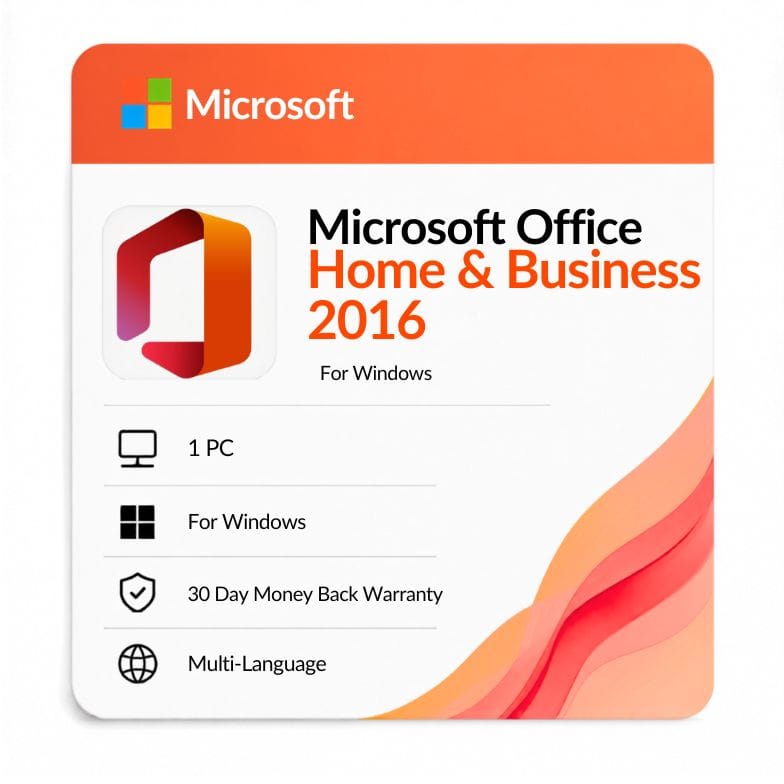



Microsoft Office 2016 Home and Business
Original price was: $109.99.$79.76Current price is: $79.76.
One-time license for 1 Windows PC — Word, Excel, PowerPoint & Outlook. $79.76 (was $170.99, save 27%). Genuine key by email, 30-day money-back guarantee.
| Activation Region | Global |
|---|---|
| Brand | Microsoft |
| Delivery | Digital — Email within 1–12 Hours |
| Language | All Languages |
| Installation Type | Digital Download (Product Key) |
| License Type | Retail |
| Platform | Windows |
| Devices | 1 PC |
| Version/Edition | 2016 Home & Business |
Description
A key office 2016 home and business license gets you the one-time Office 2016 edition that adds Outlook to the core apps — the single feature separating it from Home & Student. Own Word, Excel, PowerPoint and Outlook on one Windows PC for $79.76 (list $170.99, save 27%), with no subscription and no renewal.
Who Office 2016 Home & Business is for
This edition suits small businesses and professionals who need Outlook on a budget-friendly perpetual license. A key office 2016 home and business buyer usually runs the day on email, calendars and documents, without needing databases or desktop publishing.
- Small businesses and sole traders who need Outlook for email and scheduling.
- Freelancers writing proposals in Word and quotes in Excel.
- Users tied to Office 2016 for file or add-in compatibility.
Choose something else if: you don’t need Outlook — Office 2016 Home & Student is cheaper. If you need Access or Publisher, see Office 2016 Professional Plus.
What your key office 2016 home and business unlocks
Four apps: Word, Excel, PowerPoint and Outlook. Outlook is the addition that makes this the “business” edition; Home & Student stops at the first three. Your office 2016 home and business key activates all four permanently on one PC.
It does not include Access or Publisher — those come only with Professional Plus. If you need a database or a publishing tool, that’s the edition to compare against.
Features that set Office 2016 apart from 2013
| Feature | What it does | Why it matters to you |
|---|---|---|
| Tell Me search box | Type what you want and jump straight to the command | Find features fast without hunting through menus |
| Real-time co-authoring in Word | Multiple people edit the same document together | Simpler collaboration on shared business files |
| New Excel chart types | Adds treemap, sunburst, waterfall and histogram | Clearer reporting than Office 2013 |
| Smart Lookup | Right-click research pane powered by Bing | Look things up without leaving the document |
| Improved Outlook | Faster search and cleaner clutter management | Less time managing a busy inbox |
Office 2016 vs Office 2013 Home & Business
| Feature | Home & Business 2016 | Home & Business 2013 |
|---|---|---|
| Release year | 2015 | 2013 |
| License type | One-time (perpetual) | One-time (perpetual) |
| Apps included | Word, Excel, PowerPoint, Outlook | Word, Excel, PowerPoint, Outlook |
| Collaboration | Real-time co-authoring in Word | Without real-time co-authoring |
| Excel charts | Treemap, sunburst, waterfall, histogram | Without these chart types |
| Tell Me & Smart Lookup | Included | Not included |
Verdict: Choose 2016 for co-authoring, the new Excel charts and Tell Me. Office 2013 Home & Business is only worth considering if you already hold a key for it — both are legacy releases now past mainstream support.
Home & Business vs Home & Student vs Professional Plus
| Edition | Apps included | Outlook? | Access/Publisher? | Price |
|---|---|---|---|---|
| Home & Business 2016 | Word, Excel, PowerPoint, Outlook | Yes | No | $79.76 |
| Home & Student 2016 | Word, Excel, PowerPoint | No | No | $37.99 |
| Professional Plus 2016 | All 7 apps | Yes | Yes | $43.99 |
Verdict: Home & Business gives you Outlook without the extras — but note Professional Plus is actually cheaper here at $43.99 and includes far more. If price matters most, compare the two closely before you buy.
Getting your download and Mac note
After payment, your office home and business 2016 download link and key arrive by email — usually within an hour, up to 12 hours at most. The ms office 2016 home and business download is the full retail offline installer from Microsoft, so there’s no disc involved.
- Order and pay by VISA, Mastercard, PayPal, Wise or Payoneer.
- Open the email with your ms office home and business 2016 key and download link.
- Run the installer, enter your key, and sign in to activate.
This is a Windows license. If you searched for office home and business 2016 for mac, note that Microsoft sells a separate Office 2016 for Mac edition — look for the Mac-specific listing rather than this Windows key. An invoice is included with every order.
An honest note on support status
Microsoft Office Home and Business 2016 reached the end of its extended support in October 2025, so microsoft office home and business 2016 no longer receives security updates. The apps keep working, but if ongoing patches matter, a newer release like Office 2021 Home & Business or Office 2024 Home & Business is the safer choice.
How this compares to Microsoft 365
This is a one-time purchase; Microsoft 365 is a yearly subscription. The license never expires, but as a 2016 release it no longer receives updates, whereas 365 stays continuously current with cloud storage included.
For a cheap, owned copy of a fixed version on one PC, a perpetual key makes sense. If you want ongoing updates, a newer edition or a 365 subscription fits better.
What you’re getting
Every key is a genuine retail license backed by a 30-day money-back guarantee and 24/7 support at Support@zoftis.com, usually answered within the hour. If a key ever fails to activate, we replace it or refund you.
Other versions & editions
- Office 2016 Home & Student — choose this if you don’t need Outlook.
- Office 2016 Professional Plus — all seven apps, cheaper here.
- Office 2019 Home & Business — the newer version.
- Office 2021 Home & Business — supported through October 2026.
- Office 2024 Home & Business — the current perpetual release.
Features
Core apps
- Word 2016 — documents with real-time co-authoring and Tell Me.
- Excel 2016 — treemap, sunburst, waterfall and histogram charts.
- PowerPoint 2016 — presentations with Smart Lookup and designer tools.
- Outlook 2016 — email, calendar, contacts and improved search.
License & ownership
- One-time purchase — no subscription, no renewal.
- Retail product key for 1 Windows PC.
- Digital delivery with offline installer.
Delivery & support
- Genuine key by email within 1 hour (up to 12 hours max).
- Invoice included; 30-day money-back guarantee.
- 24/7 support, usually answered within an hour.
Specifications
| Edition | Office Home and Business 2016 |
|---|---|
| Platform | Windows |
| Devices | 1 PC |
| License type | Retail, one-time (perpetual) |
| Apps | Word, Excel, PowerPoint, Outlook |
| Region | Worldwide |
| Language | All languages |
| Delivery | Digital key by email, within 1 hour |
System Requirements
| Operating system | Windows 10 (also ran on 7/8.1 at release) |
|---|---|
| Processor | 1 GHz or faster, x86/x64 with SSE2 |
| Memory | 2 GB RAM (64-bit), 1 GB (32-bit) |
| Disk space | 3 GB available |
| Display | 1280 × 800 resolution |
| Account | Microsoft account required for activation |
Note: Office 2016 reached end of extended support in October 2025 and no longer receives security updates. Windows 10 also reached end of support in October 2025 — the apps still run, but on an unsupported stack.
FAQs
What does Office 2016 Home and Business include?
Four apps: Word, Excel, PowerPoint and Outlook. Outlook is what separates it from Home & Student. It does not include Access or Publisher — those come only with Professional Plus 2016.
Is this a one-time purchase or a subscription?
It's a one-time purchase. You pay $79.76 once and own the license for the life of the PC it's activated on — no yearly renewal and no Microsoft 365 subscription. It's a perpetual license.
How do I install and activate the office 2016 home and business key?
Download the offline installer from Microsoft, enter the product key we email you, then sign in with a Microsoft account to activate. Whether you call it a product key, license or activation key, it's the same 25-character retail key, and full steps come with your order.
How many PCs can I install it on?
One Windows PC. This is a single-device retail license tied to the machine you activate it on. As a retail key rather than OEM, it can generally be moved to a replacement PC.
Is Professional Plus really cheaper than Home & Business here?
Yes — at current pricing Office 2016 Professional Plus is $43.99 versus $79.76 for Home & Business, and it adds Access and Publisher. If you don't specifically need only the four core apps, it's worth comparing the two before you buy.
Will it work on a Mac?
No, this key is for Windows only. Microsoft sells a separate Office 2016 for Mac Home & Business edition. If you're on macOS, look for the Mac-specific listing rather than this Windows license.
Is Office 2016 still supported?
Office 2016 reached the end of its extended support in October 2025, so it no longer gets new security updates, though the apps keep working. For ongoing patches, Office 2021 or Office 2024 Home & Business are the newer perpetual releases.
How and when do I get my key?
Your genuine product key is emailed to you, usually within an hour of payment and within 12 hours at the latest. You'll get a Microsoft download link and activation steps, plus an invoice for your records.
Related products
Microsoft Office 2016 Professional Plus
Original price was: $108.99.$43.99Current price is: $43.99.
Microsoft Office 2019 for Mac (Home & Business)
Original price was: $119.99.$89.99Current price is: $89.99.
Microsoft Office 2021 Professional Plus 1 PC lifetime License
Original price was: $79.00.$49.99Current price is: $49.99.
Office 2021 for Mac Download — Home & Business Lifetime Key
Original price was: $249.99.$104.71Current price is: $104.71.
Office 2024 Lifetime Key for Mac Home & Business
Original price was: $299.99.$208.79Current price is: $208.79.
PowerPoint 2019 Product Key — Standalone License for 1 Windows PC
Original price was: $91.99.$36.72Current price is: $36.72.
Reviews
Clear filtersThere are no reviews yet.