
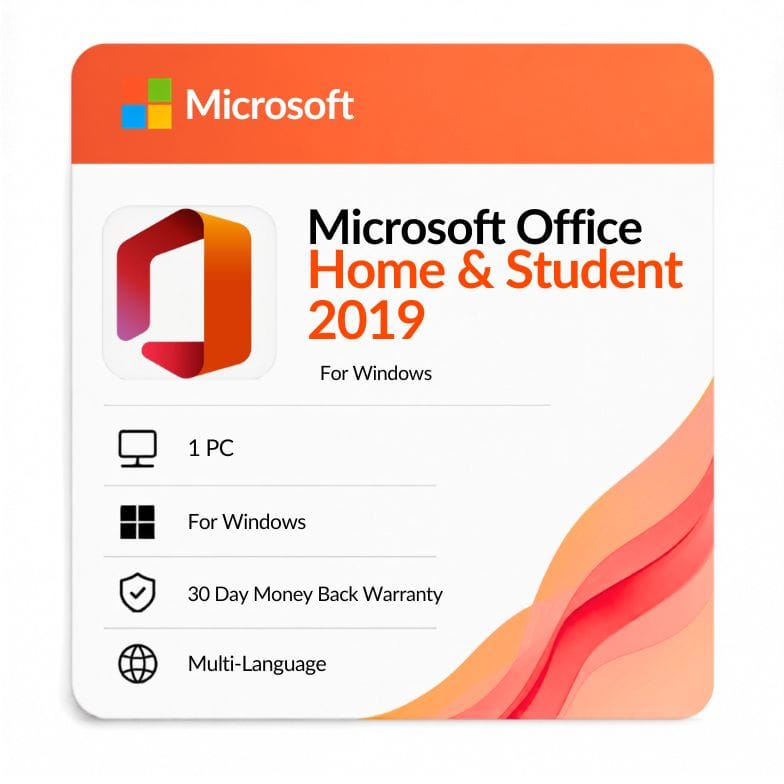



Microsoft Office Home & Student 2019
Original price was: $124.99.$72.67Current price is: $72.67.
One-time license for 1 Windows PC — Word, Excel & PowerPoint. $72.67 (was $124.99, save 42%). Genuine key by email, 30-day money-back guarantee.
| Activation Region | Global |
|---|---|
| Brand | Microsoft |
| Delivery | Digital — Email within 1–12 Hours |
| Language | All Languages |
| Installation Type | Digital Download (Product Key) |
| License Type | Retail |
| Platform | Windows |
| Devices | 1 PC |
| Version/Edition | 2019 Home & Student |
Description
Your office home & student 2019 download is the lowest-cost one-time Office 2019 edition, built around the three apps most homes and students rely on: Word, Excel and PowerPoint. It leaves out Outlook, which is the only real difference between it and Home & Business. You pay $72.67 once (list $124.99, save 42%) and own it on one Windows PC — no subscription, no renewal.
What Microsoft Office 2019 Home and Student includes
Three apps: Word, Excel and PowerPoint. That’s the full list — this edition is made for writing, spreadsheets and presentations, and nothing more.
It does not include Outlook, Access or Publisher. If desktop email in Outlook matters to you, that’s the single feature worth paying up for; the three apps here are otherwise identical to the higher editions.
What Office 2019 added over Office 2016
| New feature | What it does | Why it matters to you |
|---|---|---|
| Focus Mode in Word | Clears the screen to a single writing surface | Fewer distractions on essays and long documents |
| New Excel functions | Adds TEXTJOIN, CONCAT, IFS and funnel/map charts | Cleaner formulas for homework and home budgets |
| Morph in PowerPoint | Smooth cinematic transitions between slides | More polished class and project presentations |
| Scalable vector graphics | Insert and edit SVG images across the apps | Sharper graphics that scale without blurring |
| Learning tools in Word | Read Aloud and adjustable text spacing | Easier reading and proofreading for students |
Who Office 2019 Home & Student is for
This edition is for students and households that don’t need email software. If your writing, numbers and slides happen in Word, Excel and PowerPoint — and your email is already in a browser or the built-in Mail app — this is the cheapest way to own Office 2019 outright.
- Students writing essays, reports and presentations.
- Families sharing one PC for documents, budgets and homework.
- Home users who handle email through Gmail, Outlook.com or Windows Mail.
Choose something else if: you need Outlook — step up to Office 2019 Home & Business. If you need Access or Publisher, look at Office 2019 Professional Plus.
Home & Student vs Home & Business vs Professional Plus
| Edition | Apps included | Outlook? | Price |
|---|---|---|---|
| Home & Student 2019 | Word, Excel, PowerPoint | No | $72.67 |
| Home & Business 2019 | Word, Excel, PowerPoint, Outlook | Yes | $75.99 |
| Professional Plus 2019 | All 7 apps | Yes | $69.51 |
Verdict: Home & Student is the pick if you only want the three core apps. Interestingly, Professional Plus is actually a little cheaper here and includes far more — so if price is your main concern, compare the two before deciding.
Office 2019 vs Office 2016 Home & Student
| Feature | Home & Student 2019 | Home & Student 2016 |
|---|---|---|
| Release year | 2018 | 2015 |
| License type | One-time (perpetual) | One-time (perpetual) |
| Apps included | Word, Excel, PowerPoint | Word, Excel, PowerPoint |
| Excel functions | TEXTJOIN, CONCAT, IFS, funnel/map charts | Without these functions |
| PowerPoint | Morph transitions | Without Morph |
| Security updates until | October 2025 (ended) | October 2025 (ended) |
| Price | $72.67 | $37.99 |
Verdict: Choose 2019 for the newer Excel functions, PowerPoint Morph and learning tools. Save around $35 with Office 2016 Home & Student only if budget is tight — both editions have now reached end of support.
An honest note on support status
Office 2019 reached the end of its support in October 2025, so it no longer receives security updates from Microsoft. The apps keep working indefinitely, but if ongoing patches matter, Office 2024 Home & Student is the current perpetual release to consider.
How this compares to Microsoft 365
Office Home & Student 2019 is a one-time purchase; Microsoft 365 is a yearly subscription. This license never expires, but as a 2019 release it no longer gets updates, whereas 365 stays current with new features and bundles cloud storage.
For a single home PC where you just want to own the core apps, the one-time license is still the cheaper long game. To cover a whole family across devices, Microsoft 365 Family is the subscription alternative.
What “one-time license” means here
You buy once and the license stays yours for the lifetime of the PC it’s activated on — no renewal date, no recurring charge. It covers one Windows PC and is a genuine retail key, delivered digitally with no disc.
This is a Windows license. If you’re on a Mac, Microsoft sells a separate Office 2019 for Mac Home & Student edition — look for the Mac-specific listing instead of this Windows key.
From checkout to activation
- Order and pay by VISA, Mastercard, PayPal, Wise or Payoneer.
- Your genuine product key arrives by email — usually within an hour, up to 12 hours at most.
- Download Office from Microsoft, enter the key, and sign in to activate on Windows 10 or 11.
An invoice is included with every order.
Buying with confidence
Every key is a genuine retail license backed by a 30-day money-back guarantee and 24/7 support at Support@zoftis.com, usually answered within the hour. If a key ever fails to activate, we replace it or refund you.
Other versions & editions
- Office 2019 Home & Business — choose this if you need Outlook.
- Office 2019 Professional Plus — all seven apps, often cheaper here.
- Office 2016 Home & Student — the previous version, lowest price.
- Office 2021 Home & Student — newer, with updates through October 2026.
- Office 2024 Home & Student — the current perpetual release.
Features
Core apps
- Word 2019 — essays and documents with Focus Mode and learning tools.
- Excel 2019 — TEXTJOIN, CONCAT, IFS, funnel and map charts.
- PowerPoint 2019 — Morph transitions and modern effects.
License & ownership
- One-time purchase — no subscription, no renewal.
- Retail product key for 1 Windows PC.
- Digital download with genuine key.
Delivery & support
- Genuine key by email within 1 hour (up to 12 hours max).
- Invoice included; 30-day money-back guarantee.
- 24/7 support, usually answered within an hour.
Specifications
| Edition | Office Home & Student 2019 |
|---|---|
| Platform | Windows |
| Devices | 1 PC |
| License type | Retail, one-time (perpetual) |
| Apps | Word, Excel, PowerPoint |
| Region | Worldwide |
| Language | All languages |
| Delivery | Digital key by email, within 1 hour |
System Requirements
| Operating system | Windows 10 or Windows 11 |
|---|---|
| Processor | 1.6 GHz or faster, 2-core |
| Memory | 4 GB RAM (64-bit), 2 GB (32-bit) |
| Disk space | 4 GB available |
| Display | 1280 × 768 resolution |
| Account | Microsoft account required for activation |
Note: Office 2019 was designed for Windows 10, which reached end of support in October 2025. Office 2019 is also past its own support end date — the apps run, but without new security updates.
FAQs
What is included in Microsoft Office 2019 Home and Student?
Three apps: Word, Excel and PowerPoint. It does not include Outlook, Access or Publisher. If you need Outlook for desktop email, choose Office 2019 Home & Business; this edition is built for documents, spreadsheets and presentations only.
Is Office 2019 Home & Student a one-time purchase or a subscription?
It's a one-time purchase. You pay $72.67 once and own the license for the life of the PC it's activated on — no yearly renewal and no Microsoft 365 subscription. It's a perpetual lifetime license, not a plan.
Does Home & Student 2019 include Outlook?
No. Outlook is the one app this edition leaves out, and it's the main reason to consider Home & Business instead. Home & Student covers Word, Excel and PowerPoint — otherwise identical to the higher editions.
How do I download and activate it?
Download Office from Microsoft, enter the microsoft office home and student 2019 key we email you, then sign in with a Microsoft account to activate. Whether you call it a product key or cd key, it's the same 25-character retail key, and full steps come with your order.
How many PCs can I install it on?
One Windows PC. This is a single-device retail license tied to the machine you activate it on. As a retail key rather than OEM, it can generally be moved to a replacement PC.
Will it work on a Mac?
No, this key is for Windows only. Microsoft sells a separate Office 2019 for Mac Home & Student edition. If you're on macOS, look for the Mac-specific listing rather than this Windows license.
Is Office 2019 still supported?
Office 2019 reached the end of its support in October 2025, so it no longer gets new security updates, though the apps keep working. For ongoing patches, Office 2021 or Office 2024 Home & Student are the newer perpetual releases.
How and when do I get my key?
Your genuine product key is emailed to you, usually within an hour of payment and within 12 hours at the latest. You'll get a Microsoft download link and activation steps, plus an invoice for your records.
Related products
Excel 2019 Product Key — Lifetime Standalone License for Windows
Original price was: $91.99.$47.49Current price is: $47.49.
Microsoft Office 2021 Professional Plus 1 PC lifetime License
Original price was: $79.00.$49.99Current price is: $49.99.
Microsoft Office LTSC Professional Plus 2021 Product Key
Original price was: $183.99.$49.49Current price is: $49.49.
Microsoft Outlook 2021 Download — Standalone Email & Calendar Client
Original price was: $116.99.$52.79Current price is: $52.79.
PowerPoint 2019 Product Key — Standalone License for 1 Windows PC
Original price was: $91.99.$36.72Current price is: $36.72.
Product Key for Office Professional Plus 2010
Original price was: $83.99.$31.49Current price is: $31.49.
Reviews
Clear filtersThere are no reviews yet.