
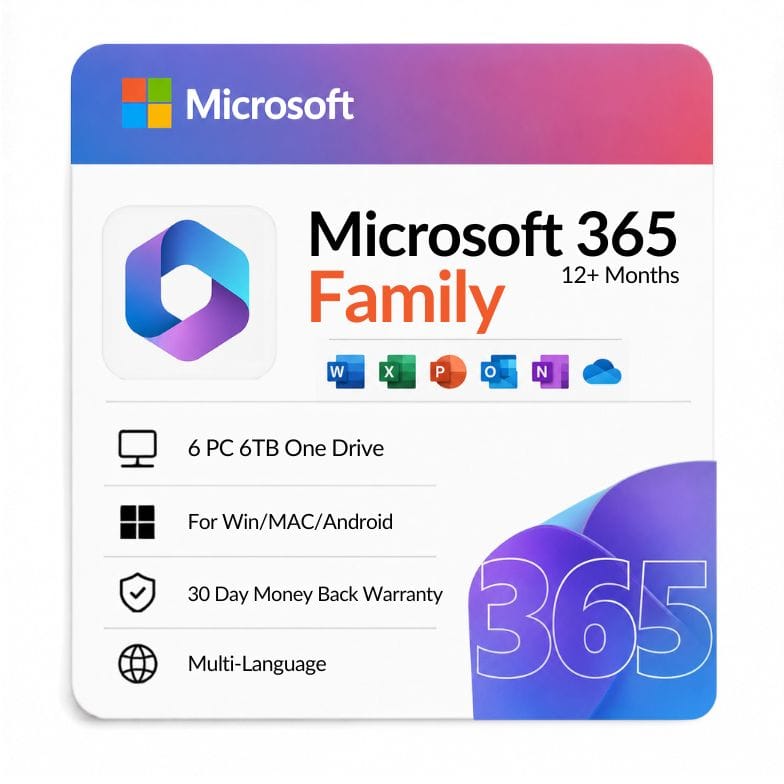



Microsoft 365 Family 12 Months — 6 Users, 6TB OneDrive | Zoftis
Original price was: $129.99.$99.99Current price is: $99.99.
Microsoft 365 Family — 6 users, 5 devices each, 6TB total OneDrive, 15-month subscription. $99.99 (global digital key, delivered within 1 hour).
| Activation Region | Global |
|---|---|
| Brand | Microsoft |
| Delivery | Digital — Email within 1–12 Hours |
| Language | All Languages |
| Installation Type | Digital Download (Product Key) |
| License Type | Subscription (1-Year)+ |
| Platform | Windows/Mac/Ipad/Android |
| Devices | 6 Devices |
| Version/Edition | Family |
Description
Microsoft 365 Family 15 months of coverage gives up to six people the full desktop Office apps, each on their own account, plus a huge pool of cloud storage. This office 365 family key unlocks Word, Excel, PowerPoint, Outlook and more across Windows, Mac, tablets and phones — with 6TB of OneDrive split as 1TB per person. At $99.99 for the full term, it’s the cheapest per-person way onto the always-updated version of Office, and the 15-month length keeps you covered for over a year before any renewal.
What you’re getting for $99.99
This is the household plan: six separate users, each with their own private login, files and inbox. Everyone gets the same premium apps — no shared password, no one seeing anyone else’s documents.
Because it’s a subscription, the apps stay current. You’re always on the newest Office feature set for the life of the term, not frozen on a single release year the way a one-time purchase is.
| What’s included | Detail |
|---|---|
| Users | Up to 6 people, each with a separate account |
| Devices | Unlimited installs; sign in on up to 5 at once per person |
| Apps | Word, Excel, PowerPoint, Outlook, OneNote (Access & Publisher on Windows PC) |
| Cloud storage | 6TB OneDrive total — 1TB per person |
| Platforms | Windows, macOS, iOS, Android |
| Term | 15-month subscription |
| Price | $99.99 |
Which apps you can install
Every user gets the full desktop applications, not the stripped-back web versions. The core set is the same on Windows and Mac; two apps are Windows-only.
- Word — documents, templates, mail merge, real-time co-authoring
- Excel — spreadsheets, pivot tables, formulas, charts
- PowerPoint — presentations, transitions, Presenter Coach
- Outlook — email, calendar, contacts across all your accounts
- OneNote — notebooks synced across every device
- Access & Publisher — databases and layouts (Windows PC only)
Who Microsoft 365 Family is for
This plan pays off the moment more than one person needs Office. The 1TB-per-user storage and separate logins are what make it a family plan rather than a shared account.
- Households — parents and kids each needing their own Office and inbox
- Roommates or small groups — split six ways, it’s a few dollars per person
- Students at home — full desktop apps for coursework, plus 1TB to back up everything
- Freelancers who also share with family — one seat for work, the rest for the household
- Photo hoarders — 6TB of OneDrive is the real draw for many buyers
Who should choose something else: if only one person needs Office, Microsoft 365 Personal is cheaper. If you’d rather pay once and never renew, a one-time Office 2024 Home & Business license may suit you better — see the comparison below.
Microsoft 365 Family pricing — what $99.99 covers
Microsoft 365 Family pricing here is a flat $99.99 for the full 15-month term across all six users. Compared with annual plans sold elsewhere — including Costco Microsoft 365 Family bundles — the per-person, per-month cost works out far lower once you split it six ways.
Because every seat includes 1TB of OneDrive, the storage alone often justifies the price before you even count the apps. There are no hidden per-user fees; the $99.99 is the whole household for the whole term.
Family vs Personal — which subscription?
Both give the same apps and always-current updates. The split is how many people and how much storage you need.
| Microsoft 365 Family | Microsoft 365 Personal | |
|---|---|---|
| Users | Up to 6 | 1 |
| OneDrive | 6TB (1TB each) | 1TB |
| Apps | Full desktop set | Full desktop set |
| Best for | Households, groups | Solo users |
| Price at Zoftis | $99.99 | $36.95 |
Verdict: choose Family if two or more people will use it — the per-person cost drops below Personal fast. Stay on Personal only if you’re the sole user.
Subscription vs one-time purchase
Microsoft 365 Family renews and stays updated; a perpetual license like Office 2024 is a single payment that never renews but also never gains new features. The right pick depends on whether you value latest features and cloud storage or pay-once ownership.
| Microsoft 365 Family | Office 2024 (one-time) | |
|---|---|---|
| Payment | Recurring term | Pay once |
| Updates | New features for life of term | Security fixes only |
| Users | 6 | 1 per license |
| Cloud storage | 6TB | None included |
| Multi-device | Yes, all users | 1 PC |
Verdict: pick Family for multiple people, cloud storage and ongoing updates; pick a one-time Office license if a single person just wants the apps and no renewal.
How do you share Microsoft 365 Family?
Sharing is done from your Microsoft account, not by handing out the key. After you redeem the license, you invite up to five other people from the account page; each accepts by email and signs in with their own Microsoft account. That’s how you share Microsoft 365 with family without exposing your own files.
- Redeem your office 365 family product key on your Microsoft account
- Open the sharing page and send invites (email or link)
- Each person accepts and installs Office under their own login
- Everyone gets their own 1TB OneDrive automatically
You stay in control — you can remove or re-invite people at any time, so the six seats can change as your household does. Sharing Microsoft 365 with family this way keeps each person’s documents, photos and inbox completely private to them.
Can I upgrade from Microsoft 365 Family to Business?
There’s no in-place upgrade button between the two — they’re separate product lines. To move, you’d buy a Microsoft 365 Business plan and shift your files across; since everything already lives in OneDrive, that part is straightforward. Family is built for households, while Business adds company email, admin controls and commercial-use rights.
How your key reaches you
Delivery is digital and fast. Your product key for Microsoft 365 Family is a 25-digit global code emailed to you, typically within an hour of payment and up to 12 hours at the outside. There’s no disc and nothing to ship.
You’ll also receive an invoice for the purchase. Payment options include VISA, Mastercard, PayPal, Wise and Payoneer.
Buying with confidence
Every purchase is covered by a 30-day money-back guarantee, and support is available 24/7 — usually replying within an hour if you hit a snag during setup. The microsoft office 365 family product key is a genuine global license valid for the full 15-month term.
Other Microsoft 365 & Office solutions you might need
- Office 365 Personal – single-user Microsoft 365 account for up to 5 devices, if you don’t need 6 seats.
- Office 365 Professional Plus Lifetime – one-time payment, full Office suite, login on 5 devices — no annual renewal.
- Microsoft 365 Business Standard – 1-year subscription for business email and the full Office apps.
- Office 2024 Professional Plus – latest perpetual key for one Windows PC, no subscription.
- Office 2021 Professional Plus – classic one-time perpetual license for Word, Excel, PowerPoint and more.
- Windows 11 Home OEM Key – genuine lifetime Windows license to pair with your Office setup.
- Windows 11 Home to Pro Upgrade Key – add Pro features in minutes, no reinstall or data loss.
Features
Full desktop Office for six
- Word, Excel, PowerPoint, Outlook and OneNote as full installed apps
- Access and Publisher included on Windows PCs
- Six separate users, each with a private account and files
- Install on unlimited devices; use on 5 at once per person
6TB of cloud storage
- 6TB OneDrive total, allocated as 1TB per user
- Automatic file sync across Windows, Mac, iOS and Android
- Ransomware detection and file recovery on OneDrive
Always up to date
- Newest Office features throughout the subscription term
- Real-time co-authoring in Word, Excel and PowerPoint
- Works alongside your Microsoft account across every device
Cross-platform
- Windows and macOS desktop apps
- iOS and Android mobile apps for editing on the go
- Web versions for quick access from any browser
Specifications
| Specification | Detail |
|---|---|
| Edition | Microsoft 365 Family |
| Platform | Windows, macOS, iOS, Android |
| Users | Up to 6 people |
| Devices | Unlimited installs; 5 simultaneous sign-ins per user |
| Cloud storage | 6TB OneDrive (1TB per user) |
| License type | Subscription — 15 months |
| Key format | 25-digit global product key |
| Region | Global |
| Language | Multi-language (all supported languages) |
| Delivery | Digital — email within 1 hour (up to 12 hours max) |
| Invoice | Provided |
| Price | $99.99 |
System Requirements
| Requirement | Windows | Mac |
|---|---|---|
| Operating system | Windows 11 or Windows 10 (latest supported build) | One of the three most recent macOS versions |
| Processor | 1.6 GHz or faster, 2-core | Apple Silicon or Intel processor |
| Memory | 4 GB RAM (64-bit) | 4 GB RAM |
| Disk space | 4 GB available | 10 GB available |
| Display | 1280 × 768 resolution | 1280 × 800 resolution |
| Account | Microsoft account required | Microsoft account required |
| Internet | Required for install, activation and OneDrive | Required for install, activation and OneDrive |
Note: Windows 10 reached end of support in October 2025 and no longer receives free security updates. For the safest experience, run Microsoft 365 on Windows 11.
FAQs
How does Microsoft 365 Family work?
Microsoft 365 Family is a subscription that covers up to six people, each with their own account and 1TB of OneDrive. You redeem one key, then invite the other five from your Microsoft account. Everyone installs the full Office apps under their own login and gets updates for the life of the term.
How do you share Microsoft 365 Family?
You share it from your Microsoft account's sharing page, not by giving out the product key. Sign in, choose to add someone, and send an email invite or link. Each person accepts, signs in with their own Microsoft account, and installs Office — their files and 1TB of storage stay private to them.
What does the office 365 family key include at this price?
For $99.99 you get the full 15-month term for six users, each with the desktop Office apps and 1TB of OneDrive — 6TB total. That covers Word, Excel, PowerPoint, Outlook and OneNote on Windows and Mac, plus Access and Publisher on Windows PCs.
How much is Microsoft 365 Family and how does the pricing compare?
At Zoftis it's $99.99 for the full term. Microsoft 365 Family pricing elsewhere — including Costco Microsoft 365 Family bundles — is typically sold as an annual plan, so compare the per-month, per-person cost. Split six ways, this works out to a few dollars per person for the whole term.
Can I upgrade from Microsoft 365 Family to Business?
There's no in-place "upgrade" button between Family and Business — they're separate product lines. You'd buy a Microsoft 365 Business plan and move your files (they're in OneDrive already, so it's straightforward). Family is built for households; Business adds company email, admin controls and commercial-use rights.
How many devices can each person use?
Each of the six users can install Office on as many devices as they like and be signed in on up to five at once — for example a laptop, desktop, tablet and phone. That's per person, so the household total is substantial.
Does the 6TB OneDrive come as one big pool?
No — the 6TB is split as 1TB per user across the six accounts. Each person's storage is private to them. This keeps everyone's photos, documents and backups separate rather than sharing one shared drive.
Is this a one-time purchase or a subscription?
It's a subscription covering a 15-month term. The apps stay updated with the newest features for the whole period. If you'd prefer to pay once with no renewal, look at a perpetual Office license instead — though those don't include OneDrive storage or multi-user sharing.
What happens when the 15 months end?
When the term finishes, you renew to keep the apps in their full editing mode and retain the extra OneDrive storage. Your files aren't deleted, but storage above the free 5GB becomes read-only until you renew or move data. You can renew with a new key at that point.
How and when do I receive my key?
Your 25-digit global key is emailed to you, usually within an hour of payment and up to 12 hours at most. You'll get an invoice too, and every order is backed by a 30-day money-back guarantee with 24/7 support.
Related products
Excel 2019 Product Key — Lifetime Standalone License for Windows
Original price was: $91.99.$47.49Current price is: $47.49.
Key for Word 2016 — Lifetime Product Key
Original price was: $83.99.$43.69Current price is: $43.69.
Microsoft Office 2016 Home and Business
Original price was: $109.99.$79.76Current price is: $79.76.
Microsoft Office 2021 Professional Plus 1 PC lifetime License
Original price was: $79.00.$49.99Current price is: $49.99.
Office 2016 for Mac — Home & Business Lifetime Key
Original price was: $109.99.$76.99Current price is: $76.99.
PowerPoint 2019 Product Key — Standalone License for 1 Windows PC
Original price was: $91.99.$36.72Current price is: $36.72.
Product Key for Office Professional Plus 2010
Original price was: $83.99.$31.49Current price is: $31.49.
Reviews
Clear filtersThere are no reviews yet.