
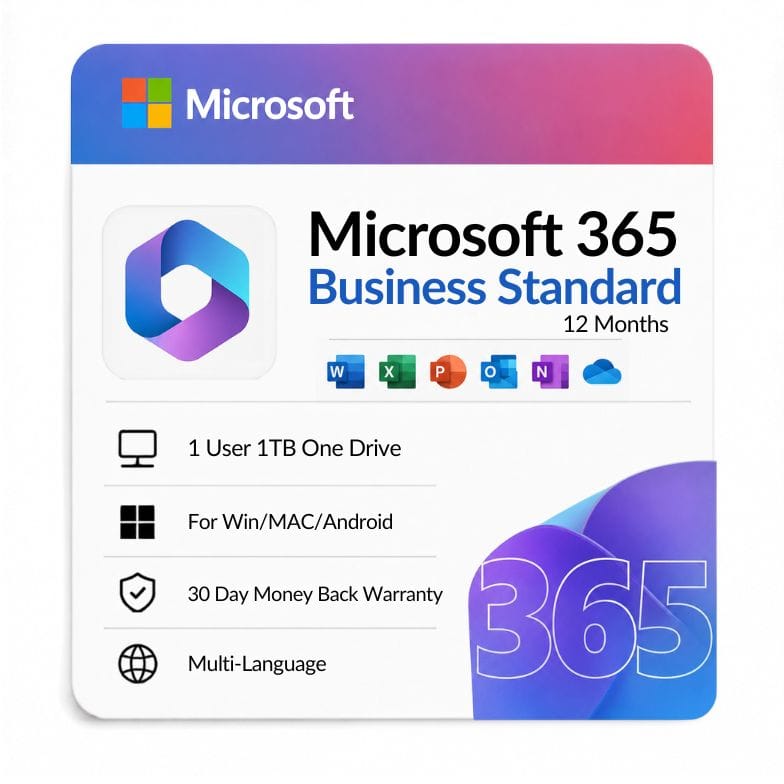

Microsoft 365 Business Standard Subscription (1-Year)
Original price was: $149.99.$125.99Current price is: $125.99.
$125.99 for a 1-year subscription — 16% off the $149.99 list price. Delivered within 1 hour, invoice included, 30-day money-back guarantee.
| Activation Region | Global |
|---|---|
| Brand | Microsoft |
| Delivery | Digital — Email within 1–12 Hours |
| Language | All Languages |
| Installation Type | Digital Download (Product Key) |
| License Type | Subscription (1-Year) |
| Platform | Windows/MAC/Android |
| Devices | 5 Devices |
| Version/Edition | Business Standard |
Description
A Microsoft 365 Business Standard subscription gives one user the full desktop Office apps, a business-grade email mailbox, and web plus mobile versions across up to five devices, for one year. It is the plan most small businesses land on when free web apps aren’t enough but they don’t yet need advanced device security. At Zoftis it’s $125.99, a 16% saving on the $149.99 list price.
What Business Standard actually includes
You get the installed desktop versions of Word, Excel, PowerPoint, and Outlook, plus business services: Exchange email with a custom domain, 1TB of OneDrive storage, SharePoint, and Microsoft Teams. It’s a per-user license — one person, signed in on up to five PCs or Macs, five tablets, and five phones.
The difference between this and the cheaper plans is the desktop apps and the email hosting together in one license, which is why it’s the default choice for owner-operators and small teams.
What’s included at a glance
| Component | Included |
|---|---|
| Desktop Word, Excel, PowerPoint, Outlook | Yes |
| Business email (Exchange, custom domain) | Yes |
| 1TB OneDrive cloud storage | Yes |
| Microsoft Teams, SharePoint | Yes |
| Web & mobile Office apps | Yes |
| Advanced device/threat security | No — that’s Business Premium |
| Install limit | 5 PCs/Macs, 5 tablets, 5 phones (1 user) |
Who Microsoft 365 Business Standard is for
Choose Business Standard if you’re a freelancer, consultant, or small-business owner who needs installed Office apps and professional email on your own domain, without paying for enterprise security tooling.
- Small businesses (1–300 seats) wanting desktop Office plus hosted email in one plan.
- Freelancers and consultants who send from a branded address and work offline in full apps.
- Teams already on Business Basic that have outgrown web-only apps and want the installed versions.
Who should choose something else: if you need advanced threat protection, device management, and data-loss prevention, step up to Microsoft 365 Apps for Business‘s security-focused siblings, or if you only need web apps and email, stay on Business Basic and save.
Business Standard vs Business Premium — the difference buyers ask about
The short answer: Business Premium is Business Standard plus advanced security and device management. Everything in Standard is in Premium; Premium adds the protective layer.
| Feature | Business Standard | Business Premium |
|---|---|---|
| Desktop Office apps | Yes | Yes |
| Business email + 1TB OneDrive | Yes | Yes |
| Teams, SharePoint | Yes | Yes |
| Advanced threat protection (Defender) | No | Yes |
| Device management (Intune) | No | Yes |
| Data-loss prevention, info protection | No | Yes |
Verdict: choose Standard if productivity apps and email are all you need; move to Premium only if security and device control matter to your business.
Standard vs Basic vs Apps for Business
These three get confused constantly because the names overlap. The dividing lines are desktop apps and email hosting.
| Plan | Desktop apps | Business email | Best for |
|---|---|---|---|
| Business Basic | Web/mobile only | Yes | Email + web apps, tight budget |
| Apps for Business | Yes | No | Desktop apps without hosted email |
| Business Standard | Yes | Yes | Both together — the common choice |
Verdict: if you want the desktop apps and business email in one license, Standard is the plan. Apps for Business is the pick if you already have email elsewhere.
Subscription, not a one-time purchase
This is a 1-year subscription, renewed annually — not a perpetual license. In return you get continuous feature and security updates for the whole term, plus the cloud services (email, OneDrive, Teams) that a one-time Office license can’t provide. If you’d rather pay once and own it, look at a perpetual Office edition instead — but you’d lose the email hosting and cloud storage.
How your license reaches you
After checkout, your subscription details arrive by email, typically within the hour and always within 12 hours. You’ll sign in with your Microsoft account, redeem the subscription, and install the apps. An invoice is included with every order.
- Order and pay by card, PayPal, Wise, or Payoneer.
- Receive your subscription and setup steps by email.
- Sign in, redeem, and install on up to five devices.
Buying with confidence
Every subscription is genuine and backed by our 30-day money-back guarantee. Support is available 24/7 at Support@zoftis.com and usually replies within an hour, so if activation ever stalls, someone’s there the same day.
Other Microsoft 365 & Office solutions you might need
- Office 365 Professional Plus Lifetime – one-time payment alternative with the full Office suite on 5 devices, no annual renewal.
- Office 365 Personal – single-user Microsoft 365 account for up to 5 devices.
- Microsoft 365 Family – annual subscription with 6TB storage (1TB per user) for up to 6 people.
- Office 2024 Professional Plus – latest perpetual key for one Windows PC, no subscription.
- Office 2021 Professional Plus – classic one-time perpetual license for Word, Excel, PowerPoint and more.
- Microsoft Project 2021 Professional – one-time project management license for planning and scheduling.
- Windows 11 Home to Pro Upgrade Key – add business-grade Pro features in minutes, no reinstall.
Features
Desktop productivity
- Installed Word, Excel, PowerPoint, and Outlook for Windows or Mac
- Full offline editing — not web-only versions
- Always the latest version for the subscription term
Business services
- Exchange business email with your own custom domain
- 1TB OneDrive storage per user
- Microsoft Teams for meetings and chat; SharePoint for shared files
Cross-device use
- One user, up to 5 PCs/Macs, 5 tablets, and 5 phones
- Web and mobile Office apps included
- Files sync across devices via OneDrive
Specifications
| Attribute | Detail |
|---|---|
| Edition | Microsoft 365 Business Standard |
| Platform | Windows (also Mac, web, mobile) |
| Users / devices | 1 user — up to 5 PCs/Macs, 5 tablets, 5 phones |
| License type | Subscription (1-Year) |
| Region | Global |
| Language | Multi-language |
| Delivery | Email, within 1 hour (up to 12 hours max) |
| Price | $125.99 (16% off $149.99) |
System Requirements
| Requirement | Minimum |
|---|---|
| Operating system | Windows 11 or Windows 10 (supported build); macOS one of three latest versions |
| Processor | Dual-core, 1.6 GHz or faster |
| Memory | 4GB RAM (64-bit), 2GB (32-bit) |
| Disk space | 4GB available |
| Account | Microsoft account and internet connection required |
Note: Windows 10 reached end of support in October 2025 and no longer receives free security updates. Windows 11 is recommended.
FAQs
What does Microsoft 365 Business Standard include?
It includes the installed desktop apps — Word, Excel, PowerPoint, and Outlook — plus business email on a custom domain, 1TB of OneDrive storage, Microsoft Teams, and SharePoint. It's a per-user license covering up to five PCs or Macs, five tablets, and five phones for one person.
What are the differences between Business Standard and Business Premium?
Business Premium includes everything in Business Standard and adds advanced security: threat protection with Defender, device management with Intune, and data-loss prevention. If you only need Office apps and email, Standard is enough; choose Premium when security and device control matter.
How does Microsoft 365 Basic compare to Business Standard?
Basic plans give you business email and web-based Office apps but not the installed desktop versions. Business Standard adds the full desktop apps. If your team edits documents offline or needs the complete apps, Standard is the upgrade; Basic suits email-plus-web-only use.
What's the difference between Apps for Business and Business Standard?
Microsoft 365 Apps for Business gives you the desktop Office apps but no hosted business email. Business Standard bundles the desktop apps with Exchange email and cloud services. Pick Apps for Business if you already have email elsewhere; pick Standard if you want both in one license.
What is the device limit on Business Standard?
One user can install the apps on up to five PCs or Macs, five tablets, and five phones, and be signed in on all of them. The license is per user, not per device, so it follows the person across their devices.
Is this a one-time purchase or a subscription?
It's a one-year subscription. You get continuous feature and security updates plus cloud services for the full term, then renew to continue. A perpetual Office license is a pay-once alternative, but it doesn't include email hosting or OneDrive storage.
Can I upgrade from Apps for Business to Standard later?
Yes. Businesses commonly move up from Apps for Business to Business Standard when they want hosted email added to their desktop apps. You change the plan on your subscription; your files and installed apps stay in place.
How is Business Standard different from Apps for Enterprise?
Apps for Enterprise is aimed at larger organizations and focuses on the desktop apps with enterprise deployment and compliance features, but without the small-business email bundle. Business Standard is the small-business plan that pairs desktop apps with hosted email at a lower per-user price.
How quickly is the subscription delivered?
Your subscription and setup instructions are emailed after checkout, usually within an hour and always within 12 hours. An invoice is included, and 24/7 support at Support@zoftis.com typically replies within an hour if you need help activating.
What if it doesn't work — can I get a refund?
Yes. Every order is covered by a 30-day money-back guarantee. If the subscription can't be activated and support can't resolve it, you're entitled to a refund within that window.
Related products
Excel 2016 License Key — Lifetime Product Key
Original price was: $83.99.$39.09Current price is: $39.09.
Microsoft Office 2016 Professional Plus
Original price was: $108.99.$43.99Current price is: $43.99.
Microsoft Office 2019 for Mac (Home & Business)
Original price was: $119.99.$89.99Current price is: $89.99.
Microsoft Office Home & Student 2019
Original price was: $124.99.$72.67Current price is: $72.67.
Microsoft Outlook 2021 Download — Standalone Email & Calendar Client
Original price was: $116.99.$52.79Current price is: $52.79.
Office 2024 Lifetime Key for Mac Home & Business
Original price was: $299.99.$208.79Current price is: $208.79.
PowerPoint 2019 Product Key — Standalone License for 1 Windows PC
Original price was: $91.99.$36.72Current price is: $36.72.
Reviews
Clear filtersThere are no reviews yet.