
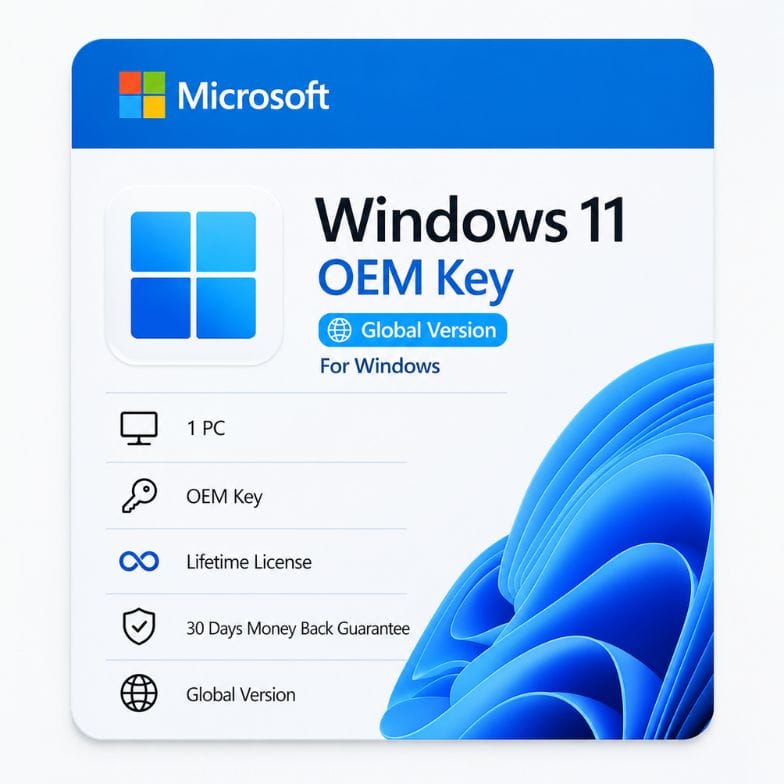



Windows 11 Home OEM Key — Genuine Lifetime License for 1 PC
Original price was: $59.00.$39.34Current price is: $39.34.
One-time purchase. Activates 1 PC permanently. No subscription ever.
| Activation Region | Global |
|---|---|
| Licence Type | OEM, Perpetual (Lifetime) |
| Version / Edition | Windows 11 Home |
| Platform | Windows 11 |
Description
A Windows 11 Home OEM key is a genuine, single-use license that binds permanently to one computer’s motherboard. You pay once, activate once, and use Windows 11 Home for the life of that PC — no monthly fees, no expiration date, and no feature lockouts. This is the same license tier that major PC manufacturers pre-install on new laptops and desktops, now available direct at a one-time price of $39.
What an OEM license actually means — and why it matters for your wallet
OEM stands for Original Equipment Manufacturer. In plain terms, it’s the license Microsoft supplies to Dell, HP, Lenovo, and system builders for pre-installing Windows on brand-new computers. When you buy a Windows 11 Home OEM key from us, you’re getting that exact same license type — genuine, permanent, and fully supported — without paying for a pre-built machine.
Here’s the trade-off that saves you money: an OEM key locks itself to the first motherboard it activates on. You cannot transfer it to a second PC later. If you’re building one computer now and plan to keep it for years, that limitation costs you nothing. If you upgrade motherboards every six months, this is not your key.
| What you get | What you don’t get |
|---|---|
| Genuine activation with Microsoft servers | Transfer rights to another PC |
| All Windows 11 Home features permanently | Microsoft phone support (you get community + our support) |
| Lifetime updates, security patches, and builds | Licensing for virtualization on multiple VMs |
| Reinstall unlimited times on the same hardware | Retail-box packaging (key delivered digitally) |
Windows 11 Home vs Windows 10 Home — which one should you activate?
Your key activates Windows 11 Home directly. Many buyers ask whether they should install Windows 10 instead. Here’s the honest comparison.
| Feature | Windows 11 Home | Windows 10 Home |
|---|---|---|
| Support lifecycle | Active support through 2031+ | End of support October 14, 2025 |
| Hardware requirements | TPM 2.0, Secure Boot, 8th-gen Intel or Ryzen 2000+ | Broader legacy hardware support |
| Interface | Centered taskbar, rounded corners, Snap Layouts | Left-aligned taskbar, classic windowing |
| DirectStorage | Yes — faster game load times | No |
| Android app support | Yes (Amazon Appstore) | No |
| Security baseline | Requires TPM 2.0 + Secure Boot by default | Recommended but optional |
| Price (this listing) | $39 one-time | N/A — Windows 10 Home OEM sold separately |
If your hardware meets Windows 11 requirements, there is no reason to choose Windows 10 today. Windows 10 Home reaches end of support in October 2025. After that date, no more security patches. Windows 11 Home gives you years of active coverage plus every new feature Microsoft releases.
What you can do with Windows 11 Home
| Feature | What it does | Why it matters to you |
|---|---|---|
| Snap Layouts | Hover over the maximize button to choose a window grid layout | Arrange multiple apps instantly — no manual resizing |
| Widgets panel | Personalized feed of news, weather, calendar, and traffic | Glanceable info without pulling out your phone |
| Microsoft Teams integration | Chat and video calls built into the taskbar | One click to connect with family or colleagues |
| DirectStorage | Lets games load assets directly from NVMe SSD to GPU | Faster load screens in supported titles |
| Auto HDR | Upgrades SDR games to HDR color on compatible displays | Better visuals without game-developer updates |
| Focus Sessions | Timer-based work sessions with Spotify integration | Structured deep-work blocks built into the OS |
| Windows Hello | Facial recognition or fingerprint login | No passwords — your face unlocks your PC |
| Virtual Desktops | Separate desktop spaces for work, gaming, and personal | Keep contexts clean and distraction-free |
OEM vs Retail Windows 11 Home — the honest difference
Microsoft sells Windows 11 Home in two license paths: Retail and OEM. They activate identically and deliver the exact same operating system. The difference is purely in licensing rights.
| OEM (this product) | Retail (Microsoft Store) | |
|---|---|---|
| Price | $39 | $139 |
| Activates Windows 11 Home | Yes | Yes |
| Transfer to a new PC | No — tied to first motherboard | Yes — can move to new hardware |
| Microsoft direct support | No — community + our team | Yes |
| Reinstall on same hardware | Unlimited | Unlimited |
| Digital license stored on Microsoft servers | Yes | Yes |
The $100 difference buys you one thing: the right to move the license to a new computer. If you’re not planning a motherboard swap within the next 3-5 years, the OEM key is the financially smarter choice.
Read more
Who a Windows 11 Home OEM key is for
- First-time PC builders — You’ve picked every component and assembled the machine. This key finishes the build for $39 instead of $139.
- Students — One laptop or desktop to last through university. Pay once, use forever.
- Home users replacing an unsupported OS — Moving from Windows 7, 8, or an expired Windows 10 install to a fully supported, patched system.
- Budget-conscious gamers — DirectStorage, Auto HDR, and game-ready GPU scheduling on a genuine license without overspending.
- Family PC builders — The shared home desktop for browsing, streaming, homework, and light productivity.
Who should choose something else: If you upgrade your motherboard every 1-2 years or plan to transfer the license between machines, you need a Retail license. If you run a small business with more than a handful of PCs, consider Windows 11 Pro for BitLocker, Remote Desktop, and domain join.
Activation walkthrough — what happens after purchase
- Install Windows 11 Home. Download the Media Creation Tool from Microsoft’s official site. Create a bootable USB drive (8GB minimum). Boot from it and install.
- Skip the key prompt during setup. Windows will ask for a product key. Click “I don’t have a product key” and continue. Complete the installation.
- Open Settings > System > Activation. Once on the desktop, go to activation settings.
- Enter your new Windows 11 Home OEM key. We deliver it to your email within 1 hour of purchase. Type it exactly as shown.
- Activation completes within seconds. Microsoft’s servers validate the key. Your digital license is now linked to this hardware permanently.
Reinstalling later on the same machine? Skip the key step during setup. Windows activates automatically once online — the hardware fingerprint is already on Microsoft’s servers.
Will this key work on my PC?
Windows 11 has specific hardware requirements. Your PC needs:
- A compatible 64-bit processor (Intel 8th-gen or newer, AMD Ryzen 2000 or newer)
- TPM 2.0 enabled in BIOS
- Secure Boot capable
- 4GB RAM minimum (8GB+ recommended)
- 64GB storage minimum (SSD strongly recommended)
- DirectX 12 compatible graphics
- UEFI firmware (not legacy BIOS)
Not sure? Microsoft’s free PC Health Check tool scans your hardware and tells you in 10 seconds. If your machine doesn’t pass, consider a Windows 10 key instead — or upgrade the blocking component.
Global activation — no region locks
This is a global-edition oem windows 11 key. It activates in North America, Europe, Asia, the Middle East, Africa, South America, and Oceania. Microsoft’s activation servers do not distinguish OEM keys by region. The language of the key itself is neutral — you install Windows in whatever language you prefer during setup.
What’s included in your $39 purchase
- One genuine Windows 11 Home OEM product key, delivered by email
- Digital invoice (VAT-ready, accepted by accounting software)
- Lifetime activation — no subscription, no renewal fees
- Full Windows 11 Home feature set, permanently unlocked
- All cumulative and security updates from Microsoft
- Optional free upgrade to Windows 11 24H2 and future feature updates
- 24/7 support from our team at Support@zoftis.com
30-day money-back guarantee — no fine print
If the key doesn’t activate on compatible hardware, we refund you within 30 days. No questions, no forms, no delay. You don’t even need to explain. Just email Support@zoftis.com and the refund is processed. Our team replies within 1 hour, 24/7. We accept VISA, Mastercard, PayPal, Wise, and Payoneer. All payments are in USD.
Why genuine OEM keys cost what they do
A cheap Windows 11 Home key on a marketplace might be a volume-license key resold against Microsoft’s terms, an MSDN key, or an already-used key. Those can activate today and deactivate tomorrow when Microsoft’s audit catches them. Our OEM keys are sourced through authorized channels, each key sold once to one customer. You get a receipt, an invoice, and a key that passes any Microsoft validation check — including enterprise software audits.
At $39, you’re paying for genuine licensing rights, not a temporary activation trick.
Features
- Genuine Microsoft OEM license — activates permanently on 1 PC
- One-time purchase — no subscription, no annual renewal
- All Windows 11 Home features: Snap Layouts, Widgets, Teams, DirectStorage, Auto HDR
- Lifetime security updates and cumulative patches from Microsoft
- Reinstall unlimited times on the same hardware without losing activation
- Digital license stored on Microsoft servers — automatic reactivation after reinstall
- Global edition — activates in all regions with no VPN or workaround required
- Delivered by email within 1 hour of confirmed payment
- Invoice included — VAT-ready for businesses and self-employed buyers
- Compatible with all Windows 11 system requirements (TPM 2.0, Secure Boot, UEFI)
- 24/7 support via Support@zoftis.com — typical reply within 1 hour
- 30-day money-back guarantee — full refund if activation fails on compatible hardware
Specifications
| Specification | Details |
|---|---|
| Product name | Windows 11 Home OEM Key |
| License type | OEM (Original Equipment Manufacturer) — single-use, non-transferable |
| Activates | 1 PC permanently |
| License duration | Lifetime (perpetual) — no expiration |
| Subscription required | No — one-time payment |
| Transferable | No — bound to first motherboard activated |
| Edition | Windows 11 Home (not Pro, not Education, not Enterprise) |
| Architecture | 64-bit only (Windows 11 does not ship 32-bit) |
| Region | Global — activates worldwide |
| Language | Neutral — install Windows in any language during setup |
| Delivery method | Email (digital key — no physical package) |
| Delivery time | Within 1 hour (up to 12 hours max) |
| Invoice | Included |
| Support | 24/7 via Support@zoftis.com |
| Refund policy | 30-day money-back guarantee |
System Requirements
| Component | Minimum Requirement | Recommended |
|---|---|---|
| Processor | 1 GHz or faster, 2+ cores, 64-bit compatible (Intel 8th-gen / AMD Ryzen 2000 or newer) | Intel 12th-gen or AMD Ryzen 5000+ |
| RAM | 4 GB | 8 GB or more |
| Storage | 64 GB free space | 256 GB SSD or larger |
| System firmware | UEFI, Secure Boot capable | UEFI with Secure Boot enabled |
| TPM | Trusted Platform Module 2.0 | TPM 2.0 (firmware or discrete) |
| Graphics | DirectX 12 compatible / WDDM 2.x | DirectX 12 Ultimate compatible GPU |
| Display | 720p, 9" diagonal minimum | 1080p or higher, 15" or larger |
| Internet | Required for initial setup (Windows 11 Home) | Broadband for updates and feature downloads |
| Microsoft account | Required during initial setup (Home edition) | Microsoft account for full feature set |
FAQs
What exactly is a Windows 11 Home OEM key?
A Windows 11 Home OEM key is a genuine Microsoft license that activates Windows 11 Home permanently on one PC. OEM means Original Equipment Manufacturer — the same license type pre-installed on new Dell, HP, and Lenovo computers. It binds to the first motherboard it activates on and cannot be transferred to another machine. It is a one-time purchase with no subscription or expiration.
Is this the same as a retail Windows 11 key?
Functionally identical — both activate the same Windows 11 Home operating system with all features. The difference is transfer rights. A retail key can move to a new PC if you change motherboards. An oem windows 11 key stays with the first computer. At $39 versus $139 retail, you save $100 by giving up transferability.
Can I reinstall Windows 11 later with this key?
Yes. Reinstall Windows 11 Home on the same hardware as many times as you need. After the first activation, your hardware fingerprint is stored on Microsoft servers as a digital license. On subsequent reinstalls, skip entering the key — Windows activates automatically once it connects to the internet and recognizes your machine.
Will this key work if I upgrade my RAM, GPU, or SSD?
Yes. RAM, GPU, storage drives, and power supply upgrades do not affect activation. The OEM license is tied to the motherboard. Replacing the motherboard triggers a new-hardware flag and the key will not activate. Minor component swaps are completely safe.
Do I need a Microsoft account to use this key?
Windows 11 Home setup requires a Microsoft account during initial installation. This is a Home-edition requirement from Microsoft, not an OEM restriction. You can switch to a local account after setup is complete, though some features like Widgets and the Microsoft Store require signing in.
Is a Windows 10 OEM key the same thing?
No. A Windows 10 Home OEM key activates Windows 10 Home, not Windows 11. Windows 10 reaches end of support on October 14, 2025, after which it receives no security patches. If your hardware supports Windows 11, a Windows 11 Home OEM key is the better long-term choice. If your PC does not meet Windows 11 requirements, you need a Windows 10 key.
What payment methods do you accept?
We accept VISA, Mastercard, PayPal, Wise, and Payoneer. All transactions are in USD. A digital invoice is included with every purchase — suitable for personal records, business expenses, and VAT reporting.
How fast do I get the key after paying?
Your Windows 11 Home OEM product key arrives by email within 1 hour of confirmed payment. In rare cases, delivery may take up to 12 hours. If you haven't received it, check your spam folder first, then email Support@zoftis.com — we reply within 1 hour, 24/7.
What if the key doesn't activate?
Every purchase is covered by a 30-day money-back guarantee. If your hardware meets Windows 11 requirements and the key does not activate, email Support@zoftis.com for a full refund — no questions asked. Our team also helps troubleshoot activation errors before issuing a refund if you prefer to fix the issue.
Can I use this on a Mac with Boot Camp or Parallels?
Yes. A win 11 oem key activates Windows 11 Home on a Mac running Boot Camp (Intel Macs) or in a virtual machine via Parallels Desktop (Apple Silicon Macs running Windows 11 ARM). Ensure your VM configuration meets TPM 2.0 and Secure Boot requirements. Note that OEM licensing technically binds to the virtual motherboard in this scenario.
Related products
Windows 10 Home OEM Key — Genuine Lifetime License for 1 PC
Original price was: $49.00.$29.34Current price is: $29.34.
Windows 11 Education Key — Full Feature License for 1 PC
Original price was: $111.99.$38.27Current price is: $38.27.
Windows 11 Home Retail Key — Transferable License for 1 PC
Original price was: $141.99.$36.45Current price is: $36.45.
Reviews
Clear filtersThere are no reviews yet.