
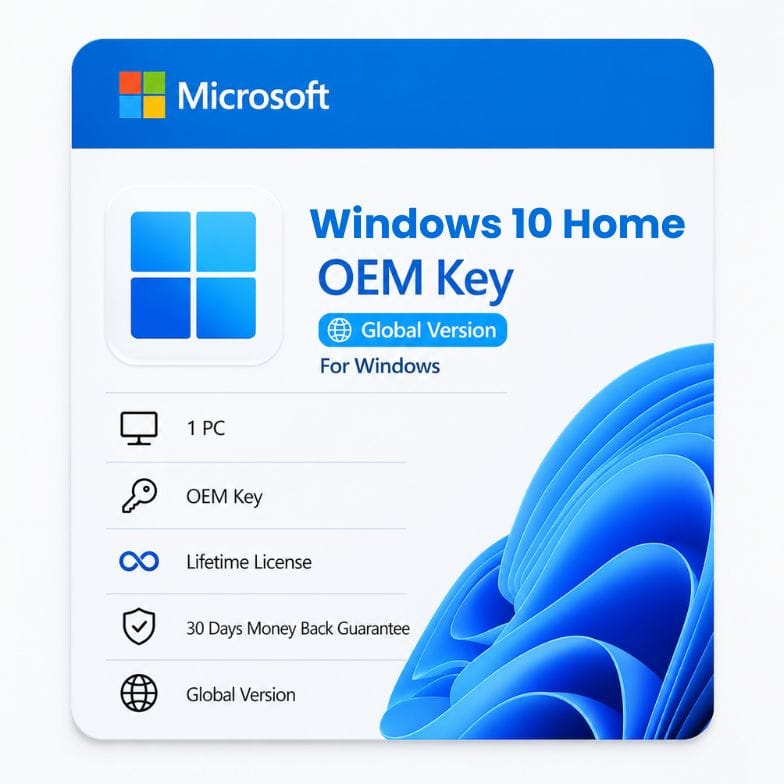



Windows 10 Home OEM Key — Genuine Lifetime License for 1 PC
Original price was: $49.00.$29.34Current price is: $29.34.
One-time purchase. Activates 1 PC permanently. Works on older hardware Windows 11 rejects.
| Activation Region | Global |
|---|---|
| Licence Type | OEM, Perpetual (Lifetime) |
| Version / Edition | windows 10 home |
| Platform | Windows 10 |
Description
Not every PC can run Windows 11 — and not every user wants to. A Windows 10 Home OEM key gives you a genuine, permanently activated copy of the world’s most widely used operating system on the hardware you already own. One payment of $39. No TPM 2.0 required. No forced Microsoft account workarounds. Just a stable OS supported through October 2025 with the option to upgrade to Windows 11 later if your hardware eventually qualifies.
Why Windows 10 Home still makes sense in 2026
Microsoft’s push toward Windows 11 left millions of perfectly functional PCs behind — machines with 6th-gen Intel processors, first-gen Ryzen chips, or motherboards without TPM 2.0. Those computers still work. They still run browsers, office suites, and media apps flawlessly. A Windows 10 Home OEM key keeps them running on a genuine, patched, fully supported OS without forcing a hardware upgrade you don’t need.
Windows 10 holds roughly 60% of the global Windows install base. Software developers target it first. IT departments standardize on it. Drivers for older printers, scanners, and peripherals exist for it. This isn’t a dead operating system — it’s the default.
| Windows 10 Home handles this | Without issue |
|---|---|
| Web browsing (Chrome, Edge, Firefox) | Fully supported, updated regularly |
| Microsoft Office (2016 through 2024) | Compatible with all modern versions |
| Streaming (Netflix, YouTube, Spotify) | Hardware acceleration works out of the box |
| Older peripherals (printers, scanners, webcams) | Broadest driver library of any OS |
| Light gaming (Steam, Epic, indie titles) | DirectX 12 support, 90%+ game compatibility |
| Business software (QuickBooks, POS systems) | Still the standard OS for small business |
The hardware compatibility advantage — what Windows 11 locks out
Here is the single biggest reason buyers still choose Windows 10 Home: it installs on machines Windows 11 explicitly refuses.
| Component | Windows 10 Home requirement | Windows 11 Home requirement |
|---|---|---|
| Processor | 1 GHz, 64-bit, any generation | Intel 8th-gen / AMD Ryzen 2000 or newer (strict block) |
| TPM | TPM 1.2 (optional for most features) | TPM 2.0 (mandatory, enforced at setup) |
| Secure Boot | Recommended, not enforced | Required, enforced at setup |
| RAM minimum | 2 GB (64-bit) | 4 GB |
| Storage minimum | 20 GB | 64 GB |
| Microsoft account | Optional — local account works fully | Required during setup (Home edition) |
If your PC has a 7th-gen Intel chip, a Ryzen 1000 series, or a motherboard without a TPM header, Microsoft blocks the Windows 11 installer. That machine is not obsolete — it’s just locked out. A Windows 10 Home OEM key activates it immediately with full support through October 2025.
What you can do with Windows 10 Home — the everyday essentials
| Feature | What it does | Why it still matters |
|---|---|---|
| Windows Hello | Login via face, fingerprint, or PIN | Faster and more secure than passwords — works with older webcams |
| Virtual Desktops | Multiple independent desktop workspaces | Separate work, gaming, and personal contexts instantly |
| Your Phone app | Sync texts, photos, and calls from Android/iOS | Answer texts from your keyboard — no phone handling |
| Xbox Game Bar | Screen recording, performance monitoring, social overlay | Clip gameplay or record tutorials without third-party software |
| Night Light | Reduces blue light on schedule | Less eye strain during evening work sessions |
| Clipboard History | Win+V to access last 25 copied items | Never lose a copy-paste again |
| Focus Assist | Blocks notifications during set hours | Uninterrupted work or gaming without digging through settings |
| Storage Sense | Automatically clears temp files and recycle bin | Reclaims disk space without manual cleanup |
Read more
Who a Windows 10 Home OEM key is for
- Users with older but functional hardware — Your PC runs fine. Windows 11 refuses to install because of a TPM or CPU generation check. This key keeps your machine in service.
- Budget PC builders — You sourced used components, an older motherboard, or a CPU that doesn’t meet Windows 11 requirements. Activate Windows 10 Home for $39 and get 12+ months of supported use.
- Small business owners with legacy software — Your accounting, inventory, or POS software was built for Windows 10. No need to risk compatibility breaks by upgrading.
- Parents and grandparents — They know the Windows 10 interface. They don’t want a centered taskbar or new menus to learn. Familiarity is worth more than new features.
- Refurbishers and system builders — You sell refurbished PCs. An oem windows 10 key is the standard license for machines under $300.
Who should choose something else: If your PC meets Windows 11 requirements and you want the longest possible support window, buy a Windows 11 Home OEM key instead. If you need BitLocker encryption, Remote Desktop hosting, or domain join capability, you need Windows 10 Pro or Windows 11 Pro — Home edition lacks these.
End-of-support reality — the honest timeline
Microsoft ends free support for Windows 10 Home on October 14, 2025. After that date:
- No more free security patches from Windows Update
- No more cumulative quality updates
- Third-party browsers and apps will gradually drop Windows 10 support
This does not mean the OS stops working on October 15th. Your PC boots, your apps launch, your key stays activated. It means the security clock starts ticking. For a machine you plan to use through 2026-2027, you should budget for Microsoft’s paid Extended Security Updates (ESU) program or plan a hardware upgrade to Windows 11 before the deadline.
We list this timeline prominently because buyers deserve to know. A Windows 10 Home OEM key at $39 is a bridge — not a 10-year solution. For many users, that bridge is exactly what they need right now.
OEM vs Retail Windows 10 Home — the same OS, different rules
Both activate Windows 10 Home identically. Both receive the same updates. The gap is purely licensing rights.
| OEM (this product) | Retail (Microsoft Store) | |
|---|---|---|
| Price | $39 | $139 |
| Activates Windows 10 Home fully | Yes | Yes |
| Move to a different PC later | No — bound to first motherboard | Yes — transferable |
| Free upgrade path to Windows 11 | Yes, if hardware qualifies | Yes |
| Reinstall on same PC | Unlimited | Unlimited |
| Microsoft phone support | No — community + our team | Yes |
The logic is the same as Windows 11 OEM: the $100 savings comes from giving up motherboard transfer rights. For a PC you’ll keep intact, that’s $100 saved for zero functional difference.
Installing and activating — step by step
- Download the Windows 10 Media Creation Tool. Available free from Microsoft’s official site. Run it on any working PC to create a bootable USB drive.
- Boot from the USB drive. Restart your PC, enter the boot menu (F12, F8, or Del depending on motherboard), and select the USB.
- Choose “Windows 10 Home” during setup. The installer asks which edition. Select Home — the key is edition-specific.
- Click “I don’t have a product key” when prompted. Finish the installation first. You’ll activate after reaching the desktop.
- Go to Settings > Update & Security > Activation. Enter your Windows 10 Home OEM product key exactly as delivered. Activation completes in seconds.
After the first activation, your PC’s hardware ID is stored on Microsoft servers. Future reinstalls activate automatically — just skip the key prompt and connect to the internet.
Your purchase is protected — plain and simple
Every Windows 10 Home OEM key comes with a 30-day money-back guarantee. If the key doesn’t activate on compatible hardware, email Support@zoftis.com for a full refund. No explanations needed. Our team responds within 1 hour, 24 hours a day, 7 days a week. We accept VISA, Mastercard, PayPal, Wise, and Payoneer — all transactions in USD, invoice included with every order.
What a cheap Windows 10 Home key actually costs you
A cheap Windows 10 Home key listed at $10-15 on a marketplace usually isn’t OEM — it’s a volume-license key extracted from a corporate agreement, an MSDN subscription key, or a key already activated on someone else’s hardware. These activate temporarily and often fail Microsoft’s periodic validation checks. You reboot one day to a watermark in the corner of your screen and an “Activate Windows” nag.
At $39, you receive a genuine, single-use Windows 10 OEM license that passes every Microsoft audit. One key, one customer, one machine — permanently. That’s not a premium. It’s what genuine licensing actually costs outside of a pre-built PC bundle.
Other Windows & Microsoft licenses you might need
- Windows 11 Home OEM Key – genuine lifetime Home license for newer PCs that meet Windows 11 requirements.
- Windows 11 Home Retail Key – transferable license you can move to any PC you own.
- Windows 11 Home to Pro Upgrade Key – add Pro features in minutes, no reinstall or data loss.
- Windows 11 Education Key – all Pro features plus enterprise security tools like AppLocker and Credential Guard.
- Office 2021 Professional Plus – one-time perpetual key for Word, Excel, PowerPoint and more on 1 PC.
- Office 365 Professional Plus Lifetime – full Office suite with login on 5 devices, one-time payment.
- Microsoft 365 Family – annual subscription with 6TB storage (1TB per user) for up to 6 people.
Features
- Genuine Microsoft OEM license — activates Windows 10 Home permanently on 1 PC
- One-time purchase — no subscription, no recurring fees, no expiration
- Compatible with older hardware Windows 11 blocks — no TPM 2.0 required
- Optional local account setup — no Microsoft account forced during installation
- Full Windows 10 Home feature set: Windows Hello, Virtual Desktops, Your Phone, Xbox Game Bar
- Lifetime security patches and cumulative updates (through October 14, 2025)
- Free upgrade path to Windows 11 Home if hardware later qualifies
- Reinstall unlimited times on the same machine — digital license stored on Microsoft servers
- Global edition — activates in all regions without VPN or workaround
- Delivered by email within 1 hour of payment confirmation
- Digital invoice included — VAT-ready for personal and business records
- 24/7 support via Support@zoftis.com — replies within 1 hour
- 30-day money-back guarantee — full refund if activation fails on compatible hardware
Specifications
| Specification | Details |
|---|---|
| Product name | Windows 10 Home OEM Key |
| License type | OEM (Original Equipment Manufacturer) — single-use, non-transferable |
| Activates | 1 PC permanently |
| License duration | Lifetime (perpetual) — no expiration, no renewal |
| Subscription | None — one-time payment |
| Transferable | No — bound to first motherboard activated |
| Edition | Windows 10 Home (not Pro, not Education, not Enterprise) |
| Architecture | 64-bit and 32-bit supported |
| Microsoft support end date | October 14, 2025 (free updates end) |
| Upgrade eligibility | Free upgrade to Windows 11 Home if hardware meets requirements |
| Region | Global — activates worldwide |
| Language | Neutral — install in any language during setup |
| Delivery method | Email (digital key — no physical package or USB) |
| Delivery time | Within 1 hour (up to 12 hours maximum) |
| Invoice | Included — business and VAT-ready |
| Support | 24/7 via Support@zoftis.com |
| Refund policy | 30-day money-back guarantee |
System Requirements
| Component | Minimum Requirement | Recommended |
|---|---|---|
| Processor | 1 GHz or faster, 64-bit or 32-bit (no generation restriction) | Intel 4th-gen / AMD Ryzen 1000 or newer |
| RAM | 2 GB (64-bit) / 1 GB (32-bit) | 8 GB or more |
| Storage | 20 GB free space (64-bit) / 16 GB (32-bit) | 256 GB SSD or larger |
| System firmware | Legacy BIOS or UEFI (Secure Boot not required) | UEFI with Secure Boot for best compatibility |
| TPM | Not required for activation or feature access | TPM 1.2 or 2.0 for BitLocker (Pro only) |
| Graphics | DirectX 9 compatible with WDDM 1.0 driver | DirectX 12 compatible GPU |
| Display | 800 x 600 minimum | 1080p or higher |
| Internet | Required for updates and activation | Broadband for large cumulative updates |
| Microsoft account | Optional — local account setup available | Microsoft account for Store and sync features |
FAQs
What is a Windows 10 Home OEM key?
A Windows 10 Home OEM key is a genuine Microsoft license that activates Windows 10 Home permanently on a single PC. OEM means Original Equipment Manufacturer — the same license pre-installed on Dell, HP, and Lenovo machines. It binds to the first motherboard it activates on. One-time payment, no subscription, no expiration.
Will Windows 10 stop working after October 2025?
No. Your PC will continue to boot, run apps, and remain activated after October 14, 2025. What ends is free security patches from Windows Update. You can continue using Windows 10 safely for months after, though long-term use without patches introduces security risk. Microsoft offers paid Extended Security Updates for users who need more time.
Can this key activate a PC that failed Windows 11 compatibility?
Yes. That's the primary reason buyers choose a Windows 10 Home OEM license. If your processor generation, lack of TPM 2.0, or missing Secure Boot blocks Windows 11, Windows 10 Home installs and activates without those checks. It gives your existing hardware a genuine, supported OS.
Do I get a free upgrade to Windows 11 with this key?
Yes. Microsoft's free upgrade offer still applies. If your hardware later meets Windows 11 requirements (or Microsoft relaxes those requirements), you can upgrade from an activated Windows 10 Home to Windows 11 Home at no cost. Your digital license transfers to Windows 11 on the same hardware.
Is a local account really possible on Windows 10 Home?
Yes. Unlike Windows 11 Home, which forces a Microsoft account during setup, Windows 10 Home allows you to create a local offline account. During installation, disconnect from the internet and choose "Offline account" when prompted. This is a significant advantage for privacy-conscious users.
How is an OEM key different from a retail Windows 10 key?
Both activate the same Windows 10 Home OS with identical features. The retail key costs ~$139 and can transfer to a new PC if you change motherboards. The Windows 10 Home OEM key costs $39 and stays with the first motherboard. For a PC you'll keep intact, the savings are real and the OS is identical.
What payment methods can I use?
VISA, Mastercard, PayPal, Wise, and Payoneer. All prices in USD. A digital invoice arrives with your key — accepted for business expense tracking and VAT reporting.
How soon will I receive the key after purchase?
Your Windows 10 Home product key OEM arrives by email within 1 hour of confirmed payment. Maximum delivery window is 12 hours. Check spam if delayed. Support@zoftis.com responds within 1 hour, 24/7, if you need a resend.
Can I transfer this key to a new PC later?
No. An OEM key is non-transferable. It activates permanently on the first motherboard it's used with and cannot move to another computer. If you replace your motherboard, you need a new license. RAM, GPU, storage, and PSU upgrades do not affect activation.
What if the key doesn't work?
Covered by our 30-day money-back guarantee. If your hardware meets Windows 10 requirements and the key fails to activate, email Support@zoftis.com for a full refund. We also help troubleshoot activation errors — often it's a simple edition mismatch or a typo in the key entry.
Related products
Windows 11 Education Key — Full Feature License for 1 PC
Original price was: $111.99.$38.27Current price is: $38.27.
Windows 11 Home OEM Key — Genuine Lifetime License for 1 PC
Original price was: $59.00.$39.34Current price is: $39.34.
Windows 11 Home Retail Key — Transferable License for 1 PC
Original price was: $141.99.$36.45Current price is: $36.45.
Reviews
Clear filtersThere are no reviews yet.