
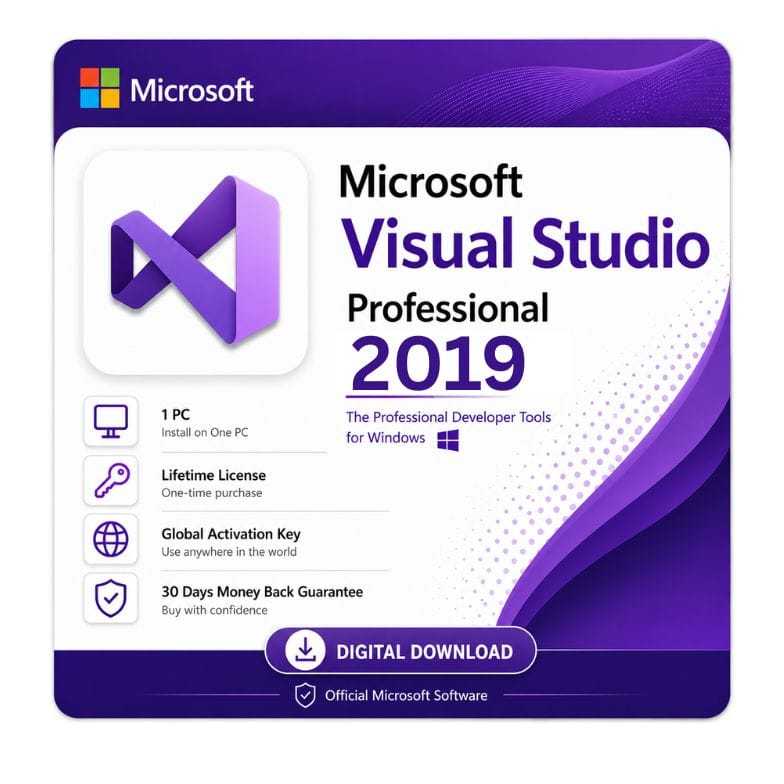



Visual Studio 2019 Professional Download – Complete IDE for Professional Developers
Original price was: $416.99.$217.49Current price is: $217.49.
Genuine license key. Instant download access for the full Professional edition.
| Activation Region | Global |
|---|---|
| Brand | Microsoft |
| Delivery | Digital — Email within 1–12 Hours |
| Language | All Languages |
| Installation Type | Digital Download (Product Key) |
| License Type | Retail |
| Platform | Windows |
| Devices | 1 PC |
| Version/Edition | 2019 Professional |
Description
The Visual Studio 2019 Professional download gives you a full‑featured IDE tailored for professional developers and small teams. This genuine license unlocks the complete toolkit – from advanced debugging and IntelliCode to Live Share and integrated testing – without the recurring costs of a subscription. At just $217.49 (regular $499.00), you receive a legitimate product key and immediate access to the ms visual studio professional 2019 installer. Whether you are building desktop applications, web services, or cross‑platform mobile apps, this edition provides the power you need to ship quality code faster.
What’s new in Visual Studio 2019 Professional?
Visual Studio 2019 introduced a wave of productivity improvements that make it a compelling upgrade over 2017. Below are the key features you get with this edition:
| New Feature | What it does | Why it matters to you |
|---|---|---|
| IntelliCode | AI‑assisted code completion that learns from your patterns | Reduces typing errors and speeds up common coding tasks |
| Live Share | Real‑time collaborative editing and debugging with teammates | Pair programming becomes seamless, even in remote teams |
| Time Travel Debugging (snapshots) | Record execution state to replay and inspect bugs | Drastically cuts down debugging time for complex issues |
| Search‑driven IDE | Unified search bar (Ctrl+Q) for commands, settings, and code | Navigation is faster, and you spend less time hunting menus |
| Improved Git integration | Built‑in clone, commit, push, and pull without switching tools | Streamlines version control directly in your workflow |
Who is Visual Studio 2019 Professional for?
This edition sits between the free Community edition and the high‑end Enterprise SKU. It is built for:
- Professional software developers – building commercial applications in C#, C++, Python, JavaScript, or .NET.
- Small to medium teams – up to any team size (Community is limited to 5 users) with full code review and testing tools.
- Freelance consultants – who need a professional IDE to deliver client projects without violating licensing terms.
- DevOps engineers – integrating CI/CD pipelines using the built‑in Azure DevOps and GitHub integrations.
- Educators and trainers – teaching advanced development concepts while using a fully licensed environment.
Who should choose something else? If you are a student, open‑source contributor, or an individual developer in a team of ≤5, the Visual Studio 2019 Community is free and sufficient. For large enterprises requiring advanced architecture tools, testing suites, and dedicated support, Visual Studio 2019 Enterprise is the better fit.
Visual Studio 2019 Community vs Professional – which one fits?
This is the most common question developers ask. The visual studio 2019 community vs professional decision boils down to licensing and team size. Here is a direct comparison:
| Feature / Criteria | Community | Professional |
|---|---|---|
| License cost | Free | $217.49 (our price) |
| Allowed usage | Open‑source, education, or small teams (≤5 developers) | Any commercial use, any team size |
| CodeLens | No | Yes (see references, tests, and commits inline) |
| Live Share | Limited | Full collaborative features |
| Testing tools | Basic unit testing | Full test explorer, code coverage, and live testing |
| Debugging | Standard | Advanced (snapshots, IntelliTrace basic) |
| Best for | Students, hobbyists, small open‑source teams | Professional developers, agencies, and businesses |
Choose Professional if you are building commercial software for clients or your company exceeds 5 developers. Stick with Community if you are learning, contributing to OSS, or working solo/≤5 and do not need CodeLens or advanced testing.
Visual Studio 2019 Enterprise vs Professional – what do you lose?
When weighing visual studio 2019 enterprise vs professional, the differences are significant for large organizations. However, for the vast majority of developers and small teams, Professional delivers everything needed. Here is what Enterprise adds (and why you may not need it):
| Capability | Professional | Enterprise |
|---|---|---|
| Architecture tools | Basic | Advanced (dependency graphs, layer diagrams) |
| IntelliTest | No | Yes (automated test generation) |
| Live Unit Testing | No | Yes (run tests in real‑time as you code) |
| Cloud & load testing | Limited | Full suite with Azure integration |
| Managed DevOps | Basic | Full enterprise DevOps dashboards |
| Price (retail) | $499 | $5,999 (annual) |
Choose Professional for day‑to‑day development, debugging, and team collaboration. Choose Enterprise only if your team has dedicated QA/architects and you need advanced testing automation and architectural governance.
System requirements & download information for Visual Studio Professional 2019
Before you initiate the visual studio 2019 professional download, ensure your machine meets these specifications. We provide access to both the web installer and the offline ISO for convenience.
| Component | Minimum | Recommended |
|---|---|---|
| Operating System | Windows 10 version 1809+ / Windows Server 2019 | Windows 11 or Windows 10 22H2 |
| Processor | 1.8 GHz dual‑core | 2.6 GHz quad‑core or better |
| RAM | 4 GB | 16 GB or more |
| Hard disk space | 20‑50 GB (depending on workloads) | SSD with 50 GB+ free |
| Display | 1366 x 768, 8‑bit colour | 1920 x 1080 or higher |
| Internet | Required for activation and updates | High‑speed for offline ISO download |
For users who prefer a non‑online installation, we offer the download visual studio 2019 professional iso and the visual studio professional 2019 offline installer – these include all workloads and language packs, so you can install without an internet connection after the initial download.
How to download and install Visual Studio 2019 Professional
We make the download visual studio 2019 professional installer process straightforward. Follow these steps:
- Purchase your license – choose your quantity and complete checkout. We accept VISA, Mastercard, PayPal, Wise, and Payoneer.
- Receive your key – within 1 hour (usually minutes), we email your genuine visual studio professional 2019 key along with a direct link to the official Microsoft installer.
- Run the installer – download the visual studio 2019 professional installer (web or offline). If you selected the offline option, we provide a direct link to the download visual studio 2019 professional iso.
- Launch and activate – during installation, you will be prompted to sign in or enter a product key. Paste your key when requested. The IDE will validate and unlock all Professional features.
- Select workloads – choose your development stacks (.NET, C++, Python, Node.js, etc.) and click install. The installer will download and configure everything automatically.
If you need the visual studio professional 2019 offline installer for air‑gapped machines, simply request the ISO link from our support team – we ensure you have the right download microsoft visual studio 2019 professional package for your environment.
Visual Studio 2019 Professional license – one‑time purchase, lifetime use
This is a ms visual studio professional 2019 perpetual license – not a subscription. You pay once and own the software forever. Unlike Visual Studio 2022 or Microsoft 365, there is no annual renewal. The key works for the 2019 version and all its updates (through the end of the mainstream support lifecycle).
- Genuine Microsoft key – sourced from authorized channels, fully compliant.
- Instant digital delivery – your key and download instructions arrive within 1 hour.
- 30‑day money‑back guarantee – if you have any activation issues, we refund fully.
- Invoice provided – professional receipt for your company records.
- 24/7 support – reach us at Support@zoftis.com for installation or activation help.
Buying a Visual Studio license with confidence
We understand that downloading developer tools from a reseller requires trust. Here is why thousands of developers choose us for their microsoft visual studio professional 2019 download:
- 100% genuine keys – verified by Microsoft before delivery.
- No bundling or bloat – you receive only the software you paid for.
- Secure checkout – all payments encrypted.
- Fast response – average support reply within 1 hour.
- Global delivery – keys work worldwide, in all languages.
Other developer & Microsoft tools you might need
- Visual Studio Professional 2022 – the latest full IDE edition, standalone license for Windows.
- Microsoft Project 2021 Professional – one-time project management license for planning and scheduling dev work.
- Microsoft Visio Professional 2021 – one-time diagramming license for architecture and flowcharts.
- Office 2024 Professional Plus – latest perpetual Office key for one Windows PC, no subscription.
- Office 2021 Professional Plus – classic one-time perpetual license for Word, Excel, PowerPoint and more.
- Microsoft Access 2019 – standalone database tool for building and managing data-driven apps.
- Windows 11 Home to Pro Upgrade Key – add Pro features like Hyper-V for dev environments, no reinstall.
Features
- Full Professional IDE – includes C#, C++, Python, JavaScript, .NET Core, and Node.js support.
- IntelliCode & AI assistance – context‑aware code completions.
- Live Share – real‑time collaborative editing and debugging.
- CodeLens – see code references, test status, and commit history inline.
- Advanced debugging – time‑travel snapshots and diagnostic tools.
- Unit testing & test explorer – comprehensive test runner with code coverage.
- Built‑in Git & GitHub integration – clone, commit, and push without leaving the IDE.
- Azure DevOps integration – manage boards, pipelines, and repos directly.
- One‑time purchase – perpetual license, no subscription fees.
Specifications
| Attribute | Specification |
|---|---|
| Product name | Visual Studio 2019 Professional |
| License type | Perpetual (one‑time purchase) |
| Platform | Windows 10/11, Windows Server 2019/2022 |
| Delivery method | Digital – product key + installer link (web or offline ISO) |
| Language support | All Visual Studio language packs |
| Region | Global |
| Support | 24/7 email support + 30‑day refund guarantee |
System Requirements
| Component | Minimum | Recommended |
|---|---|---|
| Operating System | Windows 10 1809+ / Server 2019 | Windows 11 or Windows 10 22H2 |
| Processor | 1.8 GHz dual‑core | 2.6 GHz quad‑core |
| RAM | 4 GB | 16 GB |
| Disk space | 20 GB (for minimum workloads) | 50 GB+ SSD (for full workloads) |
| Resolution | 1366 x 768 | 1920 x 1080 (4K recommended) |
| Internet | Required for activation | Required for updates and ISO download |
FAQs
What is the difference between Visual Studio 2019 Community vs Professional?
Community is free for open‑source, education, and teams of up to 5 developers. Professional allows any team size and any commercial use, and includes CodeLens, full Live Share, and advanced testing tools. If you are building software for clients or working in a larger team, Professional is the correct choice.
How do I get the Visual Studio 2019 Professional offline installer?
We provide a direct link to the download visual studio 2019 professional iso upon request. This includes all workloads and components, so you can install the entire IDE on an air‑gapped machine without needing a constant internet connection.
Is this a genuine license for Visual Studio Professional 2019?
Yes. All keys we sell are genuine Microsoft product keys sourced through authorized channels. You will be able to activate the software directly with Microsoft without any restrictions.
Can I upgrade from Visual Studio 2019 Professional to 2022 later?
This is a standalone perpetual license for the 2019 version. It does not include a free upgrade to 2022. However, we offer competitive pricing for Visual Studio 2022 Professional if you wish to move to the newer release.
What happens if I reinstall my operating system?
You can re‑install Visual Studio 2019 Professional as many times as you like on the same machine. Simply run the visual studio professional 2019 installer again and enter your product key when prompted. The key remains valid.
How long does the Visual Studio 2019 Professional download take?
We deliver your key and installer access within 1 hour of purchase – usually within 5 minutes. The actual download time for the IDE depends on your internet speed (the web installer is ~1.5 MB; workloads download separately). The full download visual studio 2019 professional iso is about 5–8 GB.
What is the main difference between Visual Studio 2019 Enterprise vs Professional?
Enterprise adds advanced features like IntelliTest, Live Unit Testing, and comprehensive architecture tools (dependency graphs, layer diagrams). Unless you are in a large enterprise with dedicated QA/architects, Professional provides all the tools a working developer needs.
Do I need a Microsoft account to use this license?
You do not need a Microsoft account to enter the key – you can activate offline or via the traditional product key entry. However, signing in with a free Microsoft account unlocks additional features like roaming settings and Live Share.
Related products
Excel 2016 License Key — Lifetime Product Key
Original price was: $83.99.$39.09Current price is: $39.09.
Key for Word 2016 — Lifetime Product Key
Original price was: $83.99.$43.69Current price is: $43.69.
Microsoft Office LTSC Professional Plus 2021 Product Key
Original price was: $183.99.$49.49Current price is: $49.49.
Microsoft Outlook 2021 Download — Standalone Email & Calendar Client
Original price was: $116.99.$52.79Current price is: $52.79.
Office 2021 for Mac Download — Home & Business Lifetime Key
Original price was: $249.99.$104.71Current price is: $104.71.
PowerPoint 2019 Product Key — Standalone License for 1 Windows PC
Original price was: $91.99.$36.72Current price is: $36.72.
Product Key for Office Professional Plus 2010
Original price was: $83.99.$31.49Current price is: $31.49.
Reviews
Clear filtersThere are no reviews yet.