
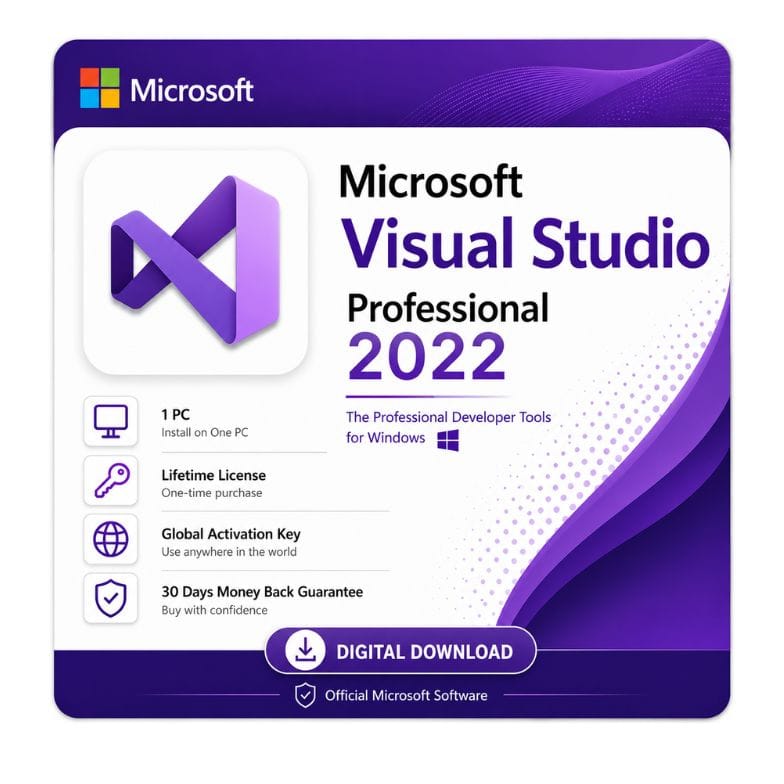



Microsoft Visual Studio Professional 2022 for Windows — Standalone License
Original price was: $1,284.99.$307.11Current price is: $307.11.
One-time payment (standalone license) · Visual Studio Professional 2022 · Windows · Emailed within 1 hour · 30-day money-back guarantee
| Activation Region | Global |
|---|---|
| Brand | Microsoft |
| Delivery | Digital — Email within 1–12 Hours |
| Language | All Languages |
| Installation Type | Digital Download (Product Key) |
| License Type | Retail |
| Platform | Windows |
| Devices | 1 PC |
| Version/Edition | 2022 Professional |
Description
Microsoft Visual Studio Professional 2022 for Windows is the full professional edition of Microsoft’s flagship IDE, offered here as a standalone one-time license. It gives individual developers and small teams the complete Professional toolset — advanced debugging, testing, CodeLens and code coverage — without a recurring subscription.
What Visual Studio Professional 2022 is
Visual Studio is Microsoft’s flagship integrated development environment (IDE) for building applications on Windows. It supports C#, C++, F#, Python, JavaScript/TypeScript and more, across desktop, web, cloud, mobile and game development. The Professional edition sits above the free Community edition, adding professional productivity and testing tools that Community doesn’t include. A microsoft visual studio professional 2022 for windows license activates that full Professional feature set.
This listing is the standalone license — a one-time purchase of the Professional edition, rather than an annual subscription. It’s the buy-once route to Visual Studio Professional 2022.
Community vs Professional vs Enterprise — which do you need
Visual Studio 2022 comes in three editions, and the right one depends on your team size and needs. Community is free for individual developers, open-source work, and small teams. Professional adds professional productivity and testing features and is licensed for wider commercial/team use. Enterprise adds advanced testing, architecture and diagnostic tools for large organizations. Most solo professionals and small commercial teams who’ve outgrown Community land on Professional.
| Community | Professional | Enterprise | |
|---|---|---|---|
| Price | Free | Paid | Paid (highest) |
| Core IDE & debugging | Yes | Yes | Yes |
| Licensed for larger commercial teams | Limited | Yes | Yes |
| CodeLens | No | Yes | Yes |
| Code coverage & testing tools | Basic | Yes | Advanced |
| Advanced architecture/diagnostics | No | Limited | Yes |
| Best for | Individuals, OSS, small teams | Pro developers & commercial teams | Large enterprises |
Verdict: If Community’s licensing no longer covers your commercial use, or you need CodeLens and professional testing, Professional is the edition to buy. Only large organizations needing advanced testing and diagnostics need Enterprise.
What you get in the Professional edition
Professional focuses on developer productivity, collaboration and testing.
- Full-featured IDE — code editor, IntelliSense, refactoring and advanced debugging.
- CodeLens — see references, changes and test status inline in your code.
- Testing tools — unit testing, Test Explorer and Live Unit Testing support.
- Code coverage — measure how much of your code your tests exercise (a Professional/Enterprise feature).
- Broad language & workload support — .NET, C++, Python, web, cloud, mobile and game dev.
- Git & collaboration — built-in source control and team tools.
Who Visual Studio Professional 2022 is for
This edition suits professional developers and small commercial teams beyond what the free Community edition covers.
- Freelance and professional developers building commercial software.
- Small teams whose commercial use exceeds Community’s licensing terms.
- Developers who need CodeLens and professional testing/code-coverage tools.
- .NET, C++ and cross-platform developers who want the full Professional IDE.
- Anyone who prefers a one-time standalone license over an annual subscription.
Who should consider something else: individual developers, students and open-source contributors can often use the free Community edition legitimately. Large organizations needing advanced testing and diagnostics should look at Enterprise.
Standalone license vs subscription — and the MSDN question
This is a standalone Visual Studio Professional 2022 license — a one-time purchase of the software itself. Microsoft also sells Visual Studio Professional as an annual subscription, which bundles subscriber benefits like MSDN/Azure credits and access to other software. It’s important to be clear: a standalone license covers the Visual Studio Professional IDE only — it does not include MSDN subscriber benefits or Azure credits. If you specifically need those subscriber benefits, you’d want the subscription rather than a standalone license. If you just need the Professional IDE to build and ship software, the standalone license is the cost-effective choice.
Language and platform support
Visual Studio Professional 2022 is a 64-bit application that supports a wide range of development work. You can build .NET desktop and web apps, C++ applications, Python projects, cloud services for Azure, cross-platform mobile apps, and games with Unity. It runs on Windows and is the full-featured desktop IDE — distinct from the lightweight, cross-platform Visual Studio Code, which is a separate free editor.
More: download, activation, and buying details
How to download Visual Studio Professional 2022
After payment, your license and an official link to download microsoft visual studio 2022 professional arrive by email — usually within the hour, and no later than 12 hours. You install using Microsoft’s Visual Studio Installer, which lets you choose exactly the workloads (such as .NET, C++, Python or web) you need.
If you require the microsoft visual studio professional 2022 download offline installer, the Visual Studio Installer supports creating an offline installation layout — useful for machines without reliable internet or for deploying across several PCs. So whether you want the standard online install or the microsoft visual studio professional 2022 download offline installer, both routes give you the same genuine Professional edition.
Activating your license
- Order and pay by VISA, Mastercard, PayPal, Wise or Payoneer.
- Open the email with your license details and download link.
- Install Visual Studio 2022, choose your workloads, and apply your license to unlock the Professional edition.
An invoice is included with every order.
System notes
Visual Studio 2022 is a 64-bit application that installs on Windows 11 and supported Windows 10 builds. Requirements scale with your workloads — larger projects and multiple workloads benefit from more RAM and disk space. An internet connection is needed for download and activation. Windows 10 reached end of support in October 2025, so Windows 11 is recommended for ongoing security.
What the standalone license means
This standalone license is a one-time purchase of the Visual Studio Professional 2022 IDE. It does not include MSDN/Azure subscriber benefits, which come only with the subscription. For developers who need the Professional IDE itself, it’s the straightforward, cost-effective option.
Genuine license, backed up
Every license is genuine and backed by a 30-day money-back guarantee and 24/7 support at Support@zoftis.com, usually answered within the hour. If you have any trouble activating, we help you fix it or refund you — no arguments.
Other developer & Microsoft tools you might need
- Visual Studio 2019 Professional – earlier full IDE edition with a genuine license key, good for legacy projects.
- Microsoft Project 2021 Professional – one-time project management license for planning and scheduling dev work.
- Microsoft Visio Professional 2021 – one-time diagramming license for architecture and flowcharts.
- Office 2024 Professional Plus – latest perpetual Office key for one Windows PC, no subscription.
- Office 2021 Professional Plus – classic one-time perpetual license for Word, Excel, PowerPoint and more.
- Microsoft Access 2019 – standalone database tool for building and managing data-driven apps.
- Windows 11 Home to Pro Upgrade Key – add Pro features like Hyper-V for dev environments, no reinstall.
Features
Visual Studio Professional 2022 features
Code & debug
- Advanced code editor with IntelliSense and refactoring
- Powerful debugger with breakpoints and diagnostics
- CodeLens — references, changes and test status inline
- 64-bit IDE for large solutions
Test & quality
- Unit testing and Test Explorer
- Live Unit Testing support
- Code coverage to measure test reach
Languages & workloads
- .NET (C#, F#, VB), C++, Python, JavaScript/TypeScript
- Desktop, web, cloud (Azure), mobile and game development
- Built-in Git source control and collaboration
Licensing
- Standalone one-time Professional license
- Genuine license, digital delivery with invoice
- IDE only — MSDN/Azure subscriber benefits not included
Specifications
| Attribute | Detail |
|---|---|
| Product | Microsoft Visual Studio Professional 2022 |
| Platform | Windows |
| Edition | Professional (above free Community, below Enterprise) |
| License type | Standalone one-time license (IDE only) |
| Subscriber benefits | MSDN/Azure benefits NOT included (subscription only) |
| Architecture | 64-bit |
| Languages | C#, C++, F#, VB, Python, JS/TS and more |
| Region | Global |
| Delivery | Email — license + download link, within 1 hour (max 12 hours) |
System Requirements
| Requirement | Minimum / Recommended |
|---|---|
| Operating system | Windows 11 or Windows 10 (supported builds) |
| Processor | Quad-core or better recommended |
| Memory (RAM) | 4 GB minimum; 8–16 GB recommended for larger workloads |
| Disk space | From ~10 GB up to 50 GB+ depending on workloads |
| Architecture | 64-bit only |
| Internet | Required for download, activation and updates |
Note: Actual disk and memory needs scale with the workloads you install (.NET, C++, mobile, game dev, etc.). Windows 10 reached end of support in October 2025; Windows 11 is recommended.
FAQs
Is this a subscription or a one-time license?
This is a standalone one-time license for microsoft visual studio professional 2022 for windows — a purchase of the Professional IDE itself, not an annual subscription. It doesn't include MSDN/Azure subscriber benefits, which come only with the subscription.
What's the difference between Community, Professional and Enterprise?
Community is free for individuals, open source and small teams. Professional adds CodeLens, professional testing and wider commercial licensing. Enterprise adds advanced testing, architecture and diagnostics for large organizations. Most pro developers and small commercial teams need Professional.
Does Professional have code coverage?
Yes. Code coverage — measuring how much of your code your tests exercise — is available in Visual Studio 2022 Professional (and Enterprise), but not in the free Community edition. It's one of the testing tools that distinguishes the paid editions.
Where do I download it, and is there an offline installer?
After purchase we email an official link to download microsoft visual studio 2022 professional. You install via the Visual Studio Installer, choosing your workloads. It also supports creating an offline installation layout if you need the microsoft visual studio professional 2022 download offline installer for machines without reliable internet.
Can I just use the free Community edition instead?
Possibly. Community is free and legitimate for individual developers, students, open-source projects and small teams. You need Professional when your commercial use exceeds Community's licensing, or when you need CodeLens and professional testing tools like code coverage.
Is this the same as Visual Studio Code?
No. Visual Studio Code is a separate, free, lightweight cross-platform editor. This is the full Visual Studio Professional 2022 IDE for Windows — a much more complete development environment with the Professional toolset.
Is it genuine, and how fast is delivery?
Yes — a genuine license with an invoice included. Delivery is by email within the hour (up to 12 hours max), payment is via VISA, Mastercard, PayPal, Wise or Payoneer, and you're covered by a 30-day money-back guarantee.
Related products
Reviews
Clear filtersThere are no reviews yet.