
Blog
FreeCAD vs Fusion 360: Is the Free Option Good Enough?

FreeCAD vs Fusion 360: Is the Free Option Good Enough for Real Work?
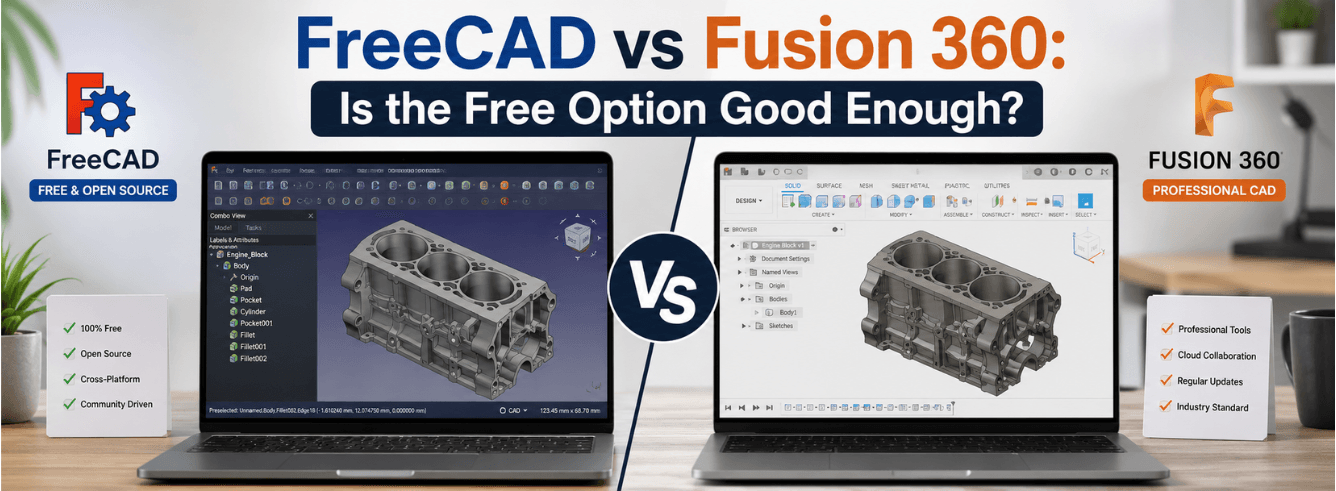
When you’re weighing FreeCAD vs Fusion 360, the surface-level answer seems obvious: free software saves money, paid software costs money. But that’s not the full picture — and for anyone trying to actually ship designs, the difference is measured in hours of frustration, not just dollars.
- FreeCAD is completely free and open-source, runs on Windows, Mac, and Linux — but the topological naming problem remains a significant workflow drag
- Fusion 360’s free personal-use tier is generous (under $1,000/year revenue), but full commercial capability requires a subscription from $85/month or $680/year
- The FreeCAD vs Fusion 360 decision often comes down to assembly complexity, support needs, and whether you can tolerate fixing broken references
- Fusion 360 offers integrated CAM, simulation, and cloud collaboration — FreeCAD relies on community add-ons and manual workflows
The real cost of “free” in parametric CAD
Let’s be honest: when people search FreeCAD vs Fusion 360, they’re usually asking, “Can I get away with the free one?” The answer is yes — and also no.
FreeCAD is a remarkable piece of open-source engineering. It’s been in active development for over two decades, runs on virtually any hardware, and doesn’t lock your data into a proprietary cloud. But the topological naming problem (TNP) is the elephant in the room that any honest FreeCAD vs Fusion 360 comparison has to address.
The topological naming problem explained: In FreeCAD, when you change an earlier feature — say, adding a hole or adjusting a dimension — references in later features often break. Faces and edges get “renamed” internally, and your downstream features (fillets, chamfers, sketches) lose their references. You have to manually rebuild them. In a complex part, this can cost hours of rework.
The FreeCAD development team is actively working on TNP mitigation. Recent GitHub issues show ongoing improvements to the naming system, with developers exploring new algorithms to maintain face references through operations like thickness commands and chamfers [citation:10]. But as of mid-2026, the problem persists. One GitHub contributor notes that the solution likely requires “a new algorithm entirely” [citation:10].
For hobbyists, this is an inconvenience. For a freelancer quoting a fixed price, it’s a margin-killer. For a small business, it’s a hidden cost that makes the FreeCAD vs Fusion 360 calculation much more complex than just comparing sticker prices.
Time cost estimate: Experienced FreeCAD users report spending 15–30% of their design time fixing broken references in complex parts. On a $100/hour freelance rate, that’s $15–30 per hour of CAD work lost to TNP repair.
Five hidden costs of “free” CAD
- Reference repair time: Every design iteration risks breaking downstream features
- Learning curve friction: FreeCAD’s interface and workflow require more upfront investment
- Assembly performance: No native array support for multiple component instances yet — users manually insert each part or use Draft arrays as workarounds [citation:8]
- Support delay: Community forums are helpful, but answers aren’t guaranteed or immediate
- Obsolete workbenches: Some add-ons like Assembly2 are no longer maintained, creating confusion about which workbench to use [citation:4]
Where FreeCAD genuinely wins
Before we dig into Fusion 360’s advantages, let’s give FreeCAD the respect it deserves. If you’re evaluating FreeCAD vs Fusion 360 honestly, you need to understand why thousands of designers choose the open-source route.
FreeCAD isn’t “almost as good as paid CAD.” In some areas, it’s genuinely better — especially if you value data ownership and cross-platform freedom.
Zero-cost forever
No subscription fees. No renewal surprises. No export limitations. FreeCAD is free, period. For students, hobbyists, or anyone exploring CAD for the first time, that’s a powerful argument in the FreeCAD vs Fusion 360 debate. Fusion 360’s free personal-use tier exists, but it has restrictions: you need to earn under $1,000 USD annually and use it only for non-commercial projects [citation:3].
Cross-platform freedom
FreeCAD runs on Windows, macOS, and Linux. Fusion 360 requires Windows 10+ or macOS 13+ and has no Linux support [citation:9]. For engineers who prefer Ubuntu or work in mixed-OS environments, FreeCAD is the only choice.
Open-source community and transparency
The open-source community behind FreeCAD is passionate and engaged. Development is transparent — you can track every bug fix and feature request on GitHub. If you care about self-hosted data and avoiding vendor lock-in, FreeCAD aligns with that philosophy [citation:2][citation:6].
Low system requirements
FreeCAD can run on modest hardware with just 4 GB RAM and any OpenGL-compatible GPU [citation:9]. Fusion 360 recommends at least 8 GB RAM and a modern x86-64 processor, making it less suitable for older machines.
Where Fusion 360 pulls ahead for professionals
Now let’s look at the other side of the FreeCAD vs Fusion 360 equation. Fusion 360 is Autodesk’s flagship integrated product development platform, combining CAD, CAM, CAE, and PCB design in one package [citation:11].
If your work involves any of the following, Fusion 360 starts to look less like a luxury and more like a necessity.
Integrated CAM and simulation
Fusion 360 includes comprehensive CAM toolpaths for CNC machining, including 3- to 5-axis milling, sheet nesting, and metal additive manufacturing [citation:11]. FreeCAD has CAM capabilities through the Path workbench, but the workflow is less polished, and post-processor support is community-maintained.
For parametric design that moves directly to manufacturing, Fusion 360’s integrated stack saves significant time. The Simulation Extension offers FEA, generative design, and cloud-based processing that FreeCAD can’t match [citation:11].
Cloud collaboration and data management
Fusion 360’s cloud architecture allows multiple users to work on the same design simultaneously, with version history and built-in PDM [citation:7]. FreeCAD is no cloud by default — you manage files locally or via your own version control. For teams, Fusion 360’s collaboration features are a clear win.
Professional support
When something breaks in Fusion 360, you can get professional support via email, phone, or in-product help [citation:3]. FreeCAD’s support is community-driven — forums and GitHub issues are the primary channels [citation:1]. For businesses where downtime costs money, that support difference is a major factor in the FreeCAD vs Fusion 360 decision.
Consistent assembly workflow
Fusion 360’s assembly modeling is mature and predictable. FreeCAD’s assembly capabilities are evolving, but users still report friction — for instance, nested assemblies can create navigation confusion, and the solver has limitations [citation:12]. The Assembly workbench also lacks native array support, forcing workarounds that feel kludgy [citation:8].
Fusion 360 free tier exists: If revenue is under $1,000/year, you can use Fusion 360’s personal-use version for free. It has limitations (10 active documents, 10 GB cloud storage, limited CAM) but is a genuine option for hobbyists exploring the FreeCAD vs Fusion 360 choice [citation:7].
Head-to-head feature comparison
Here’s the full picture of how FreeCAD vs Fusion 360 stack up across the features that matter most.
| Feature | Fusion 360 | FreeCAD |
|---|---|---|
| Price | Free (personal, under $1k) / $85/month or $680/year (commercial) [citation:11] | Completely free, forever |
| Platforms | Windows 10+, macOS 13+ [citation:9] | Windows, macOS, Linux [citation:9] |
| Topological naming stability | Stable — no TNP issues | Ongoing problem requiring manual fixes [citation:2][citation:6][citation:10] |
| Integrated CAM | Full 3–5 axis, sheet nesting, additive [citation:11] | Path workbench, community-maintained |
| Simulation/FEA | Generative design, cloud simulation, multiple physics [citation:11] | FEM workbench, basic capabilities |
| Cloud collaboration | Built-in PDM, multi-user editing, mobile viewing [citation:7] | No cloud — self-hosted files |
| Professional support | Phone, email, in-product [citation:3] | Community forums, GitHub issues [citation:1] |
| Assembly arrays | Native support | Workaround required [citation:8] |
| System requirements | 8 GB RAM, modern GPU [citation:9] | 4 GB RAM, OpenGL GPU [citation:9] |
| Data ownership | Cloud-hosted, Autodesk-controlled | Self-hosted, complete control |
Who should pick which tool
The FreeCAD vs Fusion 360 decision isn’t about which is “better” — it’s about which fits your situation. Here’s how to think about it based on your role.
Ready to move beyond FreeCAD’s limitations?
Autodesk Fusion 360 for Windows — full CAD, CAM, CAE, and PCB capabilities. Commercial subscription from $59 through Zoftis. Delivered to your own Autodesk account within 1–12 hours. 30-day money-back guarantee.
Get Fusion 360 commercial license →Also available: Fusion 360 for Mac · Fusion 360 Commercial License
Frequently asked questions
Is FreeCAD as good as Fusion 360?
It depends on your definition of “good.” FreeCAD is capable and free, but the topological naming problem remains a significant workflow friction point that Fusion 360 doesn’t have. For simple parts and hobby projects, FreeCAD is excellent. For complex assemblies and production work, Fusion 360 is more reliable and efficient [citation:2][citation:6].
Can you use FreeCAD for commercial work?
Yes — FreeCAD has no commercial restrictions. You can design, manufacture, and sell products made with it without paying any license fee. However, you’ll need to account for the extra time spent on TNP fixes and workflow friction in your pricing.
Does Fusion 360 have a permanent free version?
Yes, but it’s called “Fusion 360 for personal use” and has restrictions: you must earn under $1,000 USD per year from design work, and it’s for non-commercial projects only. It also limits active documents to 10, cloud storage to 10 GB, and excludes some CAM and simulation features [citation:3][citation:7].
Why does FreeCAD break so often when I change earlier features?
This is the topological naming problem. FreeCAD assigns internal names to faces and edges based on creation order. When you change an earlier feature (like adding a hole), the internal names shift, and downstream features lose their references. The development team is working on it, but for now, it’s a known limitation [citation:6][citation:10].
Which is easier to learn, FreeCAD or Fusion 360?
Fusion 360 has a gentler learning curve thanks to a more polished interface, better documentation, and professional support resources. FreeCAD has a steeper learning curve and requires more community-sourced learning [citation:5].