
Blog
Onshape vs Fusion 360: Two Cloud CAD Platforms Compared

Onshape vs Fusion 360: Which Cloud CAD Platform Wins in 2026?
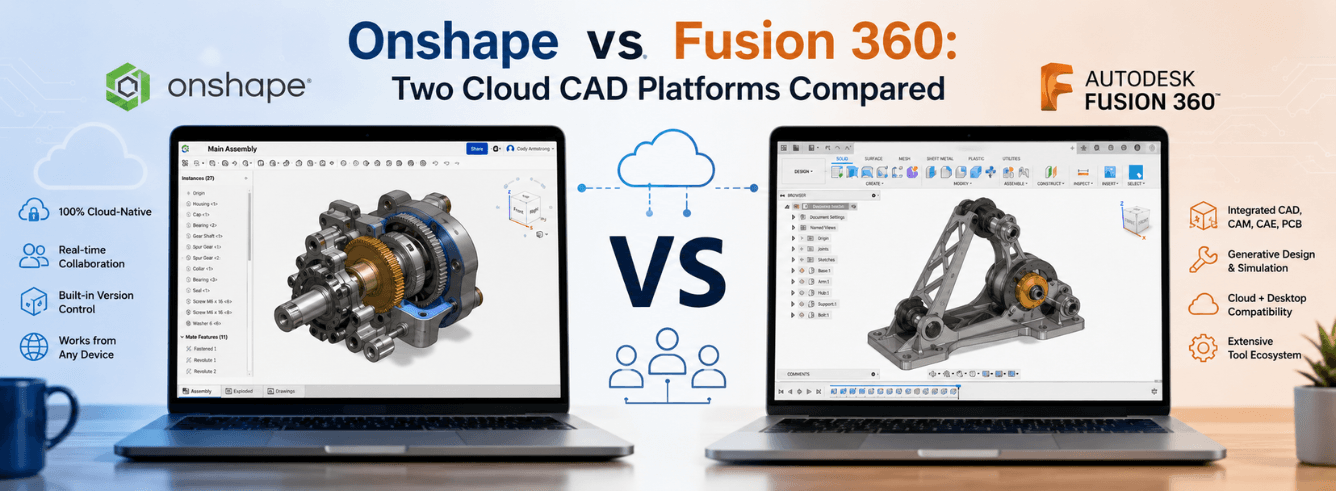
If you’re weighing up the Onshape vs Fusion 360 decision for your design team, you’re not alone—these two cloud CAD platforms have fundamentally changed how engineers collaborate, but they serve very different purposes under the hood. In this comparison, we’ll cut through the marketing to show you which one actually fits your workflow.
Two different visions of cloud CAD
Let’s start with the most important distinction in this Onshape vs Fusion 360 comparison: they’re both cloud-connected, but only one is truly cloud-native. The difference shapes everything else.
Key distinction: Onshape is “full-cloud” — all processing, storage, and data management happens on remote servers. Fusion 360 is “cloud-connected” — it installs locally but syncs files to the cloud for backup and collaboration.
Onshape: born in the cloud
Onshape was designed from the ground up for the cloud [citation:13]. There are no files, no local save operations, and no version conflicts. Everything lives in a unified cloud database. Multiple users can edit the same model simultaneously — and I mean simultaneously, not just taking turns checking files in and out [citation:13].
This “full-cloud architecture” eliminates the need for separate product data management (PDM) software. Release management, approvals, and version control are baked into the platform [citation:4]. Administrators can even define custom release workflows using JSON files — a “process as code” approach that’s as agile as the design work itself [citation:4].
Fusion 360: best of both worlds
Fusion 360 takes a different approach. It’s a desktop application (Windows and Mac) that stores files locally but syncs them to Autodesk’s cloud. You can work offline; your changes sync when you reconnect. This hybrid model gives you the power of local compute combined with cloud collaboration features [citation:8].
But there’s a catch: because Fusion 360 is file-based, real-time collaboration isn’t as seamless. You can share and co-author designs, but you’re still working with copies that sync, not a single live database. For many users, this is perfectly fine — for distributed teams working in tight cycles, it’s a limitation Onshape doesn’t have.
- Onshape = full-cloud, no files, native multi-user editing, built-in PDM
- Fusion 360 = hybrid cloud, local install + cloud sync, broader toolset
Feature-by-feature: where each platform wins
Now let’s get practical. How do these platforms stack up on the features that matter most to working designers and engineers?
| Feature | Fusion 360 | Onshape |
|---|---|---|
| Real-time collaboration | Cloud-backed, file-based sync | Native multi-user concurrent editing |
| Offline work | Yes — full offline capability | No — internet required at all times |
| CAM (manufacturing) | Built-in, excellent | Third-party extensions, additional cost |
| Simulation / FEA | Built-in | Built-in (cloud-based, Professional tier) |
| PDM / release management | Separate tools or workarounds | Built-in, native, zero IT overhead |
| Browser / platform support | Windows + Mac only (web viewer only) | Any browser, any OS — even tablets |
| Generative design | Built-in | Available via integrations |
| Free tier | 30-day trial | Unlimited free (public documents only) |
Collaboration: Onshape’s killer feature
Onshape’s cloud architecture shines here. Because design data lives in a single database, not files, users never need to “check out” parts or worry about overwriting each other’s work. The system tracks every change — you can restore any design state at any time [citation:13].
In-context editing (editing parts within assemblies) also works predictably. Traditional CAD often breaks references when you move parts around; Onshape’s database approach handles this gracefully [citation:9]. If your team works across time zones or you frequently collaborate with external partners, this is a game-changer.
Manufacturing: Fusion 360’s ace in the hole
When the Onshape vs Fusion 360 conversation shifts to manufacturing, Fusion 360 pulls ahead. Its CAM tools are built into the core product — you can design a part and generate toolpaths without leaving the same workspace [citation:1]. Onshape requires CAM integrations from the App Store, which means additional subscriptions and more moving parts [citation:8].
Fusion 360 also includes simulation, generative design, and PCB design tools in its standard offering. If you’re a product design consultancy or a startup building physical products, this all-in-one approach saves time, money, and integration headaches.
Pro tip for Fusion 360 users: The integrated toolset means you’re not paying extra for CAM, rendering, or simulation — all included in the subscription. For small teams, this is enormous value.
The real cost of Onshape vs Fusion 360
Let’s talk money. This is where the Onshape vs Fusion 360 choice often gets made — and the numbers tell a compelling story.
| Plan | Fusion 360 | Onshape |
|---|---|---|
| Free tier | 30-day trial only | Unlimited free (public documents, non-commercial) |
| Commercial price | ~$500–680 / year [citation:5] | ~$1,500–2,500 / year [citation:15] |
| 5-year TCO (10 users) | ~$35,000 [citation:10] | ~$180,000 [citation:10] |
| Hidden costs | Minimal | CAM/simulation extensions add cost |
These figures make the contrast stark. Fusion 360 costs about a third of Onshape’s annual subscription, and for a team of ten, that difference adds up to almost $150,000 over five years [citation:10].
Onshape’s counter-argument: you get native PDM, built-in release management, and true multi-user collaboration — all of which would cost extra with other systems. For teams where collaboration drives revenue, the premium may be justifiable. For everyone else, it’s a tough sell.
Onshape free plan caveat: All documents created on the free plan are public. Any Onshape user can view and copy your work [citation:6]. For commercial projects or anything you don’t want the world to see, you’ll need to pay.
Who should pick Fusion 360 — and who should pick Onshape
This Onshape vs Fusion 360 decision ultimately depends on your team structure, your workflow, and your budget. Here’s a practical breakdown.
Fusion 360 is the better choice if:
- You need CAM, simulation, or generative design — these are built in, not add-ons
- You’re a small team or startup — the lower price point frees up cash for other tools
- You work with suppliers who use file-based CAD — Fusion’s native files integrate smoothly
- Your internet connection isn’t rock-solid — offline work keeps you productive during outages
- You value all-in-one simplicity — one subscription, one interface, no third-party apps to juggle
Onshape is the better choice if:
- Your team is distributed globally — native real-time collaboration is a productivity multiplier
- You hate PDM administration — Onshape handles version control, release management, and approvals out of the box [citation:4]
- You need browser-based access on any device — engineers can work from Windows, Mac, Linux, or even a tablet [citation:13]
- Your designs involve complex assemblies — Onshape’s database architecture handles large models more predictably
- You want zero IT overhead — no servers, no installations, no updates to manage
“Onshape pays for itself in saved iteration cycles if your team is distributed. For everyone else, Fusion 360 is the smarter value play.”
Frequently asked questions
Is Onshape or Fusion 360 easier to learn?
Fusion 360 generally has a gentler learning curve. Its interface is more intuitive, and Autodesk provides extensive free training resources [citation:8]. Onshape’s ribbon-based interface can be confusing if you’re coming from traditional CAD like SolidWorks, and some advanced tutorials are behind a paywall [citation:8]. Both platforms, however, are considered significantly easier to learn than traditional desktop CAD like SolidWorks or Creo [citation:10].
Can Onshape and Fusion 360 share files?
Yes, both platforms support standard neutral CAD formats like STEP, IGES, and STL. You can export models from one and import into the other [citation:8]. However, Onshape doesn’t have a downloadable native file format — everything lives in the cloud. Fusion 360 has native .f3d files that can be stored locally. For cross-platform collaboration, neutral formats are your best bet.
Which is better for 3D printing: Onshape or Fusion 360?
Both are excellent for 3D printing, but Fusion 360 has a slight edge because its CAM capabilities extend to additive manufacturing (3D printing toolpath generation). Fusion 360 also includes generative design features that can create optimized organic shapes for printing. Onshape can export STL files easily, but advanced printing workflows require third-party extensions [citation:1].
Do I need a powerful computer for Onshape or Fusion 360?
Onshape runs most computation on remote servers, so local hardware requirements are modest. A good graphics card helps, but you don’t need a high-end workstation [citation:8]. Fusion 360 relies more on local compute for modeling and simulation, so it benefits from a faster processor and more RAM [citation:8]. Both recommend at least 8GB of RAM for complex models.
Why is Onshape so much more expensive than Fusion 360?
The price difference reflects Onshape’s full-cloud architecture and built-in PDM/release management. Onshape replaces not just CAD software but also the file server, PDM system, and IT administration overhead [citation:4][citation:13]. For large organizations, this consolidation can justify the premium. For smaller teams, the cost is harder to swallow when Fusion 360 offers similar modeling capability at a fraction of the price [citation:10].
Ready to try Fusion 360 for your team?
Get a genuine Autodesk Fusion 360 subscription — CAD, CAM, CAE and PCB included. Delivered by email within 1–12 hours, backed by a 30-day money-back guarantee.
Get Fusion 360 from $59Also available: Fusion 360 for Mac · Commercial license