
Blog
Can Revit Run on a Mac? Your Options Explained

Can Revit Run on a Mac? Your Options Explained
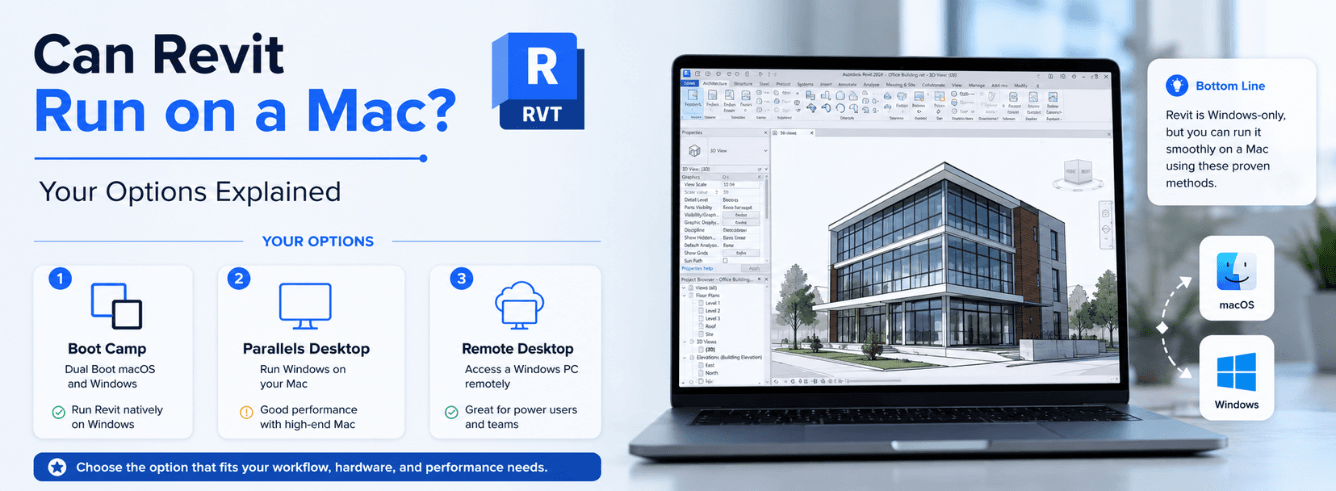
So you own a Mac and you’re asking can Revit run on a Mac? The honest answer hasn’t changed in years — but the workarounds have gotten a lot better. Let me walk you through exactly what works, what doesn’t, and what you’ll actually pay.
- Revit has no native Mac build — and probably never will.
- Apple Silicon Macs (M1/M2/M3/M4) can run Revit through Parallels and Windows 11 ARM, but without official Autodesk support.
- Cloud workstations eliminate compatibility headaches but add a monthly subscription on top of your Revit licence.
- Boot Camp is dead on Apple Silicon — Intel Macs only.
- Zoftis sells genuine Revit licences at a fraction of Autodesk list price, which helps offset whatever workaround you choose.
Why Autodesk never built Revit for Mac
Revit was born on Windows. Autodesk acquired it in 2002 and has kept it Windows-only ever since. That’s not laziness — it’s a deep architectural dependency on Windows libraries like .NET Framework and DirectX that would require a near-total rewrite to port to macOS or Metal.
While Autodesk does offer native Mac versions of AutoCAD, Fusion 360, and Maya, Revit remains the glaring exception. Every year forums fill with fresh can Revit run on a Mac threads, and every year the answer is the same: not natively.
Autodesk’s official system requirements page lists Windows 10 or 11 as the only supported operating system for Revit 2026. No mention of macOS anywhere. See Autodesk Revit system requirements.
But “not natively” doesn’t mean “not at all.” Architects and BIM teams have been successfully running Revit on MacBooks for over a decade using three practical routes. Which one fits you depends on your Mac’s chip, your budget, and how much performance you need.
How the three workarounds stack up
Before we dive into each method, here’s a straight comparison. These aren’t theoretical benchmarks — they reflect what users report day-to-day in production BIM workflows on a current MacBook Pro or iMac.
| What matters | Parallels (Apple Silicon) | Boot Camp (Intel Mac only) | Cloud Workstation |
|---|---|---|---|
| Works on M1/M2/M3/M4 Macs | Yes | No | Yes |
| Works on Intel Macs | Yes | Yes | Yes |
| One-time cost for the workaround | ~$99/year (Parallels) | Free | $30–$80/month |
| Runs without internet | Yes | Yes | No |
| Autodesk official support | No | Yes (native Windows) | Depends on provider |
| Performance for large models | Good, but ARM emulation adds overhead | Best — full native speed | Excellent — server-grade hardware |
| macOS integration (copy-paste, gestures) | Seamless | None — full reboot required | Browser-based, limited |
If you’re on Apple Silicon, Parallels is your only local option. If you’re still on an Intel Mac, Boot Camp gives you the cleanest performance. And if you want zero setup headaches, cloud workstations are worth the monthly premium.
Option 1 — Parallels Desktop on Apple Silicon
Since Apple killed Boot Camp on Apple Silicon, virtualization through Parallels Desktop is the only way to run Revit locally on an M-series Mac. The setup goes like this: install Parallels, load up Windows 11 ARM, then install Revit inside that VM. Windows 11 ARM translates x86 apps like Revit through Microsoft’s emulation layer — it works, but there’s a performance tax.
What performance looks like in practice
On an M3 Max MacBook Pro with 36GB of RAM allocated (18GB to macOS, 18GB to the Windows VM), users report smooth navigation in Revit models up to about 300MB. For larger hospital or tower models exceeding 500MB, expect some viewport lag. Rendering with Enscape or V-Ray inside the VM works but is slower than on an equivalent Windows laptop, because the GPU passes through a translation layer too.
Setup steps
- Buy and download Parallels Desktop 20 ($99.99/year for the Pro edition, which you need if you want to allocate more than 8GB RAM to the VM).
- Download the Windows 11 ARM ISO from Microsoft’s insider program (free for now; Microsoft may eventually charge).
- Create a new VM and give it at least 16GB of RAM and 4 CPU cores — Revit is hungry.
- Install Revit 2024–2027 inside Windows 11 ARM as you would on any PC.
- Allocate at least 50GB of disk to the VM; Revit project files and families add up fast.
Autodesk does not officially support Revit on Windows 11 ARM. If something breaks and you log a support ticket, they may decline to help. For most users this is a theoretical risk — Revit runs fine day to day — but it’s worth knowing if you’re working on mission-critical projects.
Parallels Coherence Mode is a neat trick: it hides the Windows desktop and makes Revit float alongside your Mac apps. You can copy-paste between Safari and Revit, use Mac trackpad gestures, and share folders. It’s the closest thing to a Revit MacBook experience that actually exists.
Option 2 — Boot Camp on Intel Macs
If your Mac runs an Intel chip — anything from 2006 to the last Intel MacBook Pro in 2020 — you can dual-boot into real, native Windows through Boot Camp. This isn’t emulation. When you boot into Windows, your Mac becomes a full Windows PC with direct access to CPU, GPU, and RAM.
Why Boot Camp still wins for performance
No translation layer, no shared memory, no virtualization overhead. Your Intel Mac’s dedicated GPU (if it has one) runs Revit natively. For rendering in Enscape or Lumion, Boot Camp delivers frame rates matching an equivalent-spec Dell or HP workstation. Revit OS X purists might dream of a macOS build, but Boot Camp on Intel hardware is genuinely the best production setup for Mac users who need every ounce of performance.
The trade-offs
- You must reboot every time you switch between macOS and Revit — no copy-paste between operating systems.
- Your Mac’s storage gets partitioned; you’ll need at least 80GB for a Windows partition plus Revit and project files.
- Intel Macs are aging out. Apple stopped selling them in 2023, and macOS updates will eventually leave them behind.
- Apple’s T2 security chip requires extra steps to enable Boot Camp — not hard, but not one-click either.
Still running a 2019 MacBook Pro or 2020 iMac with an Intel i9? Don’t upgrade just yet. That machine is a Revit beast in Boot Camp. Pair it with a good cooling pad and it’ll handle anything short of a stadium model.
Option 3 — Cloud workstations for Revit
If you want zero tinkering and your budget can stretch, a cloud workstation is the cleanest answer to can Revit run on a Mac. You stream a Windows desktop from a remote server — usually running Xeon CPUs and NVIDIA RTX GPUs — straight into a browser window on your MacBook. No VMs, no partitions, no emulation quirks.
Popular cloud platforms for Revit
| Provider | Monthly cost (approx) | GPU included | Best for |
|---|---|---|---|
| Autodesk (via partner Frame) | $50–$80/month | NVIDIA T4 / A10G | Teams already on Autodesk Construction Cloud |
| Shadow PC (Power tier) | $49.98/month | NVIDIA RTX A4500 equivalent | Solo practitioners, students |
| Paperspace (Core i9 + A4000) | $0.56/hr (~$40–$80/month) | RTX A4000 | Project-based work, variable usage |
| Azure Virtual Desktop | Pay-as-you-go | Configurable | Firms with existing Microsoft Azure commitment |
When cloud makes sense
Cloud workstations shine when you’re on an older MacBook Air that couldn’t virtualize Windows smoothly, or when you need to open massive 1GB+ Revit models that would choke any laptop. They’re also great for collaborative workflows — multiple people can access the same machine if your provider supports it. The downside? Latency. If your internet drops, so does your Revit session. And you’re paying a monthly cloud fee on top of your Revit subscription — costs compound fast.
Cloud rendering (via Autodesk’s own cloud credits) is separate from a cloud workstation. You can model locally on Parallels and still send renders to the cloud — you don’t need a full cloud VM just for rendering.
What a Revit licence actually costs — and how Zoftis makes it easier
Whatever workaround you pick, you still need a genuine Autodesk Revit licence. And here’s where people get surprised: Autodesk’s list price for a one-year Revit subscription is $2,910. When you’re already paying $49–$80 a month for a cloud workstation or $99 a year for Parallels, that full sticker price stings.
Zoftis pricing vs. Autodesk list
| Licence type | Autodesk list price | Zoftis price |
|---|---|---|
| Revit 1-year term (2024–2027) | $2,910/year | $79/year |
| Revit 3-year term | $8,730 | $199 |
| Revit Commercial License (full commercial rights) | $2,310/year | $1,499/year |
All licences are genuine Autodesk subscriptions, activated to your own Autodesk account, delivered by email within 1–12 hours, and backed by a 30-day money-back guarantee. The non-commercial tier is perfect for students, freelancers testing Revit, or small firms watching overhead. For production studios, the commercial licence covers full business use with named-user seats.
Get a genuine Revit licence without the Autodesk markup
From $79 for a 1-year term — genuine Autodesk activation, delivered to your inbox within 1–12 hours, 30-day money-back guarantee included. Activates on your own account.
Get Revit for Windows →Need full commercial rights? See Revit Commercial License →
Frequently asked questions
Can Revit run on a Mac natively — not through any workaround?
No. There is no native macOS build of Revit and Autodesk has given zero indication they’ll ever release one. Every Mac user running Revit uses either virtualization, dual-boot, or a cloud workstation. If you need native BIM software on macOS, look at Archicad or Vectorworks — but they are not Revit-compatible.
Does Revit run on an M1/M2/M3/M4 MacBook Pro?
Yes — but only through Parallels Desktop running Windows 11 ARM. Performance on M3 Max and M4 Max chips is genuinely good for models under 300MB. For larger projects, expect some slow-down because the x86-to-ARM translation layer adds overhead. Cloud workstations are a more reliable alternative for heavy production work on Apple Silicon.
Is Boot Camp an option on the latest Macs?
No. Apple removed Boot Camp support starting with M1 Macs in 2020. Boot Camp only works on Intel-based Macs. If you own a 2019 MacBook Pro, 2020 iMac (Intel), or Mac Pro (2019), Boot Camp remains the best-performing Windows on Mac solution for Revit. But on any M-series Mac, virtualization or cloud is your only path.
Does Autodesk support Revit running via Parallels?
Not officially. Autodesk’s support team will not troubleshoot issues that arise from running Revit inside a VM on a Mac. In practice, Revit runs reliably enough that most users never need to contact support for VM-specific issues. But it’s a calculated risk — particularly if you work on projects with contractual software requirements.
What’s the cheapest way to get Revit running on a Mac?
If you already own an Intel Mac, Boot Camp is free — you just need a Windows licence (~$30 for a key) and a Revit subscription (from $79/year via Zoftis). On Apple Silicon, Parallels ($99/year) + Windows 11 ARM (free) + a $79 Revit licence from Zoftis gives you a fully functional setup for under $180 in year one. Cloud workstations are the priciest route at $40–$80/month on top of the Revit licence.
Will Revit LT ever come to Mac?
Extremely unlikely. Revit LT shares the same Windows codebase as full Revit. If Autodesk ports the full Revit engine to macOS someday, LT would follow — but there’s no roadmap for either. For lightweight BIM on a Mac, consider Fusion 360 (which is Apple Silicon native) for mechanical work or BricsCAD BIM for macOS.