
Blog
CAD Software for Mechanical Engineering: Choosing the Right Tool

CAD Software for Mechanical Engineering: Which Tool Fits Your Workflow?
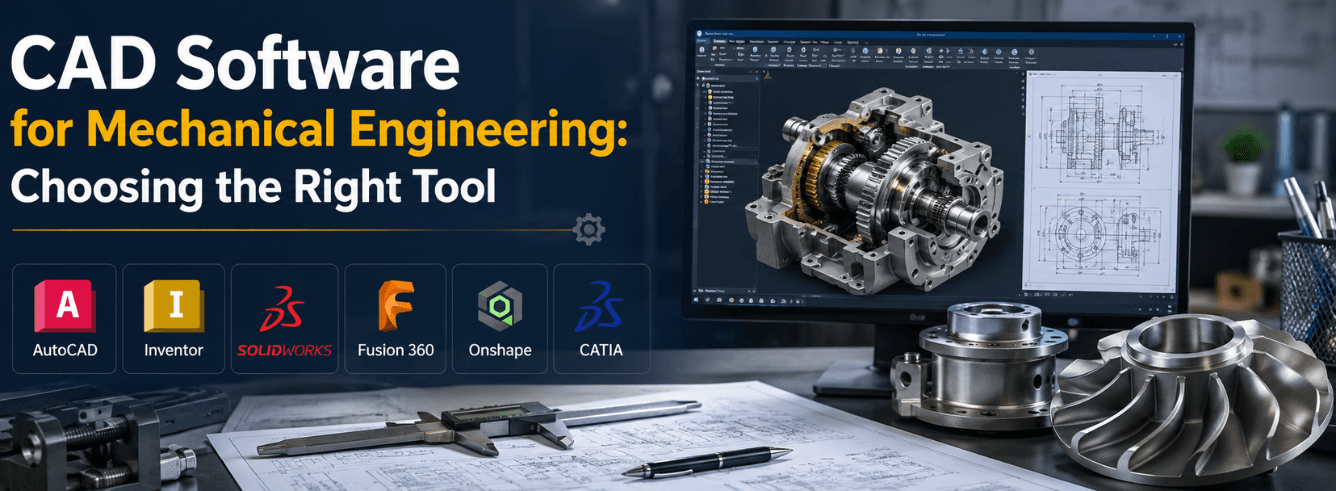
Choosing the right CAD software for mechanical engineering can feel overwhelming—especially when every vendor claims to have the “best” solution. This guide cuts through the noise with a practical, scenario-driven framework.
- CAD software for mechanical engineering isn’t one-size-fits-all—your industry, team size, and budget determine the right fit.
- Autodesk Inventor excels at parametric 3D modeling for complex assemblies; Fusion 360 leads in integrated CAD/CAM for manufacturing.
- SOLIDWORKS, Creo, NX, and CATIA each dominate specific segments—know where you belong before you buy.
- Zoftis offers genuine Autodesk licenses starting at $59/year—a fraction of MSRP.
Which CAD software fits your industry?
Different industries demand different capabilities from mechanical engineering CAD programs. Here’s a quick industry-to-software mapping based on real-world workflows.
| Industry | Primary CAD choice | Why |
|---|---|---|
| Consumer products / industrial design | Fusion 360 / Inventor | Flexible modeling + rendering + CAM in one |
| Automotive / aerospace (OEM) | CATIA / NX | Class-A surfacing, large assembly management |
| Automotive / aerospace (supplier) | Creo / SOLIDWORKS | Parametric rigor, industry-standard compatibility |
| Machine design / heavy equipment | Inventor / SOLIDWORKS | Frame generator, weldments, large assembly |
| Job shops / manufacturing | Fusion 360 | Integrated CAM, affordable, cloud-based |
| Building / construction (MEP) | Revit (with Inventor for fabrication) | BIM integration + detailed fabrication models |
| Startups / SMBs | Fusion 360 / Inventor | Low cost of entry, scalable, Autodesk ecosystem |
The best cad for mechanical engineers depends on where you work. A startup designer has different needs than a Boeing contractor—and that’s okay.
Note: If you’re in a multi-disciplinary firm (mechanical + electrical + architectural), consider Autodesk’s ecosystem. Inventor connects natively with Revit and AutoCAD, making mechanical engineering software integration smoother.
What’s your budget tier?
CAD software for mechanical engineering ranges from free to five figures per seat. Here’s where the major players land in 2026.
| Tier | Software | Annual cost (approx.) | Best for |
|---|---|---|---|
| Budget (under $100/yr) | Fusion 360 (personal) / FreeCAD | $0–$85/mo | Hobbyists, students, startups |
| Entry professional ($100–$800/yr) | Fusion 360 Commercial | $680/yr[reference:20] | Small businesses, job shops |
| Mid-range ($800–$3,000/yr) | Inventor Professional | $2,500–$2,850/yr[reference:21] | Most mechanical engineering firms |
| Premium ($3,000–$8,000/yr) | SOLIDWORKS Pro / Creo / NX Standard | $3,800–$7,400/yr[reference:22][reference:23] | Enterprises, specialized industries |
| Enterprise ($8,000+/yr) | CATIA / NX Premium | $7,000–$12,000+[reference:24] | Aerospace, automotive OEM, mega-assemblies |
Zoftis offers genuine Autodesk licenses—Inventor and Fusion 360—at a fraction of these MSRPs. With mechanical cad software prices rising annually, buying through an authorized reseller makes financial sense.
Tip: Don’t pay MSRP. Zoftis offers genuine Autodesk Inventor Professional for Windows at $59/year (reg $99)—delivered within 1–12 hours with a 30-day money-back guarantee.
CAD software comparison matrix
Here’s a head-to-head comparison of the leading mechanical engineering cad programs across the features that actually matter.
| Feature | Inventor | Fusion 360 | SOLIDWORKS | Creo | NX | CATIA |
|---|---|---|---|---|---|---|
| Parametric 3D modeling | ★★★★★ | ★★★★ | ★★★★★ | ★★★★★ | ★★★★★ | ★★★★★ |
| Assembly management | ★★★★★ | ★★★★ | ★★★★ | ★★★★★ | ★★★★★ | ★★★★★ |
| Sheet metal | ★★★★★ | ★★★★ | ★★★★★ | ★★★★ | ★★★★★ | ★★★★ |
| Simulation / FEA | ★★★★★ | ★★★★ | ★★★★ | ★★★★★ | ★★★★★ | ★★★★★ |
| CAM integration | ★★ | ★★★★★ | ★★★ | ★★★ | ★★★★★ | ★★ |
| Cloud collaboration | ★★★ | ★★★★★ | ★★★ | ★★ | ★★★★ | ★★★★ |
| Annual cost (approx.) | $2,500 | $680 | $3,800+ | $2,400+ | $7,400+ | $7,000+ |
| Learning curve | Moderate | Gentle | Moderate | Steep | Steep | Very steep |
“For pure design work, Fusion 360 delivers 90% of SOLIDWORKS capability at 15% of the cost.”[reference:25]
No single cad software for mechanical engineering wins in every category. The right choice depends on your specific workflow—which is exactly what we cover next.
Autodesk Inventor: the parametric powerhouse
If your work revolves around complex mechanical assemblies, large parts libraries, and engineering simulation, mechanical CAD software like Autodesk Inventor is your natural home.
What Inventor does best
- Parametric modeling at enterprise scale—handles assemblies with thousands of components
- Sheet metal design with dedicated tools for flanges, hems, and punch patterns[reference:26]
- Frame Generator for welded structures and machine frames
- Simulation—FEA, stress analysis, and motion studies built in
- BOM and documentation—industrial-strength drawing and parts list automation
What’s new in Inventor 2026
The 2026 release brought meaningful workflow improvements. The new “Place and Insert” command streamlines assembly component placement[reference:27]. Sheet metal tools saw interface modernization, and pattern features now include shaded previews and graphic manipulation[reference:28]. A new Flip Direction option in sketches preserves dimension values while reversing geometry[reference:29].
Note: Inventor also improved Revit interoperability in 2026[reference:30]—critical if your firm does building design alongside mechanical engineering.
Who should choose Inventor
- Machine designers building complex equipment
- Product engineers managing large assemblies
- Firms already in the Autodesk ecosystem (AutoCAD, Revit, Civil 3D)
- Teams that need simulation but don’t want a separate FEA package
Get genuine Autodesk Inventor at a fraction of MSRP
Zoftis offers genuine Autodesk Inventor Professional for Windows — 1-year subscription, 2024–2026 release, delivered by email within 1–12 hours. 30-day money-back guarantee. From $59 (reg $99).
Buy Inventor Professional →Also available: Inventor Professional Subscription for teams
Fusion 360: cloud-native CAD with CAM built in
Fusion 360 has become the go-to CAD software for mechanical engineering for startups, job shops, and anyone who needs design and manufacturing in one package.
What Fusion 360 does best
- Integrated CAD/CAM/CAE—design, simulate, and generate toolpaths in one environment
- Cloud collaboration—teams work on the same model simultaneously from anywhere
- Affordable—$680/year for commercial use is unmatched in this feature class[reference:31]
- PCB design—electronics and mechanical design in one tool
- Generative design—AI-driven topology optimization
What’s new in Fusion 360 (2026)
The July 2026 update introduced on-demand configurations, significant CAM enhancements, component reuse workflows, and Altium import for electronics integration[reference:32]. Multi-axis clearing for advanced roughing was also added[reference:33]. The January 2026 release brought automatic thread definition for turning operations[reference:34].
Fusion 360 users now also have access to physics-based Smart Roughing technology, which reduces manual toolpath optimization and delivers shorter cycle times in 3-axis roughing[reference:35].
Tip: If you’re a small shop or a solo engineer who also does CNC programming, Fusion 360 is arguably the best mechanical engineering software value on the market.
Who should choose Fusion 360
- Job shops and machine shops doing design + manufacturing
- Startups and SMBs with limited budget
- Distributed teams needing cloud collaboration
- Engineers who do both mechanical and electronics design
Get Fusion 360 Commercial at a budget-friendly price
Zoftis offers genuine Autodesk Fusion 360 for Windows — CAD, CAM, CAE and PCB included. 1-year subscription, delivered by email within 1–12 hours. 30-day money-back guarantee. From $59 (reg $99).
Buy Fusion 360 →Mac users: Fusion 360 for Mac (native Apple Silicon) also available.
SolidWorks, Creo, NX & CATIA: where they fit
A balanced cad for mechanical engineers guide must give due respect to the other major players. Here’s an honest look at where each shines—and where they don’t.
SOLIDWORKS (Dassault Systèmes)
SOLIDWORKS remains the most widely used mechanical CAD software in general engineering—and for good reason. It’s intuitive, has a massive third-party ecosystem, and dominates in education. SOLIDWORKS 2026 introduced AI-powered drawing generation, an AI assembly structure generator, and the AURA AI virtual companion[reference:36]. Pricing starts around €3,480/year for Standard[reference:37].
Best for: General mechanical design, mid-sized companies, educational institutions.
PTC Creo
Creo is the parametric modeling heavyweight, favored in automotive and aerospace for its rigor. Creo 13 (2026) brought AI-powered guidance, 70% faster assembly loading over WAN, and transition calculations up to 60x faster[reference:38][reference:39]. Pricing starts around $2,440–$3,190/year[reference:40].
Best for: Automotive suppliers, aerospace, companies with complex parametric requirements.
Siemens NX
NX is the enterprise behemoth—used by the world’s largest manufacturers for everything from consumer goods to jet engines. The June 2026 release added AI-driven productivity, cloud-enabled collaboration, and Design Copilot—a natural language interface[reference:41][reference:42]. NX X Design Standard starts at $7,371/year[reference:43].
Best for: Large enterprises, automotive OEMs, aerospace primes, complex multi-disciplinary projects.
CATIA (Dassault Systèmes)
CATIA is the gold standard for Class-A surfacing and large-scale product development. Used by Boeing, Airbus, and every major automotive OEM. CATIA R2026x introduced Aura AI, Box Deformer for intuitive造型, Visual Scripting for no-code automation, and Lightweight Mode for faster large assembly loading[reference:44][reference:45]. Pricing is quote-based but typically starts above $7,000/year[reference:46].
Best for: Aerospace, automotive OEMs, complex surface modeling, mega-assemblies.
Warning: CATIA and NX are overkill for most mechanical engineering firms. Unless you’re designing aircraft or cars from scratch, you’re paying for capabilities you’ll never use.
CAD + CAM: why it matters for manufacturing
For many mechanical engineers—especially those in job shops or manufacturing roles—mechanical engineering cad programs that include CAM are non-negotiable.
Traditional CAD packages (Inventor, SOLIDWORKS, Creo) require third-party CAM plugins or separate software for toolpath generation. This adds cost, complexity, and file translation headaches. Fusion 360, by contrast, bakes CAM directly into the design environment—you model a part, switch to the Manufacture workspace, and generate G-code without leaving the software.
The 2026 updates to Fusion 360’s CAM capabilities are substantial. Multi-axis clearing for advanced roughing, automatic thread definition for turning, and physics-based Smart Roughing all reduce programming time and improve toolpath quality[reference:47][reference:48]. Siemens NX also offers industry-leading CAM, but at a much higher price point[reference:49].
Note: If you’re a mechanical engineer who never touches a CNC machine, CAM integration matters less. But if you design parts that actually get manufactured—and especially if you program the machines that make them—prioritize CAD/CAM integration in your CAD software for mechanical engineering decision.
| Software | CAM included? | CAM quality | Additional cost |
|---|---|---|---|
| Fusion 360 | Yes (built-in) | ★★★★★ | $0 (included) |
| Inventor | No (add-on) | ★★★★ (HSM) | $$$ |
| SOLIDWORKS | No (add-on) | ★★★★ (CAMWorks) | $$$ |
| NX | Yes (built-in) | ★★★★★ | $$$$$ (premium tier) |
| Creo | No (add-on) | ★★★★ | $$$ |
Frequently asked questions
What is the best CAD software for mechanical engineering in 2026?
There’s no single “best”—it depends on your industry, budget, and workflow. For most mechanical engineers, Autodesk Inventor (parametric power, simulation, large assemblies) or Fusion 360 (integrated CAD/CAM, cloud collaboration, affordability) are the strongest all-around picks. SOLIDWORKS remains the education and general-engineering standard. For aerospace and automotive OEMs, CATIA and NX are the gold standards.
How much does mechanical CAD software cost in 2026?
Prices vary widely: Fusion 360 starts at $680/year[reference:50]; Inventor Professional runs $2,500–$2,850/year[reference:51]; SOLIDWORKS Standard is around $3,800/year[reference:52]; Creo starts at $2,400+/year[reference:53]; NX X Design Standard is $7,371/year[reference:54]; CATIA is quote-based, typically $7,000+/year[reference:55]. Zoftis offers genuine Autodesk licenses starting at $59/year.
Inventor vs Fusion 360: which should I choose?
Choose Inventor if you need: complex mechanical assemblies, sheet metal design, frame generation, built-in simulation, and you work in the Autodesk ecosystem (AutoCAD, Revit). Choose Fusion 360 if you need: integrated CAM for CNC programming, cloud collaboration, affordable pricing, and you’re in a startup, job shop, or distributed team. Many firms use both—Inventor for detailed mechanical design and Fusion 360 for manufacturing.
Is Fusion 360 good enough for professional mechanical engineering?
Absolutely. Fusion 360 is used professionally by thousands of companies worldwide—from startups to Fortune 500 manufacturers. It handles parametric modeling, assemblies, sheet metal, simulation, and CAM. For small-to-medium businesses and job shops, it’s often a better fit than higher-priced alternatives. The 2026 updates—including multi-axis clearing and physics-based roughing—keep it competitive with enterprise tools[reference:56][reference:57].
Can I get a genuine Autodesk license at a discount?
Yes. Zoftis is a genuine software-license reseller offering authentic Autodesk Inventor and Fusion 360 subscriptions at significant discounts from MSRP. All licenses are delivered by email within 1–12 hours and come with a 30-day money-back guarantee. Browse Inventor Professional here or Fusion 360 here.
Which CAD software is best for 3D printing and additive manufacturing?
Fusion 360 leads here with native additive manufacturing tools, including generative design and lattice structures. Inventor also supports 3D printing via STL/3MF export. For specialized additive workflows, NX offers advanced capabilities but at a higher cost.