
Blog
The Best CAD Software for Mac: A Practical 2027 Roundup

Best CAD Software for Mac: Professional Guide
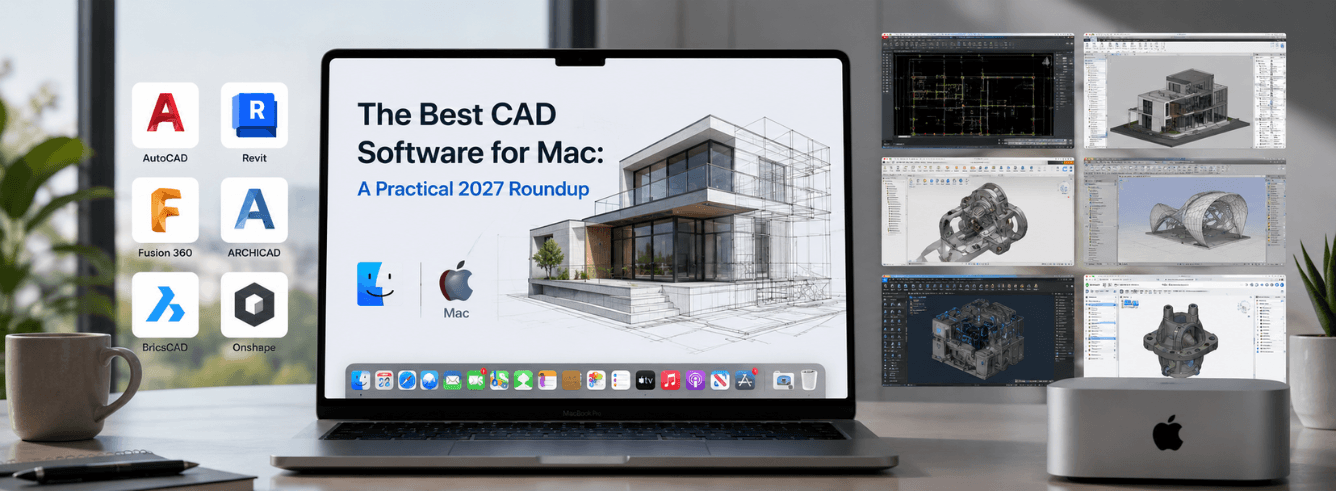
You’re a Mac user who needs professional CAD software—but every review seems written for Windows. The best CAD software for Mac isn’t about finding a Windows port; it’s about understanding which tools actually deliver on Apple Silicon and which workflows they support.
- Apple Silicon native performance is now the deciding factor—Metal-optimized apps outperform Rosetta-emulated versions significantly .
- AutoCAD for Mac lacks some Windows-only toolsets and LISP depth—factor this in before committing .
- Fusion 360 offers the most complete professional package for Mac users, combining CAD, CAM, and CAE in one native app .
- Maya remains production-standard for animation and VFX on Mac, with full Metal optimization and Apple Silicon support .
Quick decision matrix: which CAD software fits you?
Let’s cut through the noise. The best CAD software for Mac depends entirely on your primary work type. Here’s a three-question framework:
| What you build | Your CAD match | Why alternatives don’t fit |
|---|---|---|
| Floor plans, technical drawings, DWG workflows | AutoCAD for Mac | Fusion is 3D-first; Maya isn’t for drafting |
| Mechanical parts, product design, CNC machining | Fusion 360 for Mac | AutoCAD’s 3D is limited; Maya is animation-only |
| Character animation, visual effects, game assets | Maya for Mac | Neither AutoCAD nor Fusion handles rigging or VFX |
All three Autodesk tools now run natively on Apple Silicon. The Mac versions are no longer second-class citizens—but each has specific strengths and limitations you need to know .
The best CAD software for Mac isn’t a single winner—it’s the tool that matches your workflow without forcing you to compromise.
AutoCAD for Mac: the 2D drafting benchmark
AutoCAD remains the global standard for 2D drafting, and the Mac version has come a long way. For professionals managing DWG files, creating floor plans, or producing technical documentation, it’s often the best CAD software for Mac—but not without caveats.
What AutoCAD Mac does exceptionally well
- Industry-standard DWG compatibility that keeps entire teams synchronized
- Precision 2D drafting tools optimized for architectural and engineering work
- Native Apple Silicon support delivering fluid performance on M-series Macs
- Superior for documentation-heavy roles and production drawing workflows
The macOS limitation you must know: AutoCAD for Mac lacks the full vertical toolsets, deep LISP support, and many add-ins found on Windows. Some commands, plotting tools, and specialized plugins are Windows-only .
If your workflow depends on custom LISP routines or specific architecture/engineering plugins, verify they work on macOS before committing. Many teams now use cloud-based Windows workstations through the browser to access full AutoCAD features while keeping their Mac .
Performance reality on Apple Silicon
AutoCAD for Mac is heavily single-core dependent—M-series chips actually outperform Intel equivalents for pan/zoom responsiveness and regeneration commands. Geekbench 6 single-core scores for M3 Pro/Max (2,800–3,000) beat high-end Intel mobile i7/i9 (2,400–2,600) .
However, complex 3D work on Mac remains constrained by Apple’s Unified Memory Architecture, which shares RAM between CPU and GPU—unlike Windows workstations with dedicated VRAM .
For pure 2D drafting workflows, AutoCAD for Mac is genuinely the best CAD software for Mac. For 3D or plugin-heavy work, consider alternatives.
Fusion 360 for Mac: integrated design and manufacturing
For mechanical engineers and product designers, Fusion 360 represents the most complete professional tool on macOS. It combines parametric modeling, assemblies, simulation, and CAM in one native app—something no other Mac CAD solution matches .
| Capability | Fusion 360 for Mac | AutoCAD for Mac |
|---|---|---|
| Parametric 3D modeling | ✅ Full support | ❌ Limited |
| Assembly & joints | ✅ Robust | ❌ |
| Integrated CAM/CNC | ✅ Professional-grade | ❌ |
| FEA simulation | ✅ Built-in | ❌ |
| Apple Silicon native | ✅ Optimized | ✅ Supported |
Why Fusion is the best CAD software for Mac in product design
Fusion’s seamless workflow from design to manufacturing makes it unique. You can model a part, run stress simulations, generate CNC toolpaths, and export G-code without leaving the application .
- Supports STEP, IGES, DWG, and SolidWorks file imports
- Built-in CAM supports 3-axis to 5-axis CNC machining
- Cloud collaboration with version control for teams
- Generative design tools for optimizing parts
Fusion requires an internet connection for many features. Most performance issues trace to specific designs rather than hardware—check for broken features and complex sketches first .
For professionals needing the best CAD software for Mac that handles the entire product development lifecycle, Fusion 360 is the clear choice .
Maya for Mac: animation and VFX powerhouse
Maya remains the production standard for animation, VFX, and game development—and its Mac version is now fully optimized for Apple Silicon. For studios and animators, it’s the best CAD software for Mac in the entertainment space .
What Maya on Mac delivers
- Full production pipeline support for animation, rigging, and VFX
- Native Apple Silicon optimization with Metal GPU acceleration
- Deep production tools for character motion and asset management
- Industry-standard for film, TV, and game production
GPU and plugin reality: Heavy scenes can still challenge integrated Mac graphics. Windows-only renderers and drivers often cause issues on macOS. Some studios use browser-based Windows workstations for production Maya work .
Maya supports macOS 12+ on both Intel and M-series chips, with Autodesk recommending 32GB RAM minimum—64–128GB for simulation work .
For character animation and VFX, Maya on Mac is genuinely production-ready—but heavy rendering workloads may benefit from cloud GPU acceleration.
What about free CAD software for Mac?
Before committing to professional software, it’s worth understanding the free landscape. The best CAD software for Mac in the free tier won’t match Autodesk’s professional tools—but they serve specific needs well.
FreeCAD: the open-source workhorse
FreeCAD offers parametric 3D modeling with basic CAM capabilities. It’s the most capable free option for Mac, though the interface requires patience and the workflow isn’t as polished as commercial alternatives .
SketchUp Free: browser-based simplicity
Perfect for quick 3D modeling, architectural concepts, and beginners. Runs entirely in the browser—no Mac app required. Limited to web-based functionality and less capable for precision engineering .
Fusion 360 personal use: the professional free tier
Autodesk offers a free personal use tier of Fusion 360 for hobbyists and makers. Includes basic CAD, CAM, and PCB tools—but restricts commercial use, limits project storage, and excludes advanced simulation .
Pro tip: If you’re learning or doing non-commercial work, start with the Fusion 360 free tier. If you’re earning with your CAD work, the commercial subscription is the best CAD software for Mac investment you can make .
LibreCAD: 2D drafting alternative
For Mac users who only need 2D drafting and DWG compatibility, LibreCAD offers a free, open-source alternative. It lacks AutoCAD’s polish and plugin ecosystem but handles basic drafting without cost .
Apple Silicon performance: what works and what doesn’t
The shift to Apple Silicon has fundamentally changed the best CAD software for Mac landscape. Native support is now the single most important performance factor .
Native vs. virtualized performance
| Approach | Performance | Trade-offs |
|---|---|---|
| Native Apple Silicon CAD | Full M-series optimization | Limited to Mac-feature set |
| Rosetta emulation | Slower, battery drain | Runs Intel apps with overhead |
| Virtualization (Parallels/VMware) | Performance loss, GPU throttling | Full Windows features but compromised |
| Browser-based Windows workstation | Dedicated GPU, no local overhead | Requires internet, subscription |
Pro tip: For Windows-only AutoCAD features, many Mac professionals now use browser-based workstations that provide dedicated GPU power without installing anything locally .
Memory considerations for Mac CAD
Apple’s Unified Memory Architecture is a double-edged sword. It’s exceptionally fast for video editing, but CAD applications—built around Windows and DirectX—can struggle when CPU and GPU compete for the same RAM pool .
Autodesk’s Fusion testing confirms that best CAD software for Mac performance depends less on the chip and more on RAM configuration and specific design complexity. Most performance issues trace to specific designs, not hardware .
Side-by-side comparison: professional CAD on Mac
Here’s how the top professional options stack up for Mac users.
| Feature | AutoCAD for Mac | Fusion 360 for Mac | Maya for Mac |
|---|---|---|---|
| Primary use | 2D drafting, technical drawings | 3D mechanical design, CAD/CAM | Animation, VFX, character work |
| Apple Silicon native | ✅ | ✅ | ✅ |
| Industry standard | DWG files | STEP/IGES/DWG | Film & game production |
| Key limitation | Missing Windows toolsets, add-ins | Subscription-only, cloud-dependent | GPU limitations for heavy rendering |
| Best for | Architects, drafters, CAD managers | Mechanical engineers, product designers | Animators, VFX artists, studios |
Ready to get the best CAD software for Mac?
Autodesk AutoCAD for Mac — native Apple Silicon build, delivered to your own Autodesk account. From $59/year with 30-day money-back guarantee. Delivery within 1–12 hours.
Get AutoCAD for Mac →Also available: Fusion 360 for Mac and Maya for Mac
Frequently asked questions
What is the best CAD software for Mac overall?
There’s no single best—it depends on your work. AutoCAD Mac for 2D drafting, Fusion 360 for mechanical design and manufacturing, and Maya for animation. All three run natively on Apple Silicon and are the professional standard in their domains .
Is AutoCAD for Mac as good as the Windows version?
Not entirely. While performance is strong on Apple Silicon, AutoCAD Mac lacks some Windows-only vertical toolsets, LISP support depth, and specialized plugins . For pure 2D drafting, it’s excellent; for 3D or plugin-heavy workflows, consider alternatives or a browser-based Windows environment .
What is the best free CAD software for Mac?
FreeCAD offers the most capable open-source option with parametric 3D modeling and basic CAM . SketchUp Free is browser-based for easy 3D modeling, and Fusion 360 has a free personal use tier . For 2D drafting, LibreCAD is solid .
Does Fusion 360 work on Apple Silicon Macs?
Yes—Fusion 360 runs natively on Apple Silicon. Performance on M-series Macs is equivalent to Windows PCs, with full Metal acceleration .
Can I run Windows-only CAD software on a Mac?
Yes, but with trade-offs. Virtualization (Parallels/VMware) lets you run Windows CAD but often suffers from GPU throttling and performance loss . Browser-based Windows workstations provide a full Windows environment with dedicated GPU power—no local installs required .
What are the system requirements for CAD on Mac?
For professional CAD on Apple Silicon, 16GB RAM minimum (32GB recommended for complex work). Autodesk recommends 32GB for Maya simulation work . SSD storage is essential, and large DWG files benefit from faster drives .