



Publisher 2021 — Desktop Publishing Lifetime License
Original price was: $99.99.$69.99Current price is: $69.99.
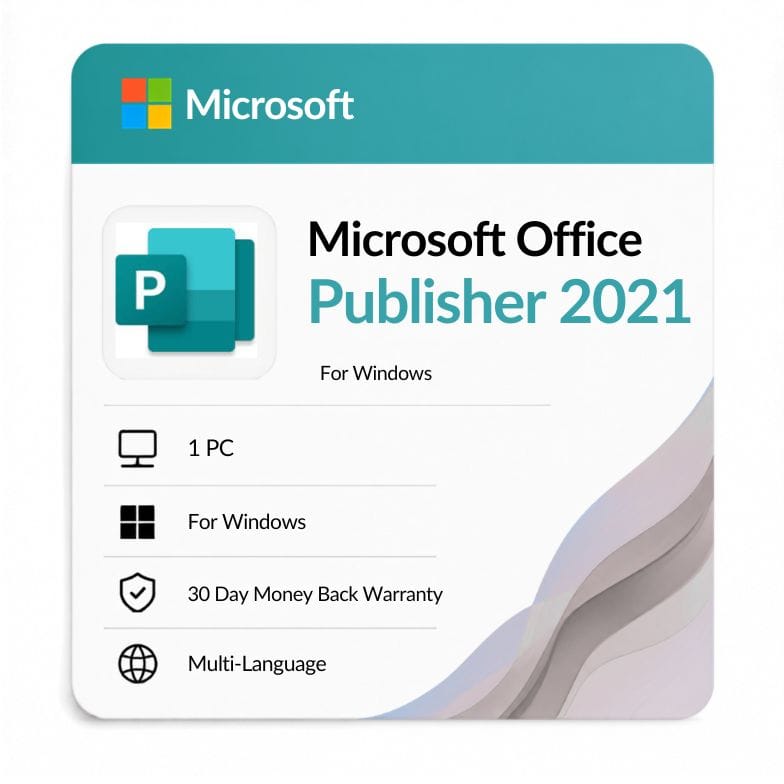
$69.99 (was $149.99, save 30%) · One-time payment, no subscription · Standalone Microsoft Publisher 2021 · 1 Windows PC · Emailed within 1 hour · 30-day money-back guarantee
| Activation Region | Global |
|---|---|
| Brand | Microsoft |
| Delivery | Digital — Email within 1–12 Hours |
| Language | All Languages |
| Installation Type | Digital Download (Product Key) |
| License Type | Retail |
| Platform | Windows |
| Devices | 1 PC |
| Version/Edition | 2021 |
Description
Publisher 2021 is Microsoft’s desktop-publishing app, sold here on its own as a one-time purchase — design flyers, brochures, cards, newsletters and calendars on one Windows PC. You own it outright for $69.99 (list $149.99, save 30%), with no subscription and no renewal.
What Publisher 2021 does
Publisher is the layout tool that sits between Word and full design software. It gives you precise control over page layout, text boxes and graphics — easier than Word for print pieces, simpler and cheaper than professional design suites. A standalone publisher 2021 license makes sense when Publisher is the one Office app you need.
You can start from built-in templates or a blank page, then place text and images exactly where you want them for a clean, print-ready result.
What you can design with it
- Flyers and posters — single-page marketing pieces.
- Brochures — folded, multi-panel layouts.
- Newsletters — multi-page documents with columns and images.
- Business cards, postcards and greeting cards — precise small formats.
- Calendars and certificates — from included templates.
- Mail merge — personalized mailings from a data source.
Who Publisher 2021 is for
This standalone license suits people who create print materials but don’t need the whole Office suite. Choosing to buy microsoft publisher 2021 on its own is the cheapest route when layout is your only requirement.
- Small businesses making their own flyers, menus and brochures in-house.
- Churches, schools and clubs producing newsletters and bulletins.
- Freelancers and marketers who need quick, print-ready layouts.
- Anyone maintaining existing .pub files from an earlier Publisher version.
Choose something else if: you also need Word, Excel and the rest — the Office 2021 Professional Plus suite includes Publisher 2021 along with every other app. Publisher isn’t in the Home editions, so Professional Plus is the suite to compare against.
Does Office 2021 include Publisher?
Only the Professional Plus edition does. Publisher isn’t part of Office 2021 Home & Student or Home & Business — so if you want it without buying the full suite, this standalone license is the way to get it. The Professional Plus route is only worth it if you need the other apps too.
Standalone Publisher vs the full suite
| Option | Apps | Best for | Price |
|---|---|---|---|
| Publisher 2021 (standalone) | Publisher only | Layout-only users | $69.99 |
| Office 2021 Professional Plus | All 7 apps incl. Publisher | Full desktop toolkit | $104.49 |
Verdict: If Publisher is genuinely all you need, the standalone license is far cheaper. Step up to the suite only if you also want Word, Excel, Access and the rest.
Publisher 2021 vs Publisher 2019
The two are very similar; 2021 is the newer perpetual release with a slightly longer runway before Publisher retires.
| Publisher 2021 | Publisher 2019 | |
|---|---|---|
| Release year | 2021 | 2018 |
| License type | One-time (perpetual) | One-time (perpetual) |
| Core layout tools | Full — templates, mail merge, print-ready output | Full — same core tool set |
| Interface | Refreshed, Windows 11-friendly | Office 2019 styling |
| File format | .pub, compatible with 2019 | .pub |
| Retirement date | Publisher retires October 2026 | Publisher retires October 2026 |
Verdict: Choose 2021 over Publisher 2019 for the refreshed interface and Windows 11 fit. Both retire on the same October 2026 date, and the core layout tools are the same.
Important: Publisher is being retired
Microsoft is retiring Publisher in October 2026. After that date it won’t receive updates or support, and it has already been removed from new Microsoft 365 subscriptions. A perpetual copy you install now keeps working, but Publisher 2024 is the final version — there won’t be a release after it.
We’re telling you this plainly so you can decide with open eyes: Publisher 2021 is a solid buy if you need its .pub layout tools now, but if you’re starting fresh and want a long-term design tool, it’s worth knowing the product line is ending.
One-time license, plainly
You buy once and the license is yours for the lifetime of the PC it’s activated on — no renewal, no recurring charge. Your key covers one Windows PC, delivered digitally with an invoice. Publisher is a Windows-only app; it has never been part of Office for Mac.
From checkout to activation
- Order and pay by VISA, Mastercard, PayPal, Wise or Payoneer.
- Your key and download link arrive by email — usually within an hour, up to 12 hours at most.
- Install Publisher 2021, enter your key, and sign in with your Microsoft account to activate.
An invoice is included with every order. Whether you came here to purchase publisher 2021 or compare it first, the delivery and guarantee are the same.
Genuine license, backed up
Every key is a genuine retail license backed by a 30-day money-back guarantee and 24/7 support at Support@zoftis.com, usually answered within the hour. If a key ever fails to activate, we replace it or refund you.
Related products
- Office 2021 Professional Plus — the full suite; includes Publisher 2021 plus every other app.
- Publisher 2019 — the previous standalone version.
- Publisher 2024 — the final perpetual Publisher release.
- Publisher 2016 — an older standalone version.
- Word 2021 — if simple documents are closer to what you need.
Features
Microsoft Publisher 2021 features
Design & layout
- Precise page layout with text boxes and object alignment
- Built-in templates for flyers, brochures, cards and calendars
- Picture placeholders, swap and crop tools
- Print-ready output with bleed and print settings
Content tools
- Mail merge for personalized mailings and labels
- Building blocks — reusable design elements
- .pub format, compatible with earlier Publisher versions
- Export to PDF for sharing and professional printing
Licensing
- One-time perpetual license for 1 Windows PC
- Genuine retail key, digital delivery with invoice
- No subscription, no expiry, no renewal
- Works offline once installed and activated
Specifications
| Attribute | Detail |
|---|---|
| Product | Microsoft Publisher 2021 (standalone) |
| Platform | Windows |
| Devices | 1 PC |
| License type | Retail — one-time / perpetual (lifetime) |
| Included app | Publisher 2021 only |
| Region | Global |
| Language | Multi-language (select at install) |
| Delivery | Email — key + download link, within 1 hour (max 12 hours) |
| Retirement | Publisher retires October 2026 (Microsoft-wide) |
| Price | $69.99 (was $149.99, save 30%) |
System Requirements
| Requirement | Minimum |
|---|---|
| Operating system | Windows 11 or Windows 10 (supported builds) |
| Processor | 1.6 GHz or faster, 2-core |
| Memory (RAM) | 4 GB (64-bit) / 2 GB (32-bit) |
| Disk space | 4 GB available |
| Display | 1280 × 768 resolution |
| Internet | Required for download and one-time activation |
| Account | Microsoft account for activation |
Note: Publisher is Windows-only and has never been part of Office for Mac. Windows 10 reached end of support in October 2025; Windows 11 is recommended. Microsoft is retiring Publisher in October 2026.
FAQs
Is this a standalone Publisher 2021 license?
Yes. This is a standalone microsoft publisher 2021 standalone license — it activates Publisher on its own, without Word, Excel or the rest. If you need those too, the Office 2021 Professional Plus suite includes Publisher 2021 as well.
Does Office 2021 include Publisher?
Only Office 2021 Professional Plus includes Publisher. The Home & Student and Home & Business editions don't. So to get Publisher without the full suite, this standalone license is the option.
Is Publisher really being discontinued?
Yes. Microsoft is retiring Publisher in October 2026 — after that it won't get updates, and it's already gone from new Microsoft 365 plans. A perpetual copy you install now keeps working, but Publisher 2024 is the final version. Buy it if you need its .pub tools; just go in aware the line is ending.
Is it a one-time purchase?
Yes — a one-time perpetual license, not a subscription. You pay $69.99 once and keep Publisher on your PC for the life of that computer, with no renewal. To purchase publisher 2021 for a second PC, each machine needs its own key.
How is Publisher 2021 different from 2019?
They share the same core layout tools; Publisher 2021 has a refreshed, Windows 11-friendly interface. Both retire on the same October 2026 date. If you want the newer look, choose 2021; the feature difference is small.
Does it work on Mac?
No. Publisher is a Windows-only app and has never been available for Mac. To use it on a Mac you'd need to run Windows on it via Boot Camp or a virtual machine.
Is it genuine, and how fast is delivery?
Yes — every key is a genuine retail license with an invoice included. Delivery is by email within the hour (up to 12 hours max), payment is via VISA, Mastercard, PayPal, Wise or Payoneer, and you're covered by a 30-day money-back guarantee.
Related products
Excel 2016 License Key — Lifetime Product Key
Original price was: $83.99.$39.09Current price is: $39.09.
Microsoft Office 2021 Home and Business
Original price was: $249.99.$103.54Current price is: $103.54.
Microsoft Office 2021 Professional Plus 1 PC lifetime License
Original price was: $79.00.$49.99Current price is: $49.99.
Microsoft Office Home and Student 2021 — Lifetime Key for PC & Mac
Original price was: $124.99.$75.64Current price is: $75.64.
Microsoft Outlook 2021 Download — Standalone Email & Calendar Client
Original price was: $116.99.$52.79Current price is: $52.79.
Office 2024 Lifetime Key for Mac Home & Business
Original price was: $299.99.$208.79Current price is: $208.79.
Office 2024 Professional Plus Lifetime License Key
Original price was: $483.99.$156.39Current price is: $156.39.
Reviews
Clear filtersThere are no reviews yet.