
Blog
Fusion 360 vs SolidWorks: Which Modern CAD Wins for You?

Fusion 360 vs SolidWorks: Which Modern CAD Wins for You?
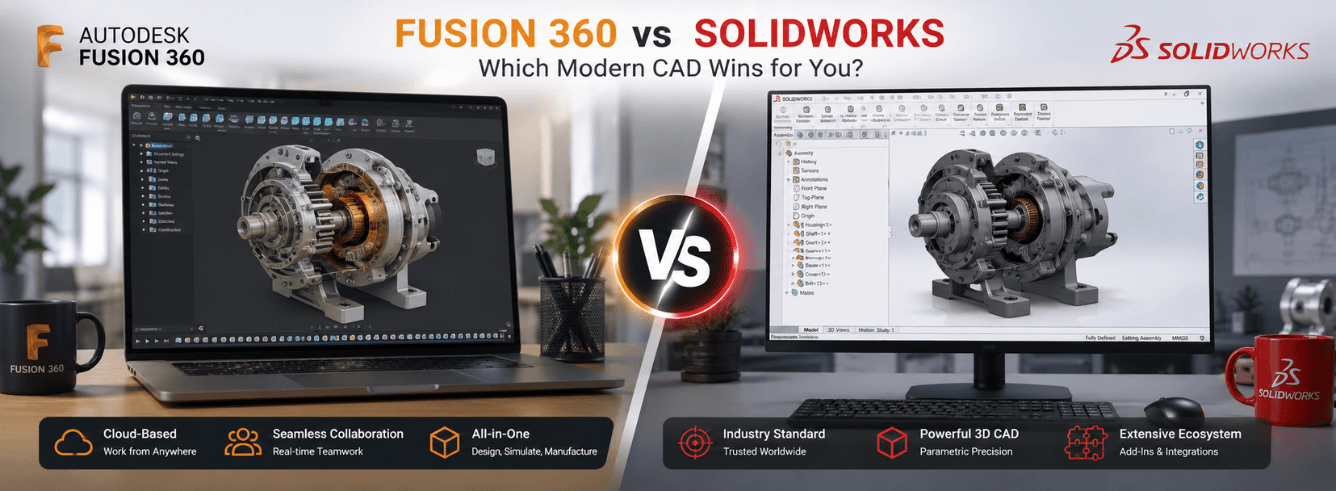
The fusion vs solidworks conversation stops being abstract the moment you’re staring at two download buttons and a credit card. One subscription pulls you toward a cloud-native ecosystem with integrated CAM and generative design. The other anchors you to a desktop powerhouse that has defined parametric CAD for nearly three decades. Both are brilliant. Neither suits everyone.
- Fusion 360 is a cloud-native all-in-one platform — CAD, CAM, CAE, and PCB in one subscription. SolidWorks is a desktop-native parametric specialist with best-in-class assembly handling.
- For hobbyists and startups, the fight is really SolidWorks Maker ($48/year) vs Fusion 360 (free personal tier). For commercial teams, Fusion 360 runs $680/year vs SolidWorks at $4,415+ upfront.
- Integrated CAM and generative design ship standard with Fusion 360. SolidWorks requires add-ons or separate licenses for equivalent capability.
- Zoftis cuts the Fusion 360 commercial subscription to $59 — no credits gimmick, no feature lock, full CAD/CAM/CAE.
What you’ll actually pay: Fusion 360 vs SolidWorks pricing in 2026
Let’s skip the marketing pages and look at what leaves your bank account. The fusion vs solidworks pricing gap is wider than most comparison articles admit, because SolidWorks resellers quote custom bundles while Fusion 360 lists one transparent price.
| Tier | Fusion 360 | SolidWorks |
|---|---|---|
| Hobbyist / personal | Free (renewable, limited features) | $48/year (Maker tier, watermarked files) |
| Startup | Free (qualifying ventures, full features) | ~$2,500/year (3DEXPERIENCE SolidWorks) |
| Commercial single-user | $59/year via Zoftis ($680 list) | $4,415 upfront + $1,295/year maintenance |
| Professional / advanced | $85/month or extensions at $75/month each | $5,650+ upfront + maintenance |
| Full manufacturing suite | $499/year via Zoftis (Fusion 360 Commercial) | $7,650+ upfront + CAM add-on costs |
Fusion 360’s commercial subscription bundles CAD, CAM, CAE, PCB, and cloud collaboration into one line item. SolidWorks unbundles everything: the base seat gets you parametric CAD. Simulation, CAM, PDM, and rendering each add cost — either as separate licences or through the 3DEXPERIENCE platform tiers.
SolidWorks Maker files carry a non-commercial watermark that cannot be removed. If you open a Maker file in a commercial SolidWorks seat, the watermark persists. For any work that touches production, budget the full licence.
What about solidworks maker vs fusion 360 for personal use?
At the hobbyist tier, the solidworks maker vs fusion 360 decision hinges on one question: do you ever intend to go commercial? Fusion 360’s free personal tier gives you a near-complete feature set that graduates cleanly to the paid version. SolidWorks Maker gives you the full desktop Professional application for $48/year — but every file you create is flagged for non-commercial use. If you later start a side business, those Maker files become a liability, not an asset.
Cloud-native vs desktop-native: the platform bet that shapes everything
Choosing between these two isn’t just a feature comparison. It’s a bet on where your data lives and how your team collaborates.
Fusion 360: built for the browser era
- All files stored in the cloud, accessible from any device with a browser — Windows, Mac, or just a web tab.
- Real-time cloud collaboration: multiple people can work on the same design, see changes live, comment inline. No PDM server, no VPN, no “who has the latest file” email chains.
- Timeline history travels with the file. Every extrude, fillet, and sketch lives in a parametric timeline that any teammate can scrub through and edit. It’s version control built into the geometry.
- Automatic updates every few weeks — no service packs, no IT deployment headaches. You’re always on the current build.
SolidWorks: the desktop fortress
- Files live locally. You manage folders, revisions, and backups. For teams, SolidWorks PDM adds check-in/check-out and version tracking — but it needs a server and an administrator.
- Collaboration happens through file sharing, PDM workflows, or the newer 3DEXPERIENCE platform connector (which bolts cloud sharing onto the desktop app — it’s a bridge, not a rebuild).
- Annual version releases (SolidWorks 2026, 2027, etc.) with service packs between. Upgrading mid-project can break file compatibility with clients or suppliers on older versions.
- Windows only. No Mac build, no web viewer with editing capability. If your team includes Mac users, they’re running Parallels or remote-desktop workarounds.
Fusion 360 treats cloud as architecture. SolidWorks treats it as an add-on.
If your workflow involves external fabricators, Fusion 360’s shareable web links eliminate STEP-export-email-attachment ping-pong. Send a link, they view and comment in a browser. For cloud-based teams, this alone justifies the subscription.
How each tool thinks about modelling
Open both programs and draw a cube. The cube looks the same, but the path there reveals fundamentally different philosophies.
Parametric foundations (where they overlap)
Both Fusion 360 and SolidWorks are parametric CAD systems. You sketch, dimension, constrain, and extrude. Change a dimension later, the model updates. Both handle assemblies, mates, motion studies, and drawings. For 80% of mechanical design work — brackets, enclosures, machine components — either tool gets the job done with similar click counts.
Where Fusion 360 stretches beyond parametric
Fusion 360 layers three additional modelling environments inside the same workspace:
- T-splines (freeform modelling): Push, pull, and sculpt organic surfaces the way a designer shapes clay. Useful for ergonomic grips, consumer-product housings, and anything with flowing curves that parametric sketches struggle to define. SolidWorks has no native equivalent — you’d need a separate subdivision modeller and import-export round-trips.
- Direct modelling: Grab a face and move it. No timeline dependency, no parent-child rebuild errors. Ideal for quick edits on imported STEP files from suppliers, or late-stage tweaks when you don’t want to unravel a six-month-old sketch.
- Mesh tools: Import an STL from a 3D scan, convert it to a solid body, and modify it — without leaving Fusion 360. SolidWorks handles mesh geometry too, but the workflow lives in a separate module (ScanTo3D) and feels bolted on.
Where SolidWorks parametric discipline wins
SolidWorks’ parametric engine is battle-tested across three decades of production use. For large assemblies — think 5,000+ components with complex mates and configurations — SolidWorks remains measurably faster. The mate solver, the configuration manager, and the drawing environment have been refined through millions of engineering hours. Fusion 360’s large-assembly performance has improved steadily but still slows noticeably above 2,000–3,000 components on typical hardware.
The CAM conversation: where Fusion 360 pulls ahead
This is the section most fusion vs solidworks articles underplay, and it’s the one that matters most to anyone who actually makes physical parts.
Fusion 360 ships with integrated CAM — 2.5-axis, 3-axis, 3+2 positioning, and full simultaneous 5-axis toolpaths available in the manufacturing workspace. You design a part, switch to the Manufacture tab, define your stock and operations, post-process, and run the machine. No export, no third-party plugin, no separate licence. The CAM toolpath generation understands your model’s features because it shares the same kernel.
SolidWorks offers CAM through several paths, all of them fragmented:
- SolidWorks CAM Standard: Included with an active subscription, but limited to 2.5-axis milling. Professional-level CAM adds turning and 3+2, but costs extra.
- CAMWorks / Mastercam for SolidWorks / HSMWorks: Third-party gold-partner CAM that runs inside the SolidWorks interface. Powerful, but each carries its own licence fee, maintenance, and post-processor ecosystem — often adding $3,000–$8,000 to the annual cost.
- Delcam (Autodesk): Yes — the CAM engine inside Fusion 360 is the same kernel that powers Autodesk’s standalone CAM products. SolidWorks users with an HSMWorks licence are essentially paying Autodesk for the CAM that Fusion 360 users get bundled.
Generative design is a different beast entirely. Fusion 360’s generative design tools let you define loads, constraints, and materials, then let the solver iterate through hundreds of manufacturable geometry options — shapes no human would sketch. Each result comes with a stress analysis and can be exported directly to CAM. SolidWorks has topology optimisation (a lighter, single-result cousin) but nothing approaching the generative breadth without the 3DEXPERIENCE platform, which pushes pricing into five-figure territory.
Simulation: built-in vs modular
Fusion 360 includes static stress, modal, thermal, and buckling simulation in the standard subscription — no credits required for basic studies. Advanced simulation (nonlinear, event simulation, injection moulding) consumes cloud credits or requires an extension. SolidWorks Simulation Standard adds FEA capability but is a separate purchase from the base CAD seat. For basic engineering validation, Fusion 360 gives you more out of the box.
Where SolidWorks still wins — and it isn’t close
Honesty matters in a comparison like this. SolidWorks isn’t the market leader by accident, and there are workflows where recommending Fusion 360 would be irresponsible. Here’s where SolidWorks holds an edge that’s real and unlikely to close soon.
| Capability | SolidWorks advantage | Fusion 360 status |
|---|---|---|
| Large assemblies (5,000+ components) | Industry benchmark. Lightweight mode, SpeedPak, assembly visualisation tools refined over 20 years. Engineering teams regularly work on 50,000-component machines. | Improving but struggles above ~3,000 components on mid-range hardware. Cloud compute helps but adds latency. |
| Drawings (2D detailing) | The drawing environment is a product in itself — GD&T, hole tables, BOM, revision tables, weldment cut lists. Production print shops demand this fidelity. | Functional but less refined. Drawings module has improved but still feels like a secondary workspace rather than a drafting-first tool. |
| Sheet metal | Best-in-class flat-pattern generation, bend tables, corner treatments, and forming-tool libraries. Press-brake operators trust it. | Competent for most sheet-metal work but lacks some advanced corner relief and multi-body sheet-metal workflows. |
| Certified simulation | SolidWorks Simulation carries industry certifications and is accepted as validation evidence for regulatory submissions (FDA, ISO, ASME). | Fusion 360 simulation is accurate but not yet widely certified for compliance documentation. Credits-based advanced studies add variable cost. |
| Legacy file compatibility | Opens files from SolidWorks 1995. A decade of archived IP stays accessible without migration projects. | Fusion 360 can import SolidWorks files but rebuilds them — features, mates, and configurations may not translate cleanly. |
If you’re an established manufacturer with a SolidWorks vault of 20,000 legacy files, 200 active drawings, and a supply chain that exchanges native SLDPRT files — stay on SolidWorks. The switching cost alone outweighs any subscription savings.
License ownership and what happens when you stop paying
Modern CAD is a subscription business, but the terms of “not paying anymore” differ dramatically between these two platforms.
Fusion 360: always subscription, always current
Fusion 360 is subscription-only. When you stop paying, you lose save and export capability — your designs remain in the cloud, viewable, but you can’t create new geometry or output manufacturing files. The trade-off: you’re always on the latest version, always patched, always compatible with collaborators. There’s no “we’re three versions behind and the upgrade will break our templates” anxiety. For businesses that value predictability, it’s a single line-item renewal.
When you buy through Zoftis, the Fusion 360 commercial license at $59/year activates on your own Autodesk account — it’s a genuine single-user subscription, not a shared key. All CAD, CAM, CAE, and PCB workspaces are included.
SolidWorks: perpetual licence with maintenance reality
SolidWorks still offers a perpetual licence — pay once, own the software indefinitely. But “own” is qualified. Without an active maintenance subscription ($1,295+/year), you lose access to service packs, technical support, and version upgrades. If your maintenance lapses for more than two years and you want to re-up, Dassault charges back-maintenance plus a penalty — often exceeding the cost of a new seat. The perpetual licence is more accurately described as “perpetual access to the version you purchased, frozen in time.”
The 3DEXPERIENCE shift is gradually moving SolidWorks toward a pure subscription model, with some features (cloud PDM, browser-based tools) available only on subscription plans. The days of true perpetual SolidWorks are numbered.
If you’re cross-shopping Autodesk options: autodesk fusion vs inventor is another internal decision worth making. Inventor sits closer to SolidWorks territory — desktop-native, parametric-heavy, stronger on large assemblies and automated frame design. Fusion 360 is the integrated manufacturing platform. If your workflow is pure mechanical design with no CAM, Inventor may fit better. If manufacturing and collaboration matter, Fusion 360 is the smarter pick. Zoftis carries both — the choice depends on your shop floor.
Who should buy which (and why we sell Fusion 360)
After everything above, the recommendation depends entirely on who you are and what you make. Here’s the honest breakdown.
Buy Fusion 360 if:
- You’re a startup, small team, or solo designer who needs CAD + CAM in one tool without six-figure licence negotiations.
- Your team is distributed — remote designers, on-site fabricators, external contractors — and you need cloud collaboration without a PDM server.
- You make physical parts on CNC machines and want integrated CAM toolpaths that update when the design changes.
- You work on both Windows and Mac — Fusion 360 runs native on Apple Silicon, not through emulation.
- You want generative design capability without a separate simulation team or a five-figure software line item.
- You’re starting fresh — no legacy CAD archive, no supply chain demanding native SolidWorks files.
Buy SolidWorks if:
- Your assemblies regularly exceed 3,000 components and you need battle-tested large-assembly performance.
- Your production floor demands GD&T-heavy 2D drawings to ASME Y14.5 standards, and those drawings are a deliverable, not a byproduct.
- You have an established SolidWorks vault, a supply chain that exchanges native SLDPRT files, and simulation workflows certified for regulatory submission.
- You need specialised add-ins (routing, advanced surfacing for Class-A automotive, mould-flow analysis) that the SolidWorks partner ecosystem has refined over decades.
Get Fusion 360 for $59 — full CAD, CAM, and CAE
Genuine Autodesk Fusion 360 commercial subscription for Windows. Activated on your own Autodesk account, delivered within 1–12 hours by email. Covered by our 30-day money-back guarantee.
Buy Fusion 360 for $59 →Also available: Fusion 360 for Mac — native Apple Silicon build
Frequently asked questions
Can I open SolidWorks files in Fusion 360?
Yes — Fusion 360 can import SLDPRT and SLDASM files directly. However, the import rebuilds the geometry; features, mates, and configurations do not translate. For collaboration with SolidWorks suppliers, plan to exchange STEP or IGES files for reliable interoperability, or use Fusion 360’s AnyCAD for linked referencing of SolidWorks parts.
Is Fusion 360 good enough for professional work, or is it just a hobbyist tool?
Fusion 360 is used in production by companies manufacturing medical devices, consumer electronics, automotive aftermarket parts, and industrial machinery. The integrated CAM alone puts it in professional shops worldwide. The “hobbyist” reputation comes from its free personal tier and accessible interface — but the commercial version is a genuine production tool competing directly with SolidWorks and Inventor in many workflows.
What’s the real difference between SolidWorks Maker and the full commercial version?
SolidWorks Maker ($48/year) gives you the full SolidWorks Professional desktop application — same code, same features. The critical restriction: all files are digitally watermarked as non-commercial. If you open a Maker file in a commercial SolidWorks seat, the watermark persists and propagates. For learning and personal projects, Maker is excellent value. For anything that will ever touch a commercial supply chain, avoid it — the watermark cannot be stripped.
Does Fusion 360 work offline?
Yes, with caveats. Fusion 360 has an offline mode that lets you work without internet for up to 30 days. You’ll need to go online periodically to sync and re-authenticate. Simulation, generative design, and cloud rendering require an active connection. Day-to-day modelling, sketching, and CAM toolpath generation work offline once files are cached locally.
How does the Fusion 360 licence from Zoftis differ from buying direct from Autodesk?
It’s the same genuine Autodesk subscription — activated on your own Autodesk account, with full access to all workspaces and updates. The difference is price: $59 via Zoftis compared to $680 list direct from Autodesk. You receive an activation email within 1–12 hours and activate through Autodesk’s standard process. The licence is a named single-user commercial subscription, valid for 12 months.
Which is better for 3D printing — Fusion 360 or SolidWorks?
Both export STL files for slicing software, but Fusion 360 has a more direct workflow: design, right-click, “3D Print,” select your slicer, and the model transfers automatically. Fusion 360’s mesh environment also lets you repair and modify STL files — useful if you download a model that needs tweaking before printing. SolidWorks can do all of this, but the STL export and mesh-editing tools feel less integrated into the daily workflow.