
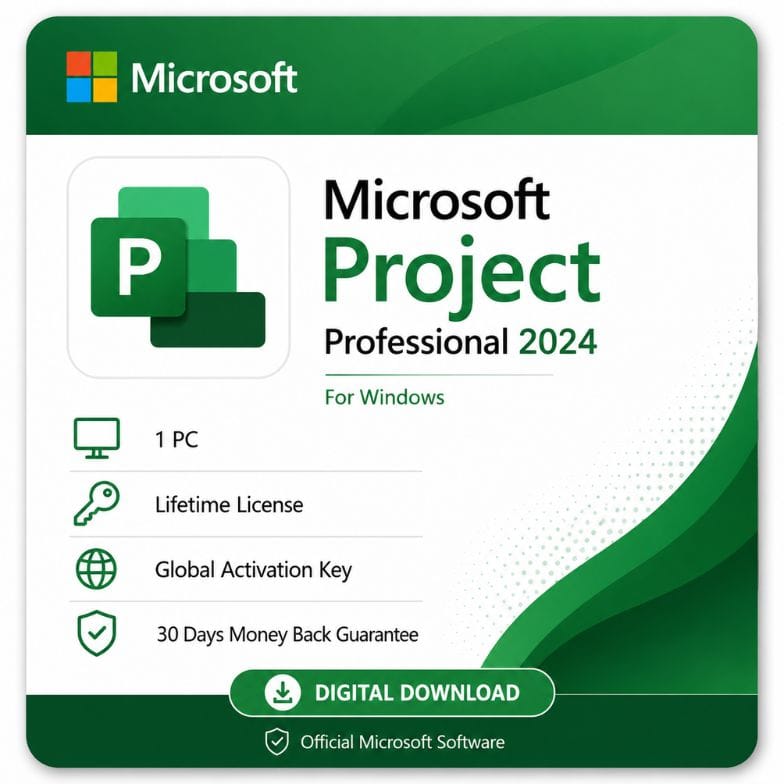






MS Project 2024 Professional — Lifetime Project Management License
Original price was: $1,383.99.$390.99Current price is: $390.99.
One-time payment, no subscription · Microsoft Project Professional 2024 · 1 Windows PC · Emailed within 1 hour · 30-day money-back guarantee
| Activation Region | Global |
|---|---|
| Brand | Microsoft |
| Delivery | Digital — Email within 1–12 Hours |
| Language | All Languages |
| Installation Type | Digital Download (Product Key) |
| License Type | Retail |
| Platform | Windows |
| Devices | 1 PC |
| Version/Edition | 2024 Professional |
Description
MS Project 2024 Professional is the top desktop edition of Microsoft’s project management software — a one-time purchase that puts Gantt charts, resource management, task scheduling and reporting on one Windows PC, with no subscription. It’s built for project managers who need the full professional toolset, not just basic planning.
What MS Project 2024 Professional is
Microsoft Project is the industry-standard desktop tool for planning, scheduling and tracking projects. The Professional edition is the higher tier — it includes everything in Standard plus advanced features like resource management, team collaboration tools and the ability to work with an enterprise project server. A single ms project 2024 professional license activates the full app permanently on one PC.
This is the perpetual, buy-once version. You own the 2024 release outright, with no monthly fee and no renewal — the app keeps working for as long as you use it.
The 2024 Professional toolset in practice
Project 2024 Professional is built for managers running complex, resource-heavy work on modern hardware. Here’s how the toolset earns its place on a demanding project:
- Auto-scheduling that reacts — shift one date and the whole plan recalculates around dependencies and calendars, so a fast-moving 2024 project stays accurate without manual rework.
- Resource leveling across a portfolio — balance people and equipment over several concurrent projects, not just one plan.
- Critical path at a glance — see instantly which tasks threaten your delivery date on a large schedule.
- Board + Gantt in one — run agile sprints on Task Boards while keeping the Gantt timeline for stakeholders.
- Enterprise sync — connect to Project Online / Project Server for PMO-level reporting.
- Modern dashboards — the refreshed 2024 reporting communicates cost and status without exporting to Excel.
What’s in Project 2024 Professional
| Capability | What it does | Why it matters to you |
|---|---|---|
| Advanced scheduling engine | Auto-schedules tasks around dependencies, calendars and constraints | Realistic plans that update themselves when dates shift |
| Resource management | Assign and level resources across tasks and projects | Avoid overloading your team and spot conflicts early |
| Multiple projects | Consolidate and view several projects together | Manage a portfolio, not just one plan |
| Reporting & dashboards | Built-in and customizable visual reports | Communicate status to stakeholders without exporting to Excel |
| Project server / Project Online sync | Connect to an enterprise project management server | Collaborate across a PMO — a Professional-only capability |
| Task Board views | Kanban-style boards alongside Gantt | Run agile or hybrid projects in the same tool |
Microsoft Project 2024 Standard vs Professional
The microsoft project 2024 standard vs professional decision comes down to resource management and collaboration. Standard is the entry desktop edition for straightforward, single-user planning. Professional adds the features teams and PMOs rely on — resource management, the ability to connect to Project Server / Project Online, and team collaboration tools. If you plan projects alone with simple scheduling, Standard may be enough; if you manage resources across people or work within a larger project environment, Professional is the edition you need.
| Feature | Project 2024 Standard | Project 2024 Professional |
|---|---|---|
| Gantt charts & scheduling | Yes | Yes |
| Task boards & timeline views | Yes | Yes |
| Reports & dashboards | Yes | Yes |
| Resource management | Limited | Full |
| Team collaboration tools | No | Yes |
| Connect to Project Server / Project Online | No | Yes |
| Best for | Individual planners | Project managers & teams |
Verdict: Choose Professional if you manage resources, collaborate with a team, or connect to an enterprise project server. Standard suits solo planners who only need scheduling and reporting. On the microsoft project 2024 professional vs standard question, Professional is the safer pick if there’s any chance your projects will grow beyond one person.
Who MS Project 2024 Professional is for
This edition is built for project managers who need the complete desktop toolset on a permanent license.
- Project managers running multi-resource projects with dependencies and deadlines.
- Construction, engineering, IT and events teams that live in Gantt charts.
- Consultants who manage client projects and need professional reporting.
- PMOs and teams that connect to Project Server or Project Online.
- Anyone upgrading from an older Project version who wants a one-time 2024 license.
Who should consider Standard instead: if you plan simple, single-person projects and never touch resource leveling or an enterprise server, the Standard edition covers the basics for less. Everyone managing real resources or teams should be on Professional.
Project 2024 vs older versions
Against earlier releases, Project 2024 is the newest perpetual version with the longest support runway. The core project management engine — Gantt charts, scheduling, resource management — is mature and consistent across versions, so the main reasons to choose 2024 are the refreshed interface, the latest fixes, and the longest window of security updates.
| Project 2024 Professional | Project 2021 Professional | Project 2019 Professional | |
|---|---|---|---|
| Release year | 2024 | 2021 | 2018 |
| License type | One-time (perpetual) | One-time (perpetual) | One-time (perpetual) |
| Interface | Refreshed 2024 design | 2021 design | 2019 design |
| Task Board / agile views | Yes | Yes | Yes |
| Resource management | Full | Full | Full |
| Support runway | Longest | Shorter | Oldest |
Verdict: Choose 2024 for the newest release and the longest support. Older versions still do the core job, but 2024 gives you the most future-proof perpetual license.
One-time license vs Project Plan subscriptions
MS Project 2024 Professional is a one-time purchase; Microsoft also sells cloud “Project Plan” subscriptions billed monthly. The perpetual license you buy here never expires and never charges again, but it’s the desktop app tied to one PC. The cloud Project Plans add web-based access and ongoing new features, but only while you keep paying. For a project manager who wants to own the full desktop tool outright on one machine, the perpetual Professional license is the economical, long-term choice.
More: download, activation, and buying details
How to download Microsoft Project Professional 2024
After payment, your key and an official link to download microsoft project professional 2024 arrive by email — usually within the hour, and no later than 12 hours. The microsoft project professional 2024 download is the full retail installer straight from Microsoft, so there’s no disc and no third-party software.
Whether you searched to download microsoft project 2024 professional or for the microsoft project 2024 professional download specifically, the process is the same — a genuine installer plus a working key. A 64-bit build is available for modern Windows PCs, and the installer lets you choose the architecture that matches your system.
Activating your license
- Order and pay by VISA, Mastercard, PayPal, Wise or Payoneer.
- Open the email with your key and download link.
- Install Project 2024, enter your key, and sign in with your Microsoft account to activate.
An invoice is included with every order, and the key stays valid for the lifetime of the PC it’s activated on.
System notes
Microsoft Project is a Windows-only application — it has never been released for Mac. It installs on Windows 11 and supported Windows 10 builds. As with all desktop Office-family apps, an internet connection is needed for the initial download and one-time activation, after which Project runs offline.
What “one-time license” means here
You buy once and the license is yours for the lifetime of the PC it’s activated on — no renewal date, no recurring charge. It covers one Windows PC and is a genuine retail key, delivered digitally. This is the buy-once alternative to a recurring cloud Project Plan subscription.
Genuine license, backed up
Every key is a genuine retail license backed by a 30-day money-back guarantee and 24/7 support at Support@zoftis.com, usually answered within the hour. If a key ever fails to activate, we replace it or refund you — no arguments.
Other Microsoft productivity tools you might need
- Microsoft Project 2021 Professional – earlier one-time Project edition at a lower price for the same core toolset.
- Microsoft Project Professional 2019 – older perpetual Project version, good for legacy setups.
- Microsoft Visio 2024 Professional – latest one-time diagramming license, pairs naturally with Project.
- Microsoft Visio Professional 2021 – earlier perpetual Visio edition at a lower price.
- Office 2024 Professional Plus – latest perpetual Office key for one Windows PC, no subscription.
- Office 2021 Professional Plus – classic one-time perpetual license for Word, Excel, PowerPoint and more.
- Windows 11 Home to Pro Upgrade Key – add Pro features in minutes, no reinstall or data loss.
Features
Microsoft Project Professional 2024 features
Plan & schedule
- Gantt charts with tasks, durations and dependencies
- Automatic and manual task scheduling
- Critical path analysis and baselines
- Timeline and Task Board (Kanban-style) views
Resources & teams
- Full resource management and resource leveling
- Team collaboration tools
- Connect to Project Server / Project Online (Professional only)
- Consolidate and view multiple projects
Track & report
- Planned vs actual tracking against baselines
- Built-in and customizable visual reports and dashboards
- Cost, work and status reporting
Licensing
- One-time perpetual license for 1 Windows PC
- Genuine retail key, digital delivery with invoice
- No subscription, no expiry, no renewal
Specifications
| Attribute | Detail |
|---|---|
| Product | Microsoft Project Professional 2024 |
| Platform | Windows |
| Devices | 1 PC |
| License type | Retail — one-time / perpetual (lifetime) |
| Edition | Professional (includes resource management & server connectivity) |
| Architecture | 32-bit or 64-bit |
| Region | Global |
| Language | Multi-language (select at install) |
| Delivery | Email — key + download link, within 1 hour (max 12 hours) |
System Requirements
| Requirement | Minimum |
|---|---|
| Operating system | Windows 11 or Windows 10 (supported builds) |
| Processor | 1.6 GHz or faster, 2-core |
| Memory (RAM) | 4 GB (64-bit) / 2 GB (32-bit) |
| Disk space | 4 GB available |
| Display | 1280 × 768 resolution |
| Internet | Required for download and one-time activation |
| Account | Microsoft account for activation |
Note: Microsoft Project is Windows-only and has never been released for Mac. Windows 10 reached end of support in October 2025, so Windows 11 is recommended for ongoing security.
FAQs
Is MS Project 2024 Professional a one-time purchase?
Yes. ms project 2024 professional is a one-time perpetual license, not a subscription. You pay once and keep the app on your PC with no renewal, separate from Microsoft's recurring cloud Project Plans.
What's the difference between Standard and Professional?
On microsoft project 2024 standard vs professional: both include Gantt charts, scheduling and reporting, but Professional adds full resource management, team collaboration tools and the ability to connect to Project Server / Project Online. Choose Professional if you manage resources or work with a team.
Where do I download it?
After purchase we email your key and an official link to download microsoft project professional 2024 — the full retail installer from Microsoft. Install it, choose 32-bit or 64-bit, enter your key, and activate.
Does it run on Mac?
No. Microsoft Project is a Windows-only application and has never had a Mac version. To use it on a Mac you'd need to run Windows on it via Boot Camp or a virtual machine.
Is there a 64-bit version?
Yes. The microsoft project 2024 professional download includes both 32-bit and 64-bit builds; you choose during installation. 64-bit suits modern Windows PCs and large project files.
How many PCs can I install it on?
This license activates on one Windows PC. It's a single-device perpetual key, so for additional computers you'd need separate keys.
Is it genuine, and how fast is delivery?
Yes — every key is a genuine retail license with an invoice included. Delivery is by email within the hour (up to 12 hours max), payment is via VISA, Mastercard, PayPal, Wise or Payoneer, and you're covered by a 30-day money-back guarantee.
Related products
Excel 2016 License Key — Lifetime Product Key
Original price was: $83.99.$39.09Current price is: $39.09.
Microsoft Office 2021 Home and Business
Original price was: $249.99.$103.54Current price is: $103.54.
Microsoft Office 2021 Professional Plus 1 PC lifetime License
Original price was: $79.00.$49.99Current price is: $49.99.
Microsoft Outlook 2021 Download — Standalone Email & Calendar Client
Original price was: $116.99.$52.79Current price is: $52.79.
Office 2016 for Mac — Home & Business Lifetime Key
Original price was: $109.99.$76.99Current price is: $76.99.
Office 2024 Lifetime Key for Mac Home & Business
Original price was: $299.99.$208.79Current price is: $208.79.
Reviews
Clear filtersThere are no reviews yet.