

Outlook 2016: Office 365 Manual Setup, Fixes & Genuine Key
Original price was: $58.99.$43.99Current price is: $43.99.
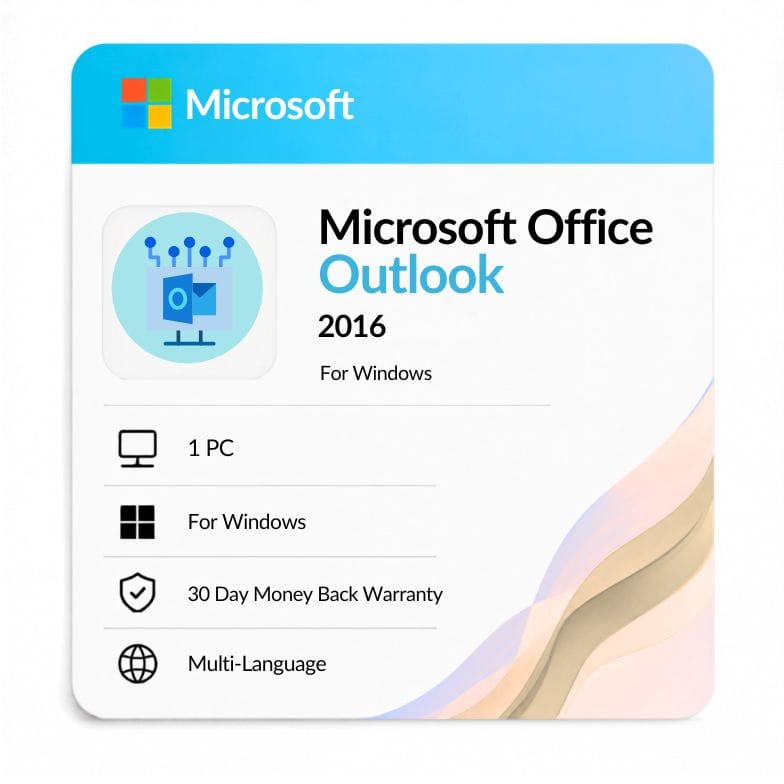
Microsoft Outlook 2016 license for 1 Windows PC — $43.99 one-time (was $58.99, save 25%). Delivered by email within the hour, with 24/7 setup and troubleshooting support included.
| Activation Region | Global |
|---|---|
| Brand | Microsoft |
| Delivery | Digital — Email within 1–12 Hours |
| Language | All Languages |
| Installation Type | Digital Download (Product Key) |
| License Type | Retail |
| Platform | Windows |
| Devices | 1 PC |
| Version/Edition | 2016 |
Description
This guide covers Outlook 2016 Office 365 manual setup, Gmail configuration, signatures, updates and the most common fixes — plus where to get a genuine license. Buy an Outlook 2016 key for $43.99 and our 24/7 support team helps you complete setup and resolve any issue on this page.
Manually setting up Office 365 in Outlook 2016
Manual setup is the reliable fix when auto-discover fails. If automatic account setup won’t connect, an office 365 manual configuration outlook 2016 gets you connected by entering the server details yourself.
- Open File > Add Account > Manual setup or additional server types.
- Choose Exchange or Office 365 (Exchange ActiveSync / Exchange).
- Enter your Office 365 email as both the account and the server identity.
- Use outlook.office365.com as the server and your full email as the username.
- Enter your password, finish, and let Outlook build the profile.
This outlook 2016 manual setup office 365 path works when your organization has disabled autodiscover or when you’re on a hybrid network. If any step errors out, our support walks you through it after you buy a key.
Setting up Gmail in Outlook 2016
Gmail needs IMAP enabled and an app password. To configure Outlook 2016 for Gmail, first turn on IMAP in Gmail settings and create an app password if you use 2-step verification.
- In Gmail, enable IMAP under Settings > Forwarding and POP/IMAP.
- In Outlook, add the account and choose manual IMAP setup.
- Incoming server: imap.gmail.com, port 993, SSL.
- Outgoing server: smtp.gmail.com, port 465 or 587, SSL/TLS.
- Sign in with your app password rather than your normal password.
The same Gmail settings in Outlook 2016 apply whether you set up Gmail in Outlook 2016 on a new profile or add it alongside an existing account.
The Outlook Social Connector in 2016
The Outlook Social Connector 2016 shows contact details and history beside your emails. The social connector for Outlook 2016 lives in the People Pane and pulls in photos, recent messages and shared attachments for whoever you’re emailing.
If the social connector Outlook 2016 pane is missing, enable it under View > People Pane > Normal, and make sure the “Microsoft Outlook Social Connector” add-in is turned on under File > Options > Add-ins. It’s a handy way to see conversation context without leaving your inbox.
Creating an email signature in Outlook 2016
Signatures are set once and applied automatically. To add a signature in Outlook 2016, go to File > Options > Mail > Signatures, create a new one, and pick which accounts and message types use it.
- Design your Outlook signature 2016 with text, logo and links.
- Assign a different 2016 Outlook signature to new mail vs replies.
- Set a signature for Outlook 2016 per account if you have several.
Once saved, your signature on Outlook 2016 is added to every message automatically, so you never retype it.
Signing in and keeping Outlook 2016 updated
Sign in with the same Microsoft or Office 365 account tied to your license. If sign in to Outlook 2016 fails, confirm the account type (Microsoft vs work/school) and that your password is current.
For an Outlook 2016 update, use File > Office Account > Update Options > Update Now. Keeping the update for Outlook 2016 current fixes many stability bugs — though note the support caveat below.
Fixing “Outlook 2016 crashes when opening calendar”
Calendar crashes are usually an add-in or corrupt-profile issue. If Outlook 2016 crashes when opening the calendar, start Outlook in safe mode (Windows + R, type outlook /safe) to see whether an add-in is the cause.
- Disable add-ins one at a time under File > Options > Add-ins.
- Repair Office via Control Panel > Programs > Change > Repair.
- If it persists, create a fresh mail profile and re-add your account.
Our support team troubleshoots this with you directly once you’ve bought a genuine key.
Buy a genuine key — and get the support to set it up
You’re not just buying a license; you’re buying help. A genuine Outlook 2016 key is $43.99 once, and our 24/7 team helps you complete the outlook 2016 office 365 manual setup, connect Gmail, build signatures and clear the crashes above.
- Genuine retail license — activates on one Windows PC.
- Emailed within the hour, up to 12 hours at most.
- 24/7 support at Support@zoftis.com, usually replying within an hour.
- 30-day money-back guarantee and an invoice for your records.
One payment, no subscription
This is a one-time perpetual license, not a rental. Outlook 2016 as a standalone app costs $43.99 once, versus paying yearly for Microsoft 365. The key stays valid on one PC with nothing to renew.
Outlook 2016 end of life — read before you buy
Outlook 2016 reached end of extended support in October 2025. The “outlook 2016 end of life” milestone means Microsoft no longer ships security patches, so no further update for Outlook 2016 will be released.
It still runs fine for existing accounts and offline use. If you need ongoing security updates for internet-facing mail, consider a newer edition — we’d rather tell you plainly than sell you the wrong thing.
Related products & other versions
- Office 2016 Professional Plus — get Outlook bundled with the full 2016 suite.
- Outlook 2019 — a newer standalone Outlook release.
- Outlook 2021 — the most modern standalone Outlook we stock.
- Word 2016 — the standalone document app from the same suite.
Features
Complete desktop email client
- Email, calendar, contacts and tasks in one app.
- Works with Office 365/Exchange, Gmail (IMAP) and other accounts.
- People Pane with the Outlook Social Connector for contact context.
Organization & productivity
- Rules, categories and Quick Steps to automate your inbox.
- Reusable signatures per account and message type.
- .pst archiving and search folders for large mailboxes.
Genuine license + real support
- Perpetual retail key — pay once, no subscription.
- 24/7 setup and troubleshooting help included.
- Invoice provided; 30-day money-back guarantee.
Specifications
| Attribute | Detail |
|---|---|
| Product | Microsoft Outlook 2016 |
| Platform | Windows |
| Devices | 1 PC |
| License type | Retail, one-time perpetual |
| Build | 32-bit and 64-bit (same key) |
| Account types | Office 365 / Exchange, IMAP, POP, Gmail |
| Data file | .pst / .ost |
| Region | Worldwide |
| Language | Multilingual |
| Delivery | Email — within 1 hour (up to 12 hours max) |
| Price | $43.99 (was $58.99, save 25%) |
System Requirements
| Requirement | Minimum |
|---|---|
| Operating system | Windows 7, 8, 8.1, 10 or 11 (also runs on Server 2008 R2/2012 R2) |
| Processor | 1 GHz or faster with SSE2 |
| Memory (RAM) | 1 GB (32-bit) / 2 GB (64-bit) |
| Hard disk | 3.0 GB available space |
| Display | 1024 × 768 resolution |
| Connectivity | Internet access required for account sync and updates |
FAQs
How do I do an Office 365 manual setup in Outlook 2016?
Use File > Add Account > Manual setup, choose Exchange/Office 365, and enter outlook.office365.com as the server with your full email as the username. This manual Office 365 setup for Outlook 2016 is the go-to fix when autodiscover fails. If you hit an error, our support finishes it with you after purchase.
How do I set up Gmail on Outlook 2016?
Enable IMAP in Gmail, create an app password, then add the account in Outlook using imap.gmail.com (port 993, SSL) and smtp.gmail.com (port 465/587). To configure Outlook 2016 for Gmail reliably, sign in with the app password, not your normal one. The same Gmail settings in Outlook 2016 work for new or additional profiles.
Why does Outlook 2016 crash when opening the calendar?
Calendar crashes are usually caused by an add-in or a corrupt profile. Start Outlook in safe mode (outlook /safe), disable add-ins one by one, then repair Office. If Outlook 2016 crashes when opening the calendar even after that, a fresh mail profile usually fixes it — and our team can do this with you.
How do I add a signature in Outlook 2016?
Go to File > Options > Mail > Signatures and create one. You can assign a different signature for Outlook 2016 to new mail and replies, and set one per account. Once saved, your Outlook signature 2016 is applied to every message automatically.
Where is the Social Connector in Outlook 2016?
The social connector Outlook 2016 feature lives in the People Pane. Turn it on via View > People Pane > Normal, and make sure the Microsoft Outlook Social Connector add-in is enabled under Options. It shows contact photos and recent conversation history beside your email.
Can't sign in to Outlook 2016 — what should I check?
Confirm you're using the correct account type (Microsoft vs work/school) and a current password. If sign in to Outlook 2016 still fails, remove and re-add the account, or run an Outlook 2016 update via Office Account. Our 24/7 support can diagnose sign-in problems with you.
Is Outlook 2016 still supported?
No. Outlook 2016 reached end of life in October 2025 when extended support ended, so no new update for Outlook 2016 is released. It still runs for existing accounts and offline use; for ongoing security on internet-facing mail, consider Outlook 2019 or 2021.
Do I get help setting this up after I buy?
Yes. Every purchase includes 24/7 support at Support@zoftis.com, usually replying within an hour. Whether it's manual Office 365 setup, Gmail configuration, signatures or the calendar crash, we help you get a genuine, activated Outlook 2016 working — backed by a 30-day money-back guarantee.
Related products
Key for Word 2016 — Lifetime Product Key
Original price was: $83.99.$43.69Current price is: $43.69.
Microsoft Office 2019 for Mac (Home & Business)
Original price was: $119.99.$89.99Current price is: $89.99.
Microsoft Office Home and Student 2021 — Lifetime Key for PC & Mac
Original price was: $124.99.$75.64Current price is: $75.64.
Microsoft Office Professional Plus 2019 product key lifetime
Original price was: $149.99.$69.51Current price is: $69.51.
Microsoft Outlook 2021 Download — Standalone Email & Calendar Client
Original price was: $116.99.$52.79Current price is: $52.79.
Office 2016 for Mac — Home & Business Lifetime Key
Original price was: $109.99.$76.99Current price is: $76.99.
Product Key for Office Professional Plus 2010
Original price was: $83.99.$31.49Current price is: $31.49.
Reviews
Clear filtersThere are no reviews yet.