
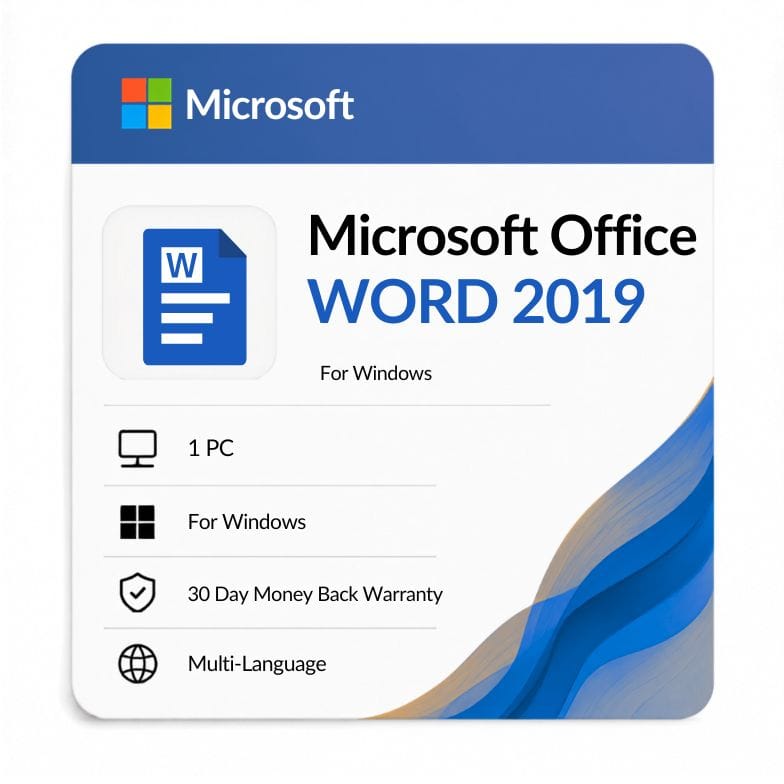



Word 2019 Product Key — Standalone Lifetime License for 1 Windows PC
Original price was: $91.99.$39.49Current price is: $39.49.
Microsoft Word 2019 — One-time purchase, perpetual license | $39.49 (57% off $91.99)
| Activation Region | Global |
|---|---|
| Brand | Microsoft |
| Delivery | Digital — Email within 1–12 Hours |
| Language | All Languages |
| Installation Type | Digital Download (Product Key) |
| License Type | Retail |
| Platform | Windows |
| Devices | 1 PC |
| Version/Edition | 2019 |
Description
A Word 2019 product key gives you a standalone, perpetual license for Microsoft’s word processor on one Windows PC — no subscription, no expiration. At $39.49, you save 57% off the $91.99 MS list price. Your key arrives by email within an hour. If you write documents for a living — and don’t need Excel or PowerPoint — this is the cheapest way to own genuine Word outright.
What a standalone Word 2019 license includes — and what it doesn’t
When you buy Word 2019 as a standalone app, you get Microsoft Word 2019 desktop for Windows. That’s it — no Excel, no PowerPoint, no Outlook. This is the right buy if Word is the only Office app you use. Writers, editors, legal professionals, and students writing papers often fall into this camp.
But if you occasionally need a spreadsheet or a presentation tool, the math shifts quickly. The Office 2019 Professional Plus suite includes Word, Excel, PowerPoint, Outlook, Access, and Publisher for $69.51 — that’s six apps for $30.02 more than Word alone. Most buyers come for Word and stay for the bundle.
| Product | Price | Apps | License Type |
|---|---|---|---|
| Word 2019 (Standalone) | $39.49 | Word only | Lifetime, 1 PC |
| Office 2019 Professional Plus | $69.51 | Word + Excel + PowerPoint + Outlook + Access + Publisher | Lifetime, 1 PC |
| Microsoft 365 Personal | $36.95/year | Word + Excel + PowerPoint + Outlook + 1 TB OneDrive | Subscription, annual renewal |
Choose the standalone Word 2019 license if you’re certain you’ll never open Excel, PowerPoint, or Outlook. Choose the suite if there’s any chance you’ll use another Office app — paying $30.02 more for five additional applications is hard to beat.
What’s new in Word 2019 compared to Word 2016
| New Feature | What It Does | Why It Matters |
|---|---|---|
| Focus mode | Hides ribbons, toolbars, and distractions — darkens everything except the page | Write without interface clutter; especially useful on laptops |
| Immersive Reader | Adjusts text spacing, column width, and page color for readability | Reduces eye strain during long editing sessions |
| Read Aloud | Text-to-speech with adjustable speed and voice | Catch awkward phrasing by hearing your text spoken back |
| Improved inking | Pressure-sensitive pen input, tilt support, and ink-to-shape conversion | Mark up documents naturally on touchscreen or stylus devices |
| Learning Tools | Syllable breaks, line focus, and text spacing controls | Helpful for proofreading dense documents and for accessibility |
| SVG and 3D model support | Insert and rotate scalable vector graphics and 3D objects | Sharper icons and diagrams that don’t pixelate at any zoom level |
Who buys Word 2019 as a standalone app?
- Writers and editors: You live in Word — manuscripts, articles, reports. Excel and PowerPoint sit unused. One app, one payment, done.
- Legal and administrative professionals: Document drafting and formatting are your entire workflow. Track changes and mail merge cover everything you need.
- Students and academics: Papers, theses, and bibliographies. Word’s citation and table-of-contents tools do the job without the full suite.
- Second-device setups: You already have Office on your main PC — add Word to a secondary laptop for $39.49 without buying the whole bundle twice.
Skip the standalone and get the suite instead if you’ll need Excel for data, PowerPoint for presentations, or Outlook for email management within the next year. The Office 2019 Professional Plus at $69.51 covers all of it for $30.02 more.
Word 2019 vs Word 2021: Is the upgrade worth it?
| Feature | Word 2019 | Word 2021 |
|---|---|---|
| Focus mode | Yes | Yes |
| Immersive Reader | Yes | Yes (improved) |
| Read Aloud | Yes | Yes (more natural voices) |
| Dark mode for document canvas | No | Yes |
| Improved collaboration comments | Basic | Modern comment threading |
| Mainstream support | Ended Oct 2023 | Until Oct 2026 |
| Price (Zoftis) | $39.49 | $56.04 |
Stay with Word 2019 to save $16.55 if dark mode and modern comments aren’t dealbreakers — the core writing, proofing, and formatting tools are nearly identical. Step up to Word 2021 if you work at night (dark document canvas is a real eye-saver) or need longer support coverage through 2026.
From checkout to your first document
- Place your order: Checkout with VISA, Mastercard, PayPal, Wise, or Payoneer. An invoice is generated instantly.
- Receive your key: Your microsoft word 2019 product key arrives by email — typically within 15 minutes, rarely longer than one hour.
- Activate and install: Go to setup.office.com, sign in with a Microsoft account, and enter your key. Download the installer directly from Microsoft’s servers.
- Start writing: Once activated, your perpetual Word 2019 license stays with that PC permanently. No renewal, no subscription, no expiration.
What you get with every Zoftis license
Every product key word 2019 purchase comes with a genuine Microsoft retail license, a 30-day money-back guarantee, and 24/7 support via Support@zoftis.com — typical response time under one hour. If your key fails activation, we replace it or refund you in full. No exceptions.
Other Word versions you may want to compare
- Word 2024 — Choose this for the newest version with the longest support window ($70.19).
- Word 2021 — Choose this if you want dark mode and modern comments with support through 2026 ($56.04).
- Word 2016 — Choose this if budget is the top priority and Focus mode isn’t essential ($43.69).
- Office 2019 Professional Plus — Choose this to get Word, Excel, PowerPoint, Outlook, Access, and Publisher in one purchase ($69.51).
- Microsoft 365 Personal — Choose this if you want always-updated apps, 1 TB OneDrive storage, and real-time co-authoring ($36.95/year).
Features
Word 2019 features at a glance
Writing & editing
- Focus mode — full-screen, distraction-free writing environment
- Read Aloud — text-to-speech playback to catch awkward phrasing
- Track Changes — mark edits, comments, and revisions for review
- Spell check and grammar proofing tools
- Rich text formatting with styles, fonts, and paragraph controls
Document design
- Document themes for consistent colors, fonts, and effects
- Insert SVG graphics and 3D models with rotation controls
- Headers, footers, watermarks, and page numbering
- Templates for resumes, reports, letters, and newsletters
- SmartArt diagrams and chart integration
Research & references
- Table of contents — auto-generated from heading styles
- Citations and bibliography manager (APA, MLA, Chicago)
- Footnotes, endnotes, and cross-references
- Mail merge with Excel, Outlook, or CSV data sources
- .docx file format with backward compatibility
Accessibility & reading
- Immersive Reader with adjustable text spacing and column width
- Learning Tools — syllable breaks and line focus for dense text
- Read Mode — reflowable page view optimized for screens
- Improved inking — draw, highlight, and annotate with stylus support
Specifications
| Attribute | Value |
|---|---|
| Product | Microsoft Word 2019 |
| Edition | Standalone (single application) |
| Platform | Windows |
| Devices | 1 PC |
| License type | Retail — one-time purchase, perpetual |
| Region | Global (multi-language) |
| Language | All supported by Microsoft |
| Delivery | Email within 1 hour (key + download instructions) |
| Price | $39.49 (MS list $91.99 — 57% off) |
System Requirements
| Requirement | Specification |
|---|---|
| Operating System | Windows 10, Windows 11, Windows Server 2019 |
| Processor | 1.6 GHz, dual-core or faster |
| RAM | 4 GB (64-bit); 2 GB (32-bit) |
| Disk Space | 4 GB available |
| Display | 1280 x 768 resolution |
| Graphics | DirectX 9 or later with WDDM 2.0 |
| .NET Version | .NET Framework 3.5 or later (required for some features) |
Note: This Word 2019 license is for Windows only. No Word 2019 for Mac standalone SKU exists in the reference file — the Mac equivalent is Word 2021 for Mac.
FAQs
Is this a subscription or a one-time purchase?
This is a one-time purchase. You pay $39.49 once and own a perpetual Word 2019 license — no annual renewal, no monthly billing, no expiration. Unlike Microsoft 365, you install it once and keep it for the life of your PC.
Do I get Excel and PowerPoint with this Word 2019 key?
No. This is a standalone Microsoft Word 2019 license — it covers only Word. If you need Excel, PowerPoint, Outlook, Access, and Publisher too, the Office 2019 Professional Plus suite costs $69.51 and includes all six applications.
How do I activate Word 2019 after I buy the key?
To activate Word 2019, go to setup.office.com, sign in with a Microsoft account, and enter your product key. The site verifies the key, links the license to your account, and provides the installer download. Once installed, Word activates automatically on that PC.
Can I install this on more than one computer?
No. This retail license allows installation on one Windows PC. Each additional device needs its own Word 2019 key. The license binds to the PC during first activation.
How long until I receive my Word 2019 product key?
Most word 2019 key orders arrive by email within 15 minutes. In rare cases, delivery may take up to one hour. You'll receive the key, download instructions, and an invoice.
Will Word 2019 still get security updates?
Yes. Word 2019 receives security updates under Microsoft's extended support lifecycle until October 14, 2025. Mainstream support ended in October 2023, meaning no new features are released — only security patches.
What if my key doesn't work?
Email Support@zoftis.com. We respond within one hour, 24/7. If the key is defective — which is rare — we'll issue a working replacement immediately. If activation still fails, you're covered by our 30-day money-back guarantee for a full refund.
Related products
Excel 2019 Product Key — Lifetime Standalone License for Windows
Original price was: $91.99.$47.49Current price is: $47.49.
Key for Word 2016 — Lifetime Product Key
Original price was: $83.99.$43.69Current price is: $43.69.
Microsoft Office 2019 for Mac (Home & Business)
Original price was: $119.99.$89.99Current price is: $89.99.
Microsoft Office 2021 Home and Business
Original price was: $249.99.$103.54Current price is: $103.54.
Microsoft Office Home and Student 2021 — Lifetime Key for PC & Mac
Original price was: $124.99.$75.64Current price is: $75.64.
Outlook 2016: Office 365 Manual Setup, Fixes & Genuine Key
Original price was: $58.99.$43.99Current price is: $43.99.
PowerPoint 2019 Product Key — Standalone License for 1 Windows PC
Original price was: $91.99.$36.72Current price is: $36.72.
Reviews
Clear filtersThere are no reviews yet.